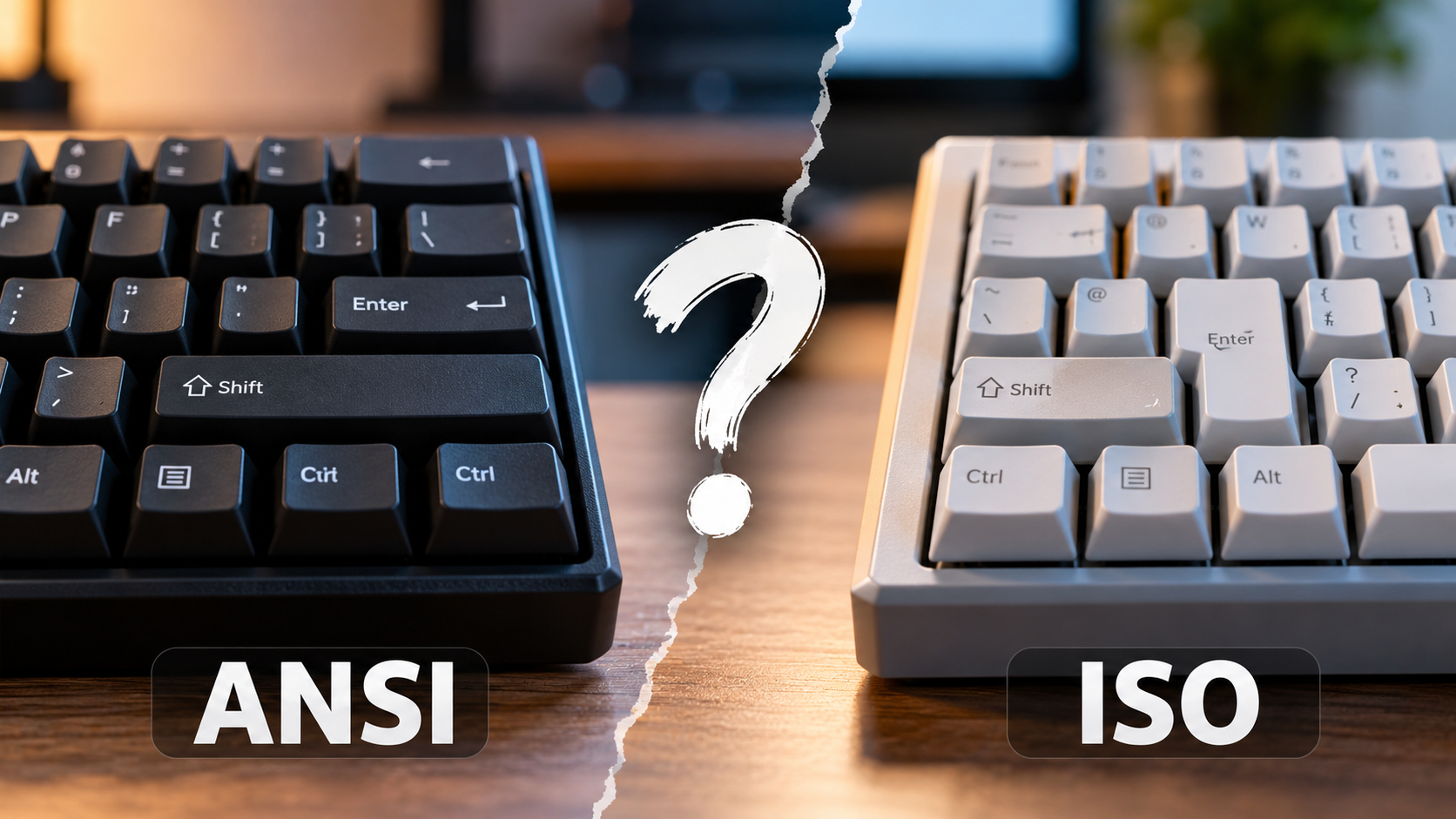
ANSI vs. ISO Keyboards: Which Layout to Choose
Choosing between ANSI vs. ISO keyboards can be confusing when buying a new mechanical keyboard. Both layouts support everyday typing, gaming, and programming, but their physical key arrangements differ.
ANSI stands for the American National Standards Institute, while ISO refers to the International Organization for Standardization. ANSI layouts are common in North America, whereas ISO layouts are widely used across Europe.
The biggest differences involve the Enter key, left Shift key, and placement of certain symbols. These variations can affect typing habits, language support, and keycap compatibility.
Understanding these differences helps you choose a keyboard that suits your daily needs. Whether you are a programmer, writer, student, or gamer, the right layout should feel comfortable and support your preferred typing style.
In this guide, we compare both layouts, explain their advantages, and answer common questions. You will also learn which keyboard layout may work best for gaming, programming, and everyday productivity.
Which Keyboard Layout Is Better, ANSI or ISO?
Neither ANSI nor ISO is universally better. The right choice depends on your typing habits, language requirements, and personal preferences. Both layouts support reliable typing when paired with suitable keyboard hardware.
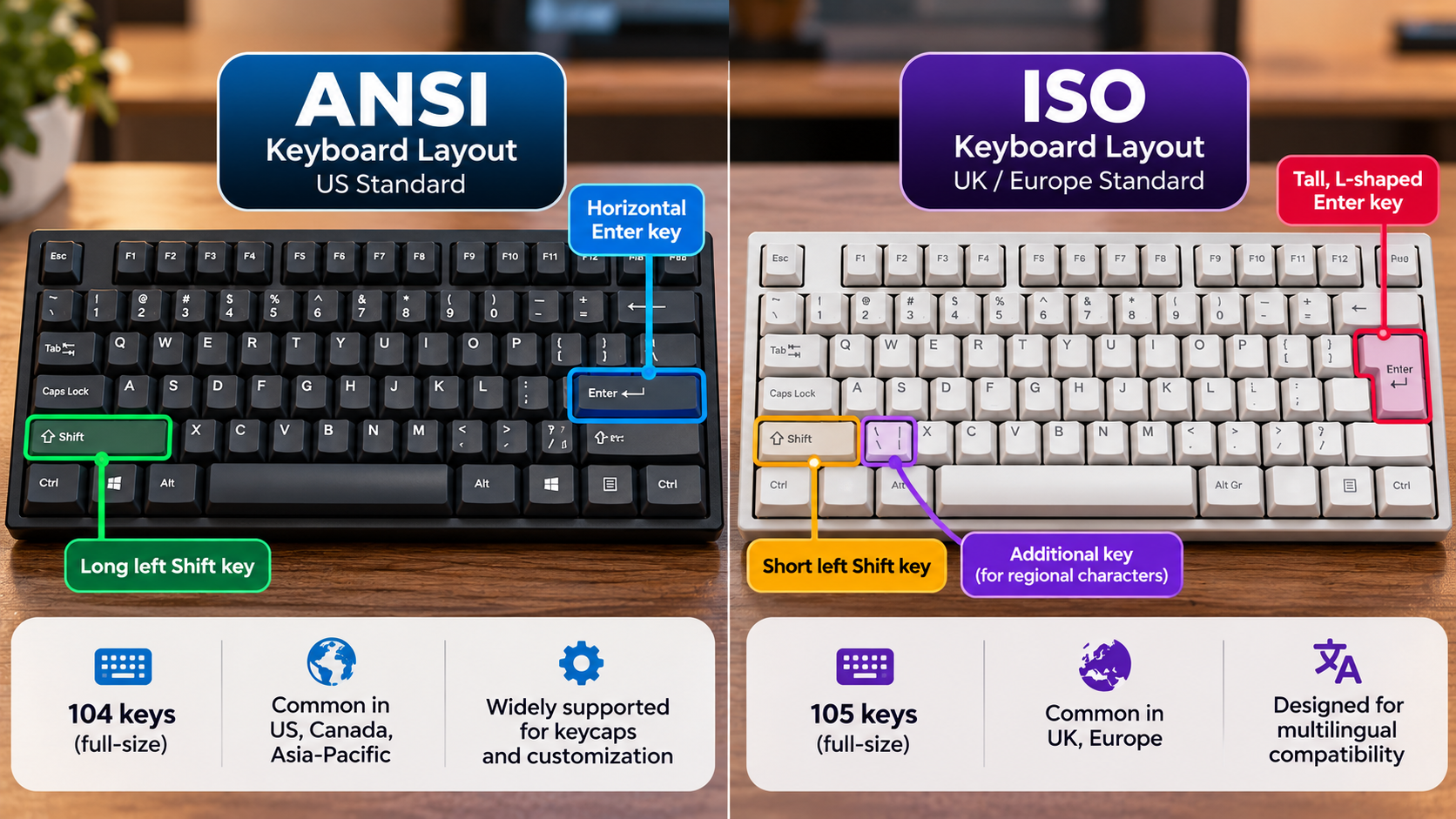
The ANSI layout is common in North America. It features a horizontal Enter key and a wider left Shift key. Many users who type primarily in English find this arrangement familiar.
The ISO layout is widely used throughout Europe. It has a taller, L-shaped Enter key and a shorter left Shift key. The additional key beside the left Shift can support regional characters or symbols, depending on the keyboard configuration.
When comparing ANSI vs. ISO keyboards, remember that their physical layouts do not determine typing speed or overall keyboard quality. Switch type, key feel, and individual experience also influence performance.
If you already use one layout comfortably, switching may require some adjustment. Consider your daily tasks and regional requirements before choosing a keyboard.
Key Physical Differences Between ANSI and ISO Keyboards
The most noticeable differences between ANSI and ISO keyboards involve the Enter key, left Shift key, and number of physical keys.
Here is a quick comparison:
- Enter key: ANSI uses a horizontal, single-row Enter key. ISO uses a taller, two-row Enter key.
- Left Shift key: ANSI has a wider left Shift key. ISO uses a shorter key to accommodate another key beside it.
- Physical key count: Standard full-size US ANSI keyboards commonly have 104 keys, while many standard ISO keyboards have 105. Regional variants can differ.
- Keycap compatibility: ISO keyboards need specific Enter and left Shift keycap shapes.
- Regional characters: Both layouts support different languages through software settings, but their physical key arrangements and printed legends may vary.
These differences affect the keyboard’s appearance and the position of certain keys. They do not automatically make one layout more comfortable or efficient than the other.
Which Keyboard Layout Should I Choose?
Choosing between ANSI and ISO keyboards depends on where you live, which languages you type, and how you use your computer. Your budget and customization preferences also deserve consideration. If you’re still comparing physical dimensions, our guide to choosing the right keyboard size can help you find a keyboard that fits your workspace and typing habits.
If you primarily type in English and prefer the US keyboard arrangement, ANSI may be a practical option. It is widely available through keyboard manufacturers and custom mechanical keyboard retailers.
If you regularly type European languages or prefer a regional keyboard configuration, ISO may suit you better. Many ISO keyboards include localized legends and convenient access to language-specific characters.
Your existing typing habits matter, too. Switching layouts can temporarily affect your speed because the Enter key, left Shift key, and some symbols occupy different positions.
Before purchasing, check the keyboard’s physical layout rather than relying only on the product name. Also, confirm that the operating system’s selected keyboard language matches your needs.
Keycap Availability and Customization
Keycap compatibility matters if you plan to customize a mechanical keyboard. Many aftermarket keycap sets prioritize ANSI layouts, while ISO compatibility may require an additional kit. Before investing in custom accessories, consider the disadvantages of using a mechanical keyboard to understand some of the potential trade-offs associated with these keyboards.
The main issue is the different shape of the Enter key and the shorter left Shift key. A keycap set designed only for ANSI may not include the correct pieces for an ISO keyboard.
Before purchasing replacement keycaps, check the product description for explicit ISO support. Some sets include both layouts, while others sell additional keys separately.
This difference can affect your customization budget and the number of designs available to you. However, ISO-compatible keycap sets are available from various manufacturers.
If you frequently change your keyboard’s appearance, compare available keycap sets before choosing your layout. Doing so helps you avoid compatibility problems and unexpected expenses later.
Is ANSI or ISO Better for Gaming?
ANSI and ISO keyboards can deliver comparable gaming performance. Neither layout automatically provides faster response times or better accuracy. Those factors depend more on the switches, firmware, connection, and other hardware characteristics. Your keyboard’s underlying technology also matters, so comparing mechanical and membrane keyboards for gaming can help you evaluate other factors that affect your gaming experience.
Some gamers prefer ANSI because its wider left Shift key feels convenient in games that use Shift for sprinting or crouching. The horizontal Enter key may also feel more familiar to players accustomed to US keyboards.
However, personal preference should not be confused with a proven competitive advantage. ISO keyboards can perform equally well when configured with suitable key bindings.
If you play games that rely heavily on WASD movement, pay attention to the keys surrounding that area. Consider whether the left Shift key feels comfortable during repeated movements.
When comparing ANSI vs. ISO keyboards for gaming, prioritize your hand position, preferred controls, and comfort during long sessions. A keyboard that feels natural to use is more valuable than a layout chosen solely because other gamers prefer it.
Ergonomics and Accidental Keypresses
Gaming comfort depends on hand position, finger reach, keyboard angle, and the location of frequently used keys. Neither ANSI nor ISO automatically prevents accidental keypresses or reduces strain. Your keyboard’s physical angle can also affect your setup, so learn whether your physical keyboard should be flat or tilted when adjusting your typing position.
The shorter left Shift key on ISO keyboards may feel unfamiliar to players accustomed to ANSI. This can matter in games where Shift is an important movement or action key.
However, the effect varies between users. Hand size, typing technique, and muscle memory all influence how comfortable a particular layout feels.
Before buying a gaming keyboard, consider these factors:
- Test the left Shift key with your usual controls.
- Check whether nearby keys interfere with your movements.
- Choose switches that suit your preferred typing and gaming style.
- Consider keyboard size, desk space, and wrist positioning.
You can also remap keys in supported games to create a more comfortable control scheme. Ultimately, familiarity and personal comfort matter more than the layout’s name.
What’s the Most Optimal Keyboard Layout?
The most optimal keyboard layout depends on your language, daily tasks, and personal preferences. No single physical arrangement suits every programmer, writer, gamer, or office worker.
ANSI is a practical choice for many English-language users, especially those accustomed to US keyboard conventions. Its familiar Enter and left Shift keys may also suit people who regularly use common keyboard shortcuts.
ISO can be equally suitable for users who need regional keyboard configurations. Its physical arrangement supports localized designs and provides an additional key position that can accommodate regional characters or symbols.
Software settings also influence the typing experience. Both physical layouts can work with different operating system keyboard configurations, although the printed legends may not match every character you enter.
When choosing between ANSI and ISO, think about your actual workflow rather than following a general recommendation. The best layout is the one that supports your language, feels comfortable, and works reliably with your preferred applications.
Balancing Efficiency and Local Standards
Typing efficiency depends on familiarity, finger movement, language settings, and access to frequently used symbols. The physical layout is only one part of the overall experience. If you spend long hours typing at work, our guide on choosing the perfect mechanical keyboard for your office can help you consider additional features beyond the ANSI and ISO layouts.
Programmers should pay particular attention to punctuation. Brackets, quotation marks, slashes, and other symbols can appear in different positions depending on the physical layout and selected language configuration.
Writers who use accented characters should check how easily their preferred language handles those characters. Software settings can provide alternative input methods, but some users prefer a localized keyboard.
Local standards also affect product availability. Choosing a common layout in your region may make it easier to purchase replacement keyboards, keycaps, and accessories.
Before deciding, test the layout with your usual tasks whenever possible. A familiar arrangement that supports your daily workflow can help you work comfortably without unnecessary adjustments.
What Is the Most Popular Keyboard Layout?
ANSI and ISO are both widely used keyboard layouts, but their popularity varies by region. ANSI is particularly common in the United States and appears frequently in US-focused keyboard product ranges. ISO is widely used across Europe, where regional language requirements influence keyboard design.
Identifying one layout as the most popular worldwide requires comprehensive sales or usage data. Without reliable global figures, it would be misleading to declare a definitive winner.
ANSI’s strong presence in many mechanical keyboard markets can influence the availability of replacement keycaps and custom accessories. However, this does not mean ISO keyboards are uncommon or unsuitable for international users.
When comparing ANSI vs. ISO keyboards, regional availability is often more useful than worldwide popularity. A layout commonly sold in your country may provide better access to localized keyboards, replacement parts, and familiar key legends.
Consider your language requirements and local product selection before making a decision. The most widely available layout in one market may not be the most convenient option in another.
Global Distribution and Market Trends
Keyboard layouts reflect regional language conventions, consumer preferences, and manufacturing decisions. ANSI is common in US-focused markets and is supported by many international keyboard brands. ISO remains an important standard across European markets.
Custom mechanical keyboard products often prioritize ANSI compatibility. Some keycap sets include ISO-compatible keys, while others require separate kits. Availability depends on the manufacturer, design, and product range.
Regional layouts can also differ in their printed legends and symbol positions. A keyboard designed for one country may not match the conventions used elsewhere, even when both follow ANSI or ISO physical arrangements.
When buying a keyboard, check its actual key arrangement, language configuration, and replacement keycap support. These details provide more practical guidance than assumptions about worldwide popularity.
For most users, the right layout is the one that matches their language, typing habits, budget, and available hardware. Comparing these factors will help you make a confident purchasing decision without overcomplicating the choice.
Conclusion: ANSI vs. ISO Keyboards
Choosing between ANSI vs. ISO keyboards ultimately comes down to your typing habits, language requirements, and personal comfort. ANSI is a practical choice for users who prefer the US keyboard layout and want broad keycap compatibility. ISO is ideal for those who use regional keyboard layouts and need convenient access to language-specific characters.
For more information about keyboard standards, visit the International Organization for Standardization (ISO) and the American National Standards Institute (ANSI).
Neither layout is universally better for typing, programming, or gaming. Both can deliver an excellent experience when paired with quality hardware and suitable settings.
Before buying, consider the key positions, available accessories, and layout you already feel comfortable using. The best keyboard layout is the one that fits your daily workflow and makes typing feel natural.