
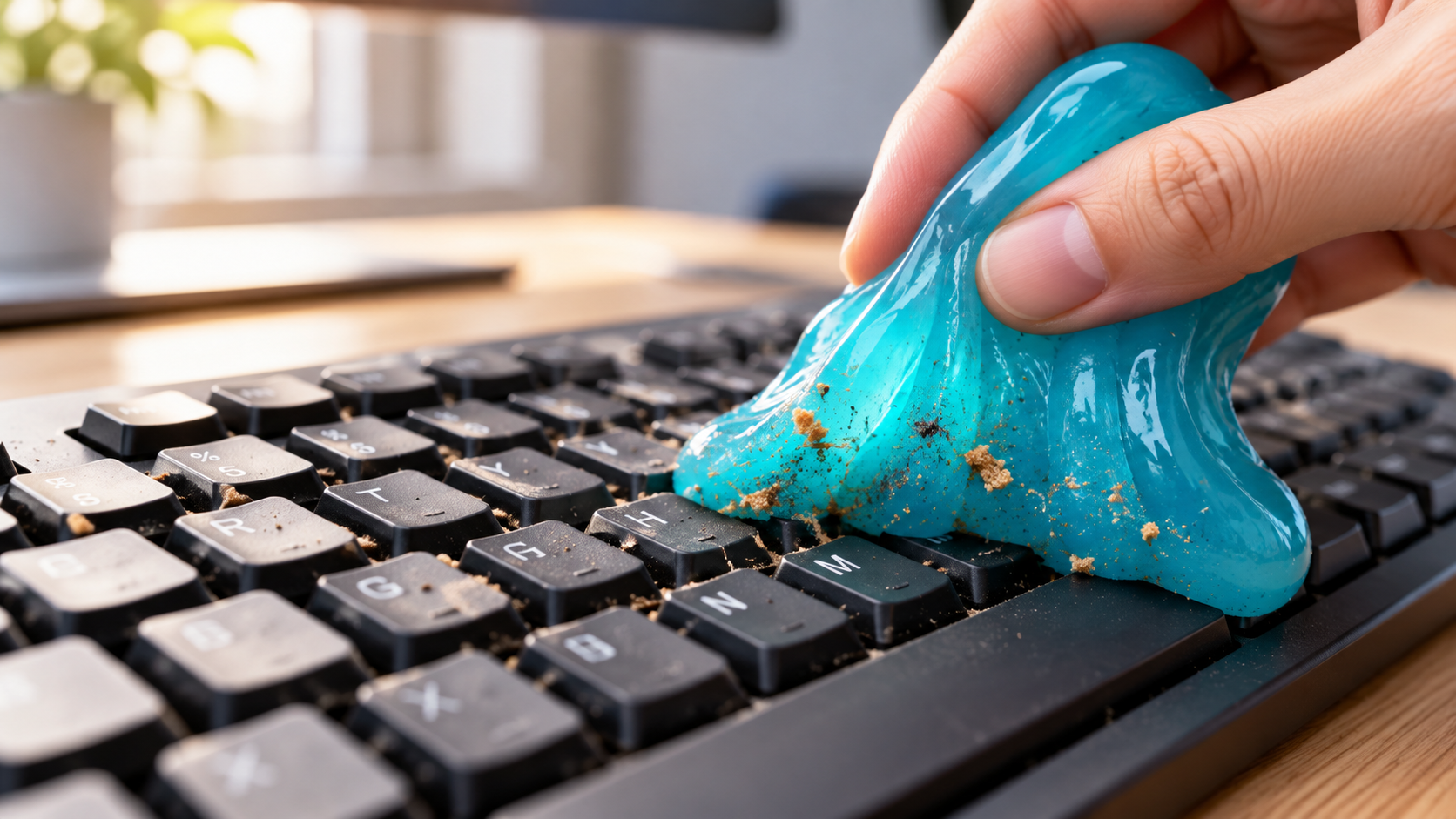
How to Clean Your Keyboard Using Slime
Computer keyboards collect dust, crumbs, hair, and other debris every day. Learning how to clean your keyboard using slime can help remove loose dirt from narrow spaces between the keys.
Learning how to clean your keyboard using slime offers a simple way to pick up loose debris. Cleaning gel can reach narrow spaces that are difficult to clean with a cloth. It works by lightly gripping dust, crumbs, and hair when pressed against the keyboard surface.
However, slime is not a replacement for a complete keyboard cleaning routine. You still need to remove loose debris and clean suitable surfaces separately. You should also avoid pushing gel deeply between mechanical switches or into openings.
This guide explains how keyboard cleaning slime works and how to use it safely. You will also learn how to make a cleaning compound, deep-clean a keyboard, and handle dirty slime. The guide also covers whether slime is suitable for children and how to store it properly.
Can Slime Clean a Keyboard?
Yes, keyboard cleaning slime can pick up loose dust, crumbs, hair, and other debris. Its soft texture allows it to reach narrow spaces between keys. When you press the gel gently against the surface, particles can stick to the compound.
Cleaning gel can be especially useful for areas that are difficult to reach with a cloth. It may also help clean laptop keyboards safely and low-profile keyboards where removing keycaps is not practical.
However, slime should be viewed as a surface-cleaning tool, not a complete cleaning solution. It does not replace compressed air, a soft brush, or appropriate cleaning wipes. It also cannot remove every type of stain or contamination.
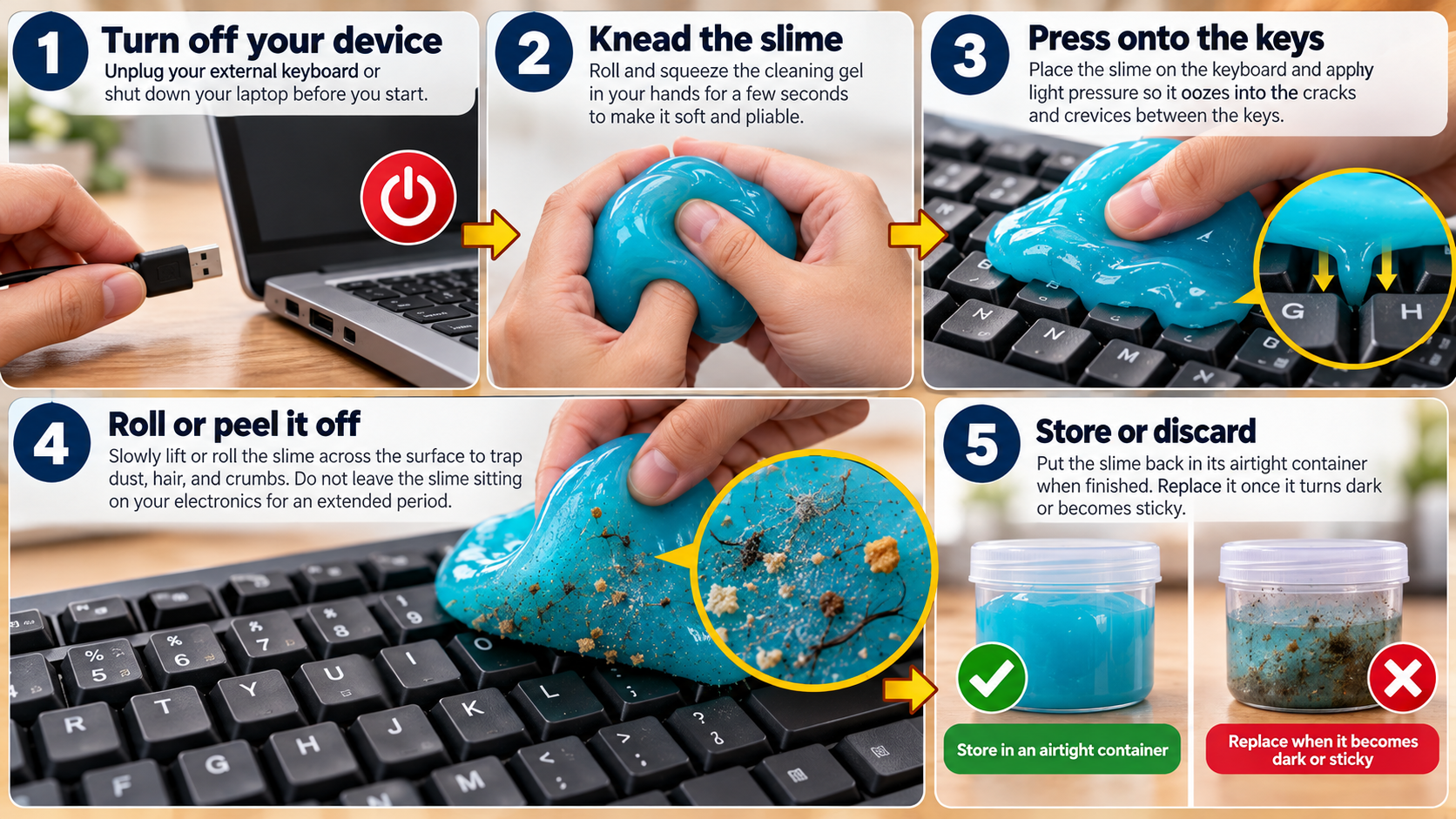
Before using slime, disconnect the keyboard or turn off the device when appropriate. Make sure the cleaning compound is not wet or overly sticky. Avoid using a homemade mixture if it leaves moisture or residue behind.
Use small amounts of gel and work gently. This reduces the chance of leaving pieces inside the keyboard.
Avoid Applying Excessive Pressure
Avoid pressing cleaning slime deeply into the spaces around keyboard switches. Excessive pressure can push pieces of gel underneath keycaps or around mechanical switch housings.
Instead, place the compound gently over the surface. Press lightly for a moment, then lift it away. Repeat the process across different sections of the keyboard.
Do not leave the slime sitting on the keyboard for an extended period. Some homemade mixtures can become sticky or leave residue as their moisture changes. Commercial cleaning gels are generally designed specifically for this type of use, but you should still follow their instructions.
If you notice residue after cleaning, stop using the compound. Remove the remaining material with a suitable dry or slightly damp cleaning method. Keep liquids away from openings and electronic components.
A gentle approach is especially important for mechanical keyboards. Their switches contain small moving parts that can be affected by debris or residue.
For expensive keyboards, test the cleaning gel on an inconspicuous area first. This helps you identify problems before cleaning the entire keyboard.
How to Make Slime to Clean Your Keyboard
You can make a simple cleaning compound using household ingredients, but homemade slime requires caution. A common recipe uses washable school glue and a diluted borax solution. However, the resulting material may vary in consistency and can leave residue.
For a basic mixture, combine four ounces of washable school glue with one-fourth cup of warm water. In another container, dissolve one-half teaspoon of borax in one cup of warm water. Add the borax solution gradually while stirring the glue mixture.
Stop adding the solution once the mixture becomes cohesive. Knead it until it reaches a soft, elastic consistency. Do not use the compound on electronics if it feels wet, oily, or excessively sticky.
Because borax can irritate skin and eyes, handle it carefully. Keep the ingredients away from children and pets. Wash your hands after handling the mixture.
For valuable electronics, a purpose-made keyboard cleaning gel is a safer choice. Commercial products are designed for cleaning surfaces without excessive moisture.
Testing the Compound Moisture Level
Always test homemade cleaning slime before using it on a keyboard. The most important factor is its moisture and residue level.
Place a small amount on a clean, non-porous surface. Press it down gently and lift it away. Check whether the surface feels wet, oily, or sticky afterward.
If the compound leaves moisture behind, do not use it on electronics. Adding random ingredients such as cornstarch can change the texture unpredictably. It is better to adjust the recipe carefully or use a commercial cleaning product.
The slime should remain cohesive when handled. It should not separate into liquid and solid portions. It should also release cleanly from the test surface.
Remember that electronic components and moisture do not mix well. Even a small amount of liquid can enter gaps around switches, ports, or circuit boards.
If you are unsure about the consistency, avoid using the homemade mixture. A dry microfiber cloth and appropriate cleaning tools provide a safer alternative.
How Do I Fully Clean My Keyboard?
A full keyboard cleaning involves more than using slime. Start by disconnecting a wired keyboard or turning off a wireless model. Remove batteries when the keyboard design allows it.
Turn the keyboard upside down and gently shake or tap it over a trash bin. This helps remove larger crumbs and loose particles. You can then use compressed air to safely clean electronics or a soft brush to loosen debris around the keys.
If your keyboard supports removable keycaps, use a proper keycap puller. Remove only the keys that can safely be detached. Take a photo of the keyboard first so you can restore the layout correctly.
Use cleaning gel lightly on accessible surfaces. Do not force it between switches or into openings. Clean removable keycaps separately using an appropriate method, then allow them to dry completely.
For suitable hard surfaces, a small amount of isopropyl alcohol on a cloth can help remove grime. Never pour alcohol directly onto the keyboard.
Once everything is completely dry, reinstall the keycaps and reconnect the keyboard.
Safe Keycap Removal Precautions
Use a proper keycap puller when removing compatible keycaps. Avoid using screwdrivers, knives, or other metal tools. These can scratch plastic parts or damage stabilizers and switch components.
Before removing anything, photograph the keyboard from above. This gives you a visual reference for unusual keys and different keycap sizes.
Not every keyboard allows easy keycap removal. Laptop keyboards, in particular, can have fragile mechanisms underneath the keys. Do not force a keycap if it does not lift easily.
Mechanical keyboards usually provide better access to removable keycaps. However, the exact removal method depends on the keyboard design.
After removing the keycaps, keep them together in a safe container. Clean them separately and let them dry completely before reinstalling them.
Avoid using liquid directly on the keyboard body. Moisture can travel into switches, ports, or internal components. If you use alcohol for cleaning, follow proper precautions explained in this guide to safely use alcohol when cleaning a PC.
When reinstalling the keys, press them down gently and check their movement. If a key feels stuck, remove it and inspect the mechanism rather than forcing it.
Careful removal and reassembly reduce the risk of unnecessary keyboard damage.
How to Clean Dirty Slime?
Cleaning slime eventually becomes too dirty to use effectively. Dust, hair, crumbs, and other particles accumulate inside the compound during repeated use.
You can remove large pieces of debris from the surface by hand or with tweezers. Folding and kneading the gel can temporarily expose cleaner material. However, this does not completely remove the contamination.
Do not wash keyboard cleaning slime under running water. Water can change the compound’s structure and make it difficult to handle. It can also spread the dirt throughout the material.
Once the slime becomes heavily contaminated, sticky, or noticeably different in texture, discard it. Do not continue using a compound that leaves residue on surfaces.
There is also no reliable color test for determining when slime has reached its maximum cleaning capacity. Instead, look for practical signs such as excessive dirt, reduced tackiness, or visible residue.
Cleaning gel is generally a disposable cleaning aid, so replacing it regularly is part of proper use. This is especially important when cleaning multiple devices.
Storing Putty for Maximum Longevity
Proper storage can help keep cleaning putty usable for longer. Place the compound inside an airtight container after each cleaning session.
Keep the container in a cool, dry location away from direct sunlight. Heat and air exposure can change the texture of some cleaning compounds.
Always check the putty before using it again. If it becomes unusually hard, watery, sticky, or develops an unusual smell, discard it.
Do not store used and unused cleaning gel together. Used slime can contain dust, hair, skin particles, and other debris. Keeping fresh material separate helps prevent unnecessary contamination.
If you use commercial keyboard cleaning gel, follow the storage instructions supplied by the manufacturer. Different products can have different recommended storage conditions.
Avoid leaving the compound uncovered on a desk. It can collect additional dust and may become less effective during its next use.
An airtight container is especially useful for homemade cleaning slime, which can change consistency over time. Good storage does not make the compound last indefinitely, however.
When the material no longer behaves as expected, replacing it is safer than trying to restore it with additional ingredients.
Is Slime Good or Bad for Kids?
Slime can provide sensory and fine-motor activities for children, but its safety depends on the ingredients and how it is used. Homemade slime containing borax requires particular caution.
Children should not eat slime or place it near their mouths. Borax-containing mixtures can irritate the skin, eyes, and digestive system if handled or swallowed improperly.
For younger children, adult supervision is important. Keep slime away from food, pets, carpets, and fabric surfaces. Wash hands before and after handling it.
Some children may also have sensitive skin. Stop using the product if irritation develops. Avoid applying slime to broken or irritated skin.
For keyboard cleaning, children should not handle slime around electronic devices without supervision. The compound can leave residue if it is pressed too hard or used incorrectly.
If the goal is sensory play rather than keyboard cleaning, consider a child-appropriate, non-toxic slime product. Follow the manufacturer’s age recommendations and ingredient information.
The safest choice depends on the specific recipe and the child’s age. There is no single slime formula that is automatically safe for every child.
Safe Handling and Hygiene Best Practices
Good hygiene matters when using slime for play or cleaning. Wash your hands before and after handling the compound. This reduces the transfer of dirt and other contaminants.
Keep slime on a smooth, washable surface. Avoid carpets, clothing, furniture, and other materials that can absorb or trap the compound.
For keyboard cleaning, keep slime away from food and drinks. Never place used cleaning gel near items intended for consumption.
If the slime contains borax or another chemical activator, store it securely. Children and pets should not have unsupervised access to the ingredients or finished mixture.
Do not use the same slime for keyboard cleaning and children’s play. Cleaning gel can collect dust, oils, hair, and other contaminants from electronics.
Discard slime when it becomes heavily soiled or changes significantly in texture. Do not attempt to clean chemical slime with household water unless the product instructions specifically allow it.
For children’s activities, choose products labeled for the child’s age. Check the ingredients and follow the manufacturer’s safety instructions.
With proper handling, slime can be useful for sensory activities and limited cleaning tasks. The key is using the right product for the right purpose.
Conclusion
Learning how to clean your keyboard using slime can make routine keyboard maintenance easier. Cleaning gel can pick up loose dust, crumbs, hair, and debris from hard-to-reach spaces between keys.
However, slime should only be one part of your cleaning routine. Use it gently, avoid pushing it into switches, and never use wet or overly sticky compound on electronics. For additional keyboard-care and cleaning guidance, see this keyboard cleaning guide from iFixit.
If you make your own cleaning slime, check its consistency before using it. Store it properly and replace it when it becomes heavily contaminated or starts leaving residue.
With the right technique, cleaning your keyboard using slime can be a convenient way to keep your keyboard cleaner without using excessive moisture.