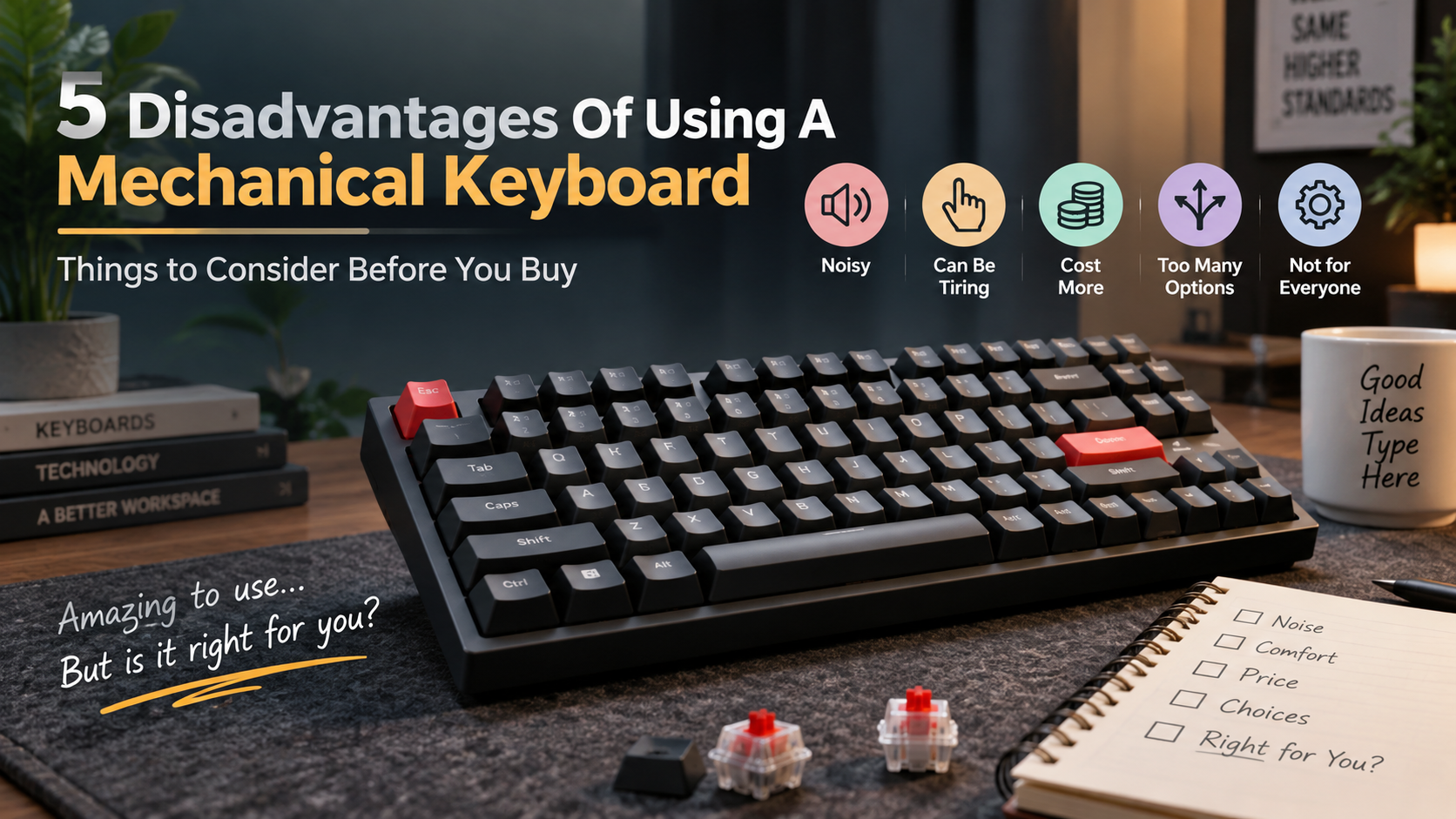
5 Disadvantages Of Using A Mechanical Keyboard
Enthusiasts often praise mechanical keyboards for their tactile feedback, durability, and customization. However, there are also several disadvantages of using a mechanical keyboard that buyers should consider before making a purchase.
Mechanical keyboards can provide an enjoyable typing experience, but they are not ideal for everyone. Their switches can produce significant noise, their taller designs may feel uncomfortable, and their prices can be higher than standard keyboards.
The sheer number of switches, layouts, keycaps, and customization options can also make choosing one surprisingly complicated. What starts as a simple keyboard purchase can quickly become a deep dive into specifications and upgrades.
According to ergonomics research from the Occupational Safety and Health Administration, proper input device selection is critical for preventing cumulative trauma disorders during long typing sessions.
Before choosing a mechanical keyboard, consider how it will fit your workspace, budget, and daily typing habits. The following five disadvantages can help you decide whether a mechanical keyboard is right for you.
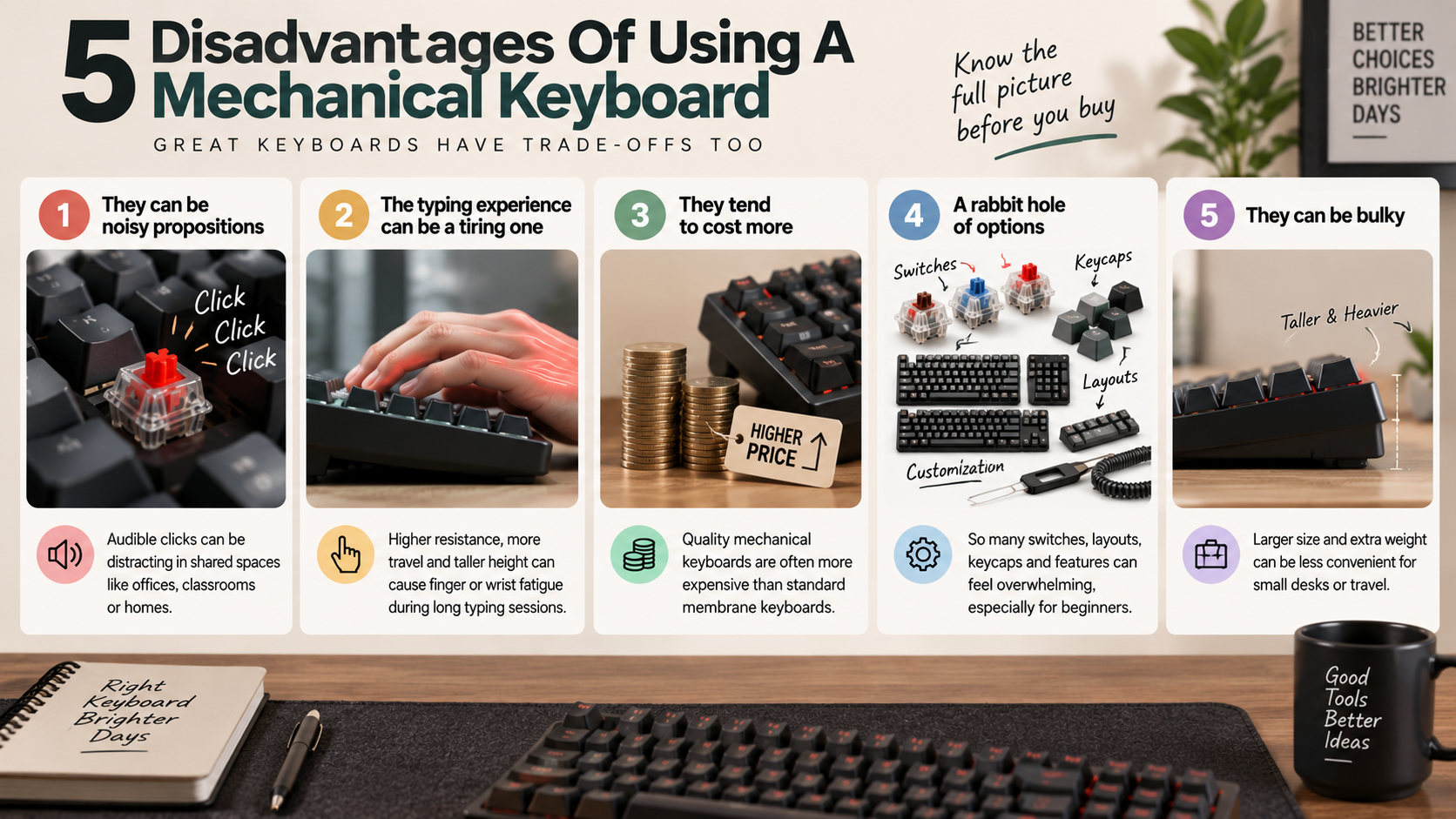
1. They can be noisy propositions
One of the most noticeable disadvantages of mechanical keyboards is their noise. Clicky mechanical switches produce an audible click with every keypress. Even tactile and linear switches can create noticeable sounds when the key reaches the bottom of its travel.
The noise may not matter when you work alone. However, it can become distracting in shared offices, classrooms, libraries, or homes. Coworkers and family members may find constant key sounds irritating, especially during long typing sessions. If you primarily type in a shared workspace, learning how to pick the perfect mechanical keyboard for your office can help you choose a quieter and more suitable model.
The keyboard’s construction also affects its overall sound. Keycap material, case design, mounting style, and internal dampening can all change the acoustic profile.
Some options can reduce the noise:
- Silent mechanical switches produce less sound.
- Desk mats can reduce vibrations.
- Dampening materials can soften case resonance.
- Lighter typing can reduce bottom-out noise.
- Low-profile designs can offer a quieter experience.
However, these solutions may increase the keyboard’s overall cost. If a quiet workspace is your priority, a membrane or low-profile keyboard may be a better fit.
2. The typing experience can be a tiring one
Mechanical keyboards are often praised for their satisfying typing feel. However, that same tactile experience can become tiring for some users. The resistance and travel distance of certain switches may require more effort during long typing sessions.
Switch choice makes a significant difference. Heavy tactile or clicky switches can require more force than lighter linear options. Users who type for several hours each day may notice finger fatigue if they choose a switch that feels too stiff.
Keyboard height can also affect comfort. Many mechanical keyboards have taller cases than standard membrane models. This can place the wrists at an awkward angle when the desk setup is not properly adjusted.
Your typing technique matters, too. Pressing every key forcefully can increase fatigue over time. A lighter touch and suitable ergonomic positioning can make mechanical keyboards more comfortable.
Before buying, consider:
- Switch weight and actuation force.
- Total key travel.
- Keyboard height.
- Your typical daily typing time.
- Wrist and hand positioning.
Testing different switches can help you find a more comfortable typing experience.
3. They tend to cost more
Another major disadvantage of using a mechanical keyboard is the price. Basic mechanical keyboards can be affordable, but quality models often cost considerably more than standard membrane keyboards. Comparing mechanical vs membrane keyboards for gamers can also help illustrate why buyers may choose one design over another based on features, performance, and budget.
The higher price comes from the additional components used in mechanical designs. Each key has an individual mechanical switch with springs, housings, and electrical contacts. Premium keyboards may also use stronger cases, better keycaps, metal plates, and programmable controllers.
Customization can increase the cost even further. Enthusiasts may purchase separate switches, keycap sets, cables, stabilizers, and sound-dampening materials. A keyboard that begins as a simple purchase can eventually become a much larger investment.
Mechanical keyboards can still provide good long-term value. Their switches are often designed to withstand millions of keystrokes. Hot-swappable models can also make replacing individual switches easier.
However, you should consider whether you need those additional features.
For basic typing, a cheaper membrane keyboard may provide everything you need. If you value durability and customization, the higher price may be easier to justify.
4. A rabbit hole of options
The huge variety of mechanical keyboard options can be both an advantage and a disadvantage. Beginners may feel overwhelmed by the number of choices available. Selecting the right keyboard can involve much more research than expected.
You must first choose between different mechanical switch types. Linear, tactile, and clicky switches each provide different levels of resistance, feedback, and sound. There are also countless variations within each category.
Then come keyboard layouts and sizes. Full-size, TKL, 75%, 65%, and 60% keyboards all arrange their keys differently. Keycaps, mounting systems, firmware, connectivity, and case materials add even more variables.
Customization can make the process even deeper. Enthusiasts can spend hours comparing switches, keycap profiles, stabilizers, and sound modifications.
For beginners, this can create decision fatigue. It becomes easy to spend more money than originally planned.
A simple buying process can help:
- Decide your preferred keyboard size.
- Choose a suitable switch type.
- Set a firm budget.
- Identify essential features.
- Ignore upgrades you do not actually need.
More options do not always mean a better buying experience.
5. They can be bulky
Mechanical keyboards can be significantly bulkier than standard or low-profile keyboards. Their individual switches, internal plates, cases, and other components require additional space. This can make them less convenient for compact desks or frequent travel.
Many mechanical keyboards are also heavier. Models with aluminum cases and metal plates can feel particularly substantial. While this weight can make the keyboard feel stable and premium, it can also make transportation inconvenient.
Height is another concern. A taller keyboard can raise your hands and wrists higher from the desk surface. Without suitable positioning, this may contribute to wrist discomfort during extended typing.
Compact mechanical keyboards solve some space problems. However, smaller layouts can remove dedicated keys or change familiar key positions. A 75% or 65% keyboard may save desk space while requiring an adjustment period.
If portability and desk space are important, consider:
- Low-profile mechanical keyboards.
- Lightweight plastic cases.
- Compact layouts.
- Detachable USB cables.
- Smaller accessories and wrist rests.
Mechanical keyboards are not necessarily too large for everyday use. However, their size and weight are worth considering before buying.
What are the disadvantages of a keyboard?
Understanding the disadvantages of using a mechanical keyboard starts with looking at general keyboard-related drawbacks. Traditional keyboards can force your hands and wrists into fixed positions. Long typing sessions may cause muscle fatigue, wrist discomfort, and repetitive strain.
Fixed key spacing can also feel awkward for users with different hand sizes. Membrane and scissor keyboards present their own maintenance challenges. Dust and spilled liquids can collect beneath their thin layers, making deep cleaning difficult.
These limitations can affect comfort, maintenance, and long-term value. However, the disadvantages of using a mechanical keyboard are different from those of traditional membrane designs. Mechanical models offer more customization but can introduce higher costs, noise, and maintenance requirements.
Common keyboard disadvantages include:
- Fixed layouts that may not suit every user.
- Limited repairability on many budget models.
- Difficult cleaning beneath membrane layers.
- Potential wrist strain during poorly positioned typing.
- Whole-unit replacement when individual components fail.
- Higher costs when choosing premium mechanical models.
Choosing the right keyboard can reduce many of these problems. Your typing habits, workspace, and daily workload should guide your decision.
The Hidden Risk of Repetitive Strain Injuries
One of the important disadvantages of using a mechanical keyboard can involve its height and typing position. Long typing sessions may increase fatigue when your wrists remain bent or your forearms stay fixed. Poor desk height can make this problem worse.
Mechanical keyboards often have taller cases than low-profile alternatives. This added height may encourage greater wrist extension when the keyboard sits directly on the desk. The effect varies between users and depends heavily on overall desk ergonomics.
Repetitive movements can also irritate muscles, tendons, and nerves. However, keyboard type is only one possible factor. Typing speed, posture, break frequency, desk height, and hand position all influence comfort.
To reduce potential strain from a mechanical keyboard, consider:
- Keeping your wrists in a neutral position.
- Adjusting your desk and chair height.
- Taking regular breaks during long sessions.
- Using a suitable wrist rest when helpful.
- Considering an ergonomic or split keyboard.
Good ergonomics can reduce several disadvantages of using a mechanical keyboard. A comfortable setup matters more than the keyboard technology alone.
What are the disadvantages of using a 75% keyboard?
A 75% keyboard is popular because it saves desk space without removing as many keys as smaller layouts. However, the layout can create specific disadvantages of using a mechanical keyboard for certain users.
The biggest issue is the missing dedicated numeric keypad. Finance professionals, accountants, and spreadsheet users may find numeric data entry slower. They must rely on the horizontal number row instead of a dedicated number pad.
The compact design also places navigation keys closer to the main typing area. This reduced spacing can cause accidental keystrokes while users develop new muscle memory. Some 75% keyboards also use non-standard key sizes, which can make replacement keycaps harder to find.
Key limitations may include:
- No dedicated numeric keypad.
- Tighter spacing around navigation keys.
- Less familiar positioning for some commands.
- Limited compatibility with certain keycap sets.
- A learning curve for full-size keyboard users.
These disadvantages of using a mechanical keyboard in a 75% layout may not affect everyone. Compact designs can work well for gaming, coding, and general typing. However, users who enter numbers frequently may prefer a full-size keyboard.
Navigating Layer Keys and Compact Function Clusters
Another potential disadvantage of using a mechanical keyboard with a compact layout is the reliance on function layers. Smaller keyboards often move navigation and secondary commands closer together. This saves space but can reduce the familiar separation found on full-size models.
Some compact keyboards require function-layer shortcuts for commands such as Print Screen, Home, and End. Users may need to press two or more keys to access functions that have dedicated keys on larger keyboards.
This can interrupt workflow when those commands are used frequently. New users may also need time to develop reliable muscle memory. Experienced compact-keyboard users may adapt much faster.
Before choosing a 75% mechanical keyboard, consider how often you use navigation and function keys. A compact layout can improve desk space without creating problems for general typing.
However, the disadvantages of using a mechanical keyboard become more noticeable when your workflow depends on many dedicated keys. Testing the layout before buying can help you determine whether the space savings are worth the adjustment.
What are some common problems with mechanical keyboards?
Mechanical keyboards offer individual switches, tactile feedback, and extensive customization. However, these features can also introduce hardware problems. Understanding these issues is essential when considering the disadvantages of using a mechanical keyboard.
One common problem is key chatter. This occurs when one physical keypress registers multiple inputs. Worn switches, contamination, or electrical contact problems can cause this behavior.
Dust and spilled liquids can also enter exposed switch areas. This may result in sticky keys, inconsistent presses, or switch failure. Larger keys can develop stabilizer rattle, creating unwanted sounds during typing.
Budget mechanical keyboards may experience firmware or USB connection problems. These issues can cause temporary disconnections or inconsistent operation.
Common mechanical keyboard problems include:
- Key chatter from worn or faulty switches.
- Dust buildup around mechanical switches.
- Sticky or inconsistent key presses.
- Stabilizer rattle on larger keys.
- Firmware or connection issues.
- Difficult repairs on non-hot-swappable models.
These issues do not affect every mechanical keyboard. Build quality, component selection, and maintenance all influence reliability. Still, they represent important disadvantages of using a mechanical keyboard to consider before buying.
Persistent Switch Chattering and Connector Solder Wear
Key chatter is one of the more frustrating disadvantages of using a mechanical keyboard. It happens when a switch registers multiple inputs from a single physical press. This can produce duplicated letters, repeated commands, or inconsistent input.
Switch wear, contamination, and electrical contact problems can contribute to chatter. In many cases, replacing the affected switch provides the most reliable solution.
Repair difficulty depends on the keyboard design. Hot-swappable keyboards allow compatible switches to be removed without soldering. This makes switch replacement much easier for beginners.
Non-hot-swappable keyboards require more technical work. Replacing a switch usually involves desoldering its electrical contacts. Poor technique or excessive heat can damage the circuit board.
If repairability matters, look for:
- Hot-swap sockets for easier switch replacement.
- Replaceable USB cables where available.
- Reliable PCB construction.
- Accessible firmware support.
- Compatible replacement switches.
These features can reduce some disadvantages of using a mechanical keyboard over the long term. They can also make maintenance easier and extend the keyboard’s useful life.
What are the advantages of using a mechanical keyboard?
Although this article focuses on the disadvantages of using a mechanical keyboard, mechanical models also offer several important benefits. Their individual switches provide distinct tactile, linear, or clicky feedback. Many users prefer this experience over the softer feel of membrane keyboards.
Mechanical switches can also offer different actuation characteristics. Depending on the switch, users may register a key without fully bottoming it out. This can support lighter typing for users who prefer shorter or smoother presses.
Durability is another major advantage. Many mechanical switches are rated for tens of millions of keystrokes. Some premium switches have ratings approaching or exceeding 100 million presses. Proper habits can further extend keyboard longevity, including the kind of maintenance discussed in boost your wireless keyboard’s lifespan with one easy habit.
Customization is equally important. Compatible keyboards can support different keycaps, switches, stabilizers, and layouts. Programmable firmware can also provide custom shortcuts and remapping.
Key advantages include:
- Strong tactile or linear feedback.
- Extensive switch variety.
- High switch durability.
- Customizable keycaps and layouts.
- Repairable components on suitable models.
- Programmable shortcuts and controls.
These benefits explain why mechanical keyboards remain popular among gamers, programmers, writers, and enthusiasts. However, weighing these benefits against the disadvantages of using a mechanical keyboard helps you make a more informed purchase.
Unmatched Durability and Custom Hardware Swapping
Durability is one area where mechanical keyboards can offset some disadvantages of using a mechanical keyboard. Individual switches are designed for repeated use, and many have high keystroke ratings. This makes them appealing to people who type heavily every day.
Hot-swappable keyboards add another practical benefit. They allow compatible switches to be removed without soldering. Users can replace worn switches or test different switch types with less technical work.
Customization extends beyond switches. Many mechanical keyboards support replacement keycaps, stabilizers, cables, and other components. Programmable firmware can provide additional control over shortcuts and layouts.
However, not every mechanical keyboard offers the same modularity. Some models use soldered switches or proprietary components. Buyers should always check compatibility before purchasing replacement parts.
For better long-term value, consider:
- Hot-swap switch sockets.
- Standard switch compatibility.
- Replaceable keycaps.
- Accessible firmware.
- Durable construction.
- Readily available replacement parts.
This modular design can reduce the impact of certain disadvantages of using a mechanical keyboard. It may also prevent one failed switch from making the entire keyboard unusable.
What are the disadvantages of a mechanical keyboard?
The most obvious disadvantages of using a mechanical keyboard include noise, price, height, weight, and maintenance. These drawbacks vary depending on the model, switch type, and construction.
Noise is often the first concern. Clicky switches can produce sharp sounds with every press. Even linear and tactile switches can create bottom-out noise against the keyboard’s plate and case.
Price can also be higher than standard membrane keyboards. Premium switches, keycaps, cases, controllers, and other components can increase the total cost. Customization can make the final investment even larger.
Height is another consideration. Many mechanical keyboards have taller cases than low-profile alternatives. Users may need a wrist rest or different desk position for comfortable typing.
Portability can also be an issue. Some mechanical keyboards use heavy metal plates and dense cases. These models can feel cumbersome when carried between home, work, or gaming locations. Users who prioritize portability may also want to consider why gamers prefer wired keyboards over wireless ones when evaluating different keyboard setups.
The main disadvantages of using a mechanical keyboard include:
- Higher purchase costs.
- Noticeable typing noise.
- Taller keyboard profiles.
- Greater weight on some models.
- More maintenance and customization complexity.
- Potential switch and stabilizer problems.
These drawbacks do not make mechanical keyboards unsuitable. They simply highlight why your environment and workflow should guide your choice.
Excessive Desk Height and Inevitable Acoustic Intrusions
Keyboard height is another important point when considering the disadvantages of using a mechanical keyboard. Many mechanical models sit higher than thin membrane or low-profile keyboards. This can increase wrist extension if your desk and chair are not properly adjusted.
A suitable wrist rest may help some users maintain a more comfortable position. However, the goal should be a neutral wrist posture rather than simply raising the hands higher.
Noise can create an even bigger problem in shared environments. Clicky switches produce distinct clicks, while tactile and linear switches can still create bottom-out sounds. The keyboard case and mounting system also influence the final acoustic profile.
Loud typing can distract coworkers in open offices. It may also disturb family members at home, particularly during quiet hours. Keyboard noise can even enter microphones during meetings, streaming, and voice calls.
Noise can be reduced with:
- Silent mechanical switches.
- Desk mats and case dampening.
- Suitable foam or acoustic modifications.
- A lighter typing technique.
- Lower-profile keyboard designs.
These changes can reduce some disadvantages of using a mechanical keyboard, but they may not eliminate noise completely. If quiet operation is essential, a low-profile membrane keyboard may be the better choice.
Frequently Asked Questions
Can mechanical keyboards damage your wrists over time?
Yes, mechanical keyboards can increase wrist strain if used without proper ergonomic support. Because switch housings and backplates sit substantially higher off the desk than thin membrane alternatives, they bend your wrists upward into uncomfortable extension. Without a dedicated wrist rest or floating arm technique, this awkward angle strains forearm tendons and may contribute to repetitive motion injuries during lengthy typing sessions.
Are mechanical keyboards too loud for typical office use?
Most standard mechanical keyboards generate noticeable acoustic distractions in quiet office spaces. Clicky switches produce sharp noises with every actuation, while linear variants still generate loud bottom-out clatter against metal plates. While adding sound-dampening foam, rubber O-rings, and specialized silent switches helps quiet the deck, these boards generally stay louder than standard low-profile membrane keyboards.
Why are mechanical keyboards more expensive than membrane models?
Mechanical keyboards cost substantially more because each key operates via an independent switch built from internal springs, metal contacts, and molded plastic housings. Membrane boards use single molded silicone sheets across printed circuit traces, slashing production expenses. Mechanical designs also feature sturdier materials like thick ABS or PBT plastics, aircraft-grade aluminum plates, and sophisticated programmable controllers.
Is gaming on a membrane keyboard worse than using mechanical switches?
Gaming on a membrane board is not necessarily worse, but it lacks the exact actuation points and responsiveness of mechanical switches. Mechanical keys register inputs halfway through the press, allowing faster reactions and distinct physical feedback. Membrane keyboards require pressing keys all the way down, which can slow response times and cause tactile inconsistency during competitive play.
Conclusion
Understanding the disadvantages of using a mechanical keyboard can help you choose a setup that matches your actual needs. Mechanical keyboards offer excellent tactile feedback, durability, and customization. However, they also come with practical trade-offs that should not be ignored.
Common disadvantages include typing noise, higher prices, taller profiles, added weight, and maintenance requirements. Compact layouts can create additional limitations. A 75% keyboard saves desk space but removes the dedicated numeric keypad. This can affect spreadsheet and data-entry workflows.
Mechanical switches can also experience issues such as chatter, dust buildup, and stabilizer noise. Hot-swappable models can make repairs easier, but not every keyboard offers this feature.
Ultimately, the right keyboard depends on your priorities. A quiet, low-profile membrane keyboard may suit shared offices and minimalist setups. A mechanical keyboard may be better if you value tactile feedback, customization, and long-term repairability.
Before buying, consider your daily tasks, budget, workspace, and typing habits. If possible, test different switch types and keyboard profiles in person. The best keyboard is the one that supports comfortable, productive typing every day.