Wi-Fi 6 vs Wi-Fi 7: Is It Time to Upgrade Your Home Network?
Choosing the right wireless standard can feel confusing. The Wi-Fi 6 vs Wi-Fi 7 comparison matters more as home networks become busier. More connected devices also create greater demands on speed, capacity, and reliability.
A newer router can improve streaming, gaming, file transfers, and remote work. However, upgrading is not always necessary. Your internet plan, devices, home size, and usage patterns all affect the decision.
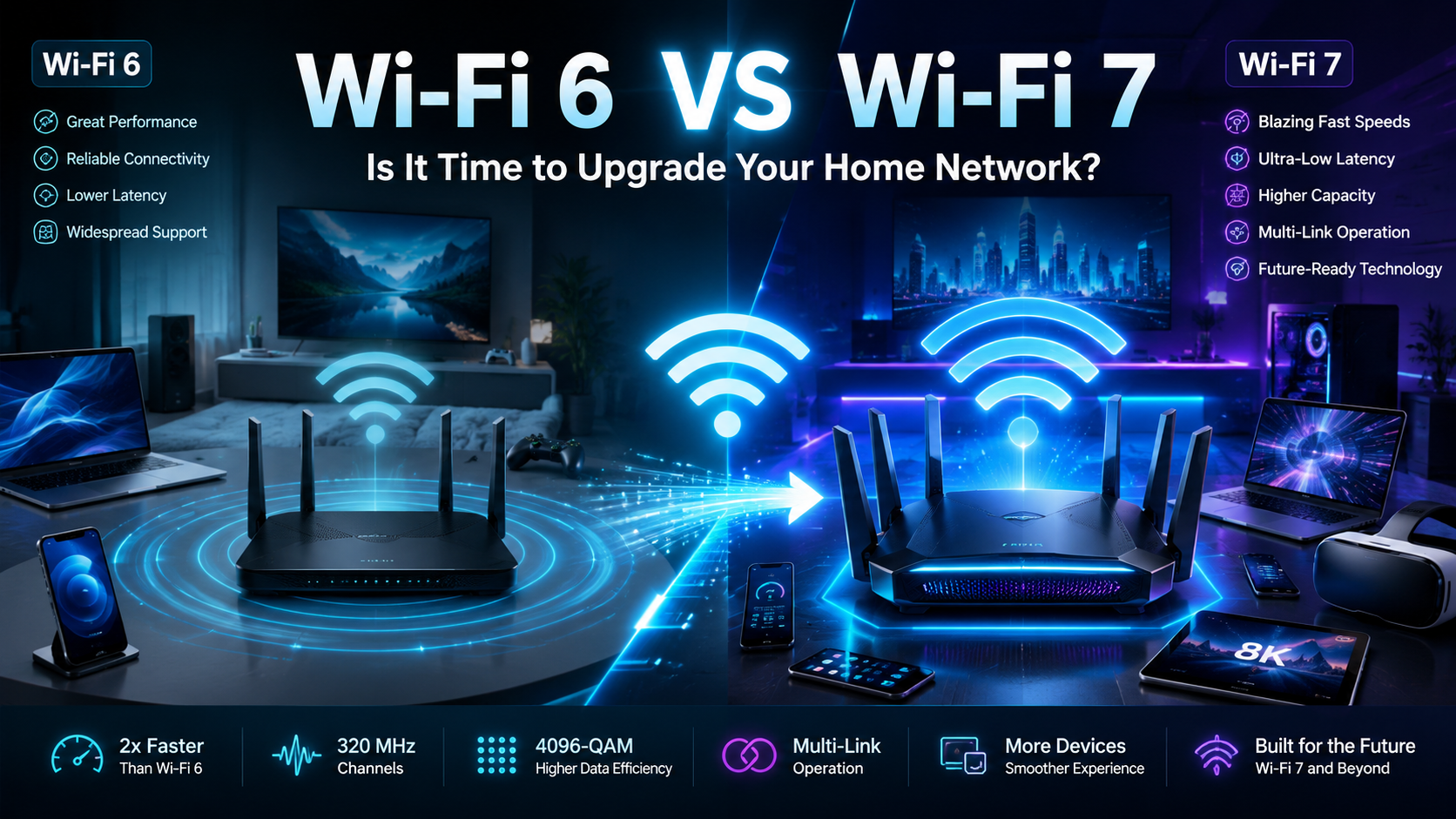
Wi-Fi 7 adds features such as Multi-Link Operation (MLO), wider channels, and 4096-QAM. These technologies can improve throughput and responsiveness on compatible devices.
This guide explains whether Wi-Fi 7 is worth upgrading to in 2026. It also covers Wi-Fi 6 performance, speed differences, Wi-Fi 8, and router selection. For standards information, you can also explore IEEE Standards Association.
Is Wi-Fi 7 Worth Upgrading From Wi-Fi 6?
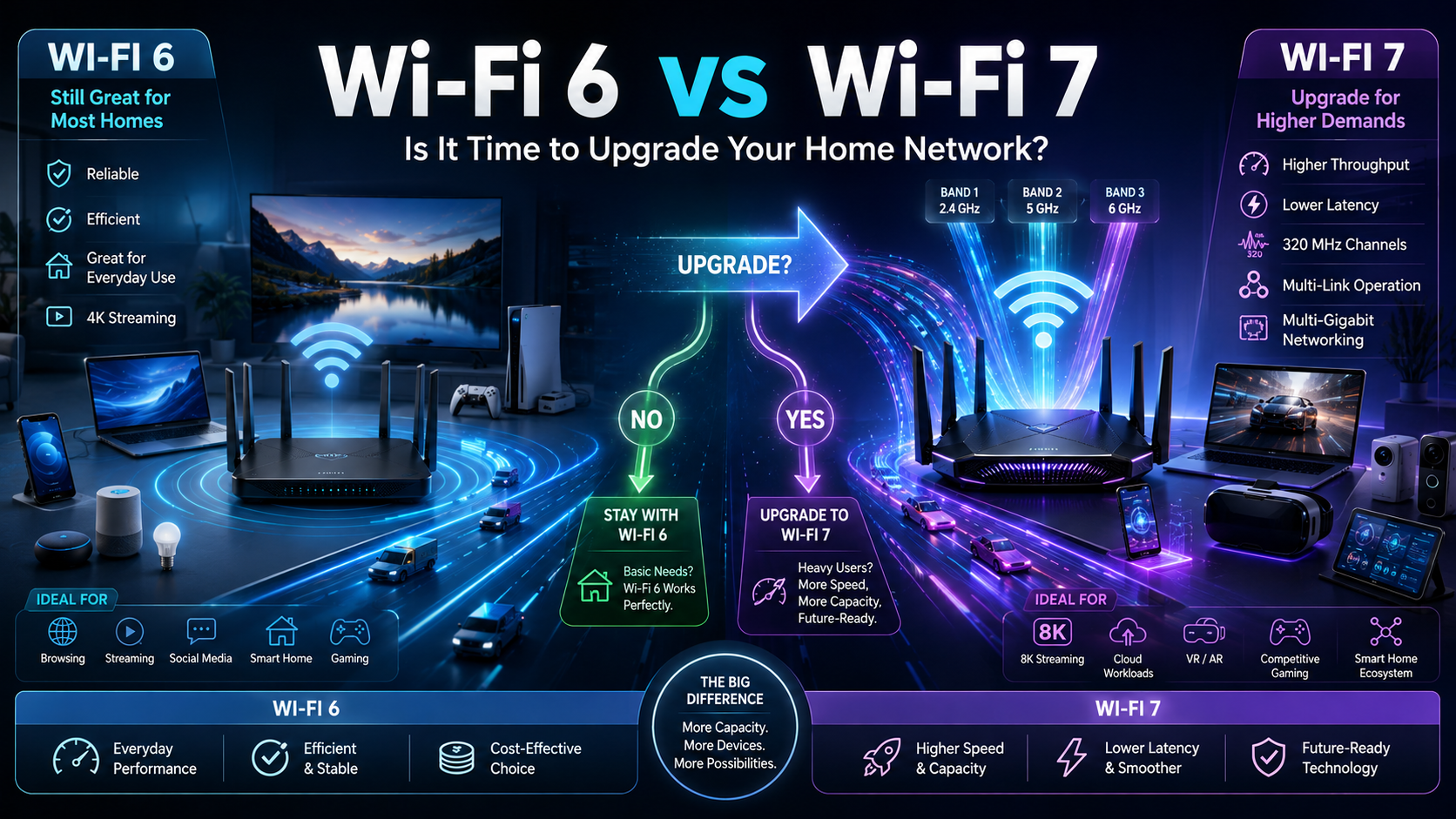
Upgrading from Wi-Fi 6 to Wi-Fi 7 can make sense for demanding households. The biggest benefits appear when your network has many active devices. Wi-Fi 7 uses Multi-Link Operation (MLO) to manage connections across multiple bands. This can improve throughput, resilience, and latency on supported devices.
The upgrade is especially useful for homes with heavy streaming, gaming, and large file transfers. It can also help when several users compete for network capacity. However, the benefits depend on having compatible client devices. An older phone or laptop cannot use every Wi-Fi 7 feature.
Before upgrading, consider your actual bandwidth needs:
- Multiple simultaneous 4K streams
- Competitive online gaming
- Large cloud or local file transfers
- Many smart-home devices
- Multi-gigabit internet service
- Wi-Fi congestion in a busy household
If your current Wi-Fi 6 network already performs well, there may be little urgency. For basic browsing and streaming, Wi-Fi 6 remains highly capable.
Is Wi-Fi 6 Still Good in 2026?
Yes. Wi-Fi 6 remains a strong choice in 2026 for many homes. It introduced major improvements in efficiency, capacity, and device management. Technologies such as OFDMA help routers serve multiple devices more efficiently. Wi-Fi 6 also supports modern security features, including WPA3 on compatible equipment.
For everyday activities, Wi-Fi 6 can provide more than enough performance. Browsing, video calls, 4K streaming, online gaming, and smart-home devices can all work well. Your internet plan may also limit the practical benefit of moving to Wi-Fi 7.
The age of your router matters, too. A newer Wi-Fi 6 router can outperform an older model with weaker hardware or poor coverage. Firmware support is another important consideration.
Before replacing a working Wi-Fi 6 router, check:
- Your current internet speed
- Actual Wi-Fi performance in each room
- Router firmware support
- Number of connected devices
- Areas with weak coverage
- Ethernet port speeds
If your network remains stable and responsive, keeping Wi-Fi 6 can save money. Upgrade when your existing hardware becomes the bottleneck, rather than simply because a newer standard exists.
Is Wi-Fi 7 Faster Than Wi-Fi 6?
Yes. Wi-Fi 7 offers substantially higher theoretical throughput than Wi-Fi 6. Wi-Fi 6 has a theoretical maximum of about 9.6 Gbps. 7 can reach theoretical rates around 46 Gbps under specific conditions.
Several technical improvements make this possible. Wi-Fi 7 supports channels up to 320 MHz, compared with up to 160 MHz for Wi-Fi 6. It also introduces 4096-QAM, which allows more data to be encoded in each transmission.
However, theoretical speed does not equal real-world internet speed. Your results depend on the router, client device, channel conditions, distance, and internet connection.
Wi-Fi 7 can still provide meaningful practical improvements. Compatible devices may experience faster transfers, better responsiveness, and improved performance in congested environments. MLO can also help maintain reliable connections across supported bands.
Think of channel width as adding more lanes to a highway. More lanes can carry more traffic, but only when the surrounding infrastructure supports them. Your devices and internet plan must also be capable of using the available capacity.
Is Wi-Fi 8 Coming Out Soon?
Wi-Fi 8 is being developed, but it is not yet a consumer-ready replacement for Wi-Fi 7. The technology is associated with IEEE 802.11bn, also known as Ultra High Reliability. Its focus is improving reliability, latency, throughput, and performance in challenging network conditions.
As of August 2026, IEEE 802.11bn remains under development. The working group is progressing through draft and ballot stages. Current IEEE planning targets final working-group approval in 2028, although standards schedules can change.
That means waiting for Wi-Fi 8 usually does not make sense if your network needs an upgrade now. Wi-Fi 7 products are already available, while Wi-Fi 8 hardware will take longer to mature.
The standard-development process involves extensive testing, technical review, and industry coordination. Consumer products typically appear after the specification becomes sufficiently mature.
If you need better performance today, choose based on current requirements. If your Wi-Fi 6 network works well, you can continue using it. There is no need to upgrade simply because another generation is being developed.
What Router Should I Buy in 2026?
The best router in 2026 depends on your home, budget, internet plan, and connected devices. A Wi-Fi 7 router makes the most sense for users who want newer features and have compatible devices. It is also attractive for multi-gigabit internet connections and demanding home networks.
A quality Wi-Fi 6 router can still offer excellent value. It may be the better choice when your internet plan is modest or your devices do not support Wi-Fi 7.
Consider these features before buying:
- Wi-Fi 6 or Wi-Fi 7 support
- Multi-gigabit Ethernet ports
- Strong security features
- Reliable firmware updates
- Good coverage for your home
- Simple setup and management
- Useful parental controls
- Mesh compatibility when needed
Home layout matters as much as wireless generation. Large or multi-story homes may benefit more from a mesh system than a faster standalone router. Smaller homes can often work well with one centrally positioned router. For remote professionals, a secure home network for remote software engineers can also help ensure reliable and protected connectivity.
Most importantly, do not buy based on theoretical speed alone. Match the router to your internet plan, devices, coverage needs, and expected network traffic.
FAQ
Do I need new client devices to use Wi-Fi 7?
Yes, to experience the full benefits of the latest wireless standard, your client devices like smartphones and laptops must feature compatible internal network cards. While older devices will still connect to a new router, they will operate at their native maximum speeds rather than utilizing the newest technological enhancements.
Will my old devices work with a new router?
Backward compatibility ensures that older smartphones, smart home gadgets, and computers connect effortlessly to modern routers. Your existing electronics will function normally, though they will not unlock the advanced speed and latency advantages offered by newer network hardware.
How do I know if my internet plan needs an upgrade?
Check your current monthly billing statement or run an online speed test while connected via an ethernet cable. If your tested download and upload speeds consistently match or exceed your paid plan, but your devices still lag, your router or local Wi-Fi interference is likely the bottleneck.
Are mesh systems better than traditional routers?
Mesh systems work exceptionally well for multi-story homes or large properties by using multiple nodes to create a single, seamless wireless coverage zone. Traditional standalone routers often suit smaller apartments or single-level homes where a central placement easily reaches every corner.
Conclusion
The Wi-Fi 6 vs Wi-Fi 7 decision ultimately depends on your current network needs. Wi-Fi 6 remains capable for browsing, streaming, gaming, video calls, and smart-home connectivity. For many households, there is no urgent reason to replace working hardware.
Wi-Fi 7 becomes more attractive when you need higher throughput, lower latency, or better performance with compatible devices. Its wider 320 MHz channels, 4096-QAM, and Multi-Link Operation can provide meaningful improvements.
Before buying a new router, evaluate your entire setup. Check your internet plan, client devices, home layout, and current Wi-Fi performance. If you frequently connect to networks outside your home, you should also understand public Wi-Fi risks and how to stay safe.
A practical upgrade strategy is simple:
- Test your existing network.
- Identify coverage or performance problems.
- Check your internet plan.
- Review your device compatibility.
- Choose Wi-Fi 6 or Wi-Fi 7 based on actual needs.
Do not upgrade only for a larger theoretical speed number. Choose hardware that solves your current problems and supports your future needs.
For most households, Wi-Fi 6 remains a sensible value choice. For power users and new high-performance networks, Wi-Fi 7 offers a stronger long-term foundation.