
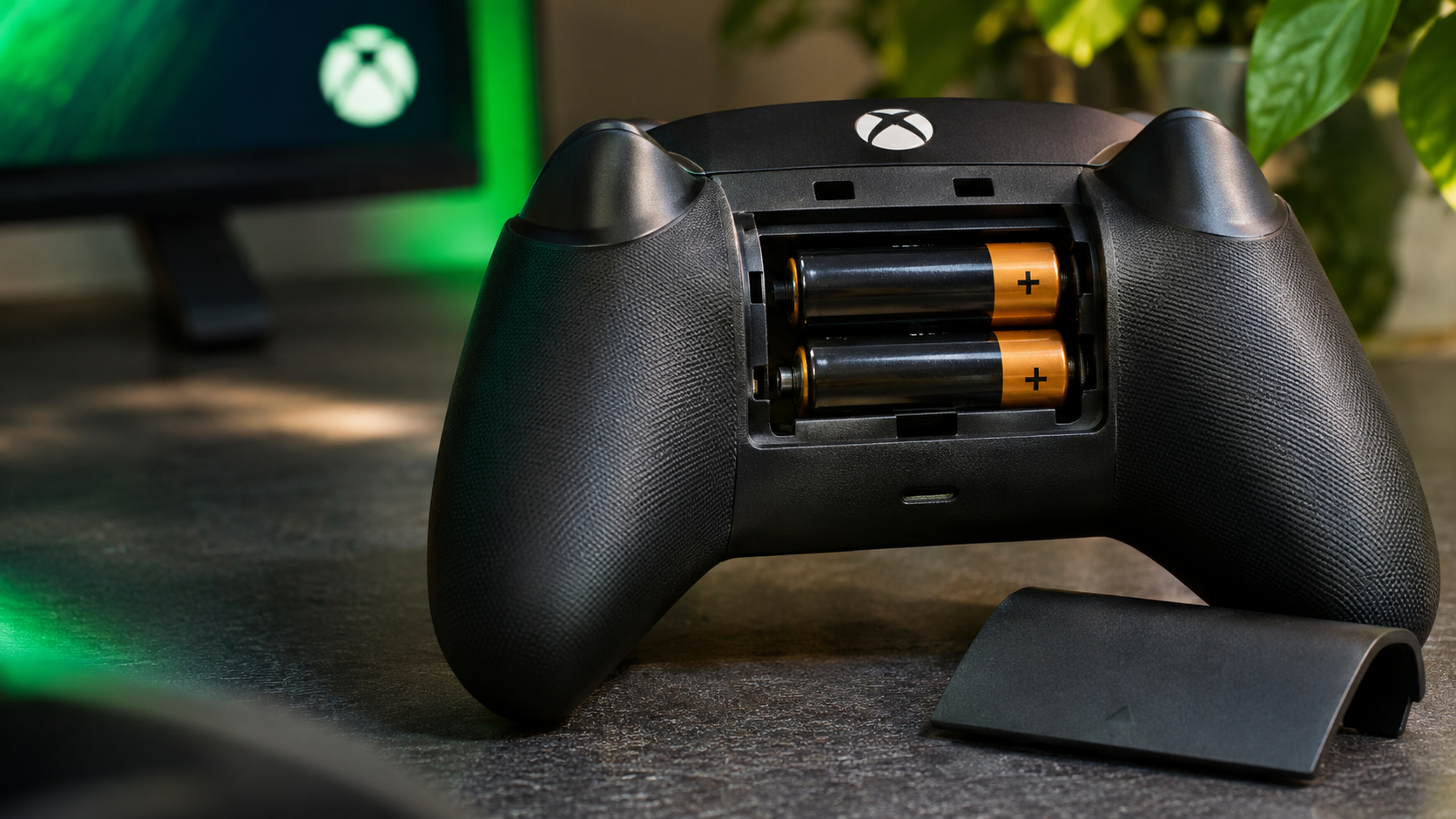
The Reason Why Xbox Still Uses AA Batteries in Modern Gaming
Why Xbox still uses AA batteries is a common question among gamers comparing modern Xbox controllers with PlayStation and Nintendo controllers. While other manufacturers increasingly use built-in rechargeable batteries, Microsoft continues supporting replaceable AA batteries in its standard wireless controllers.
This design gives players more control over their power source. They can choose disposable batteries, rechargeable AA cells, or compatible rechargeable battery packs. They can also connect a USB-C cable for wired gameplay.
Microsoft’s approach focuses on flexibility and convenience. Players do not need to wait for an internal battery to recharge before returning to a game. They can simply replace depleted batteries and continue playing.
Battery performance also depends on several factors. Vibration, connected headsets, battery quality, and gaming habits can affect runtime.
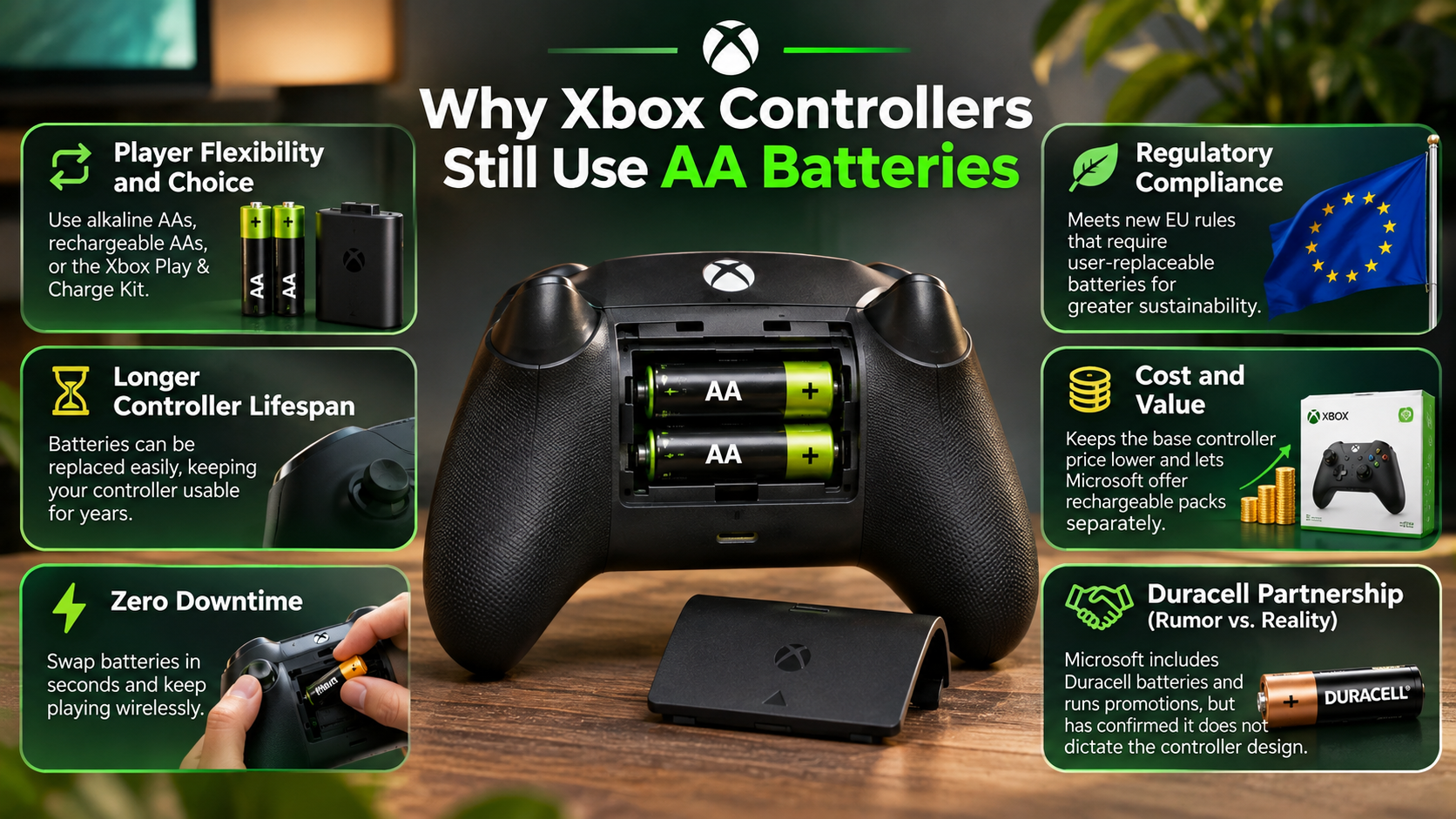

This guide explains why Xbox still uses AA batteries, which battery types are compatible, and how long they typically last. It also covers practical ways to improve battery performance.
Why does Xbox still use AA batteries?
Microsoft’s replaceable battery design gives players greater control over their controller’s power source. Instead of relying entirely on a permanently installed rechargeable battery, users can choose their preferred power solution.
This approach offers several practical advantages:
- Easy replacement: Players can replace depleted batteries within seconds.
- Flexible charging: Users can choose disposable or rechargeable AA cells.
- Long-term ownership: Battery replacement does not require opening the controller.
- Multiple power options: Compatible rechargeable battery packs provide another alternative.
- Convenience: Players can keep spare batteries available for uninterrupted gaming.
Another advantage involves battery degradation. Rechargeable lithium-ion batteries gradually lose capacity through repeated charging and normal ageing. Permanently installed batteries can eventually require servicing or replacement. This also explains why tech companies moved away from removable batteries in many modern electronic devices.
With replaceable AA batteries, users can change the power source independently. This helps extend the controller’s useful lifespan.
Microsoft’s approach also accommodates different gaming preferences. Some players prefer disposable batteries, while others prefer rechargeable solutions. Rather than requiring one charging method, Xbox supports several options.
The Long-Term Hardware Durability Advantage
A controller can remain functional even when its original power source stops holding a charge. This is one practical advantage of replaceable batteries.
Built-in lithium-ion batteries gradually lose capacity through normal chemical ageing. Their performance also depends on charging habits, temperature, and usage. Understanding battery health versus cycle count can help explain why rechargeable batteries gradually lose their original capacity. Eventually, users may notice shorter gaming sessions between charges.
With standard Xbox controllers, replacing the batteries does not require replacing the entire device. Users can install fresh AA cells or choose a compatible rechargeable battery pack.
This arrangement also helps players maintain limited-edition controllers. They do not need to discard a perfectly functional controller because its original battery has deteriorated.
However, replaceable batteries do not make controllers immune to hardware problems. Buttons, thumbsticks, and other components can still wear out.
The main advantage is straightforward: battery replacement remains separate from controller replacement. This gives players another way to extend their hardware’s useful life.
Do Xbox controllers use AAA or AA batteries?
Modern standard Xbox Wireless Controllers use two AA batteries, not AAA batteries. Their rear battery compartments are specifically designed for standard AA cells.
Each alkaline battery has a nominal voltage of 1.5 volts. The controller’s battery compartment accommodates two cells side by side.
AAA batteries are physically smaller and cannot fit the compartment correctly. They also offer less capacity than comparable AA batteries. Therefore, they are not suitable replacements for standard Xbox controller batteries.
Players should always follow the polarity markings inside the battery compartment. Installing batteries incorrectly can prevent the controller from powering on.
For reliable performance, use two matching batteries with similar charge levels. Avoid mixing different battery chemistries or combining fresh cells with heavily depleted ones.
You can choose between several compatible power options:
- Standard alkaline AA batteries.
- Rechargeable nickel-metal hydride (NiMH) AA batteries.
- Compatible rechargeable Xbox battery packs.
Each option offers different benefits. Your choice depends on budget, convenience, and how frequently you play.
Optimal Voltage and Chemical Formats
Choosing the correct battery chemistry helps maintain reliable controller performance. Standard alkaline AA batteries provide a nominal voltage of 1.5 volts.
Rechargeable nickel-metal hydride batteries typically provide 1.2 volts. Despite this difference, compatible NiMH batteries work with standard Xbox Wireless Controllers.
Rechargeable options can also reduce the recurring cost of disposable batteries. Popular choices include Panasonic Eneloop and other reputable NiMH battery brands.
Consider these differences before choosing:
- Alkaline batteries: Convenient and widely available, but require replacement after depletion.
- NiMH batteries: Reusable and suitable for regular gaming.
- Rechargeable battery packs: Offer an integrated charging solution without disposable cells.
Always use matching batteries in pairs. Avoid mixing alkaline and rechargeable cells because their discharge characteristics differ.
You should also avoid damaged, leaking, or excessively hot batteries. Proper storage and charging practices help maintain battery performance.
Why does my Xbox controller use batteries so fast?
Xbox controller battery life depends on how you use your device. Several features consume power during regular gaming sessions.
One important factor is the controller’s vibration system. Xbox controllers include rumble motors that create physical feedback during gameplay. Games with frequent explosions, collisions, and weapon effects can activate these motors repeatedly.
Connected accessories also influence battery consumption. Microsoft notes that headsets and additional accessories can affect battery life.
For example, connecting a headset through the controller’s 3.5mm audio jack adds another power requirement. Your actual runtime can therefore differ from Microsoft’s advertised testing results.
Other factors include battery quality, battery age, and gaming habits. Older or lower-capacity batteries generally provide less operating time.
Poor battery performance does not automatically indicate a faulty controller. Before considering replacement, check your batteries and connected accessories.
Simple Tweaks to Extend Controller Life
You can improve battery efficiency by adjusting how you use your Xbox controller. Small changes may help reduce unnecessary power consumption during longer gaming sessions.
Consider these practical adjustments:
- Reduce vibration: Lower vibration intensity in compatible game settings.
- Disconnect unused accessories: Remove connected devices when you no longer need them.
- Use quality batteries: Choose reliable alkaline or rechargeable AA batteries.
- Keep spare batteries: Maintain a charged pair for quick replacement.
- Use USB-C when convenient: Connect your controller to a compatible USB-C power source for wired gameplay.
You can also customise supported controller settings through the Xbox Accessories app. Available options depend on your controller model.
Remember that battery performance varies between games and accessories. Turning off vibration may help, but the improvement depends on your usage.
Do Xbox controllers still use batteries?
Yes, standard Xbox Wireless Controllers still support replaceable AA batteries. This includes modern controllers designed for Xbox Series X and Series S.
However, AA batteries are not the only way to power these controllers. Microsoft supports additional power options for players who prefer rechargeable solutions.
You can choose from three common methods:
- Disposable batteries: Install two standard AA alkaline batteries.
- Rechargeable AA batteries: Use compatible NiMH cells and an external charger.
- Rechargeable battery packs: Install a compatible battery pack for convenient recharging.
Standard Xbox Wireless Controllers also feature a USB-C port. Connecting a compatible USB-C cable allows wired gameplay without relying on installed AA batteries.
This flexibility explains why Microsoft’s design differs from controllers with permanently installed batteries. Players can decide whether they prefer replacing batteries, recharging them, or using a cable.
However, battery arrangements vary between Xbox controller models. Not every controller follows the same design.
The Premium Elite Controller Exception
The Xbox Elite Wireless Controller Series 2 follows a different power design. Unlike standard Xbox Wireless Controllers, it features an integrated rechargeable lithium-ion battery.
Microsoft advertises up to 40 hours of battery life per charge. Actual runtime depends on usage and other factors.
The controller supports USB-C charging and comes with a charging dock. This provides a convenient alternative to replacing individual AA batteries.
Its built-in battery creates a different ownership experience. Players do not need to purchase separate AA batteries or install rechargeable cells.
However, the integrated design also means users cannot simply replace the battery themselves using standard AA cells.
This distinction matters when comparing Xbox controller models. The standard Xbox Wireless Controller prioritises replaceable power, while the Elite Series 2 uses an integrated rechargeable solution.
How long will AA batteries last in an Xbox controller?
Xbox controller battery life depends on battery quality, accessories, and gaming habits. Microsoft officially advertises up to 40 hours using standard AA batteries in its Xbox Wireless Controller specifications.
However, this figure represents a testing result rather than a guaranteed runtime. Your actual experience may differ considerably.
Several factors influence how long batteries last:
- Battery chemistry: Alkaline and rechargeable NiMH batteries have different capacities and discharge characteristics.
- Vibration intensity: Frequent rumble effects can increase power consumption.
- Connected headsets: Headset usage can affect overall battery runtime.
- Additional accessories: Connected accessories may increase power requirements.
- Battery condition: Old or partially depleted batteries provide less usable energy.
High-quality rechargeable AA batteries offer another practical option. Their capacity is commonly measured in milliamp-hours (mAh). Higher capacity can provide longer operating time under comparable conditions.
However, battery capacity alone does not guarantee a specific number of gaming hours. Actual performance depends on several variables.
Tracking Battery Reserves Accurately
You can check your Xbox controller’s approximate battery level directly through the console interface. Press the Xbox button to open the guide and locate the battery indicator.
The indicator provides a convenient way to monitor remaining power. It helps you identify when your batteries need replacement or recharging.
However, the displayed level should not be treated as an exact measurement. Battery indicators provide an estimate rather than a precise remaining-runtime calculation.
Rechargeable NiMH batteries also behave differently from alkaline batteries. Their voltage remains relatively stable through much of their discharge cycle. Consequently, the displayed battery level may not decrease smoothly.
For uninterrupted gaming, consider keeping a charged spare pair nearby. This is especially useful during longer multiplayer sessions.
Regularly checking your battery indicator also helps prevent unexpected controller shutdowns. A little preparation can save you from interruptions during important matches.
Final Thoughts
Microsoft’s decision to retain replaceable batteries makes the Xbox controller different from many modern gaming controllers. The main reason why Xbox still uses AA batteries is flexibility. Players can choose disposable batteries, rechargeable AA cells, or compatible battery packs. This gives users more control over their gaming experience.
Another advantage is easier battery replacement. Users do not need to replace an entire controller when its power source becomes less effective. They can simply install fresh batteries and continue playing. This approach can also help extend the useful life of their favourite controllers.
However, built-in rechargeable batteries still offer greater convenience for players who prefer simple charging. Neither approach is perfect. The better option depends on individual preferences, gaming habits, and charging requirements.
Ultimately, why Xbox still uses AA batteries comes down to user choice and practical power management. Microsoft continues offering replaceable batteries while supporting rechargeable alternatives. You can check the official Xbox Wireless Controller specifications for battery details, compatibility, and other features.