
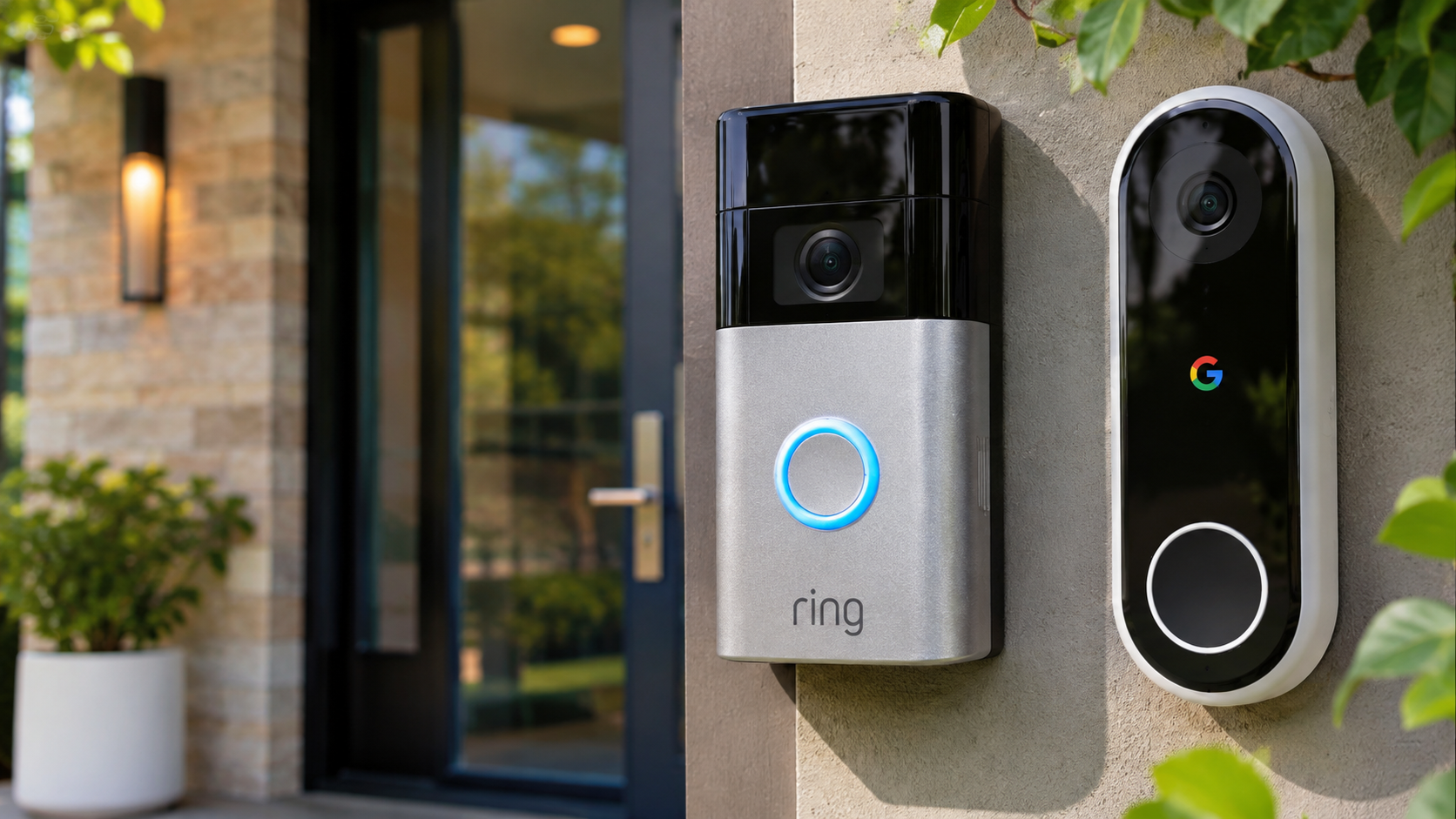
Ring Doorbell Vs. Google Nest: Which Has The Best Video Quality?
Choosing the right smart video doorbell often comes down to one important factor: video quality. When comparing Ring doorbell vs. Google Nest, homeowners want clear footage that identifies visitors and captures activity around their entrances. They also need reliable night vision and sharp recordings when unexpected activity occurs.
Both brands offer advanced security features, but their cameras differ in resolution, image processing, aspect ratio, and field of view. Ring offers several doorbell models with different video capabilities, including 1080p, 2K, and 4K options. Google Nest also provides different resolutions depending on the device. Its cameras combine HDR processing with intelligent alerts and convenient smart home integration.
However, higher resolution does not automatically guarantee better security footage. Lighting, camera placement, internet connectivity, and image processing also affect results. This comparison explores the differences between Ring and Nest video quality. It also examines night vision, recording subscriptions, connectivity problems, and common disadvantages. By the end, you will understand which features matter most when choosing a smart doorbell.
Is a Ring Doorbell Camera Better Than a Google Nest Camera?
Whether a Ring doorbell is better than a Google Nest camera depends on your security priorities. The Ring doorbell vs. Google Nest comparison reveals differences in camera resolution, image processing, and viewing angles. Ring offers a broader selection of doorbell models, including devices with 1080p, 2K, and 4K recording capabilities. This gives homeowners more flexibility when choosing their preferred video quality.
Google Nest focuses on HDR processing, intelligent notifications, and Google Home integration. Its newer wired doorbell also offers 2K HDR video and a square viewing format. Older battery-powered models provide lower resolution but include a taller 3:4 aspect ratio.
Neither brand delivers identical performance across its entire lineup. A premium Ring model may capture more detail than an older Nest device. Similarly, the latest Nest wired model offers capabilities that older versions lack.
Consider these factors before purchasing:
- Resolution: Higher resolution can reveal finer image details.
- Field of view: Wider coverage captures more surrounding activity.
- Aspect ratio: Vertical footage helps monitor packages near entrances.
- Night vision: Infrared and HDR affect low-light visibility.
- Image processing: Exposure and contrast influence facial clarity.
Compare individual models rather than relying entirely on brand reputation.

Head-to-Toe View Versus Ultra-Wide Angles
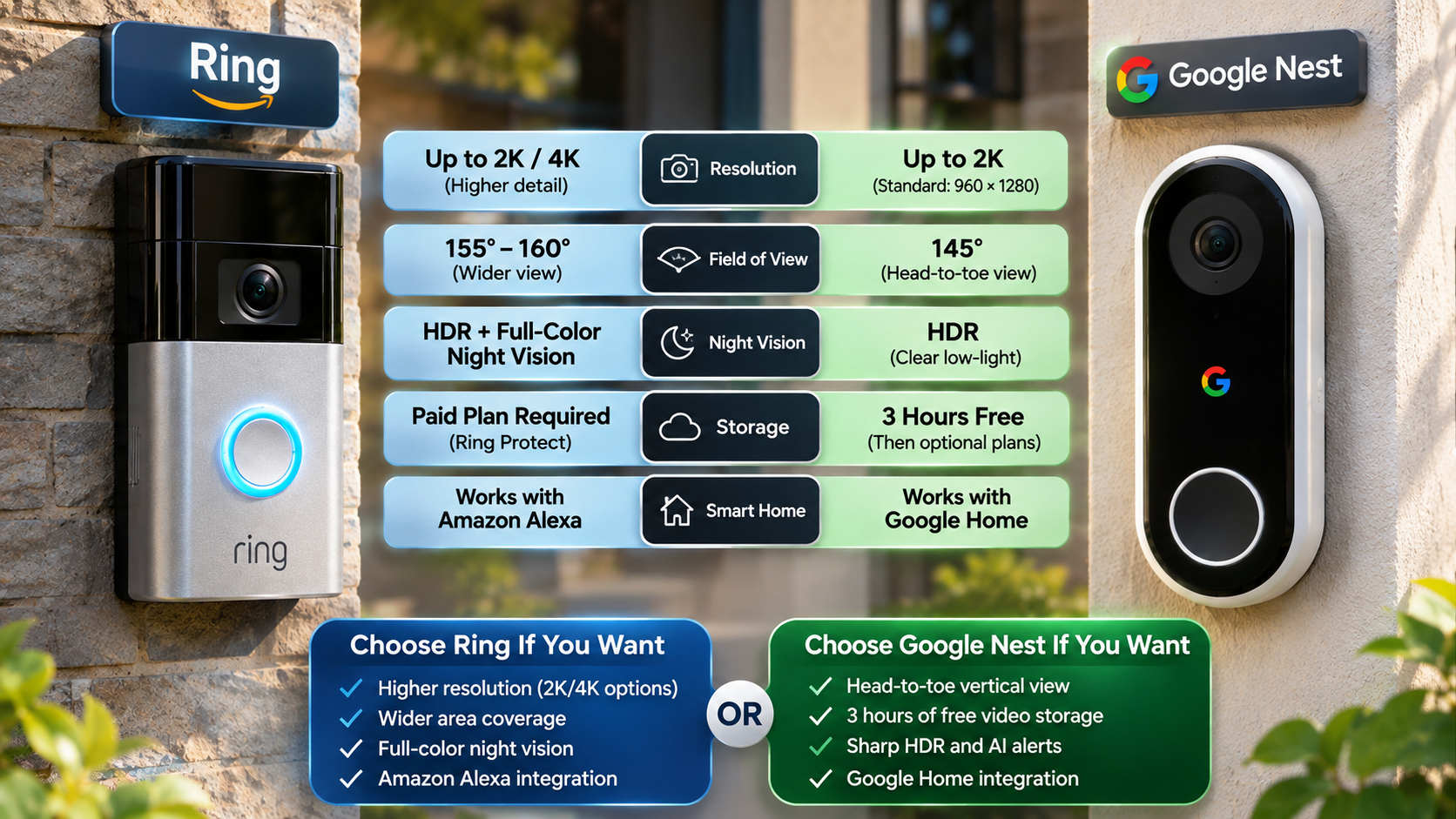
Camera framing plays an important role in the Ring doorbell vs. Google Nest comparison. Some Google Nest doorbells use a 3:4 aspect ratio. This taller format captures more vertical space around your entrance. It can help you see visitors and packages resting directly below the camera.
Ring offers different viewing angles and aspect ratios depending on the model. For example, the Ring Video Doorbell Pro 2 uses a square viewing format. Newer Ring models also provide different framing options and wider coverage.
Neither approach is automatically better. A vertical image helps monitor nearby packages, while a wider horizontal view captures more surrounding activity. However, the actual viewing area also depends on lens design and camera placement.
Before purchasing, consider where you plan to install the device. A camera mounted above a narrow doorway may benefit from vertical coverage. A camera overlooking a driveway may benefit from wider framing.
Check the manufacturer’s field-of-view specifications. Also, examine sample recordings before making your final decision. This helps you understand what the camera actually captures.
Is Ring Doorbell 2K or 4K?
Yes, selected Ring doorbells support native 2K and 4K video recording. However, resolution depends on the specific model and generation. Older devices, including several standard Ring doorbells, still record in 1080p Full HD. Some earlier premium models, such as the Ring Video Doorbell Pro 2, offer 1536p resolution.
Ring’s newer lineup includes devices such as the Battery Doorbell 2K, Wired Doorbell 2K, and Battery Doorbell 4K Pro. These products provide different levels of image detail and recording capabilities.
Here is a simple breakdown:
- 1080p: Standard Full HD resolution available on several older models.
- 1536p: Enhanced resolution offered by selected earlier premium models.
- 2K: Higher definition with additional image detail.
- 4K: Greater pixel density for capturing finer visual information.
When evaluating Ring doorbell vs. Google Nest, remember that resolution is only one part of video quality. Higher resolution can improve digital zoom and reveal smaller details. However, lighting, lens quality, and internet connectivity also influence the final recording.
Always check the official specifications before purchasing. Product names and available features can vary between generations and markets.
Bandwidth Management and Streaming Speed
Higher video resolutions require more data than standard HD recordings. Therefore, 2K and 4K doorbells place greater demands on your home internet connection. Your available upload speed, Wi-Fi signal, and network congestion can affect streaming performance. Choosing the right router also matters, so understanding the differences between dual-band and tri-band routers can help you select suitable networking equipment for reliable video streaming.
For example, a doorbell installed near a weak Wi-Fi signal may experience buffering or delayed live views. Higher resolution alone cannot solve these connectivity problems. A stable connection helps the camera deliver consistent footage to your smartphone.
Both Ring and Google Nest require suitable network connectivity for reliable remote viewing. Their actual bandwidth requirements vary by device and recording settings. Some newer Ring 2K devices recommend at least 10 Mbps upload speed.
Consider these practical steps:
- Place your router closer to the entrance when possible.
- Check your camera’s Wi-Fi signal strength.
- Avoid materials that block wireless signals.
- Check your available internet upload speed.
- Consider a compatible mesh Wi-Fi system if coverage is weak.
A stable network helps reduce interruptions when accessing live video. It also improves the reliability of motion notifications and recorded events.
Why Are People Getting Rid of Ring Doorbells?
Some homeowners replace Ring doorbells because of recurring subscription costs, privacy concerns, and smart home compatibility limitations. These issues do not affect every user equally. However, they can influence long-term ownership costs and the overall security experience.
Ring offers live viewing without requiring a video recording subscription. However, accessing recorded event history and several advanced features generally requires an eligible Ring subscription. This can become an ongoing expense for homeowners managing multiple devices.
Privacy is another consideration. Some consumers prefer security systems with local video storage and greater control over recordings. Ring’s cloud-based recording options may not suit every household.
Smart home compatibility can also influence purchasing decisions. Ring works closely with Amazon Alexa, while Google Nest integrates naturally with Google Home. Neither ecosystem offers identical functionality across competing platforms.
When considering Ring doorbell vs. Google Nest, examine the following factors:
- Monthly or annual subscription expenses.
- Available video storage options.
- Smart home compatibility.
- Privacy and recording preferences.
- Compatibility with existing security devices.
Choosing a replacement without checking these details can create additional costs. Compare the included features and subscription requirements before switching platforms.
Cloud Lock-In and Platform Incompatibility
Cloud recording is an important consideration when comparing Ring and Google Nest. Ring generally requires an eligible subscription to save and review recorded event footage through its cloud service. Without a plan, users can still access live viewing and available basic features. However, recording history and advanced detection features may be restricted.
Google Nest also offers different recording options depending on the device and subscription. The newer wired Nest Doorbell includes six hours of event video previews. Its battery-powered counterpart provides three hours of event-based video history. Longer recording history requires an eligible Google Home Premium plan.
Therefore, neither brand should be considered completely subscription-free. Their included features depend on the model, region, and service plan.
Compatibility is another important difference. Ring integrates closely with Amazon Alexa, while Nest works naturally with Google Home. Third-party integrations may provide limited functionality.
Before choosing between these systems, check their supported features. This helps avoid unexpected subscription expenses and smart home compatibility problems.
Why Is My Ring Doorbell Video Quality So Bad?
Poor Ring doorbell video quality does not necessarily mean your camera is defective. In many cases, weak Wi-Fi connectivity, unsuitable installation, or difficult lighting conditions cause the problem.
Doorbells often sit outside thick exterior walls. Materials such as brick, concrete, stucco, and metal can weaken wireless signals. When connectivity becomes unstable, live video may buffer or become inconsistent.
Lighting also plays an important role. Direct sunlight can create overexposed areas, while strong shadows can hide facial details. Nighttime recordings may appear grainy when available light is limited.
Other possible causes include dirty camera lenses, outdated firmware, and insufficient internet upload speeds. Incorrect motion settings can also affect the usefulness of recorded footage.
Before replacing your device, investigate these potential problems:
- Check your Wi-Fi signal strength.
- Clean the camera lens carefully.
- Inspect the camera’s position and lighting conditions.
- Check your internet upload speed.
- Install available firmware updates.
- Test live viewing at different times of day.
Understanding these problems can help restore clearer footage. It may also prevent unnecessary hardware replacement.
Optimizing Wi-Fi RSSI and Router Placement
Ring uses a measurement called Received Signal Strength Indicator (RSSI) to show how well your doorbell connects to Wi-Fi. You can find this information inside the Ring app under Device Health.
Understanding your RSSI reading helps identify potential connectivity problems. Ring provides the following general signal quality guidance:
- 0 to -60: Great signal with strong performance.
- -60 to -70: Acceptable signal that could improve.
- -70 to -80: Poor signal with possible delays and interruptions.
- -80 or lower: Very poor signal with frequent connection problems.
If your reading falls into the poor range, consider moving your router closer. You can also improve wireless coverage without purchasing an expensive networking system. For example, you can turn your old router into a Wi-Fi extender to help eliminate weak signal areas around your home.
Avoid placing your router behind large appliances or thick walls. These obstacles can weaken wireless signals. Also, check your upload speed because a strong Wi-Fi signal does not guarantee sufficient internet bandwidth.
Do not assume switching to 5GHz will automatically solve the problem. Supported Wi-Fi bands depend on your Ring model, router, and installation distance.
What Is the Downside of a Ring Doorbell?
Ring doorbells offer useful security features, but they also have limitations. The biggest consideration for many homeowners is their dependence on paid cloud recording services. Without an eligible subscription, users generally cannot access the same recording history and advanced features.
Another limitation involves smart home integration. Ring works particularly well with Amazon Alexa devices. However, homeowners using Google Home or Apple HomeKit may experience reduced functionality compared with native ecosystem devices.
Battery-powered models also require regular charging. Their battery performance can decline in extremely cold conditions. Frequent motion alerts, heavy usage, and certain recording settings can also increase battery consumption.
Other potential disadvantages include:
- Subscription expenses: Recorded footage and advanced features may require ongoing payments.
- Battery maintenance: Wireless models need periodic charging.
- Platform limitations: Some integrations offer fewer features outside Alexa.
- Internet dependence: Reliable remote viewing requires a stable internet connection.
- Privacy considerations: Cloud recording may not suit every homeowner.
These limitations do not make Ring unsuitable for every household. However, they are important factors when comparing Ring doorbell vs. Google Nest and evaluating long-term ownership costs.
Extreme Weather Impact on Battery Life
Cold weather can affect the performance of battery-powered Ring doorbells. Lithium-ion batteries rely on chemical reactions to store and deliver electrical energy. Low temperatures slow these reactions and temporarily reduce available battery performance.
As a result, your doorbell may lose charge faster or experience reduced operating performance during freezing conditions. Battery charging can also become restricted outside the device’s supported temperature range.
Actual performance depends on the specific Ring model, installation conditions, and local weather. Frequent motion detection and live streaming can place additional demands on the battery.
You can reduce potential problems by following these practical steps:
- Install the doorbell where it receives some protection from extreme weather.
- Monitor battery levels during colder months.
- Reduce unnecessary motion alerts.
- Check the manufacturer’s operating and charging temperature limits.
- Consider a compatible hardwired installation where possible.
Hardwiring can reduce the need for manual battery charging. However, installation requirements vary between models. Always check the manufacturer’s specifications before choosing a power configuration.
Conclusion: Ring Doorbell vs. Google Nest – Which Should You Choose?
Choosing between Ring and Google Nest ultimately depends on your home security needs, preferred smart home ecosystem, and budget. Both brands offer capable video doorbells, but their features and recording capabilities vary across models.
Ring provides more hardware choices, including selected 2K and 4K doorbells. It suits homeowners who want flexible camera options and strong integration with Amazon Alexa. You can explore the official Ring doorbell comparison to review available models and their video specifications.
Google Nest offers convenient Google Home integration, intelligent alerts, and HDR video on selected models. Visit Google’s official Nest camera and doorbell technical specifications to compare resolution, night vision, and viewing angles.
Before making your decision, compare video resolution, field of view, night vision, Wi-Fi requirements, and subscription costs. Remember that higher resolution alone does not guarantee clearer footage. Camera placement, lighting, and network stability also matter.
Ultimately, the best choice in the Ring doorbell vs. Google Nest comparison is the device that delivers the video quality, features, and recording options your home actually needs. Check individual model specifications before purchasing to avoid paying for features you may never use.