
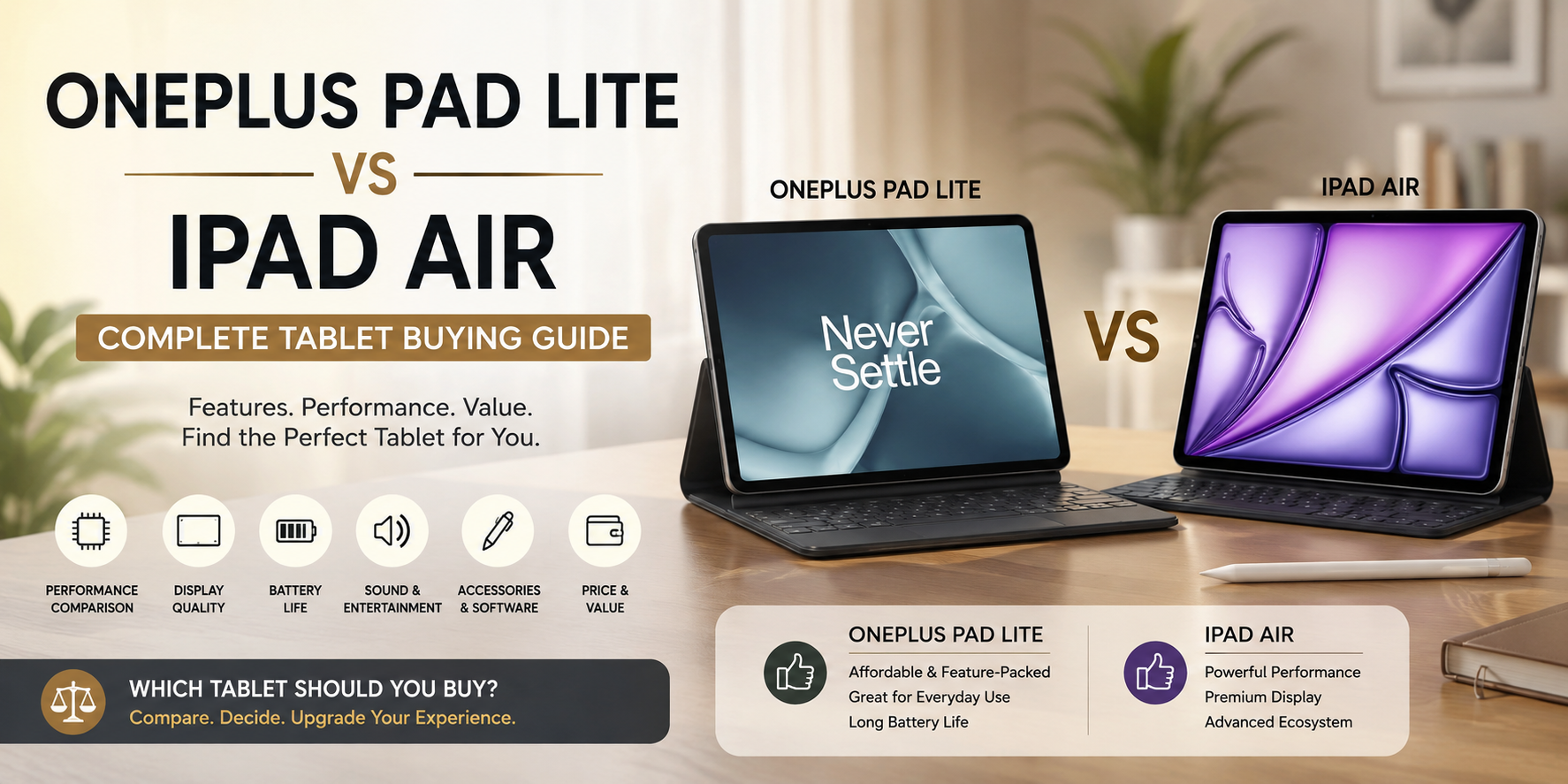
OnePlus Pad Lite Vs iPad Air: Complete Tablet Buying Guide
Choosing a new tablet can feel overwhelming with so many capable options available. The OnePlus Pad Lite Vs iPad Air comparison is especially interesting for buyers with different priorities. One focuses on affordable everyday use, while the other targets higher-end performance and productivity.
Your ideal tablet depends on how you plan to use it. Students may value battery life and affordability. Creators may prioritize processing power, display quality, and stylus support. Professionals may care more about accessories and software.
The OnePlus Pad Lite features an 11-inch 90Hz LCD, a MediaTek Helio G100 processor, 9,340mAh battery, and quad speakers. The iPad Air offers a much faster Apple silicon chip and a fully laminated display.
This guide compares their strengths and limitations. It also answers common questions about OnePlus tablets, iPads, accessories, software, and everyday productivity.

Is the OnePlus Pad Better Than the iPad?
The answer depends on your priorities rather than one specification. The OnePlus Pad family offers strong value, smooth displays, capable multitasking, and competitive battery life. It can be an excellent choice for entertainment, browsing, studying, and everyday productivity.
The iPad family has a different advantage. Apple’s tablets benefit from a mature app ecosystem and powerful processors. The current iPad Air uses Apple’s M-series silicon, which provides substantial performance for demanding creative and productivity apps, especially for users already comparing it with iPhone or Android devices for students.
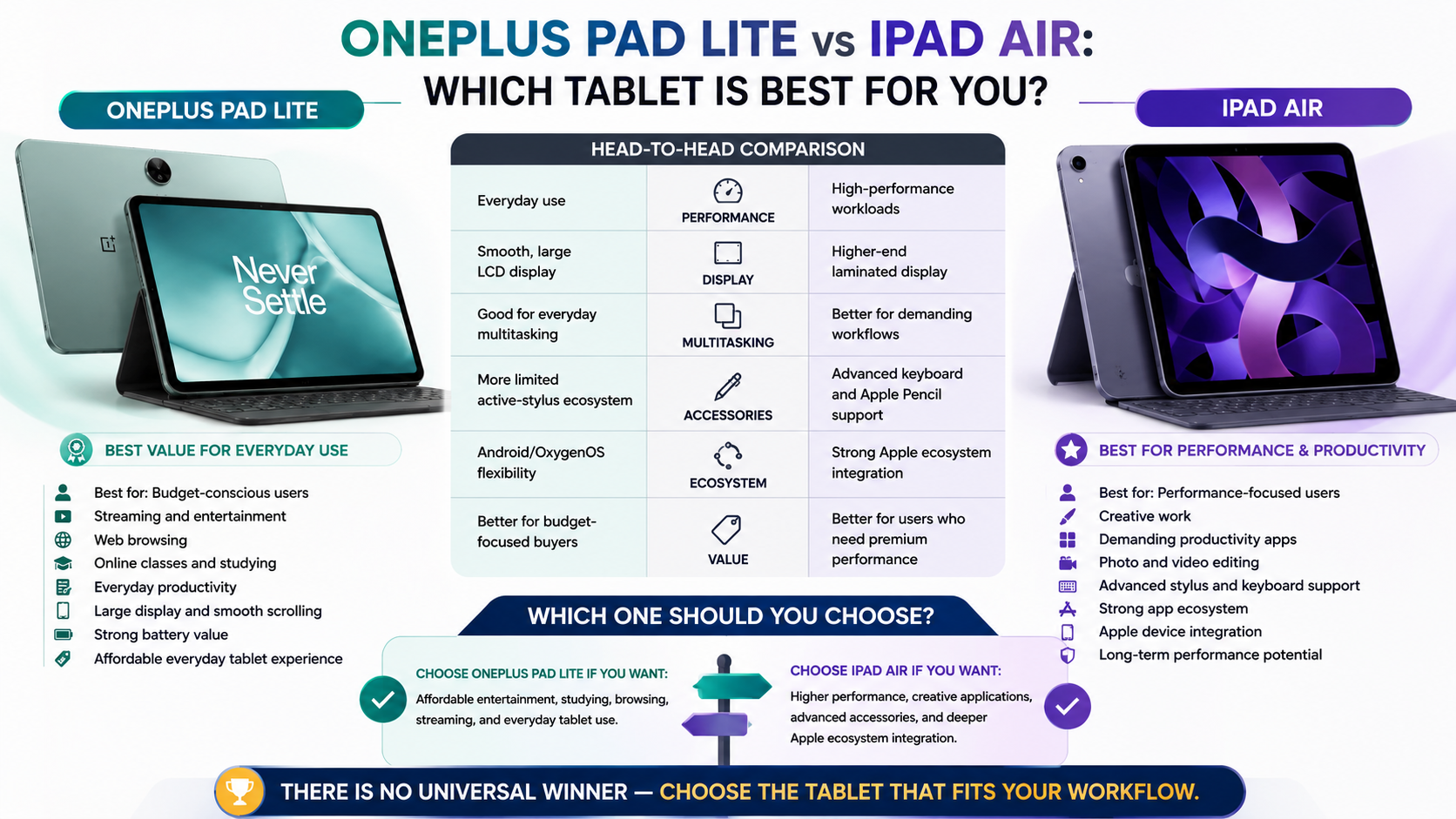
For buyers focused on price and everyday entertainment, OnePlus can offer better value. For buyers who need professional apps, advanced accessories, and long-term performance, the iPad Air is stronger.
The decision becomes easier when you consider your workflow:
- Choose OnePlus for affordable entertainment and everyday tasks.
- Choose iPad Air for demanding creative and productivity work.
- Consider ecosystem compatibility before switching platforms.
- Compare accessory costs before deciding your total budget.
There is no universal winner. The better tablet is the one that matches your actual needs.
Performance and Ecosystem Tradeoffs
Performance is one of the biggest differences in the OnePlus Pad Lite Vs iPad Air comparison. The Pad Lite uses the MediaTek Helio G100 with up to 8GB RAM. It is designed for everyday tasks such as streaming, browsing, video calls, reading, and light multitasking.
The iPad Air sits much higher in Apple’s tablet range. Its Apple silicon is built for demanding workloads. Depending on the generation, it can handle advanced video editing, graphics work, and professional applications with considerably more headroom.
Software also changes the experience. OnePlus uses OxygenOS and offers features such as Open Canvas and cross-device connectivity. The Pad Lite can also share content with an iPhone through the O+ Connect app.
Apple’s ecosystem remains a major advantage for iPhone and Mac users. Features across Apple devices can make file sharing, messaging, and workflow continuity simpler.
In short, OnePlus emphasizes value and flexibility, while the iPad Air emphasizes performance and ecosystem integration.
Is the OnePlus Pad Lite Good to Buy?
The OnePlus Pad Lite is a sensible choice for buyers who want a large-screen tablet without paying flagship prices. It has an 11-inch display with a 90Hz refresh rate, 500-nit peak brightness, and a 1,920 × 1,200 resolution.
Its MediaTek Helio G100 processor is better suited to everyday workloads than intensive professional tasks. Web browsing, video streaming, online classes, reading, and casual multitasking fit its intended use well.
Battery life is another major strength. OnePlus lists a 9,340mAh typical battery and support for 33W SUPERVOOC charging. The tablet also includes four Hi-Res Audio-certified speakers.
The Pad Lite therefore makes sense for:
- Students attending classes and reading study material, particularly those building strong digital literacy skills..
- Families looking for an affordable shared tablet.
- Streaming users who want a large screen and strong audio.
- Casual users who need browsing, email, and video calls.
However, demanding creators should consider a more powerful tablet. The Pad Lite is not designed to compete directly with premium iPads for professional workloads.
For budget-focused buyers, it remains a practical and well-rounded option.
Value for Everyday Entertainment
The OnePlus Pad Lite is particularly attractive as an entertainment tablet. Its 11-inch 16:10 display provides plenty of space for movies, browsing, reading, and casual gaming. The 90Hz refresh rate also makes scrolling feel smoother than a typical 60Hz panel.
Audio is another strong point. OnePlus equips the tablet with four Hi-Res Audio-certified speakers. That setup makes the device useful for streaming without immediately reaching for headphones.
Battery capacity is also generous. OnePlus lists a 9,340mAh typical capacity and claims up to 11 hours of video playback under its test conditions. Real-world results will vary with brightness, apps, connectivity, and usage habits. Charging performance also depends on the charger and power standard, as explained in this guide to 5V 1A vs. 5V 2A charging
The tablet works well for several everyday situations:
- Watching movies during travel.
- Reading recipes in the kitchen.
- Joining online classes.
- Browsing social media.
- Reading websites and digital books.
- Playing casual games.
Its biggest limitation is performance. Users running demanding professional software should look at a more powerful device.
For affordable entertainment, however, the Pad Lite offers a strong balance of screen size, sound, battery capacity, and price.
What’s Better, iPad or iPad Air?
The standard iPad and iPad Air target different types of buyers. The standard iPad is designed as an accessible entry point into Apple’s tablet ecosystem. It works well for browsing, education, streaming, communication, and general home use.
The iPad Air is built for users who want more performance and advanced features. Apple’s current iPad Air uses an M-series chip and supports accessories such as Apple Pencil Pro and the Magic Keyboard, making iPad accessories an important part of the overall buying decision.
The Air also offers a fully laminated display with an antireflective coating. That design helps make writing and drawing feel more direct.
Choose the standard iPad if:
- Your tasks are mostly basic.
- You want to minimize spending.
- You do not need professional-level performance.
Choose the iPad Air if:
- You edit photos or videos.
- You use demanding creative applications.
- You want Apple Pencil Pro support.
- You expect heavier multitasking.
- You want more performance for future workloads.
For many students and professionals, the Air offers better long-term headroom. For casual users, the standard iPad can provide everything they need.
Display Technology and Accessory Support
Display quality is an important difference when comparing affordable tablets with the iPad Air. The OnePlus Pad Lite uses an 11-inch LCD with 1,920 × 1,200 resolution, 500-nit peak brightness, and a 90Hz refresh rate. It also supports 10-bit color depth through its 8+2-bit panel configuration.
The iPad Air uses a Liquid Retina display with a higher 2,360 × 1,640 resolution on the 11-inch model. It also provides P3 wide color, True Tone, full lamination, and an antireflective coating.
Accessory support further separates the two. The iPad Air supports Apple Pencil Pro and Apple Pencil USB-C. It also works with Apple’s Magic Keyboard designed for the Air.
The Pad Lite does not list active stylus support in its official specifications. Buyers who need serious handwriting or digital art should therefore verify accessory compatibility before purchase.
For basic media use, the OnePlus display is capable. For creative work, the iPad Air offers the stronger overall display and accessory platform.
Is There Any Tablet Better Than iPad?
There are tablets that can be better than an iPad for specific users. However, there is no single tablet that wins in every category. The right choice depends on your operating system, workflow, accessories, and preferred apps.
High-end Android tablets can offer large displays, flexible multitasking, and features that appeal to users who prefer more control. Some models also provide desktop-style interfaces and broader file-management options.
Windows tablets serve another audience. They run desktop software that may not have a suitable mobile equivalent. This can make them more useful for users who depend on traditional Windows applications.
The iPad remains particularly attractive to people already using Apple devices. iPhone and Mac users can benefit from Apple’s tightly connected ecosystem and broad tablet app selection.
Before choosing an alternative, consider:
- Software: Does your essential app support the platform?
- Accessories: Is the keyboard or stylus you need available?
- Performance: Can the tablet handle your workload?
- Portability: Is the size comfortable for daily travel?
- Ecosystem: Will it work smoothly with your existing devices?
So, another tablet can be better for your specific needs. The iPad is not automatically the best choice for everyone.
Android Multitasking Versus iPadOS Simplicity
Android tablets often appeal to users who value flexibility. Depending on the device and software version, Android can provide versatile multitasking, file management, and broader customization. OnePlus also offers Open Canvas on the Pad Lite for working with multiple apps.
The iPad takes a different approach. iPadOS focuses on a controlled interface with strong app optimization and close integration with Apple’s hardware ecosystem. That simplicity can be valuable for users who want fewer configuration decisions.
OnePlus also provides cross-device features for compatible OnePlus phones. The Pad Lite supports screen mirroring and content syncing, while iPhone sharing is available through the O+ Connect app.
The best platform depends on your habits:
- Choose Android for customization and flexible device choices.
- Choose iPadOS for Apple’s ecosystem and tablet-focused apps.
- Choose OnePlus if you already use compatible OnePlus devices.
- Choose iPad if you rely heavily on an iPhone or Mac.
Neither approach is universally superior. Android offers flexibility, while iPadOS offers consistency and ecosystem integration.
Frequently Asked Questions
Can I use a OnePlus tablet with an iPhone?
Yes, you can use a OnePlus tablet alongside an iPhone, though you will not get ecosystem features like AirDrop or Universal Clipboard. Basic services like cloud storage, web browsers, third-party messaging apps, and email sync across both devices seamlessly. However, pairing an Android tablet with an Android phone or an iPad with an iPhone offers a much more integrated and smooth daily experience.
Does the OnePlus Pad Lite support stylus input?
Stylus support varies by specific regional bundles and exact Lite configurations released in different markets. While some budget models support basic capacitive styluses for taking simple notes, they usually lack the pressure sensitivity and low latency found on flagship pens. Buyers who prioritize digital art and heavy handwritten note-taking should verify active stylus compatibility before making a final purchase decision.
How many years of updates do OnePlus tablets receive?
OnePlus typically provides several years of major Android operating system upgrades and consistent security patches for its flagship devices. Budget or Lite variants may receive a slightly shorter update lifecycle compared to premium models. Checking the official manufacturer support policy ensures your device stays secure and runs the latest software features smoothly for years to come.
Is the iPad Air powerful enough to replace a laptop?
The iPad Air handles many traditional laptop tasks—such as word processing, spreadsheet management, email correspondence, and media streaming—exceptionally well when paired with a keyboard case. However, its mobile operating system still imposes limitations for users who rely on legacy desktop software, specialized file management, or complex coding environments. For mobile professionals and students, it easily replaces a laptop.
Conclusion: Which Tablet Should You Choose?
The OnePlus Pad Lite Vs iPad Air comparison ultimately comes down to value versus performance. The OnePlus Pad Lite is designed for affordable everyday use. Its 11-inch 90Hz display, large battery, quad speakers, and practical multitasking features make it attractive for students and entertainment-focused buyers.
The iPad Air targets a more demanding audience. Its Apple silicon, laminated display, Apple Pencil Pro support, and strong accessory ecosystem make it better suited to creative and professional workflows.
Choose the OnePlus Pad Lite if your priorities include:
- Affordable everyday performance.
- Streaming and entertainment.
- Long battery capacity.
- Web browsing and online learning.
- A large, smooth display.
Choose the iPad Air if you need:
- Higher performance.
- Professional creative applications.
- Advanced stylus support.
- Strong Apple ecosystem integration.
- Greater productivity headroom.
Neither tablet is automatically right for everyone. Match the device to your budget, workflow, and existing devices. That approach will help you make a smarter tablet purchase.