
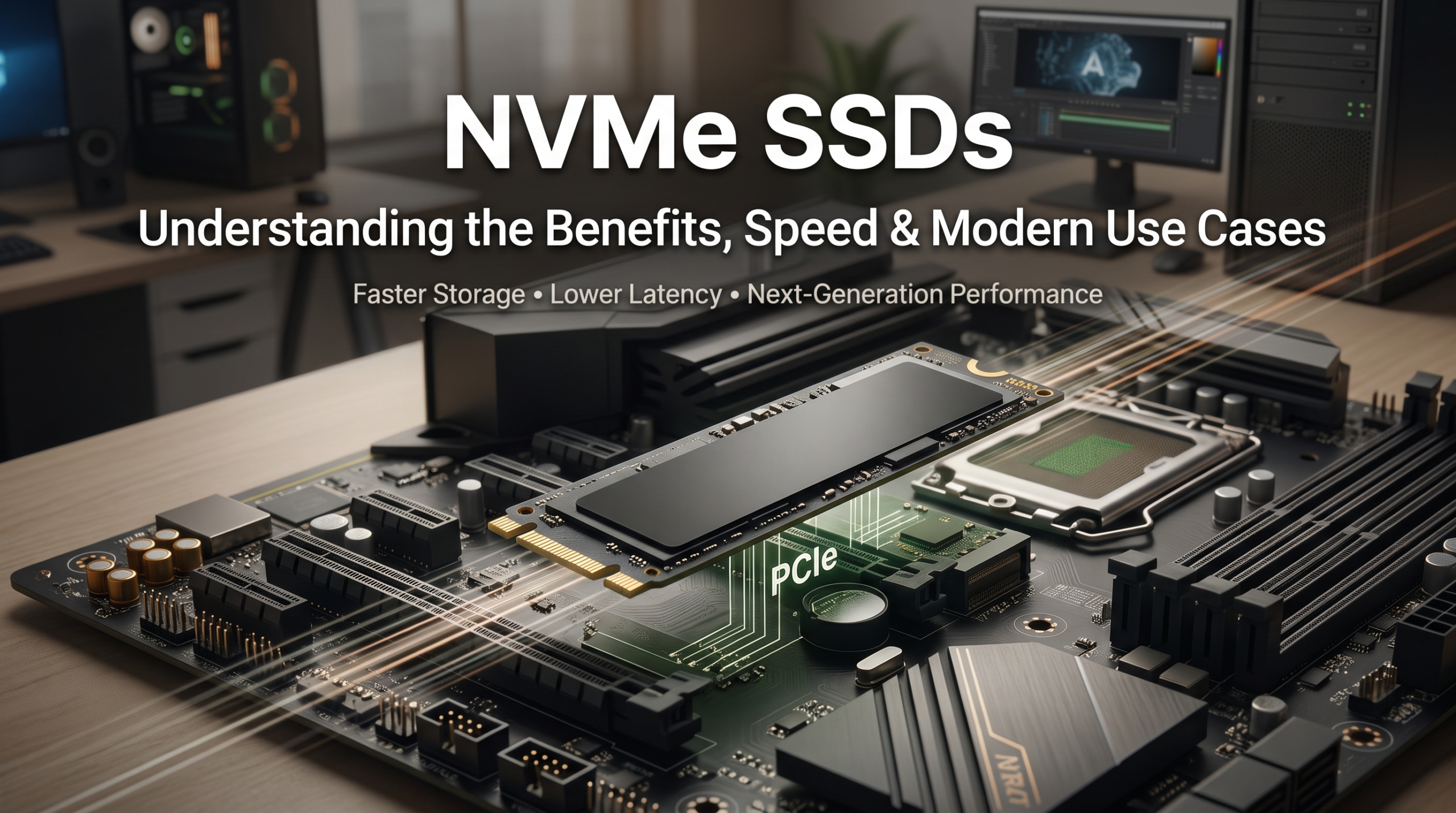
NVMe SSDs: Understanding the Benefits and Use Cases
When upgrading computer hardware or building a high-performance system, storage performance plays a critical role. NVMe SSDs have transformed modern storage by replacing the limitations of older hard drives and traditional SATA-based solid-state drives.
For years, SSD technology was restricted by older connection standards designed for mechanical hard drives. These interfaces created performance bottlenecks, preventing storage devices from reaching their full potential. NVMe technology solves this problem by allowing solid-state drives to communicate directly with the system through faster PCIe lanes.
The result is significantly higher speeds, lower latency, and improved responsiveness across different workloads. From gaming computers and creative workstations to enterprise servers and AI systems, NVMe SSDs provide the performance needed for modern computing.
The NVM Express Organization continues to develop open standards that improve how non-volatile memory communicates with computer systems. Learn more about the official NVMe specifications and industry standards from the NVM Express Organization.
This guide explains the technology behind NVMe SSDs, their main benefits, and the situations where they provide the greatest performance improvements.
What Is NVMe Technology?
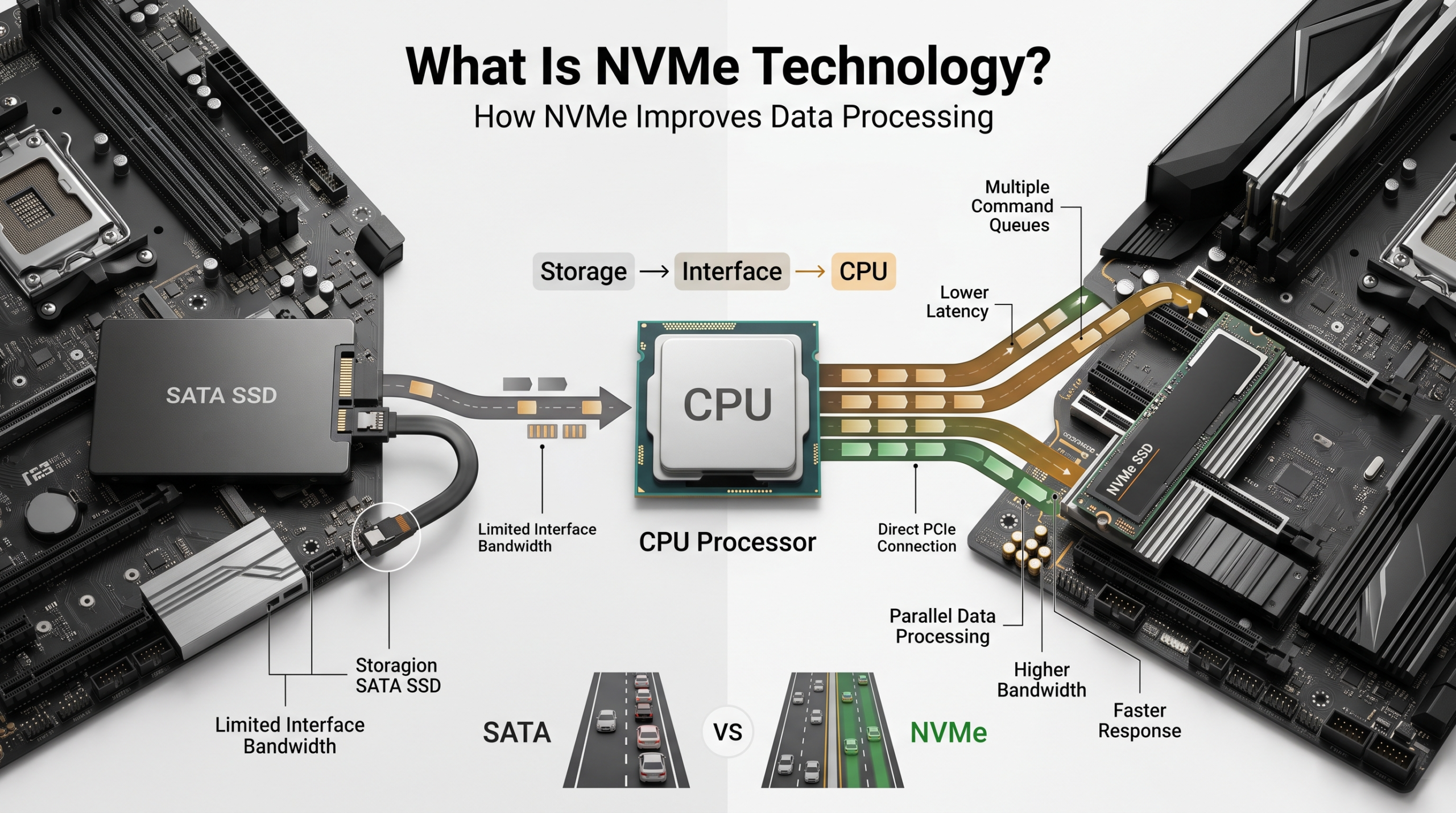

To understand why NVMe SSDs are faster, it is important to understand how data moves between storage and the processor. Traditional SATA SSDs use an older communication protocol that was originally designed for slower mechanical hard drives.
Although SATA SSDs are much faster than hard disk drives, they still face limitations because of their interface. Data requests must travel through a restricted pathway, which can create delays during demanding tasks.
Non-Volatile Memory Express (NVMe) removes these limitations by allowing storage devices to connect directly to the motherboard through PCIe (Peripheral Component Interconnect Express) technology.
This direct connection reduces communication delays and allows the drive to handle much larger amounts of data. Instead of using a narrow pathway, NVMe creates a faster connection between storage, the processor, and other system components.
A simple comparison is replacing a crowded single-lane road with a multi-lane highway. More data can move at the same time, improving overall system performance.
How NVMe Improves Data Processing
One of the biggest advantages of NVMe SSDs is their ability to process multiple data requests simultaneously. Older storage technologies rely on limited command queues, which can slow down performance during heavy workloads.
NVMe was designed for modern computing environments. It supports thousands of command queues, allowing systems to handle many operations at once.
This parallel processing capability benefits users who run demanding applications, multitask frequently, or work with large files.
For example, NVMe storage helps improve:
- Faster operating system startup times
- Quicker application loading
- Smoother multitasking
- Improved performance in professional software
- Faster file transfers
By reducing storage delays, NVMe SSDs allow the CPU and other hardware components to work more efficiently. This prevents powerful systems from waiting for data and creates a more responsive computing experience.
Key Advantages of NVMe SSDs
Upgrading to an NVMe drive can create noticeable improvements in everyday computer performance. While traditional SATA SSDs already provide faster speeds than hard drives, NVMe technology takes storage performance much further.
The main benefits come from higher transfer speeds, reduced latency, and improved efficiency. These advantages make NVMe SSDs suitable for both everyday users and professionals with demanding workloads.
Whether you are starting your computer, opening large applications, editing videos, or transferring files, faster storage reduces waiting times and improves workflow efficiency.
The most important advantages include:
- Higher read and write speeds
- Lower response times
- Better performance under heavy workloads
- Improved multitasking capability
- Greater efficiency for modern applications
NVMe SSDs are now widely used in gaming PCs, laptops, workstations, and enterprise servers because they provide a strong balance between speed, reliability, and future compatibility.
Incredible Read and Write Speeds
Speed is one of the biggest reasons users choose NVMe SSDs over traditional SATA drives. A standard SATA SSD usually reaches around 550 MB/s because of interface limitations.
Modern PCIe-based NVMe drives can deliver much higher performance. Many PCIe Gen 4 NVMe SSDs exceed 5,000 MB/s, while newer PCIe Gen 5 models can reach speeds above 14,000 MB/s.
These improvements are especially noticeable when working with large files. Tasks such as transferring videos, loading games, opening applications, and processing professional projects become significantly faster.
However, real-world performance depends on several factors, including:
- Drive model and controller
- PCIe generation
- Motherboard compatibility
- Cooling performance
- Workload type
Even entry-level NVMe SSDs provide a major upgrade over older storage solutions. For most users, the improvement in system responsiveness is immediately noticeable.
Massive Reductions in Latency
Speed is not the only advantage of NVMe SSDs. Lower latency is another major improvement that changes how quickly your system responds to commands.
Latency refers to the time required for a storage device to receive a request and return the requested data. Traditional storage interfaces create additional communication delays because data must pass through older protocols before reaching the processor.
NVMe SSDs reduce these delays by communicating directly through PCIe connections. This allows data requests to complete much faster, often within microseconds.
The impact is noticeable in everyday tasks. Applications launch faster, files open more quickly, and operating systems respond almost instantly.
Lower latency also improves performance during demanding workloads, such as:
- Running multiple applications at the same time
- Editing high-resolution videos
- Managing large databases
- Processing complex software projects
While maximum speed numbers are important, faster response times often create the biggest improvement in daily computer use. NVMe SSDs deliver both high bandwidth and quick data access, making them a powerful upgrade for modern systems.
Primary Use Cases for NVMe Storage
NVMe SSDs are no longer limited to high-end computers or enterprise environments. Their combination of speed, efficiency, and reliability makes them useful across many industries and everyday applications.
As software becomes more advanced, applications require faster access to larger amounts of data. Traditional storage solutions can struggle to keep up with these increasing demands.
Modern users rely on NVMe storage for faster workflows, smoother performance, and improved productivity.
Common use cases include:
- Gaming systems that require fast loading and seamless asset streaming
- Creative workstations for video editing, animation, and design
- Software development environments handling large projects
- Enterprise servers managing heavy workloads
- Artificial intelligence systems processing large datasets
Whether you are a casual user or a professional, NVMe SSDs provide faster access to your files and applications. Their flexibility makes them one of the most important storage technologies in modern computing.
Next-Generation Gaming and Faster Loading Times
Modern video games continue to become larger and more detailed. High-resolution textures, expansive maps, and complex game environments require storage devices that can deliver data quickly.
Older hard drives often struggle with these demands. Slow data access can lead to long loading screens, delayed textures, and occasional performance issues during gameplay.
NVMe SSDs improve gaming performance by providing faster data transfer speeds and lower latency. Games load faster, and large environments can stream assets more efficiently.
Technologies such as Microsoft DirectStorage allow compatible games to send data more efficiently from storage to the graphics processing unit (GPU). This reduces delays and creates smoother gameplay experiences.
Although an NVMe SSD does not directly increase maximum FPS, it can improve overall game responsiveness by reducing loading times and minimizing asset-streaming problems.
For gamers building modern systems, NVMe storage has become an important component alongside a powerful CPU and GPU.
Professional Content Creation and Workstations
Creative professionals often work with extremely large files that require fast storage performance. Video editors, 3D artists, photographers, and software developers regularly handle demanding workloads.
Editing high-resolution footage, especially 4K and 8K video, requires consistent data speeds. Slower storage can cause delays when previewing footage, moving between timelines, or exporting finished projects.
NVMe SSDs provide the bandwidth needed for these intensive tasks. They allow professionals to access large files quickly and maintain smoother workflows.
Benefits for creative users include:
- Faster video editing and timeline playback
- Quicker project loading
- Reduced export and rendering times
- Improved performance when handling multiple files
For developers, NVMe drives can also speed up tasks such as compiling code, running virtual machines, and managing large software projects.
By removing storage limitations, NVMe SSDs help creative professionals spend less time waiting and more time working.
Enterprise Data Centers and AI Workloads
Large organizations depend on fast storage to manage massive amounts of information. Data centers process thousands of requests from users, applications, and connected systems every second.
Enterprise-grade NVMe SSDs are designed to handle these demanding environments. They provide high performance, consistent reliability, and strong endurance for continuous workloads.
Fast storage is especially important for artificial intelligence (AI) training and machine learning applications. These systems require enormous datasets to be transferred quickly to powerful processors.
Without sufficient storage performance, expensive CPUs and GPUs may remain idle while waiting for data.
NVMe storage helps improve efficiency by:
- Reducing database response times
- Supporting heavy user traffic
- Accelerating data analysis
- Improving AI model training workflows
As businesses continue adopting cloud computing and AI technologies, high-performance storage has become essential for maintaining competitive and efficient systems.
Choosing the Right NVMe SSD for Your System
Not every NVMe SSD delivers the same performance. Choosing the right drive requires checking compatibility, specifications, and your specific workload requirements.
Before purchasing an upgrade, consider your motherboard, processor, and intended use. A high-end drive will not provide maximum performance if your system cannot support its capabilities.
Important factors include:
Check the Form Factor
Most consumer NVMe SSDs use the M.2 form factor, which is a small circuit board that connects directly to the motherboard.
However, not every M.2 slot supports NVMe technology. Some only support SATA-based M.2 drives.
Always confirm that your motherboard or laptop supports PCIe NVMe storage before buying a drive.
Verify PCIe Generation Compatibility
NVMe SSDs are available in different PCIe generations, including Gen 3, Gen 4, and Gen 5.
A PCIe Gen 5 SSD can work in a Gen 4 motherboard slot, but it will operate at Gen 4 speeds. Checking your hardware specifications helps avoid paying for performance your system cannot use.
Consider Heat Management
High-speed NVMe drives generate heat during heavy workloads. When temperatures become too high, the drive may reduce performance through thermal throttling.
Look for drives with built-in heatsinks or use motherboard thermal covers when available. Proper cooling helps maintain consistent performance during gaming, editing, and large file transfers.