
How Do I Know My CPU Is Bottlenecking? A Practical Guide to Performance
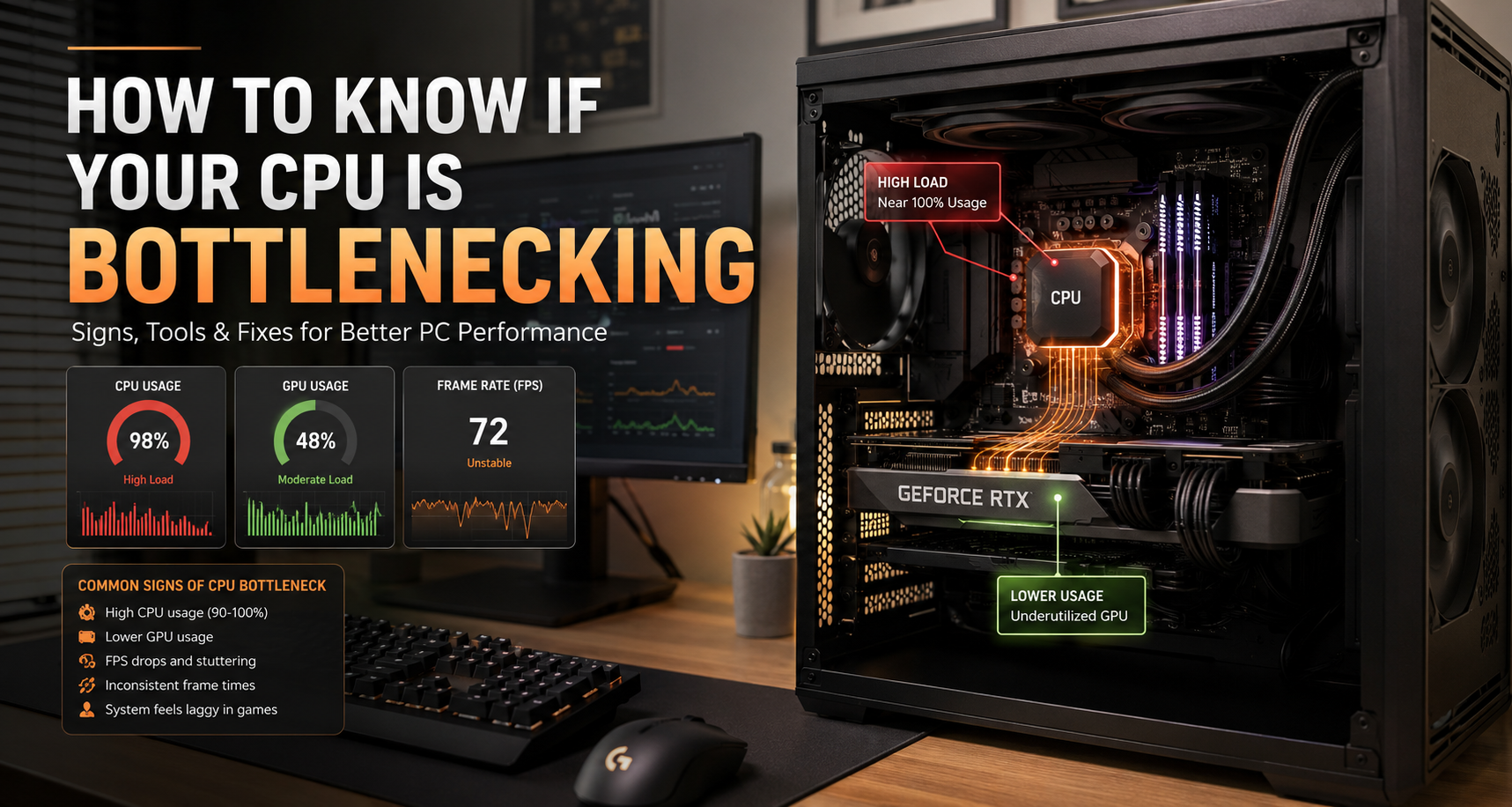
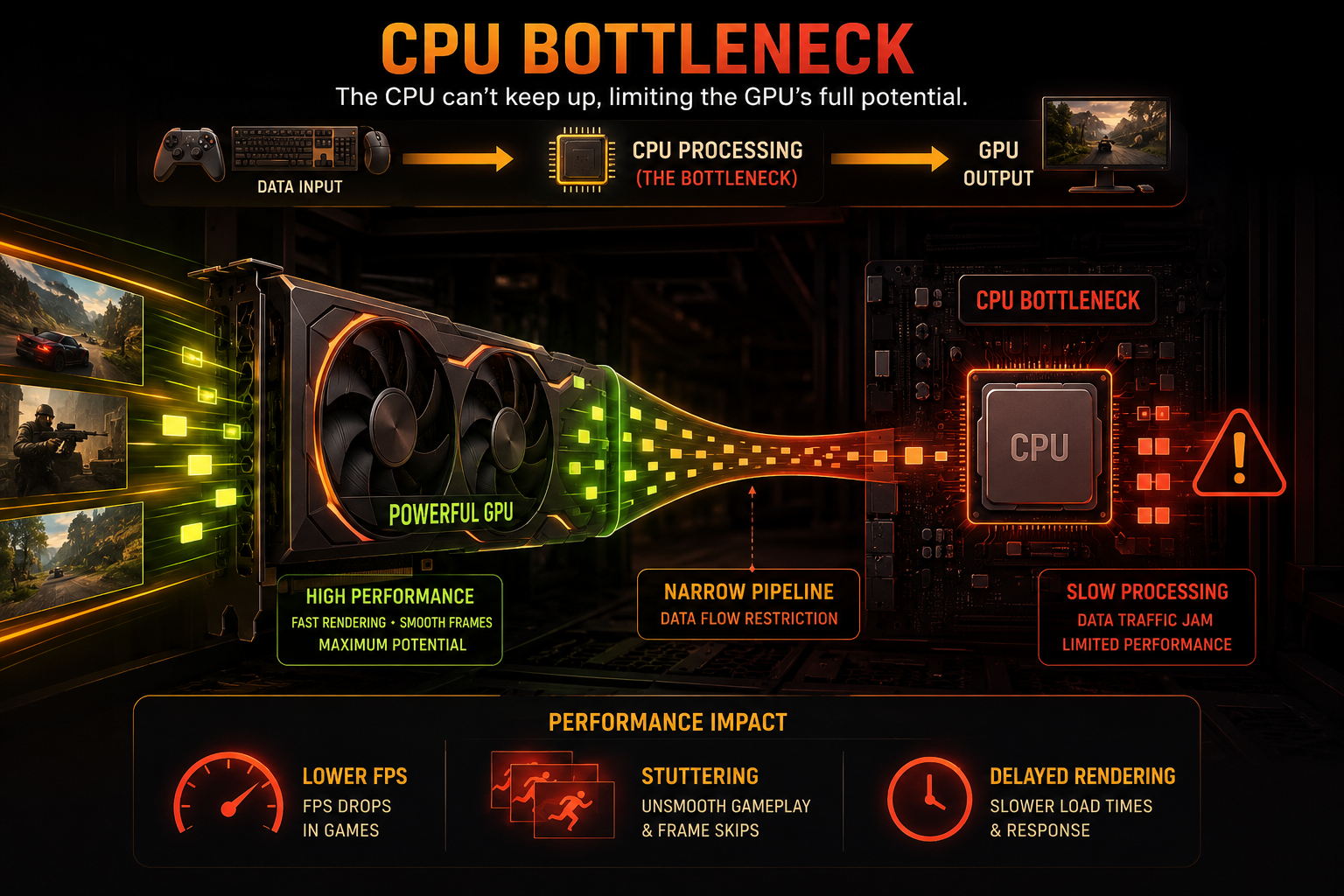
Have you noticed your PC stuttering during intense gaming sessions, or stalling when you open multiple apps? You might wonder, how do I know my CPU is bottlenecking my system’s potential? A bottleneck occurs when one component limits the performance of your entire computer. Most frequently, this happens between your processor and graphics card. If you want to check your hardware performance metrics or monitor your system baseline, you can reference the Microsoft Support documentation for built-in Windows diagnostic utilities.
Understanding how do I know my CPU is bottlenecking helps you avoid unnecessary upgrades and fix real performance issues instead. Many users upgrade their GPU but still face low FPS because the CPU is the actual limiting factor.
This guide explains signs, tools, and fixes so you can clearly understand how do I know my CPU is bottlenecking and what to do about it.

Is CPU 70% bad?
A CPU running at 70% usage is not automatically a problem. In most cases, it simply means your processor still has enough headroom to handle additional tasks. This level of utilization is common during gaming, multitasking, or moderate workloads where the system is under load but not fully saturated.
However, CPU usage alone does not always tell the full story. Even at 70% total usage, individual cores may be maxed out at 100%, especially in older or poorly optimized software. This can still cause stuttering, frame drops, or slow responsiveness in certain applications.
Overall, 70% CPU usage is considered healthy under load. It only becomes a concern when it consistently hits higher levels or when performance issues appear alongside it, indicating that the processor may be reaching its limit.
Is 50°C idle a good CPU temperature?
An idle CPU temperature of 50°C is slightly higher than ideal but still generally safe. Most modern processors are designed to handle a wide temperature range, so this level is not immediately harmful to your system.
Typically, a good idle temperature range is between 30°C and 45°C. However, factors like room temperature, airflow inside the case, dust buildup, and fan curve settings can all affect idle readings. Poor cooling setups can easily push idle temperatures higher.
If your CPU stays below 85°C under full load, then 50°C at idle is not a serious concern. It may indicate that your cooling system could be improved, but it will not damage the processor in normal usage conditions.
Will 100°C damage a CPU?
Modern CPUs are built with strong thermal protection systems, so reaching 100°C does not immediately damage the chip. When temperatures get too high, the processor automatically reduces performance to cool itself down, a process known as thermal throttling.
Short spikes to 100°C can happen during heavy workloads and are usually not instantly dangerous. However, this level of heat is not sustainable and indicates that your cooling system is under significant stress or insufficient for the workload.
Running a CPU at or near 100°C for long periods can lead to long-term degradation. Over time, it may reduce performance stability and shorten the lifespan of the processor, making proper cooling essential.
What CPU runs the hottest?
High-performance CPUs with many cores tend to run the hottest because they consume more power and generate more heat. This is especially true for flagship processors designed for gaming, rendering, and professional workloads.
Modern high-end CPUs from both Intel and AMD can exceed 200–250 watts under heavy load. When pushed to their limits, these processors naturally produce significant heat, especially during tasks like rendering, encoding, or stress testing.
Because of this, they often require advanced cooling solutions such as high-end air coolers or liquid cooling systems. Without proper cooling, these CPUs may throttle performance to protect themselves from overheating.
Can slow RAM cause a CPU bottleneck?
Yes, slow RAM or single-channel memory can definitely cause a CPU bottleneck. The processor relies on memory to quickly access and process data, so slower RAM reduces overall system efficiency and responsiveness.
When RAM speed or configuration is weak, the CPU often has to wait for data. This creates delays that can result in stuttering, lower frame rates, and reduced multitasking performance, especially in gaming and heavy workloads.
Upgrading to faster RAM or switching to a dual-channel setup can significantly improve performance. In many cases, this is one of the simplest and most cost-effective ways to reduce CPU bottlenecks and improve system smoothness.
Conclusion
If you want to know my CPU is bottlenecking, the answer lies in your real-time performance metrics. Keep a close eye on your utilization percentages during demanding tasks. A processor running at maximum capacity alongside an underutilized graphics card is a definitive sign of a bottleneck. By adjusting your software settings, closing resource-heavy background apps, or upgrading your hardware configuration, you can restore system balance and enjoy a smooth, stutter-free computing experience.
For more helpful guides on improving Windows performance and system optimization, you can explore this resource: Microsoft CPU Speed Boost Guide