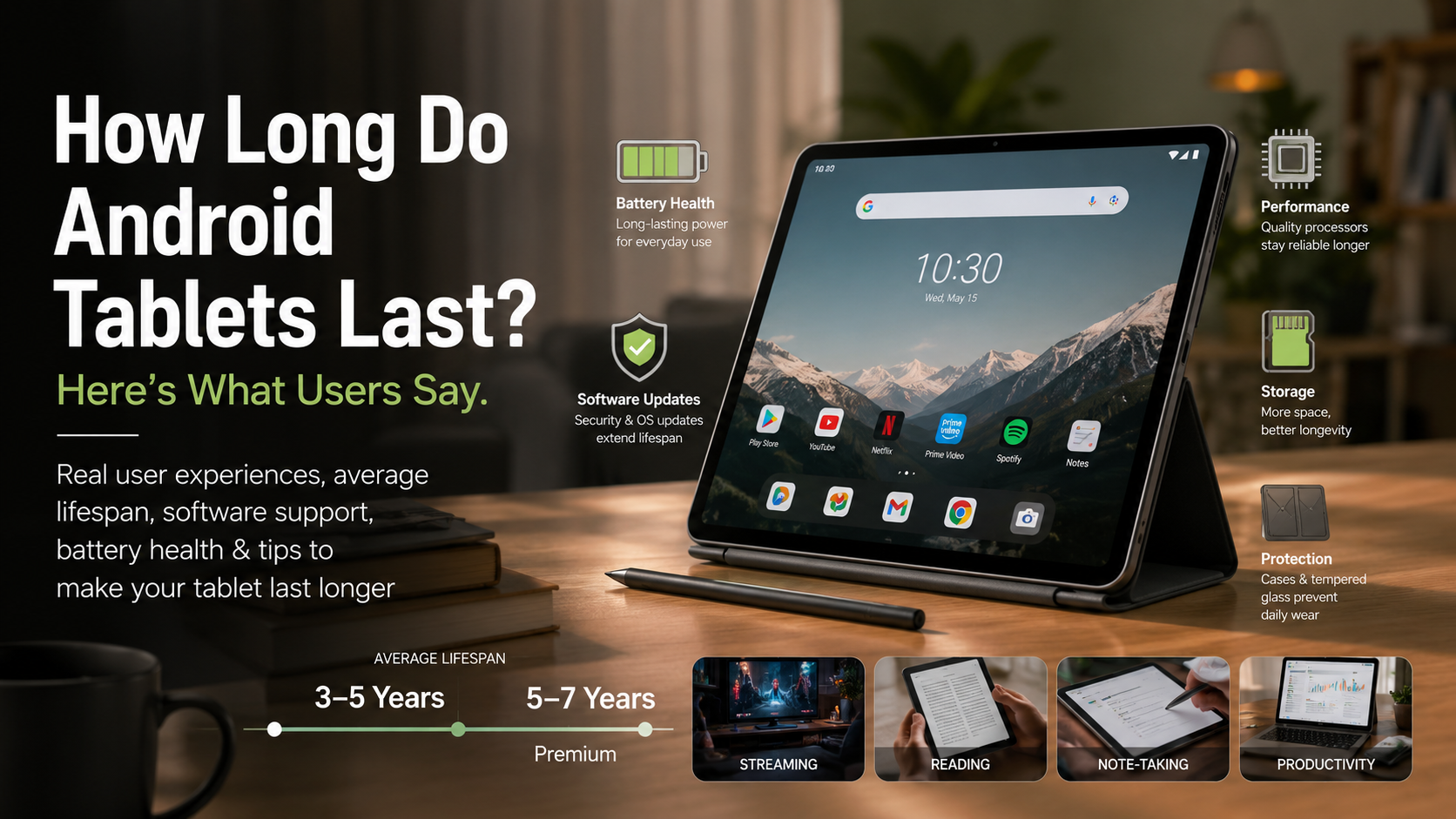
How Long Do Android Tablets Last? Here’s What Users Say
When you purchase a new tablet, you want to know you’re making a smart long-term investment. If you’re shopping for a new device, you’re probably wondering: how long do Android tablets last?
Modern Android tablets are built to remain functional for years, but their real lifespan depends on several factors, including hardware quality, battery health, manufacturer software support, and how well the device is maintained. According to Google’s Android Security documentation, regular security updates play an important role in keeping Android devices protected against newly discovered vulnerabilities. You can learn more on the Android Open Source Project (AOSP) Security page.
Understanding a tablet’s lifespan matters because it affects both your budget and your digital security. A device that becomes slow or unsupported after two years is far less valuable than one that continues receiving updates and performs reliably for five or more years.
This guide explains the average lifespan of Android tablets, explores what real users report after years of ownership, and shares practical tips to help your tablet last as long as possible.
How Long Do Android Tablets Last on Average?
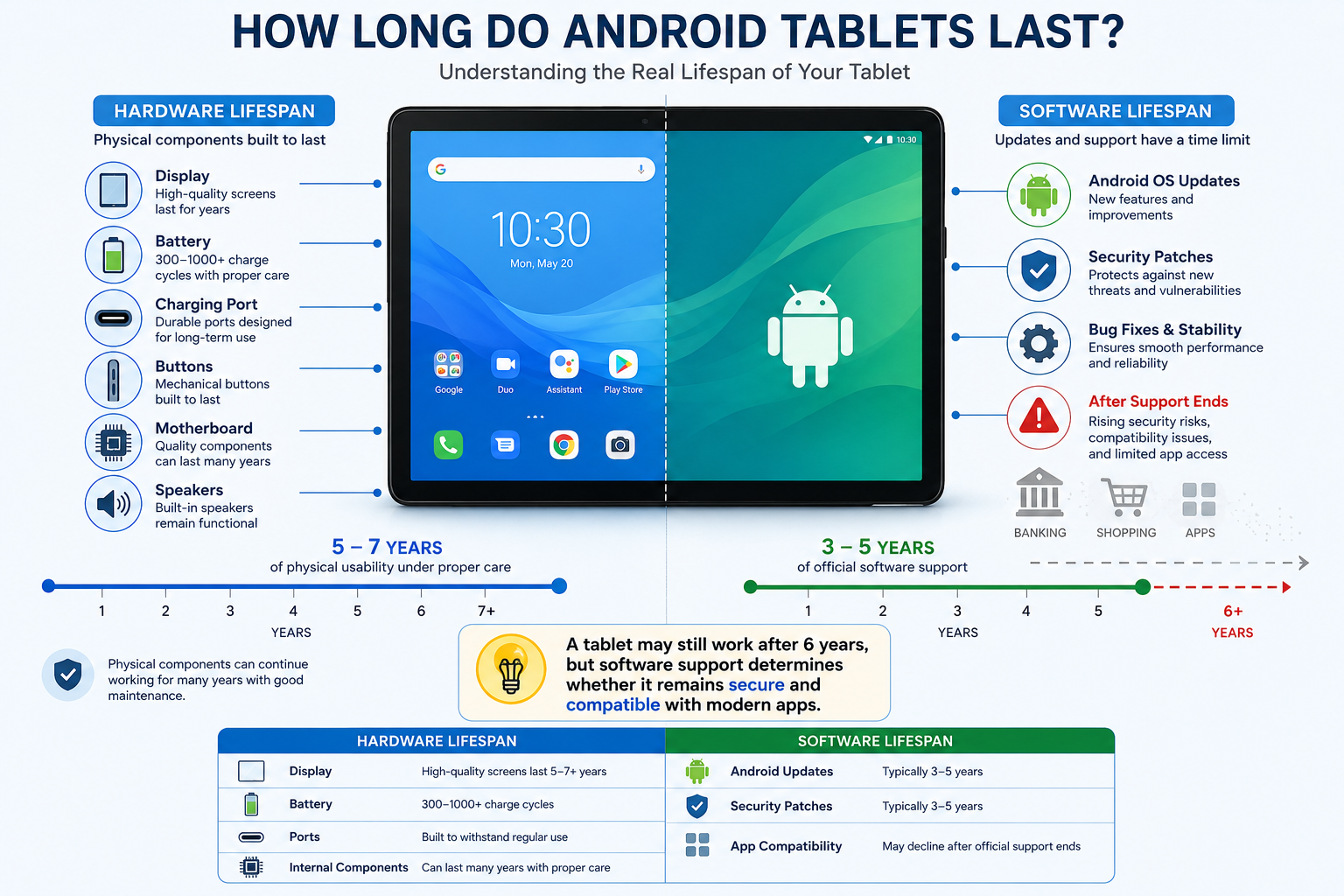
Most Android tablets remain usable for three to five years, while premium models often last five to seven years with proper care.
Two separate lifespans determine how long a tablet remains useful.
Hardware Lifespan
This refers to how long the physical components continue working, including:
- Display
- Battery
- Charging port
- Buttons
- Motherboard
- Speakers
Many tablets remain fully functional well beyond five years if they avoid physical damage.
Software Lifespan
Software support determines how long the manufacturer provides:
- Android version upgrades
- Security patches
- Bug fixes
A tablet may still work perfectly after six years, but once security updates stop, it becomes increasingly risky for activities like online banking, shopping, or storing sensitive information.
How Long Do Android Tablets Last According to Real Users?
User experiences across Reddit, Android forums, and technology communities generally fall into three categories.
Premium Tablets (Samsung Galaxy Tab S Series)
Owners of premium Samsung tablets consistently report excellent longevity.
Many users say tablets like the Galaxy Tab S7 and Tab S8 still perform smoothly after four years thanks to powerful processors, generous RAM, and longer software support.
These devices generally continue handling multitasking, streaming, note-taking, and productivity apps without major slowdowns.
Budget Tablets
Owners of budget Android tablets often report a shorter period of peak performance.
While many budget devices remain functional for three or four years, users frequently notice slower app launches, longer loading times, and reduced responsiveness after two or three years.
They’re usually ideal for:
- Video streaming
- Reading ebooks
- Web browsing
- Children’s educational apps
However, demanding games and newer productivity applications may become noticeably slower over time.
What Determines How Long Android Tablets Last?
Several factors influence a tablet’s usable lifespan.
1. Battery Health
Lithium-ion batteries naturally wear out over time.
Most modern tablet batteries retain around 80% of their original capacity after several hundred charge cycles, although the exact number varies by manufacturer and battery chemistry.
As batteries age, users typically notice:
- Shorter battery life
- Slower charging
- Unexpected shutdowns under heavy loads
Battery wear is normal and doesn’t necessarily mean the tablet itself has reached the end of its life.
2. Software Support
Software support is one of the biggest factors affecting longevity.
Manufacturers have significantly improved update commitments in recent years.
For example:
- Google Pixel Tablet receives up to 7 years of operating system and security updates.
- Samsung Galaxy Tab S series receives several Android version upgrades plus years of security updates on flagship models.
- Budget tablets generally receive fewer updates.
Choosing a tablet with long-term software support can significantly extend its safe and practical lifespan.
3. Processor and RAM
Hardware specifications determine how gracefully a tablet ages.
New Android versions and apps become more demanding over time.
Generally:
- 3–4 GB RAM works well for basic tasks.
- 6–8 GB RAM offers better long-term performance.
- 12 GB RAM is ideal for heavy multitasking and creative work.
A faster processor also helps maintain smooth performance several years after purchase.
4. Storage Capacity
Running low on storage can make any tablet feel slower.
Keeping at least 15–20% of internal storage free allows Android to manage temporary files more efficiently and helps maintain performance.
How to Make Your Android Tablet Last Longer
Proper care can add years to your tablet’s usable life.
Charge Smart
One of the easiest ways to extend your Android tablet’s lifespan is by adopting healthy charging habits. Lithium-ion batteries naturally lose capacity over time, but how you charge them can influence the rate of wear. Instead of letting the battery regularly drain to 0% or keeping it plugged in at 100% for extended periods, many experts recommend maintaining the battery between 20% and 80% whenever possible. Modern tablets include built-in battery management systems, but avoiding unnecessary battery stress can still help preserve long-term performance.
Best charging practices include:
- Keep the battery between 20% and 80% when practical.
- Avoid letting the battery frequently drop to 0%.
- Use the original or a certified charger.
- Unplug the tablet after it reaches a full charge if possible.
- Enable built-in battery protection features if your tablet offers them.
Following these simple habits can help slow battery degradation and keep your tablet performing well for several years.
Keep Your Android Tablet Cool
Heat is one of the biggest enemies of any electronic device, especially tablets with lithium-ion batteries. Excessive heat accelerates battery wear and can reduce the lifespan of the processor and other internal components. Whether you’re gaming, streaming, or working, keeping your tablet at a moderate temperature helps maintain stable performance and prevents unnecessary hardware stress. If your tablet feels unusually hot, allow it to cool down before continuing heavy use.
To prevent overheating:
- Avoid leaving your tablet inside a parked car.
- Keep it out of direct sunlight for long periods.
- Don’t play demanding games while charging.
- Remove thick protective cases during heavy workloads if needed.
- Use the tablet in a cool, well-ventilated environment.
Reducing heat exposure is one of the most effective ways to improve both battery health and overall tablet longevity.
Protect Your Android Tablet from Damage
Accidental drops and scratches are among the most common reasons tablets require expensive repairs. Even a single fall can crack the display, damage the charging port, or affect internal components. Investing in a quality protective case and tempered glass screen protector is a simple and affordable way to reduce these risks. Proper protection not only preserves the appearance of your tablet but also helps maintain its resale value if you decide to upgrade in the future.
Protect your tablet by:
- Using a shock-absorbing protective case.
- Installing a tempered glass screen protector.
- Keeping liquids away from the device.
- Carrying it in a padded sleeve while traveling.
- Avoiding placing heavy objects on top of it.
A small investment in protective accessories can save you from costly repairs and significantly extend your tablet’s lifespan.
Keep Storage Clean for Better Tablet Performance
Running low on storage can noticeably slow down your Android tablet. As available storage decreases, Android has less room to manage temporary files, app updates, and background processes efficiently. Regularly cleaning unnecessary files keeps your device responsive and improves overall performance. It’s also a good idea to organize photos, videos, and downloaded files so your storage doesn’t become cluttered over time.
Storage maintenance tips:
- Delete apps you no longer use.
- Remove duplicate photos and videos.
- Clear app cache occasionally.
- Move large files to cloud storage or an SD card (if supported).
- Keep 15%–20% of internal storage free.
Maintaining free storage helps your tablet boot faster, launch apps more quickly, and stay responsive as it ages.
Install Updates to Extend Android Tablet Lifespan
Software updates play a vital role in keeping your Android tablet secure, stable, and compatible with the latest apps. Manufacturers regularly release updates that fix bugs, improve performance, patch security vulnerabilities, and introduce useful features. Skipping updates for long periods may leave your device exposed to security risks or cause compatibility issues with newer applications. Installing updates promptly helps ensure your tablet continues to operate smoothly for as long as it receives official support.
Make updating a regular habit by:
- Installing Android system updates when available.
- Updating apps through the Google Play Store.
- Enabling automatic updates over Wi-Fi.
- Restarting your tablet after major updates.
- Backing up important data before installing significant system upgrades.
Keeping your software current is one of the easiest ways to maximize your tablet’s performance, security, and overall lifespan.
FAQ: How Long Do Android Tablets Last?
How do I know if my Android tablet needs replacing?
Knowing when to replace your Android tablet depends on both its performance and security. If your tablet no longer receives security updates, struggles to run the apps you use daily, or takes several seconds to respond to simple tasks, it may be reaching the end of its useful life. Other warning signs include poor battery life, frequent crashes, overheating, random restarts, or a damaged charging port. A swollen battery or cracked display should be addressed immediately, as these can pose safety risks. If repair costs are close to the price of a newer tablet, replacing the device is usually the better long-term investment.
Can I still use an Android tablet that no longer gets updates?
Yes, you can still use an Android tablet after software updates have ended, but you should understand the limitations. Without regular security patches, the device becomes more vulnerable to malware and newly discovered security threats. It is generally best to avoid using unsupported tablets for online banking, shopping, password management, or storing sensitive personal information. However, older tablets can still serve useful purposes such as reading ebooks, watching downloaded movies, streaming music, displaying family photos, controlling smart home devices, or acting as a digital clock. Using them primarily for offline tasks helps reduce security risks.
Is replacing the battery worth it?
Replacing the battery can significantly extend the life of an Android tablet, but whether it is worthwhile depends on the device. If your tablet still performs well, receives software updates, and meets your daily needs, a battery replacement is often much cheaper than purchasing a new premium tablet. On the other hand, if the device is already slow, unsupported, or has other hardware problems, investing in a new battery may not provide enough value. For budget tablets that originally cost under $150, battery replacement costs can sometimes approach the tablet’s resale value, making replacement a more practical option.
Why do budget Android tablets slow down faster?
Budget tablets typically use less powerful processors and smaller amounts of RAM.
As Android apps become more demanding, limited hardware reaches its performance limits sooner, resulting in slower multitasking and longer loading times.
Budget devices also tend to receive fewer software updates than premium models.
How long does Samsung support its tablets?
Budget Android tablets often slow down faster because they are designed with entry-level processors, limited RAM, and slower storage to keep costs low. While these specifications are sufficient for basic tasks like browsing the web or watching videos, they have little room to handle increasingly demanding apps and newer Android features. As applications receive updates and require more processing power, performance gradually declines. Budget models also tend to receive fewer software updates and performance optimizations than premium tablets. As a result, users may notice slower app launches, lag while multitasking, and reduced responsiveness after just two or three years of regular use.
Conclusion: How Long Do Android Tablets Last?
So, how long do Android tablets last?
For most users, the answer is three to five years, while premium Android tablets can remain reliable for five to seven years with proper care and continued software support.
Hardware durability is only part of the equation. Long-term software updates, battery health, and processor performance ultimately determine how useful a tablet remains over time.
If you want the longest lifespan possible, choose a tablet from a manufacturer with a strong update policy, protect it from physical damage, maintain healthy charging habits, and keep its software up to date. With proper care, a quality Android tablet can continue serving you well for many years.
To get even more value from your device, explore our guide to the best free apps for Android. It highlights useful productivity, entertainment, security, and utility apps that can help you make the most of your Android tablet every day: