
Google Maps Vs. Waze: Which Navigation App Should You Choose?
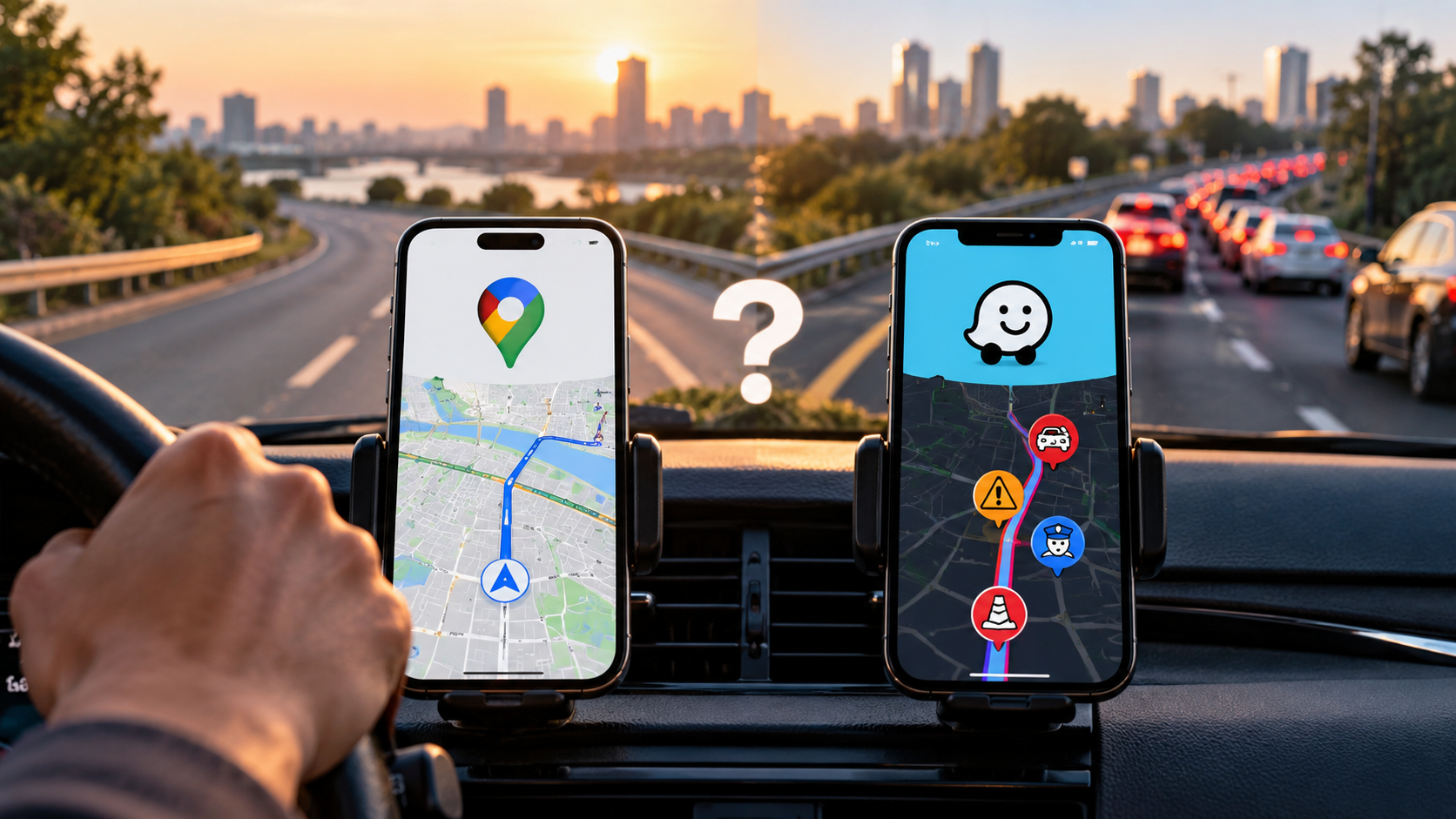
Choosing between Google Maps vs Waze depends largely on how you drive. Both apps provide navigation, traffic information, and route planning. However, they are built around different priorities.
Google Maps is a broad travel and navigation platform. It combines driving directions with local business information, public transit, walking routes, cycling directions, and trip planning. It is also useful when you need information about a place before you arrive, including how Google Maps knows a business is busy.
Waze focuses much more heavily on driving. Its community-driven system uses reports from drivers to provide information about traffic, crashes, road closures, police presence, and other incidents. Google explains how the two navigation services share some incident information in its official Google Maps and Waze update.
That difference matters when choosing a navigation app. Google Maps vs. Waze is less about finding one universal winner. It is more about matching the app to your driving needs, travel habits, and preferred interface.
Is Waze Actually Better Than Google Maps?
Waze is not automatically better than Google Maps. Its advantages become more noticeable when real-time traffic and driver reports are your main priorities. Google Maps offers a broader collection of navigation and travel features.
For a daily commute through heavy traffic, Waze can be useful because its community reporting system provides frequent updates about conditions on the road. Drivers can report crashes, congestion, construction, police presence, lane closures, and other incidents.
Google Maps also supports incident reporting. Current Google documentation lists reports for crashes, traffic jams, mobile speed cameras, police, construction, lane closures, objects on the road, flooding, and other conditions.
The bigger difference is the overall experience. Waze is built primarily around driving and live road conditions. Google Maps combines navigation with local search and several transportation modes.

Route Optimization and Routing Style
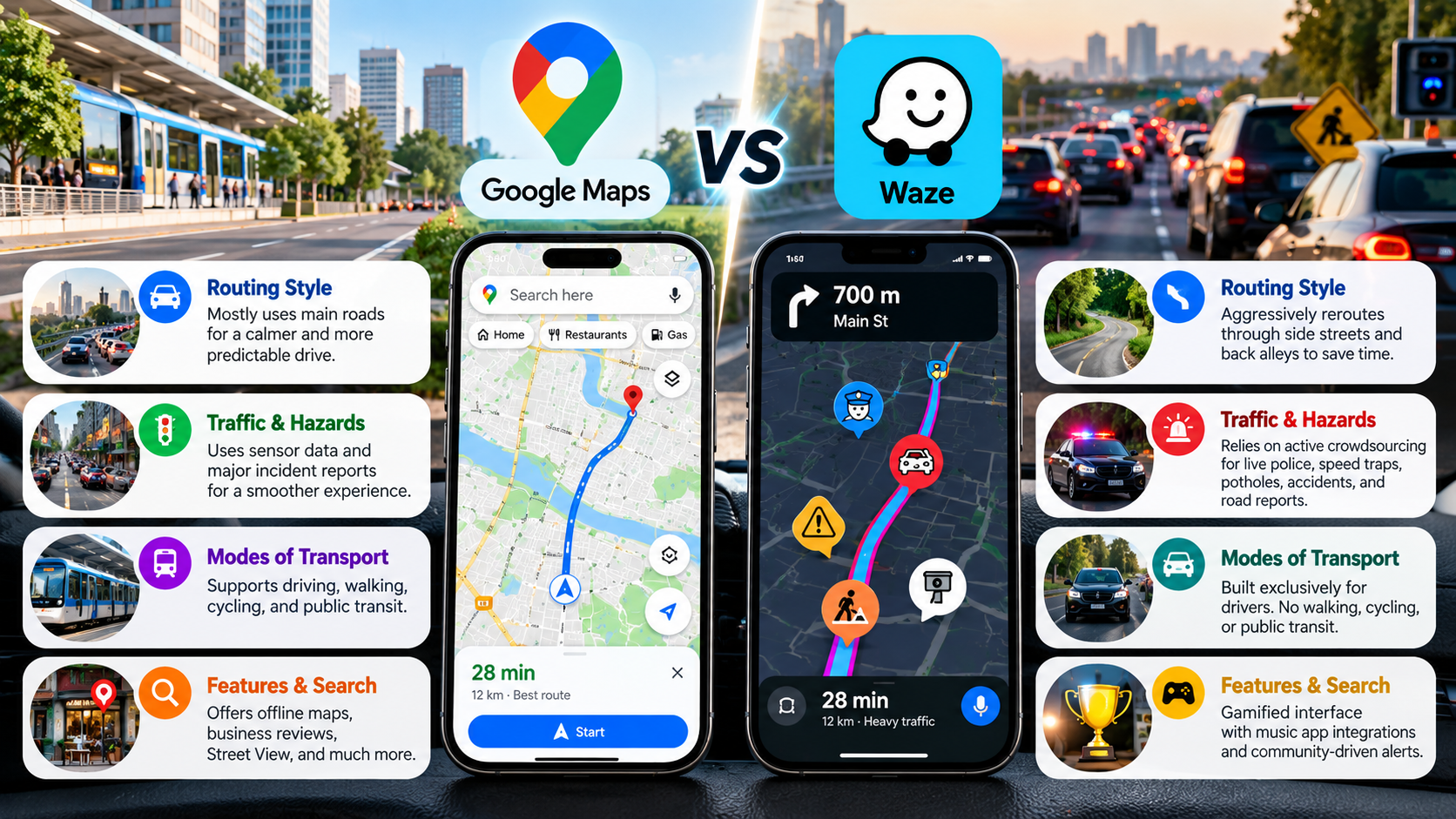
Waze is designed around real-time driving conditions and frequent route adjustments. Its community contributes information about crashes, congestion, road closures, and other incidents. That information can influence the routes shown to drivers, while tools such as Android Auto Gemini voice commands can also make hands-free driving interactions more convenient.
This approach can be useful during busy commutes. When traffic changes suddenly, Waze may suggest an alternative route. However, drivers should not assume that every shortcut will be faster or more convenient.
Google Maps also uses live traffic information and alternative routes. Its broader navigation system considers road conditions and travel information while providing several route options. Google has also added features such as toll estimates for certain journeys.
Neither app should be described as simply “aggressive” or “conservative” in every situation. Routing can vary by location, traffic conditions, road data, and destination.
For drivers, the practical difference is simple. Waze emphasizes live community-driven road information, while Google Maps combines routing with a much broader travel ecosystem.
Road Hazards and Community Alerts
One of Waze’s defining features is its community reporting system. Drivers can contribute information about conditions they encounter on the road. That can include crashes, traffic, construction, road hazards, and police presence.
Waze says its community plays an important role in keeping road information current. Its volunteer community includes map editors and other contributors who help maintain the service.
Google Maps also has community-driven incident reports. Users can report crashes, congestion, mobile speed cameras, police, construction, lane closures, objects on roads, flooded roads, and low visibility. Other drivers can also confirm whether reported incidents are still present.
Google has also stated that some incident information shown in Maps comes from both Maps and Waze communities. Users can see the source of certain reports.
This means the gap between the two apps is smaller than it once was. Waze still places more emphasis on live driver reports, while Google Maps presents those reports within a broader navigation experience.
Travel Modes and Everyday Usability
Google Maps has a major advantage when your trip involves more than driving. The app supports multiple transportation options and is designed for everyday travel beyond the car.
Depending on location, Google Maps can provide directions for driving, walking, cycling, and public transportation. It also combines navigation with local search, making it useful when you need to find restaurants, shops, stations, or other places.
Waze is much more focused on road navigation. Its core experience is built around drivers and real-time road conditions. For iPhone users comparing alternatives, Apple Maps or Google Maps offers another useful navigation comparison.
Google Maps is also useful before a journey begins. You can research destinations, compare places, check business information, and plan routes. Google’s Maps product has increasingly emphasized exploring neighborhoods and discovering places, not just turn-by-turn navigation.
For people who mainly drive, Waze can provide a focused experience. For people who use several transportation modes, Google Maps offers considerably broader functionality.
| Feature / Capability | Google Maps | Waze |
|---|---|---|
| Primary focus | Navigation, travel, and local discovery | Driving navigation and live road conditions |
| Traffic information | Live traffic and incident reports | Strong focus on community-reported incidents |
| Incident reporting | Crashes, congestion, police, construction, and more | Extensive community-based road reporting |
| Supported travel modes | Driving, walking, cycling, and public transit | Primarily road-based navigation |
| Offline maps | Downloadable maps are available | Does not offer Google Maps-style offline map downloads |
| Local discovery | Extensive business and place information | More limited |
| Interface | Information-rich and map-focused | Driving-focused with frequent alerts |
Why Did People Stop Using Waze?
There is no single reason that explains why someone might move away from Waze. User preferences differ, and Waze continues to have a large global user base. In December 2022, Waze said it had about 150 million monthly active users worldwide.
One possible reason is the app’s strong focus on live driving information. Frequent alerts and route changes can be useful during congestion. However, some drivers may prefer a simpler navigation experience with fewer interruptions.
Another factor is that competing navigation apps have adopted more incident-reporting features. Google Maps now allows users to report several road incidents, including crashes, congestion, police, speed cameras, construction, and lane closures.
The distinction between the apps has therefore become less dramatic. Google Maps has adopted more community-based traffic information, while Waze remains focused on its driving-first experience.
Battery and data consumption can also vary based on device, network conditions, screen brightness, trip length, and how frequently the app recalculates routes. It is therefore too broad to claim that Waze will always drain more battery than competing navigation apps.
For some drivers, the decision comes down to interface preference. Waze emphasizes alerts and live driving information, while Google Maps provides a broader travel experience.
Which Navigation App Is Best?
There is no universal answer to the Google Maps vs. Waze question. The better choice depends on what you need from a navigation app.
Waze may suit you if:
- You commute through heavy traffic regularly.
- You value frequent community-reported road updates.
- You mainly need driving navigation.
- You want an interface centered on live road conditions.
Google Maps may suit you if:
- You travel by car, bicycle, foot, or public transportation.
- You frequently search for businesses and destinations.
- You take road trips and need broader trip-planning tools.
- You want downloadable offline maps.
- You prefer navigation combined with local discovery.
Google Maps can also be useful when your journey involves several stops or activities beyond simply reaching a destination. Its local search capabilities make it easier to research places before and during a trip.
Waze can make more sense when the driving experience itself is the priority. Its community-based reporting system remains central to the product.
For iPhone users, Apple Maps is another option worth considering. It provides navigation and Apple ecosystem integration, although its feature availability can vary by country and region.
Instead of asking which app is objectively better, consider what you value most: traffic alerts, route flexibility, offline access, travel modes, or local information.
Is Waze Owned by Google?
Yes. Google owns Waze. Google announced that it had completed its acquisition of Waze in June 2013. At the time, Google said Waze’s product development team would remain in Israel and operate separately.
The two products remained separate consumer apps for years. Waze continued to maintain its own identity and community, while Google Maps developed its own navigation and mapping features. This distinction is also useful when comparing Google Maps and Google Earth, which are separate Google products with different purposes.
That organizational structure changed in December 2022. Waze announced that it was joining Google’s Geo organization, which also oversees products such as Google Maps, Google Earth, and Street View. Waze also confirmed that its consumer app would remain a standalone product.
This distinction is important. Google owns both services, but Google Maps and Waze are still separate apps with different user experiences.
The relationship between the products has also become closer. Google has said that some incident information shown in Maps comes from both Maps and Waze communities. Waze has also described collaboration between its teams and Google’s Geo organization.
So, if you were wondering whether Waze was simply renamed Google Maps, the answer is no. Waze remains a separate navigation product under Google’s ownership.
Is Waze on the Boycott List?
This question needs careful wording because different boycott campaigns use different criteria and target lists.
The BDS movement’s current published materials identify Google/Alphabet as a pressure or divestment target. Its materials cite Google’s involvement in Project Nimbus, a cloud contract involving the Israeli government and military.
Because Google owns Waze, someone following a campaign against Google services may also choose not to use Waze. However, that is different from saying that Waze itself appears as a separately named priority target on the BDS materials reviewed here.
Waze was founded in Israel and was acquired by Google in 2013. Its corporate history can therefore be relevant to people researching the issue. Google confirmed the acquisition in its 2013 announcement.
The connection to Project Nimbus comes through Google’s ownership, not through evidence that Waze is itself a contractor under that project. The BDS movement specifically identifies Google and Amazon in its materials concerning Nimbus.
For readers researching ethical or political consumer choices, it is useful to separate three facts:
- Waze is owned by Google.
- Google is identified by BDS as a campaign target.
- That does not automatically mean Waze is separately listed as a BDS priority target.
Consumers who want alternatives can consider services such as OpenStreetMap-based navigation apps or platform-native navigation tools. The right alternative depends on the features and privacy model the user wants.
Google Maps vs. Waze: Which One Should You Choose?
The choice between Google Maps vs. Waze ultimately depends on how you travel. Waze is built around driving, live traffic conditions, and community-reported road incidents. It can be particularly useful for commuters who regularly deal with changing traffic.
Google Maps offers a broader experience. Along with driving directions, it provides public transit, walking and cycling routes, offline maps, and detailed information about businesses and destinations.
If your priority is real-time driving information, Waze may fit your routine better. If you want one app for navigation, travel planning, and local discovery, Google Maps offers a more complete range of features.
Rather than choosing based on which app is universally better, consider your typical journeys. The right navigation app is the one that provides the features, route information, and driving experience you actually need.