Dual-Band vs Tri-Band Routers: What Separates the Two?
Choosing the right router can feel overwhelming when you encounter unfamiliar wireless specifications. Understanding the differences between dual-band and tri-band routers helps you choose a reliable connection for your home. As households add smart devices, streaming boxes, and gaming consoles, wireless congestion can become a problem.
This guide explains five essential questions. You will learn which router type performs better, whether you need a third frequency band, what to consider when choosing a tri-band model, why dual-band routers remain popular, and which features matter for home use.
Your ideal choice depends on your internet plan, connected devices, home layout, and network usage. A more expensive router does not automatically deliver faster internet. Your devices must also support its wireless capabilities, and your internet connection must provide sufficient bandwidth.
Understanding these factors helps you avoid unnecessary spending. It also makes it easier to choose a router that delivers dependable performance for streaming, gaming, remote work, and everyday browsing.
Which Is Better, Tri-Band or Dual-Band?
Neither router type is automatically better for every household. The right choice depends on your network traffic, wireless environment, and performance requirements.
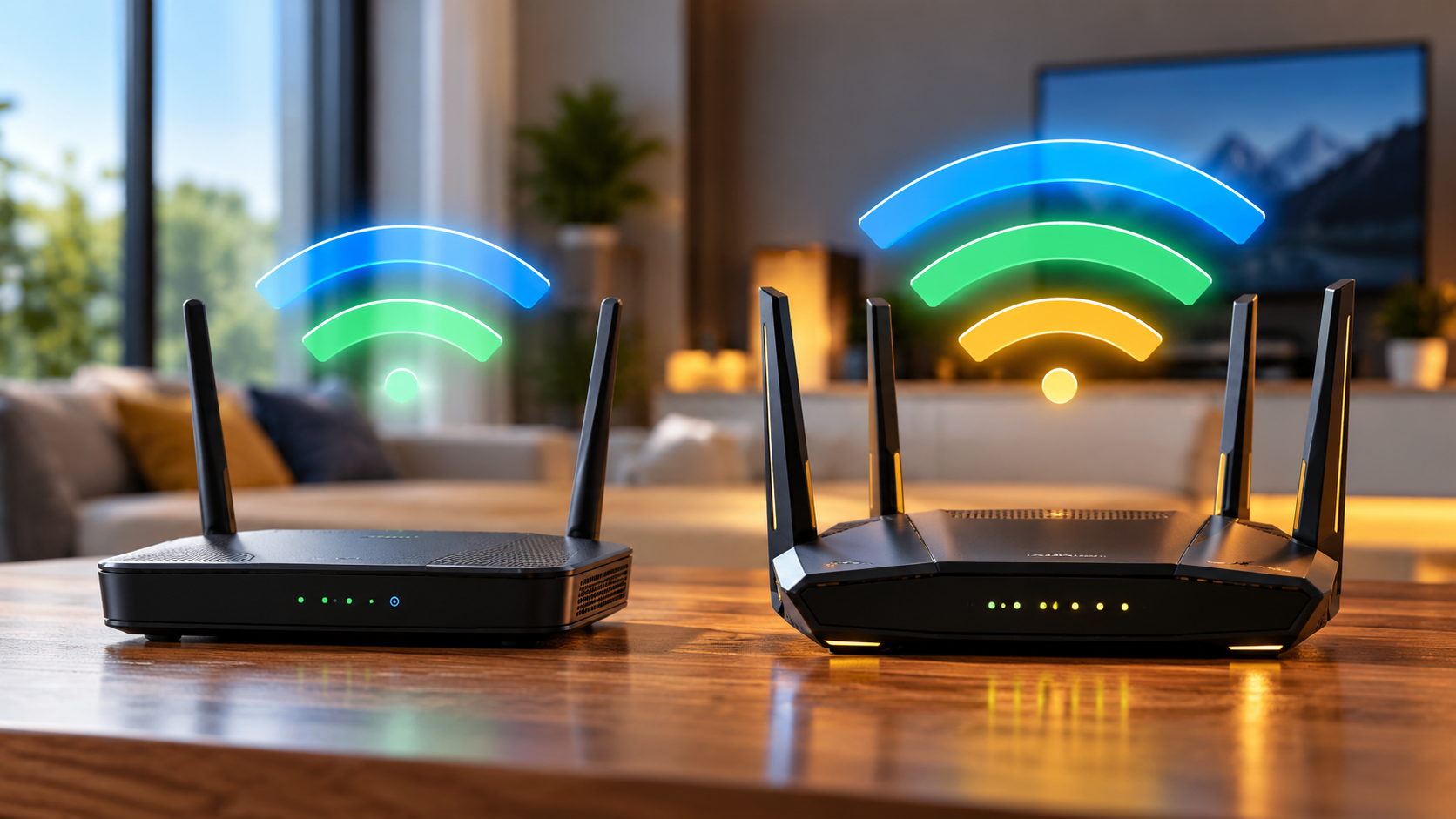
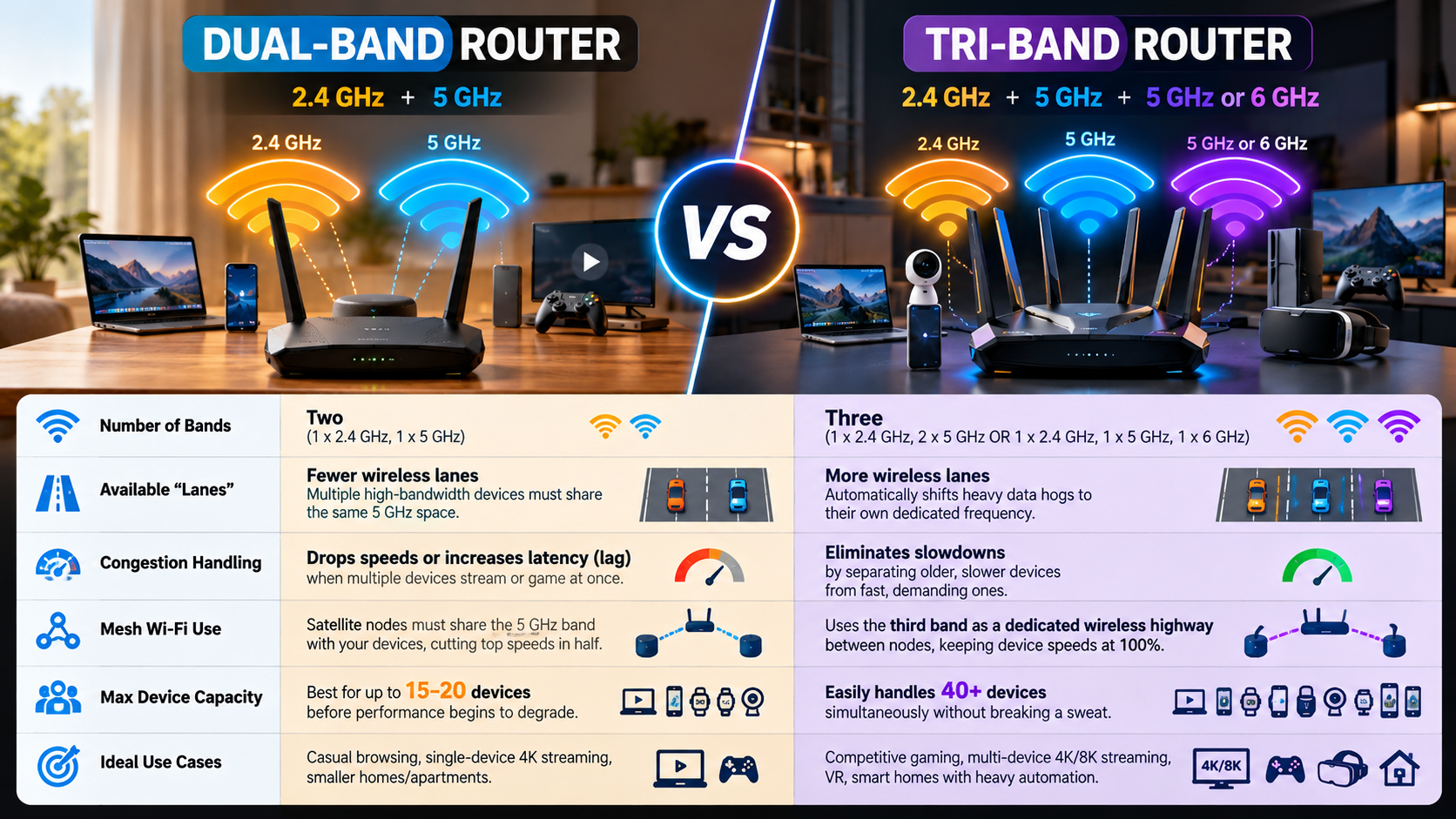
A dual-band router typically provides 2.4GHz and 5GHz frequency bands. The 2.4GHz band generally offers better range through obstacles, while 5GHz supports higher speeds over shorter distances.
A tri-band router adds another frequency band. Depending on the model, this could be a second 5GHz band or a 6GHz band. This extra capacity can help distribute network traffic and reduce competition between connected devices.
However, a third band does not automatically increase internet speed. Its benefits depend on device compatibility, interference, router configuration, and the available bandwidth from your internet provider.
For smaller households with moderate internet usage, dual-band routers often provide sufficient performance. Larger homes with many active devices may benefit from tri-band equipment, especially when using compatible mesh systems.
The Impact of Dedicated Backhaul Channels
Mesh Wi-Fi systems use multiple nodes to extend wireless coverage throughout a home. Some tri-band mesh systems can dedicate one frequency band to wireless backhaul, which carries data between the main router and satellite nodes. Others use Ethernet backhaul, which provides a wired connection between nodes. Before choosing a wired setup, consider the drawbacks of using Ethernet cables for home internet, including cable placement and installation requirements.
This arrangement can reduce competition between backhaul traffic and connected devices. It may also improve performance when several nodes serve busy areas.
However, not every tri-band router has a dedicated backhaul. Some systems share their available bands between backhaul communication and client devices. Others use Ethernet backhaul, which can provide a more consistent connection between nodes.
Before buying a mesh system, check whether its backhaul is dedicated, shared, or wired. Consider your home’s layout, wall materials, node placement, and internet requirements. These factors can influence performance as much as the number of frequency bands.
Do I Really Need a Tri-Band Router?
Most households do not need a tri-band router for reliable everyday internet access. A quality dual-band model can handle browsing, social media, online classes, video calls, and streaming without difficulty when properly configured.
A tri-band router becomes more useful when several devices demand substantial bandwidth simultaneously. Examples include households streaming high-resolution video, transferring large files, gaming online, and working remotely at the same time.
The number of connected devices alone does not determine whether you need an upgrade. Many smart devices use very little bandwidth, even when connected continuously. A few heavily used devices can create more network demand than dozens of inactive ones.
Your internet plan also matters. A faster router cannot overcome a slow internet connection. If your internet seems fast but downloads remain slow, investigate why your internet is fast but downloads are slow before upgrading your router. Similarly, upgrading your router may not solve problems caused by weak broadband service, poor placement, or interference.
Before spending more, identify your actual problem. If your connection is slow only in distant rooms, improved placement or a mesh system may help more than a tri-band router.
Evaluating Your Connected Device Count
Start by listing the devices connected to your Wi-Fi network. Include smartphones, laptops, tablets, televisions, smart speakers, security cameras, and gaming consoles.
Next, identify which devices use the network simultaneously. Pay particular attention to activities that consume substantial bandwidth, such as 4K streaming, large downloads, cloud backups, and video conferencing.
Use these questions to guide your decision:
- Do multiple people experience slowdowns during busy periods?
- Does performance drop when several devices stream or download simultaneously?
- Does your current router struggle to maintain stable connections?
- Do you have compatible devices that can benefit from an additional band?
If these problems persist, investigate congestion and router limitations before upgrading. Check your internet speed near the router and in affected rooms. A tri-band model may help when wireless capacity is the bottleneck, but it will not fix every connectivity problem.
Which 3-Band Router Is the Best?
The best three-band router depends on your budget, internet speed, home size, and connected devices. There is no single model that suits every household, so compare specifications against your actual requirements.
Start by checking the supported Wi-Fi standard. Wi-Fi 6 and Wi-Fi 6E offer different capabilities, while Wi-Fi 7 introduces additional features and wider channel options on compatible equipment. Remember that the benefits depend on both the router and the devices connected to it.
Next, examine wireless coverage, Ethernet ports, security updates, and network management features. Households with several gamers or remote workers may value traffic prioritization and low-latency performance. Larger homes may benefit more from a suitable mesh system than a powerful standalone router.
Manufacturers such as ASUS and NETGEAR offer routers and mesh systems across different price ranges. Compare individual models rather than relying on brand reputation alone.
Finally, consider long-term value. A premium router is worthwhile only if its additional features solve a real problem. Check independent reviews, firmware support, and compatibility before making your purchase.
Prioritizing Wi-Fi 6E and Wi-Fi 7 Standards
Wi-Fi 6E extends Wi-Fi 6 into the 6GHz frequency band, alongside the traditional 2.4GHz and 5GHz bands. This additional spectrum can offer more room for compatible devices and reduce competition from networks using lower frequencies.
Wi-Fi 7 builds on newer wireless capabilities, including support for wider channels and Multi-Link Operation on compatible devices. These features can improve throughput, responsiveness, and reliability under suitable conditions.
However, Wi-Fi 6E and Wi-Fi 7 are not interchangeable. Check the specifications to confirm which bands a particular router supports. A router advertised as tri-band does not necessarily include 6GHz.
The 6GHz band also has shorter effective range through walls than lower-frequency bands in many environments. Its performance depends on local regulations, interference, and signal strength.
Choose newer standards when your devices can use their benefits and your budget allows it. Otherwise, a well-designed Wi-Fi 6 router may provide better value for everyday home networking.
Why Is a Dual-Band Router Better?
Dual-band routers remain popular because they offer a practical balance between price, performance, and simplicity. For many households, two frequency bands provide enough capacity for browsing, streaming, video calls, and smart home devices.
The 2.4GHz band generally offers broader coverage, while 5GHz can provide higher data rates at shorter distances. Using both bands allows compatible devices to connect according to their needs and the router’s configuration.
Dual-band models also tend to cost less than comparable tri-band alternatives. This makes them attractive for smaller homes, apartments, and households with moderate network demands.
However, dual-band routers are not always less expensive to operate, cooler, or more energy-efficient. Those factors depend on hardware design, processor load, radio configuration, and power management.
The main advantage is straightforward value. You can invest the savings in a better internet plan, improved router placement, or additional access points if needed.
For users who do not experience congestion, upgrading to tri-band equipment may deliver little noticeable improvement. A reliable dual-band router with current security updates can remain a sensible long-term choice. Learn what happens if you never restart your router before deciding whether you need new hardware.
Cost Efficiency and Practical Value
A dual-band router can reduce your initial networking costs without sacrificing the features most households need. This is particularly useful when your internet plan and connected devices do not require additional wireless capacity.
Before buying, compare the total cost of improving your network. A reasonably priced router, better placement, and a wired connection for stationary devices may solve common performance problems.
Consider these practical priorities:
- Coverage: Check whether the router can reach your main rooms.
- Security: Look for supported security features and regular firmware updates.
- Wired connections: Gigabit Ethernet ports are useful for compatible computers, consoles, and televisions.
- Future needs: Consider whether you plan to add faster devices or increase your internet speed.
Spending more on a tri-band model makes sense when its additional capacity addresses a genuine limitation. Otherwise, the money may be better spent on stronger broadband service or improving Wi-Fi coverage.
Focus on the performance you need today while leaving room for realistic future requirements.
Which Dual-Band Router Is Best for Home?
The best dual-band router for home use provides reliable coverage, appropriate speeds, strong security, and dependable software support. Your choice should reflect the size of your property, the number of active devices, and your internet plan.
Start by comparing Wi-Fi 6 models with older Wi-Fi 5 options. Wi-Fi 6 can improve network efficiency in busy environments, although actual benefits depend on compatible devices and local conditions.
Check the router’s coverage claims carefully. Advertised coverage figures are estimates, and walls, furniture, interference, and neighboring networks can affect real-world results. For larger properties, a mesh system or additional access point may provide better coverage than one standalone router. Understanding why routers have external antennas unlike mesh systems can also help you compare their designs and coverage options.
Look for Gigabit Ethernet ports if you want reliable wired connections for desktop computers, gaming consoles, or smart televisions. A mobile app can simplify setup and network management, while parental controls may help households manage internet access.
Beamforming can help direct wireless transmissions toward compatible devices. However, it does not guarantee stronger signals in every environment.
Finally, choose a model with a clear firmware update policy. Reliable security support is essential for keeping your home network protected over time.
Key Features to Check Before Buying
Compare essential specifications before choosing a dual-band router. Marketing claims alone cannot tell you how well a model will perform in your home.
Prioritize the following features:
- Wi-Fi standard: Consider Wi-Fi 6 for improved efficiency and compatibility with modern devices.
-
Security: Look for WPA3 support where compatible, regular firmware updates, and guidance on how long your router password should be to help protect your network from unauthorized access.
- Ethernet ports: Gigabit ports support wired connections up to 1Gbps under suitable conditions.
- Quality of Service (QoS): Some routers let you prioritize selected applications or devices when the network is busy.
- Coverage: Consider your floor plan, wall materials, and router placement.
- Parental controls: Check whether the available controls meet your household’s needs.
- Management tools: Look for clear settings, guest networks, and useful monitoring features.
Remember that QoS cannot create additional internet bandwidth. It can only help manage available capacity, and its effectiveness depends on the router’s implementation.
Check the warranty, update history, and return policy before purchasing. The most suitable router is one that meets your needs consistently without unnecessary expense.
Final Verdict: Dual-Band vs Tri-Band Routers
Choosing between dual-band and tri-band routers comes down to your network requirements rather than the number of bands alone.
A dual-band router is usually sufficient for smaller homes, moderate internet usage, and everyday activities. It offers practical performance without requiring you to pay for additional wireless capacity you may not use.
A tri-band router is worth considering when several devices compete for bandwidth, when compatible 6GHz devices can benefit from additional spectrum, or when a suitable mesh system needs better wireless backhaul capacity.
Before upgrading, test your internet speed, check your router’s placement, and identify whether congestion or poor coverage causes your problems. Review the Wi-Fi Alliance’s official resources to learn more about Wi-Fi standards and wireless connectivity.
Choose dual-band for everyday value and tri-band when additional wireless capacity solves a specific problem. Consider Wi-Fi standards, security updates, coverage, and device compatibility before making your final decision.