Does Using Ethernet Slow Down Wi-Fi for Others? Network Facts
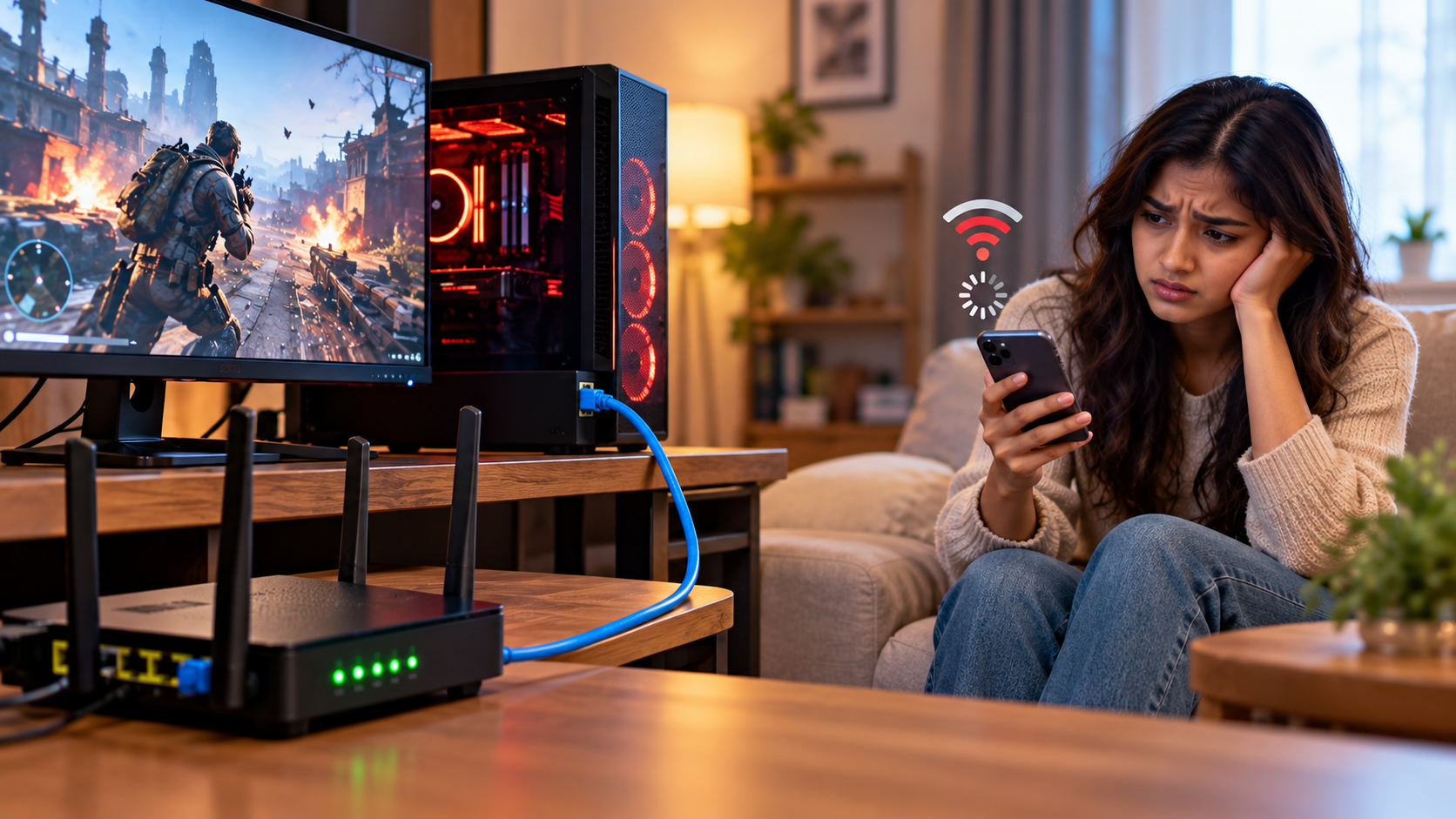
Does using ethernet slow down wi-fi for other people in your home? The short answer is no, not directly. Connecting a gaming PC or streaming console through Ethernet does not automatically reduce Wi-Fi speeds. However, all connected devices still share your internet connection’s available bandwidth.
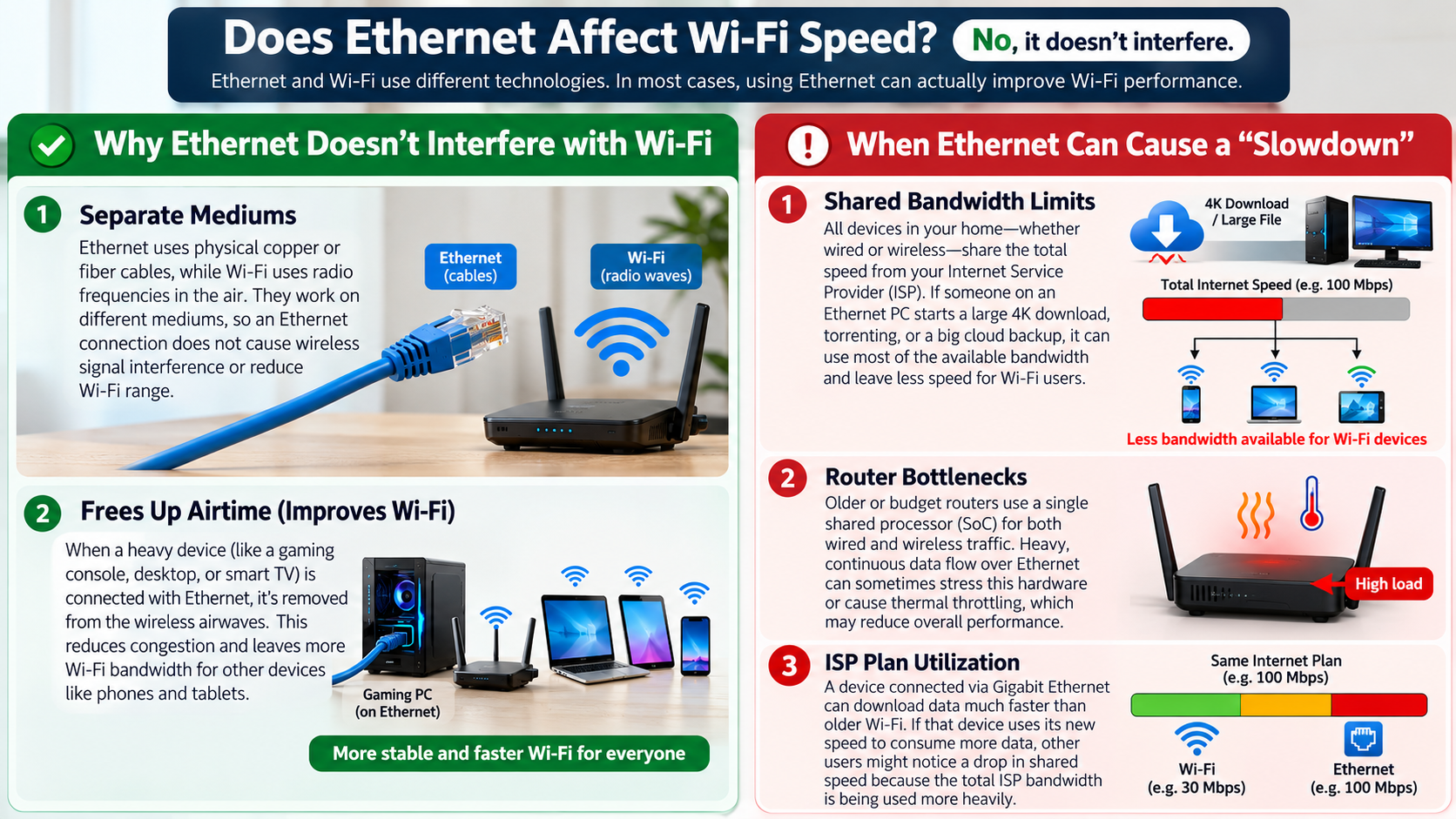
Ethernet uses physical cables instead of wireless signals. This means wired devices do not compete for Wi-Fi airtime in the same way wireless devices do. In many cases, switching a device to Ethernet can reduce wireless congestion. However, heavy downloads and uploads can still affect other users.
Understanding whether does using ethernet slow down wi-fi requires looking at how routers manage network traffic. In this guide, you’ll learn about bandwidth sharing, Cat 7 cables, 500 Mbps Ethernet speeds, and the differences between 1Gb and 10Gb Ethernet. You’ll also discover how to choose the right networking equipment for your home.
Does Using Ethernet Make Other People’s Wi-Fi Slower?
Does using ethernet slow down wi-fi when someone connects a computer directly to the router? Generally, no. An Ethernet connection does not automatically make wireless internet slower for other users. Moving a device from Wi-Fi to Ethernet can even reduce wireless congestion.
However, wired and wireless devices still share the available internet bandwidth. For example, downloading a large game over Ethernet can affect someone else’s video call if the connection becomes saturated. This happens because both activities use the same internet connection, not because Ethernet interferes with Wi-Fi.
Your actual internet speeds depend on your internet plan, router capabilities, and network traffic. A wired connection usually offers more consistent performance than Wi-Fi. However, it cannot increase the total bandwidth supplied by your internet service provider.
If you experience slower Wi-Fi after connecting an Ethernet device, check whether that device is downloading large files or uploading data. Your router’s traffic management settings may also help reduce congestion.
Understanding Router Bandwidth Allocation
Your router directs network traffic between connected devices and the internet. Both wired and wireless devices ultimately share the available internet connection. When one device downloads a large file, it can consume a significant portion of that bandwidth.
Modern routers may offer Quality of Service (QoS) settings. These settings help prioritize certain devices, activities, or types of network traffic. For example, you might prioritize video calls or online gaming over background downloads. You can also explore useful features your Wi-Fi router can offer to discover other ways to manage your home network. However, QoS cannot create additional bandwidth when your internet connection reaches its limit.
Wi-Fi devices also share wireless airtime. Their performance can vary depending on distance, interference, obstacles, and the number of active devices. Ethernet avoids this wireless competition for the connected device.
To maintain good performance, avoid saturating your internet connection with large uploads or downloads. If your router supports QoS or smart queue management, configuring it appropriately may help reduce delays during busy periods.
Is Cat 7 Ethernet Overkill for Home Use?
For most households, Cat 7 Ethernet cables are unnecessary. A good Cat 6 cable supports speeds up to 1Gbps over distances of up to 100 metres. It can also support 10Gbps over shorter distances, depending on installation conditions and the equipment involved. If you’re deciding between cable categories, this Cat 6a vs. Cat 6 comparison can help you understand their differences and choose the right option for your network.
Cat 7 cables are designed for higher-performance cabling environments. However, buying a more expensive cable does not automatically increase your internet speed. Your router, network adapter, and internet plan must also support the desired performance level.
For everyday activities, including browsing, 4K streaming, video calls, and online gaming, Cat 6 is usually sufficient. Most homes will benefit more from improving router placement or upgrading outdated networking equipment.
Before purchasing a cable, check the speed supported by your router and computer. Choose a cable that meets your actual requirements instead of paying extra for specifications you may never use.
Practical Cabling Choices Today
Choosing the right Ethernet cable depends on your network hardware, cable length, and future requirements. Cat 6 is a practical choice for most homes because it supports gigabit networking at standard residential distances.
If you need reliable 10Gbps connections over longer cable runs, Cat 6a is worth considering. It supports 10Gbps Ethernet over distances of up to 100 metres when installed correctly. This makes it useful for demanding home networks, local servers, and high-speed storage systems. When planning your installation, consider these clever ways to hide Ethernet cables around the house to keep your setup tidy without compromising cable placement.
Here are some practical cabling guidelines:
- Cat 5e: Suitable for standard gigabit connections.
- Cat 6: A strong choice for most home networks and many short 10Gbps links.
- Cat 6a: Suitable for 10Gbps connections over longer distances.
- Cat 7: Usually unnecessary for ordinary residential networking.
Remember that cable category alone does not determine your connection speed. The Ethernet ports at both ends must also support the required speed. A suitable cable paired with compatible equipment offers better value than buying premium cabling unnecessarily.
Is 500 Mbps Fast for Ethernet?
Yes, 500 Mbps is fast enough for most households. It provides substantial bandwidth for browsing, video calls, online gaming, and streaming on several devices. A wired connection delivering 500 Mbps can also download large files relatively quickly, provided the remote server supports that speed.
For example, a 50GB game could theoretically download in around 13 minutes at a constant 500 Mbps. In practice, the download may take longer because of server limitations, network congestion, and other overheads. If your downloads remain slow despite having a fast connection, learn why your internet is fast but downloads are slow to identify possible causes. Remember that Mbps means megabits per second, not megabytes per second.
A 500 Mbps connection can comfortably support multiple 4K streams and everyday online activities. However, performance depends on the number of active devices and how much bandwidth each activity consumes.
Does using ethernet slow down wi-fi when one device uses 500 Mbps for demanding tasks? It can affect other users if those activities saturate the shared internet connection. However, Ethernet itself does not cause wireless interference. A stable wired connection can improve consistency, but it cannot eliminate every source of lag.
Maximizing Your Gigabit Potential
If your internet plan offers 500 Mbps, your Ethernet equipment must support at least that speed to deliver its full potential. A gigabit Ethernet port supports up to 1Gbps, making it suitable for a 500 Mbps internet connection.
However, an older router, network adapter, or damaged cable may prevent you from reaching the expected speed. Router firmware and computer network drivers can also affect performance in some situations.
Follow these steps to check your wired connection:
- Connect your computer directly to the router using a suitable Ethernet cable.
- Temporarily pause large downloads and other bandwidth-heavy activities.
- Run a reputable internet speed test.
- Check that your computer reports a gigabit link when using a gigabit port.
- Repeat the test to see whether the results remain consistent.
Remember that a 500 Mbps internet plan does not guarantee exactly 500 Mbps in every test. Testing under different conditions can help identify whether the limitation comes from your equipment, internet service, or network traffic.
Is 1Gb or 10Gb Ethernet Better?
For most households, 1Gb Ethernet is sufficient and more cost-effective than 10Gb Ethernet. A gigabit connection supports everyday activities such as streaming, gaming, video conferencing, and downloading files. It can also handle several devices when the internet connection and network are configured properly.
By comparison, 10Gb Ethernet supports substantially higher data-transfer rates. However, you need compatible network adapters, switches, and router ports to benefit from those speeds. Suitable cabling is also essential, especially over longer distances.
The difference matters most when transferring large files between computers, accessing a network-attached storage device, or working with large media projects. Your internet speed will not automatically increase simply because you install 10Gb Ethernet equipment.
If your internet plan provides 500 Mbps or 1Gbps, upgrading your internal network to 10Gbps may offer little benefit for everyday online activities. Check your current equipment and actual workload before investing in expensive networking hardware.
Future-Proofing Your Home Setup
Although 1Gb Ethernet remains adequate for many households, 2.5Gb Ethernet offers a useful middle ground. It supports higher transfer speeds than gigabit networking without requiring a complete jump to 10Gb equipment. Many newer computers and networking devices also offer 2.5Gb ports. If you’re upgrading your home network more broadly, this guide to Wi-Fi 6 vs. Wi-Fi 7 can help you compare newer wireless standards before investing in a router upgrade.
Consider upgrading if you regularly transfer large files across your local network or use high-speed storage. A faster local connection can reduce transfer times when every device in the connection supports the higher speed.
Before buying new hardware, check these factors:
- Internet plan: A faster local network will not increase your subscribed internet speed.
- Router and switch ports: Every relevant connection must support the target speed.
- Network adapters: Your computer needs a compatible Ethernet interface.
- Cabling: Use cables appropriate for the required speed and distance.
- Budget: Upgrade only when the performance improvement justifies the cost.
For most homes, a reliable gigabit setup is a sensible starting point. Consider 2.5Gb or 10Gb Ethernet when your specific networking needs justify the additional expense. Ultimately, does using ethernet slow down wi-fi? No, not by itself. The main factors are shared bandwidth, network congestion, and how your router manages connected devices.
Conclusion
Does using Ethernet slow down Wi-Fi for others? No, connecting a device through Ethernet does not directly slow down Wi-Fi. In fact, it can reduce wireless congestion by freeing up Wi-Fi airtime. However, heavy downloads and uploads can still affect other users because all devices share the available internet bandwidth.
For most households, a reliable Cat 6 cable and 1Gb Ethernet connection provide enough performance for streaming, gaming, and everyday tasks. Cat 6a, 2.5Gb, or 10Gb Ethernet may be worth considering if you have more demanding networking needs.
For additional networking information, visit the Internet Society to learn more about internet infrastructure and how networks connect devices worldwide.
Ultimately, the best home network depends on your internet plan, router capabilities, and connected devices. Choose equipment that matches your requirements, manage bandwidth when necessary, and avoid spending extra on upgrades you don’t need.