
Can a Portable Projector for Home Theater Setups Really Deliver?
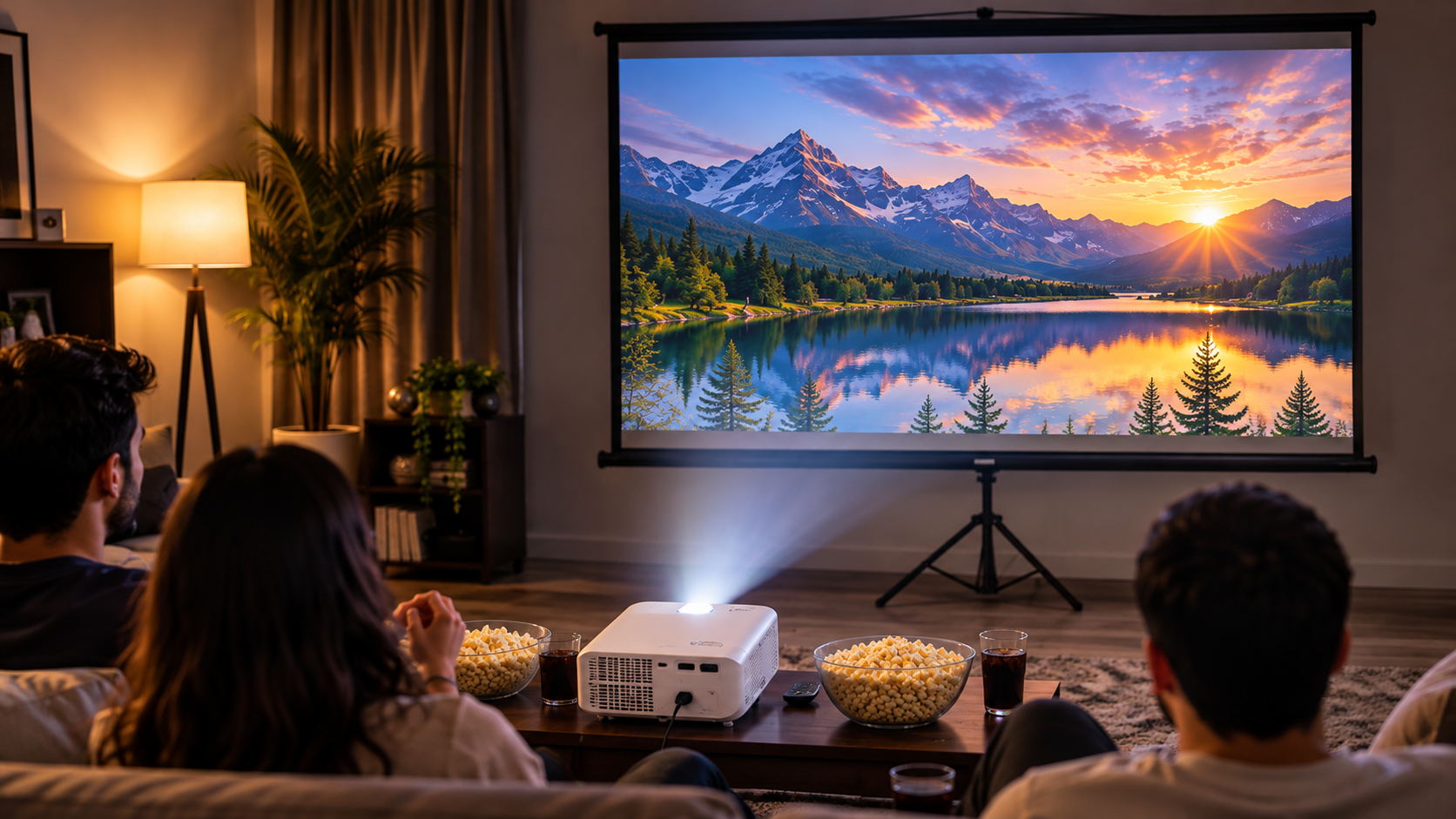
Creating a dedicated home theater once required bulky equipment, permanent mounts, and expensive installations. Today, choosing a portable projector for home theater entertainment offers a more flexible alternative. These compact devices fit into smaller spaces and make movie nights easier to organize.
Modern portable projectors offer features such as Full HD resolution, automatic focus, built-in speakers, and wireless connectivity. Some models also include rechargeable batteries and integrated streaming platforms. These features make them appealing to apartment residents and people who enjoy watching movies outdoors.
However, smaller dimensions involve certain compromises. Buyers must consider brightness, contrast, battery life, and streaming compatibility before purchasing.
Can a mini projector really replace a traditional television? Are portable models worth the investment? What does the 4-6-8 rule mean for projector placement?
This guide answers these questions and explains how to choose a portable projector that delivers an enjoyable home theater experience.
Is a Projector Good for Home Theater?
Yes, a projector can be an excellent choice for a home theater. It offers a much larger viewing area than most traditional televisions. Many home projectors support screen sizes between 100 and 150 inches, depending on their specifications and room conditions.
A large projected image creates a more immersive experience for movies, sports, and gaming. However, picture quality and sound quality both influence the overall experience. If you are planning a dedicated cinema setup, understanding how many subwoofers your home theater needs can help you create a more balanced audio experience.
Projectors also work differently from televisions. They reflect light from a screen or wall rather than displaying images directly. However, this does not automatically mean they reduce eye strain. Viewing comfort depends on brightness, viewing distance, room lighting, and individual sensitivity.
For the best results, use a dedicated projector screen and control unwanted ambient light. This helps preserve image contrast and improves overall picture quality.

Ambient Light Rejection Matters
Ambient light can significantly affect your home theater experience. Sunlight and overhead lighting compete with projected images. This reduces contrast and makes dark scenes appear washed out.
An Ambient Light Rejecting (ALR) screen can help address this problem. Its specialized surface directs more projector light toward viewers while reducing light from unwanted directions. However, performance depends on the screen’s design and projector placement.
ALR screens are particularly useful in living rooms where complete darkness is difficult to achieve. They can improve daytime viewing when paired with a compatible projector. However, if you are comparing projection with traditional television displays, understanding how Mini LED and OLED TVs differ in lifespan can help you evaluate alternative home entertainment options.
Before purchasing one, consider these factors:
- Screen compatibility: Choose a screen designed for your projector’s light source and placement.
- Viewing angle: Check how image quality changes when viewers sit away from the center.
- Room lighting: Consider windows, ceiling lights, and other light sources.
- Screen material: Compare gain, contrast performance, and viewing-angle specifications.
Remember that an ALR screen cannot completely eliminate sunlight. Controlling ambient light remains important.
Are Portable Projectors Worth It?
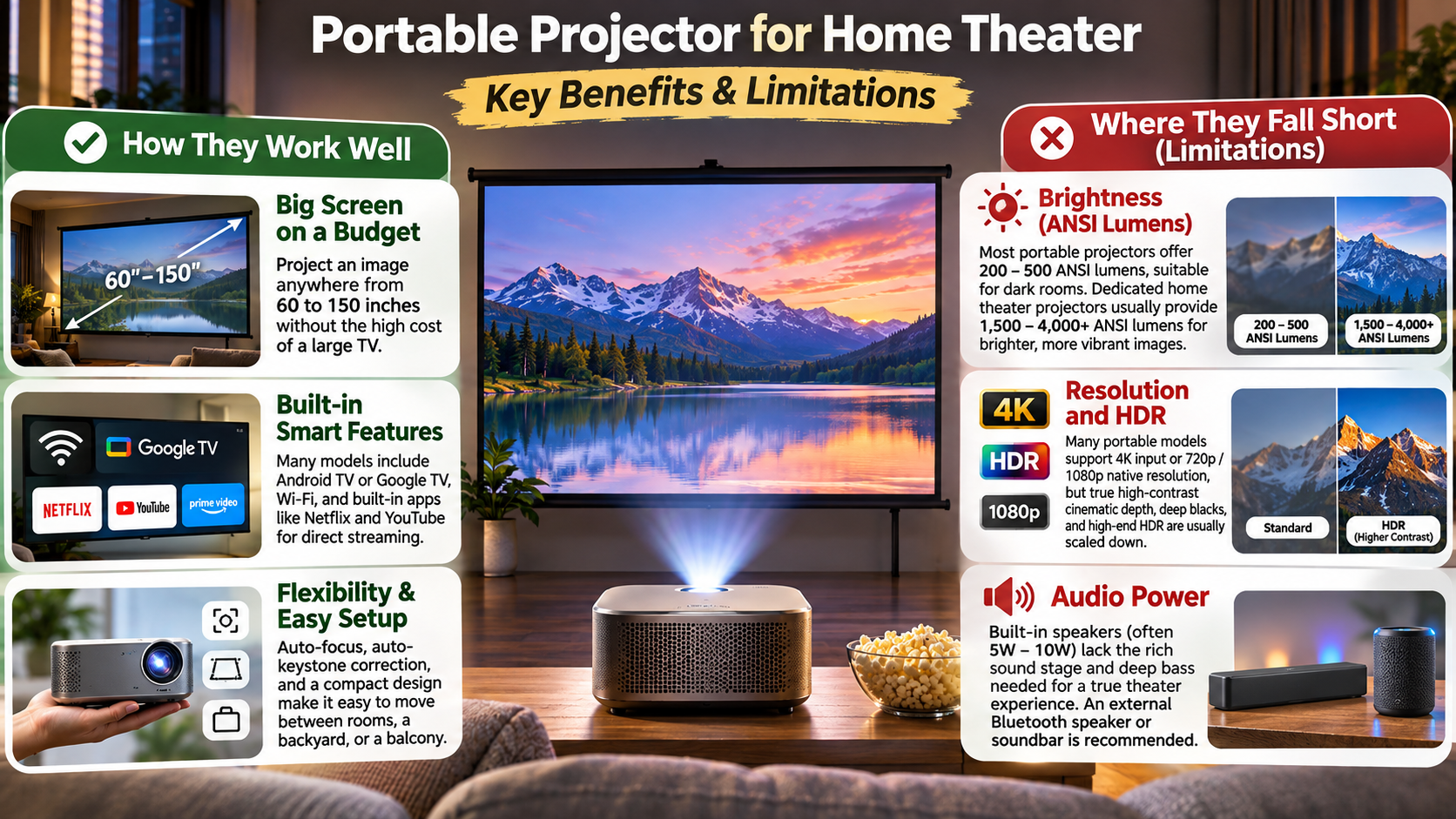
Portable projectors are worth considering if convenience and flexibility matter more than maximum picture performance. Unlike traditional home theater projectors, these compact devices are easier to carry, store, and reposition. Some models include rechargeable batteries, automatic keystone correction, and built-in speakers.
You can use them in bedrooms, living rooms, rented apartments, and outdoor spaces. Their compact designs also make temporary installations easier. This is useful when you do not want permanent ceiling mounts or complicated cable arrangements.
However, portability involves compromises. Smaller projectors generally produce less light than larger home theater models. Battery-powered operation can also reduce brightness and limit continuous playback time.
Consider a portable model if you:
- Frequently move between rooms or locations.
- Prefer flexible entertainment instead of permanent installations.
- Need a compact projector for occasional outdoor movie nights.
- Want built-in streaming and wireless connectivity.
If picture quality is your main priority, compare portable models with full-sized home theater projectors before deciding.
Understanding ANSI Lumens
Brightness is one of the most important specifications when choosing a portable projector for home theater use. Manufacturers sometimes advertise impressive brightness figures using different measurement standards. These numbers are not always directly comparable.
Look for brightness ratings expressed in ANSI lumens or ISO lumens. Both provide standardized measurements, but they use different testing standards. Do not treat their figures as interchangeable.
A brighter projector generally performs better in rooms with some ambient light. However, screen size and projection distance also affect perceived brightness. If you are considering a television instead, comparing LG B and C OLED models can help you understand the differences between popular display technologies.
Use these general guidelines when comparing models:
- Dark rooms: Lower-brightness portable models can work well with smaller screens.
- Dim lighting: Higher brightness helps maintain visible details and image contrast.
- Bright living rooms: Consider a brighter projector and a suitable ALR screen.
- Outdoor viewing: Choose a dark environment for the best results.
Always check independent brightness measurements when available. A manufacturer’s advertised rating alone does not guarantee excellent real-world performance.
What Is the 4-6-8 Rule for Projectors?
The 4-6-8 rule is sometimes mentioned in projector placement discussions. However, it is not a universally recognized industry standard for calculating screen size or seating distance. Projector manufacturers and home theater professionals generally use screen dimensions, throw ratio, resolution, and viewing angles instead.
The correct viewing distance depends on your screen size and personal preferences. Sitting too close can make individual pixels more noticeable, especially with lower-resolution projectors. Sitting too far away can reduce the immersive effect of a large screen.
Resolution also matters when choosing your seating position. A native 4K projector can generally support closer viewing than a comparable 1080p model without making individual pixels as noticeable.
Before installing your projector, measure the available wall space and seating distance. Check the manufacturer’s recommendations for the projected image size and throw distance. This approach provides a more reliable setup than following an arbitrary numerical rule.
Applying the Viewing Formula
A practical way to estimate seating distance is to use your screen’s width rather than its diagonal measurement. For a 16:9 screen, multiply its width by approximately 1.2 to 1.5. This provides a useful starting range for comfortable viewing, although individual preferences vary.
For example, a 100-inch diagonal screen has an approximate width of 87 inches. Using this guideline, your seating distance would be approximately 8.7 to 10.9 feet.
Keep these points in mind when planning your setup:
- 1080p projectors: Avoid sitting extremely close to large screens if pixel structure becomes noticeable.
- 4K projectors: Higher resolution supports closer viewing with greater image detail.
- Room dimensions: Ensure your seating arrangement leaves enough space for comfortable viewing.
- Screen size: Choose a size that suits both your projector’s brightness and available wall space.
Treat this calculation as a starting point, not a strict installation requirement.
What Is the Best Portable Projector for Home Theater?
The best portable projector depends on your budget, room lighting, preferred screen size, and streaming requirements. Two models worth comparing are the Anker Nebula Mars 3 Air and the XGIMI Halo+.
The Nebula Mars 3 Air targets buyers who want a compact projector with smart entertainment features. The XGIMI Halo+ offers native 1080p resolution, 700 ISO lumens, automatic focus, and intelligent obstacle avoidance. It also includes two 5W Harman Kardon speakers.
Both models aim to simplify projector installation and everyday entertainment. However, their brightness, software experience, and battery performance should influence your decision.
Do not choose a projector based on brand reputation alone. Compare its actual specifications, supported streaming services, warranty, and availability in your region.
For a permanent home theater, also consider whether a brighter, non-portable projector would deliver better value. Portable models are most appealing when flexibility is an important part of your buying decision.
Battery Life Versus Brightness
Battery performance is another important consideration when purchasing a portable projector. Built-in batteries allow you to enjoy movies without keeping the device connected to a wall outlet. However, actual playback time depends on brightness settings, speaker volume, software activity, and battery condition.
Some projectors reduce brightness or adjust performance when operating on battery power. This helps conserve energy but can affect picture quality. Check the manufacturer’s specifications before assuming the projector will maintain maximum brightness throughout a movie.
Consider these practical tips:
- For long movies: Keep the projector connected to its power adapter whenever possible.
- For outdoor viewing: Charge the battery fully before leaving home.
- For better battery life: Use suitable brightness and power-saving settings.
- For portable power: Check whether the projector supports external power banks and the required power delivery standards.
Battery life should be compared using video playback figures rather than standby estimates. This gives you a more realistic idea of how long the projector can operate during movie nights.
Why Can’t You Watch Netflix on a Projector?
Netflix does not work on every projector, particularly inexpensive models with unlicensed smart operating systems. The problem usually involves device compatibility, software certification, or the projector’s supported Netflix application.
Some projectors advertise Android-based operating systems but do not support the official Netflix app. Others may install the application but experience playback errors or limited streaming quality.
Netflix explains that its application works only on projector models from brands that have partnered with the streaming service. Supported brands include Samsung, LG, Wanbo, Xiaomi, Nebula, and XGIMI, although compatibility can vary by individual model.
Another common problem involves screen mirroring. Certain streaming services restrict mirrored playback because of content protection requirements. This can produce a black screen even when your phone successfully connects to the projector.
Before purchasing a portable projector, check whether its exact model supports Netflix. Also verify the available streaming resolution and software updates. Brand compatibility alone does not guarantee every model supports every feature.
The Simple Streaming Stick Fix
An external streaming device is a practical solution when your projector does not support Netflix natively. Instead of relying on the projector’s built-in operating system, you can connect a compatible streaming device through HDMI. For users building a connected entertainment setup, exploring the best features of Google Home can also help integrate compatible smart home devices.
Popular options include:
- Amazon Fire TV Stick: Provides access to supported streaming applications and services.
- Roku Streaming Stick: Offers a dedicated interface for compatible streaming platforms.
- Google TV streaming devices: Provide access to supported applications through Google’s television interface.
Follow these simple steps to get started:
- Connect your streaming device to the projector’s HDMI port.
- Connect the device to a suitable power source.
- Switch the projector’s input source to HDMI.
- Connect the streaming device to your Wi-Fi network.
- Install or open Netflix and sign in to your account.
Make sure your streaming device supports the required video resolution and Netflix playback. You may also need a separate HDMI adapter if your projector uses a non-standard connection.
For troubleshooting, consult Netflix’s official projector compatibility guide. It explains supported projector brands and alternative connection methods.
Conclusion
A portable projector for home theater entertainment can deliver an impressive cinematic experience without requiring a dedicated media room or complicated installation. Modern models offer Full HD resolution, smart streaming features, built-in speakers, and convenient portability.
However, the right choice depends on your viewing environment and expectations. Consider brightness, native resolution, battery life, streaming compatibility, and screen size before making a purchase. If you primarily watch movies in a dark room, a portable projector can provide excellent value and flexibility.
Models like the Anker Nebula Mars 3 Air and XGIMI Halo+ are worth comparing when exploring compact home theater options. If Netflix compatibility is a concern, an external streaming device can also simplify your setup.
Ultimately, choose a projector that fits your room, budget, and entertainment needs. With the right device and screen setup, you can enjoy a big-screen movie experience almost anywhere.