
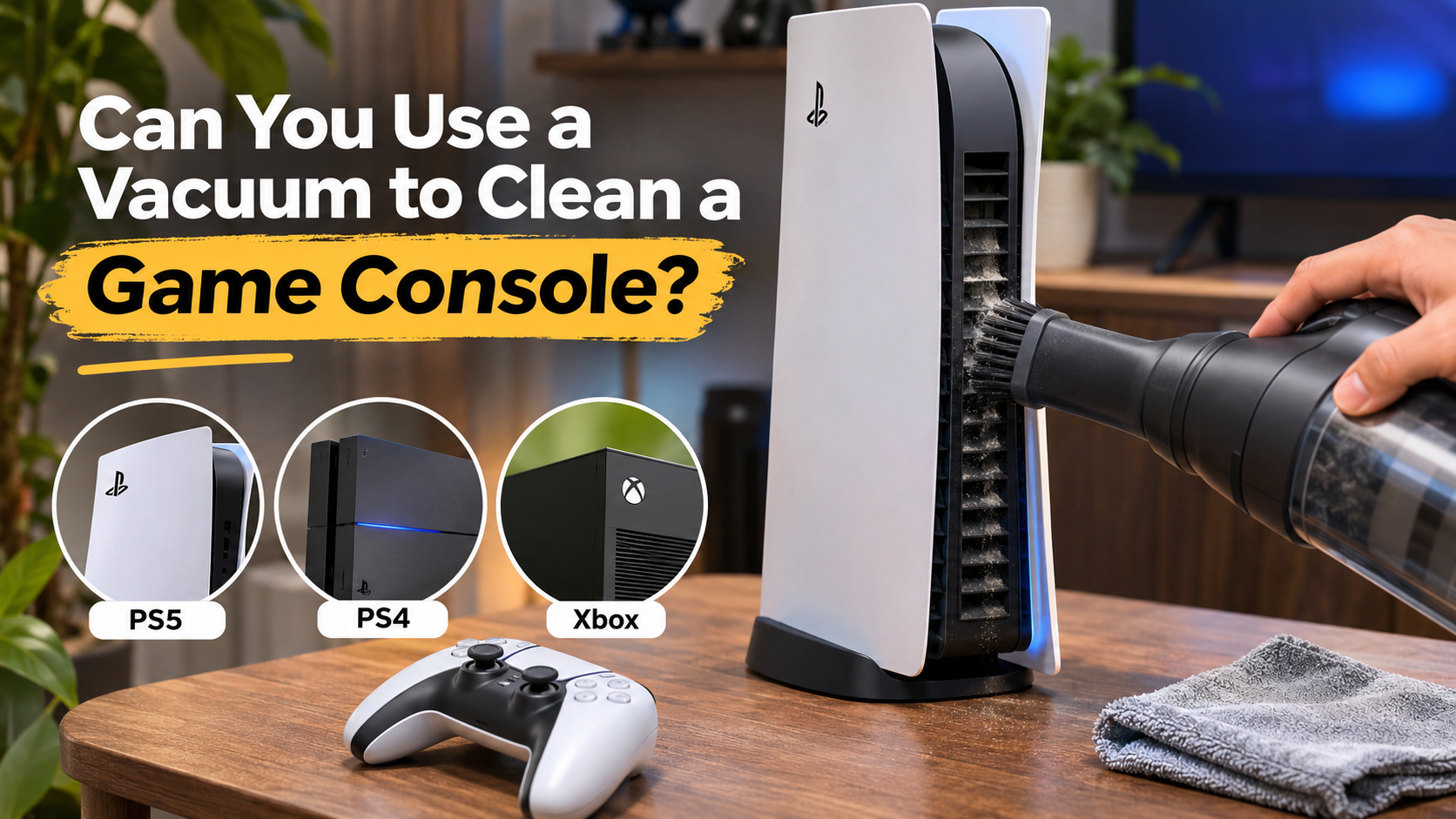
Can You Use a Vacuum to Clean a Game Console?
When your gaming system starts sounding like a jet engine, dust buildup may be responsible. Gamers often wonder whether a household vacuum can clear clogged cooling vents. Knowing how to clean a game console safely helps protect its cooling system and internal components.
However, not every cleaning method suits every console. Sony recommends using a low-powered vacuum to remove dust around PS5 ventilation openings. Other cleaning situations require more caution. Strong suction, careless handling, and unsuitable cleaning products can damage delicate components.
In this guide, we explain how to clean a PS5, PS4, and Xbox safely. We also examine vacuum cleaner risks, suitable cleaning tools, and dust-related overheating problems. Follow these practical recommendations to maintain proper airflow and extend your console’s useful life.

Is it safe to use a vacuum to clean a PS5?
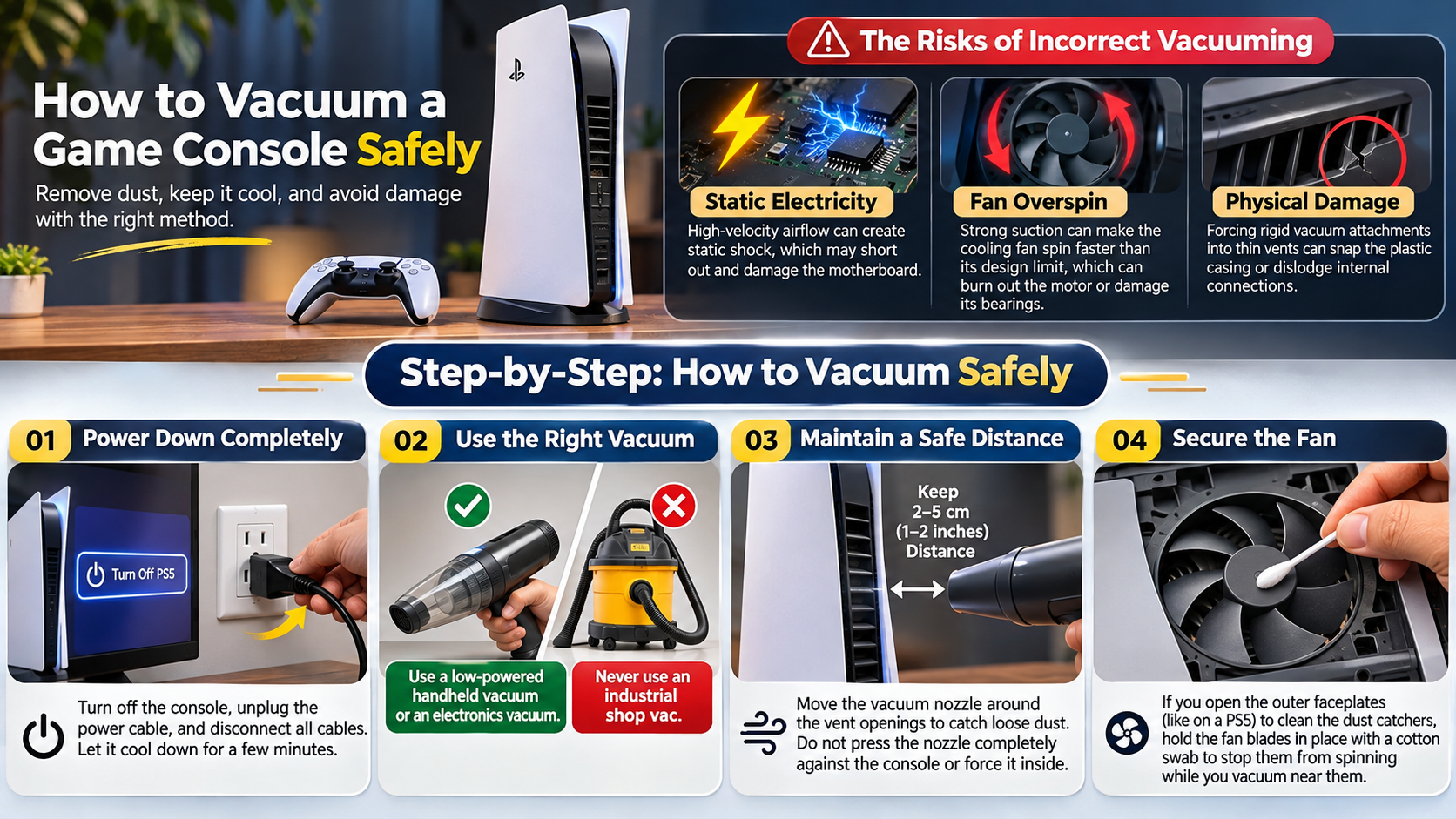
Yes. You can use a low-powered vacuum cleaner to clean dust from a PS5. Sony specifically recommends this method for removing dust around the console’s ventilation openings. Some PS5 safety guides also recommend removing the covers and vacuuming accumulated dust underneath.
However, this does not mean every vacuum cleaner or attachment is suitable. Avoid powerful industrial vacuums and aggressive contact with internal components. Always turn off your console and disconnect its power cable before cleaning. Let the system cool down before removing its covers.
Sony recommends maintaining at least 10 centimetres of clearance around the console. Avoid placing it on carpets with long fibres or inside cramped cabinets. These precautions help maintain airflow and reduce dust accumulation.
Safe PS5 Dust Port Maintenance
Start by switching off your PS5 completely. Disconnect the power cable and all connected accessories. Wait until the console has cooled before removing its covers.
Follow these steps:
- Remove the PS5 covers according to your console model’s instructions.
- Locate the designated dust collection areas underneath the covers.
- Use a low-powered handheld vacuum to remove accumulated dust.
- Clean visible dust around the ventilation openings carefully.
- Reattach the covers securely before reconnecting the cables.
Avoid inserting vacuum attachments into exposed electronic components. Do not force tools into narrow openings. You should also avoid touching internal circuitry during routine maintenance.
Sony’s official guidance supports low-powered vacuum cleaning. Follow your specific model’s safety instructions rather than assuming every PS5 revision has identical internal access. If dust remains trapped deep inside, consider professional servicing instead of dismantling the console.
What is the best way to clean a game console?
The best way to clean a game console depends on its design and manufacturer’s instructions. For routine maintenance, use a soft, dry microfiber cloth and a suitable low-powered handheld vacuum. These tools help remove surface dust without unnecessary disassembly.
First, switch off the console and disconnect its power cable. Wipe the exterior gently with a clean microfiber cloth. Pay particular attention to ventilation openings, surrounding surfaces, and accessible dust collection areas.
For stubborn dirt, avoid spraying cleaning liquids directly onto the console. Do not use abrasive materials or household chemical cleaners. Some manufacturers also restrict alcohol-based products on plastic surfaces.
Compressed air can help with certain accessible areas when used carefully. Keep the can upright and use short bursts. For additional guidance, follow this guide on how to safely clean your electronics with compressed air. Avoid allowing the fan to spin freely under strong airflow. Always follow the manufacturer’s cleaning instructions.
Establishing a Safe Console Routine
Regular maintenance helps prevent dust from accumulating around ventilation openings. You do not need to dismantle your console every month. Simple external cleaning is usually sufficient for routine care.
Consider following this maintenance schedule:
- Weekly: Check the console’s surroundings for dust and blocked ventilation.
- Monthly: Wipe the exterior using a soft, dry microfiber cloth.
- Every few months: Inspect ventilation openings and accessible dust collection areas.
- When necessary: Clean removable covers according to manufacturer instructions.
Your console’s environment also affects cleaning frequency. Homes with pets, carpets, or heavy dust may require more frequent maintenance.
Keep your gaming system in an open, well-ventilated space. Leave sufficient clearance around its ventilation openings. Avoid enclosed cabinets and surfaces that collect loose fibres. These small precautions help maintain consistent airflow without unnecessary internal cleaning.
Is it safe to vacuum a PS4?
Using a regular household vacuum directly against PS4 ventilation openings is not recommended. Unlike the PS5, the PS4 does not have the same designated dust collection system. Its cleaning requirements also vary between original, Slim, and Pro models.
A powerful vacuum can create unnecessary suction around exposed openings. Contact between attachments and delicate components can also cause physical damage. Therefore, avoid pushing a vacuum nozzle inside the console or attempting to clean its internal fan through narrow vents.
For routine maintenance, switch off the PS4 and disconnect every cable. Use a dry microfiber cloth to clean its exterior. Remove loose dust around accessible ventilation openings without forcing tools inside.
If dust has accumulated around the internal fan or heatsink, deeper cleaning may be necessary. However, opening the console involves additional risks. Consider professional cleaning if you lack experience with electronics.
Restoring Normal PS4 Fan Acoustics
A noisy PS4 fan does not automatically mean the console needs internal cleaning. Games with demanding graphics can increase cooling requirements. However, persistent loud noise may indicate restricted airflow or accumulated internal dust.
Start with these basic checks:
- Turn off the PS4 and disconnect its power cable.
- Move the console into an open, well-ventilated area.
- Clean its exterior using a dry microfiber cloth.
- Remove visible dust around accessible ventilation openings.
- Check whether the fan noise improves during normal gameplay.
Avoid inserting cotton buds, toothpicks, or vacuum attachments through ventilation openings. These objects can damage internal parts or push debris deeper inside.
If the fan remains unusually loud, the heatsink may need professional cleaning. Thermal compound deterioration or fan wear can also contribute to overheating. A technician can inspect these components without unnecessary guesswork.
Is it safe to use a vacuum on an Xbox?
Using a household vacuum directly against an Xbox’s internal components is not a recommended cleaning method. Xbox consoles have different ventilation layouts, so cleaning requirements depend on the specific model. Avoid assuming that cleaning a Series X works exactly like cleaning an Xbox One.
For routine maintenance, switch off the console and disconnect its power cable. Use a soft, dry microfiber cloth to remove dust from exterior surfaces. Clean accessible ventilation grilles gently without pushing attachments or objects inside.
Avoid powerful suction around exposed openings. Also, do not attempt to dismantle the console unless you understand its service requirements. Internal cleaning can expose delicate components and may require specialist tools.
If compressed air is appropriate for your model, follow the manufacturer’s instructions. Use controlled bursts and avoid forcing the internal fan to spin. When dust remains trapped inside, professional servicing is the safer option.
Can dust ruin my Xbox?
Yes. Excessive dust accumulation can contribute to overheating and long-term hardware problems. Dust, lint, and pet hair can collect around internal heatsinks and cooling components. Over time, this buildup may reduce the cooling system’s ability to transfer heat effectively.
When airflow becomes restricted, the cooling fan may work harder to maintain safe temperatures. You might notice louder operation during demanding games. In severe cases, the console may display overheating warnings or shut down unexpectedly.
However, dust is not the only possible cause of overheating. Poor ventilation, damaged fans, ageing thermal materials, and high room temperatures can also contribute. Performance problems do not automatically prove that dust has damaged your Xbox.
Regular external cleaning helps reduce preventable dust buildup. If overheating continues, professional inspection is preferable to repeatedly cleaning the same ventilation openings.
Conclusion
Knowing how to clean a game console properly helps maintain airflow, reduce dust buildup, and prevent unnecessary overheating. However, using the wrong cleaning method can create more problems than it solves. While a low-powered vacuum can safely remove dust from designated PS5 dust collection areas, avoid using powerful vacuums directly against console vents or internal components.
For PS4 and Xbox systems, regular exterior cleaning with a dry microfiber cloth is a safer starting point. Follow Microsoft’s Xbox device care guidelines before attempting maintenance.
Keep ventilation openings clear and place your console in a well-ventilated area. Use compressed air only when appropriate for your console model and follow the manufacturer’s instructions.
Most importantly, do not ignore persistent fan noise or overheating warnings. If basic cleaning does not solve the problem, consider professional servicing. A little regular maintenance can help keep your gaming console clean, cool, and ready for your next gaming session.