
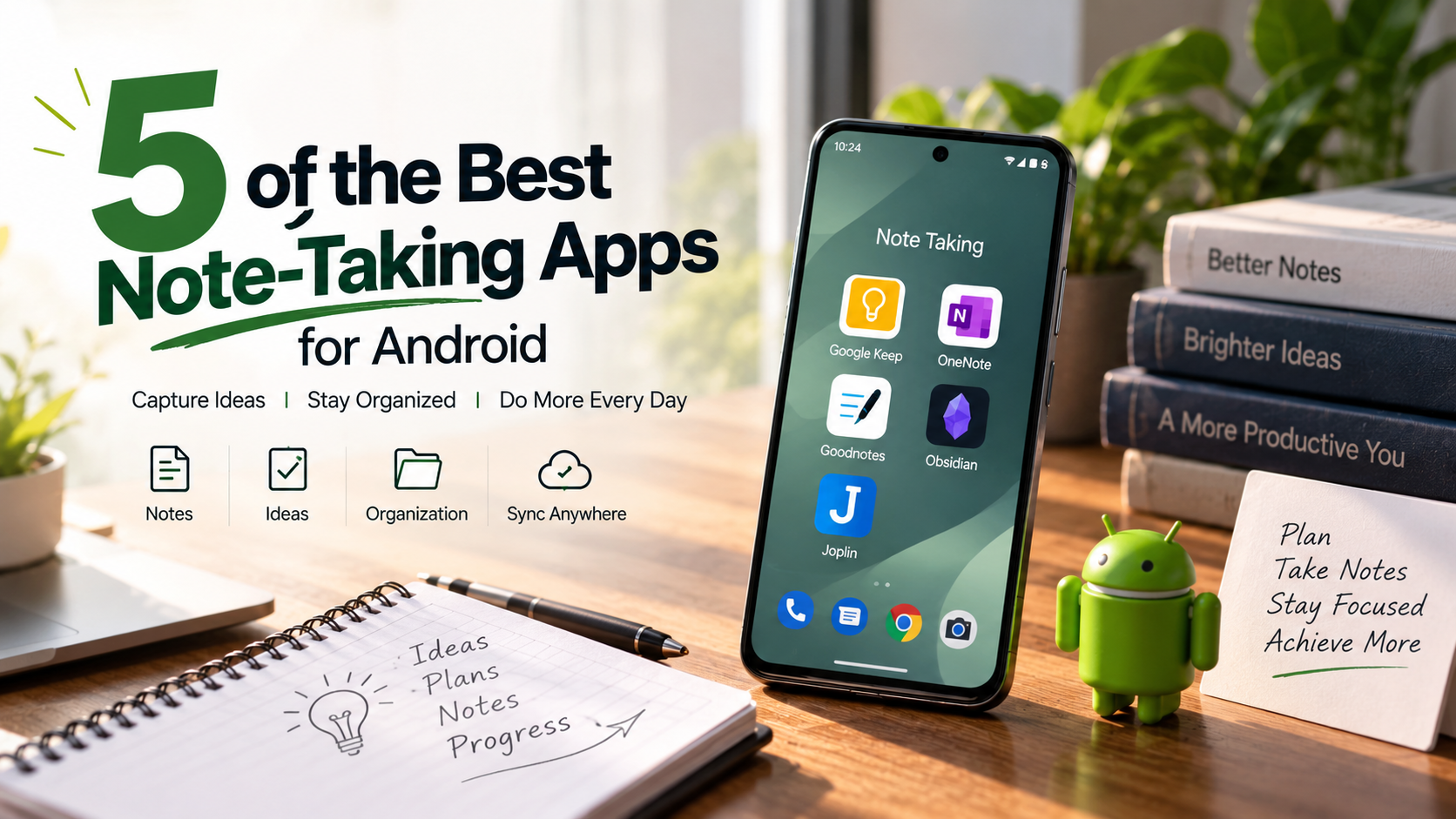
5 of the Best Note-Taking Apps for Android
Finding the right workspace for your ideas can improve daily productivity. Whether you need grocery lists, lecture notes, project plans, or creative sketches, the best note-taking apps for Android can turn your phone or tablet into a practical mobile workspace. If you also want to improve your overall Android experience, explore these Best Free Apps for Android Users. Modern Android devices support features such as stylus input, large screens, and split-screen multitasking. The right app helps you use those features without adding unnecessary complexity.
Different note-taking apps suit different workflows. Some focus on fast capture, while others support handwriting, privacy, or connected research. Your choice should depend on how you write, organize, search, and access your notes.
In this guide, we compare five popular options: Microsoft OneNote, Google Keep, Goodnotes, Joplin, and Obsidian. Each app offers a different approach to digital note-taking. We look at organization, handwriting, offline access, privacy, and student-friendly features.
Whether you need a simple digital notepad or a powerful knowledge-management system, this guide can help you find the right Android note-taking app for your needs.
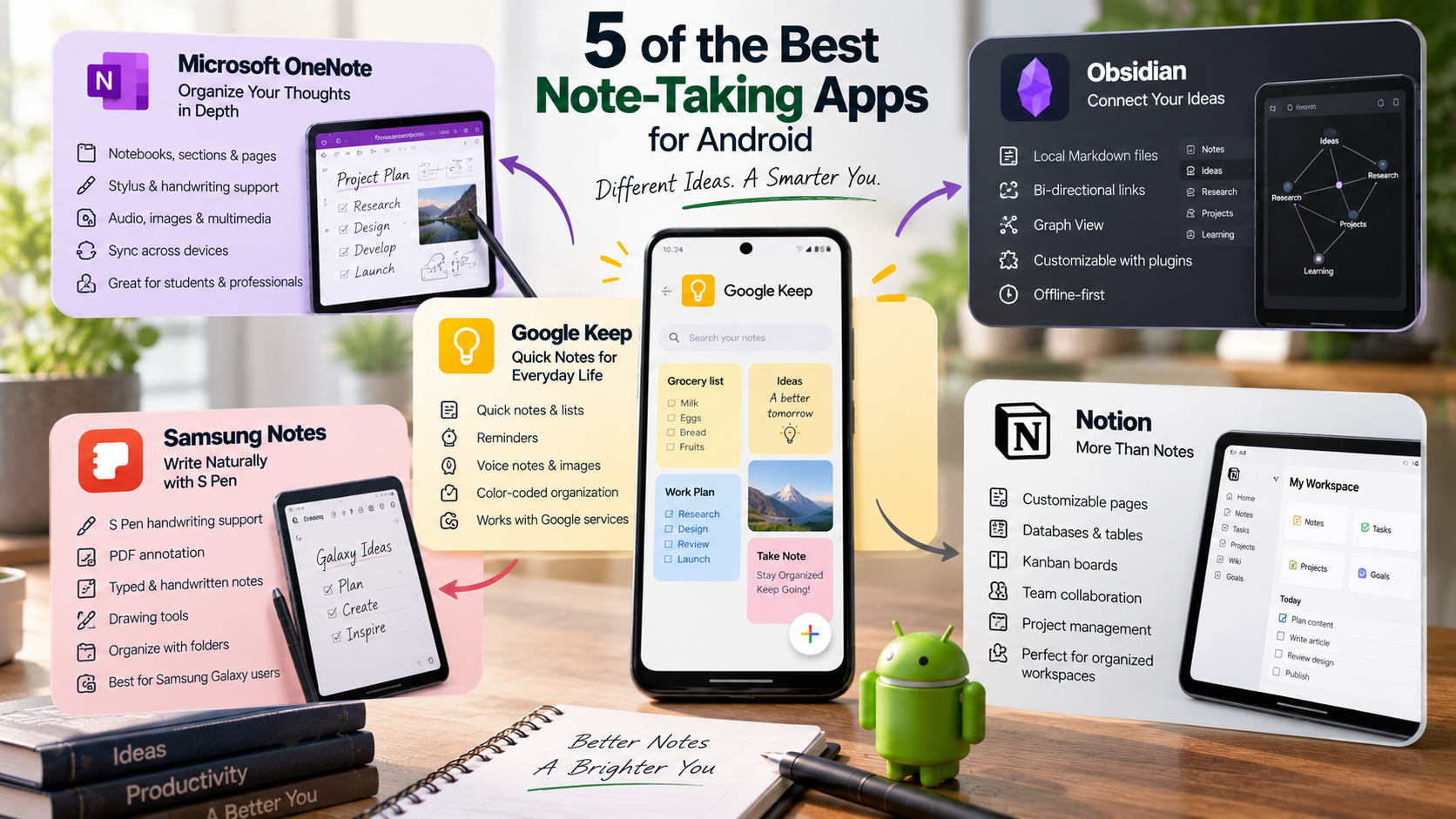

1. Google Keep
Google Keep is best for users who want to capture quick thoughts, lists, and daily reminders. Its simple interface makes creating a note almost instant. You can write short notes, build checklists, add photos, and record voice notes from your Android device. Google Keep also supports labels and color coding, which makes it easier to organize everyday information.
One of its biggest advantages is how closely it fits into the Google ecosystem. Notes can connect with other Google services, while reminders can work alongside Google Calendar and Google Tasks. This makes Keep especially useful for people who already use a Google account across their devices.
Google Keep is also free for personal use. However, its storage approach is tied to your Google account storage rather than providing unlimited independent storage. For most users, this is unlikely to be a concern because text notes use very little space.
Best for: Quick thoughts, shopping lists, reminders, and simple daily notes.
Key features:
- Color-coded notes and labels
- Checklists and reminders
- Voice notes and image attachments
- Easy sharing and collaboration
- Integration with Google services
2. Microsoft OneNote
Microsoft OneNote is a strong choice for users who need deep organization and flexible note-taking. It uses a familiar structure based on notebooks, sections, and pages. This makes it easy to separate personal notes, work projects, school subjects, and other areas.
The app supports both typed and handwritten notes, making it useful on Android phones and tablets. Compatible styluses can turn an Android tablet into a practical digital notebook. You can also add images, drawings, audio recordings, and other content to your pages. For users who want to explore more ways to improve their digital workflow, Best Productivity Apps for Windows 11: Top Tools offers additional options.
OneNote works across major platforms, including Android, Windows, and iOS. Notes can synchronize through your Microsoft account, allowing you to continue working across different devices. Storage is connected to Microsoft OneDrive, with free Microsoft accounts generally including 5GB of cloud storage.
For users who want more structure than Google Keep provides, OneNote offers greater flexibility. It is particularly useful for students, professionals, and anyone managing large collections of notes.
Best for: Detailed organization, handwritten notes, study materials, and professional work.
Key features:
- Notebook, section, and page organization
- Stylus and handwriting support
- Audio recordings
- Images and multimedia
- Cross-platform synchronization
3. Obsidian
Obsidian is designed for power users, researchers, writers, and interconnected knowledge bases. Unlike traditional note apps, it focuses on relationships between ideas. Notes are stored as local Markdown files, giving users direct access to their information. Students can also explore Best Educational Apps for Students in 2026: The Ultimate Guide for additional tools that support learning.
Its most distinctive feature is bi-directional linking. You can connect related notes using internal links and gradually build a personal knowledge network. Obsidian also includes a visual Graph View that displays relationships between connected notes.
This approach can be valuable for research and long-term learning. For example, you can connect lecture notes with definitions, projects, references, and related concepts. Your notes become an interconnected knowledge base instead of a collection of isolated documents.
Obsidian is free for personal use when you store and manage your notes locally. Optional paid services are available for features such as official synchronization and publishing. The Android app also allows users to work with their local vaults directly on compatible devices.
Best for: Researchers, students, writers, developers, and advanced note-taking workflows.
Key features:
- Local Markdown files
- Bi-directional links
- Graph View
- Customizable workflows
- Large plugin ecosystem
- Offline-first note storage
4. Samsung Notes
Samsung Notes is one of the best options for Samsung Galaxy users who prioritize handwriting and stylus features. It is built around the Samsung ecosystem and works particularly well on Galaxy phones and tablets with S Pen support.
The app combines typed text with freehand writing, drawings, images, and other content. This makes it useful for students who take handwritten lecture notes or professionals who annotate documents. PDF support also makes Samsung Notes practical for reviewing and marking up digital files.
Handwriting tools are a major strength. On compatible Galaxy devices, the S Pen provides a natural writing experience with features designed around Samsung’s hardware. Users can also organize notes into folders and search their saved content.
Samsung Notes is available at no additional cost on supported Samsung devices. However, its strongest features are tied to the Galaxy ecosystem. Users with non-Samsung Android phones may not get the same experience or access.
Best for: Samsung Galaxy users, students, handwritten notes, and S Pen users.
Key features:
- S Pen handwriting support
- PDF annotation
- Typed and handwritten content
- Drawing and sketching tools
- Folders for note organization
- Integration with Samsung devices
5. Notion
Notion is a powerful option for users who want more than a traditional note-taking app. It combines notes, databases, project management, documents, and collaboration in one flexible workspace. This makes it particularly useful for teams, students, creators, and professionals who want to Utilize Mobile Apps For Your Business and manage digital workflows more efficiently.
Its modular system lets you build pages using different content blocks. You can add text, images, tables, databases, checklists, calendars, and other elements. Pages can also contain sub-pages, allowing you to create detailed information systems without relying on separate apps.
Notion’s free personal plan provides a broad set of features for individual users. Paid plans add additional capabilities for teams, collaboration, and advanced workspace needs. Because much of Notion’s functionality depends on its cloud-based workspace, it works differently from local-first apps such as Obsidian.
For simple notes, Notion may feel more complicated than Google Keep. However, its flexibility becomes valuable when you need to combine notes with tasks, projects, databases, or shared documentation.
Best for: Project management, databases, collaborative workspaces, and organized digital wikis.
Key features:
- Customizable pages
- Databases and tables
- Kanban boards
- Sub-pages and nested content
- Team collaboration
- Project and task management
What is the best note-taking app?
The overall winner among the best note-taking apps for Android is Microsoft OneNote. It offers a strong balance of organization, flexibility, cross-platform access, and handwriting support. Its notebook structure feels familiar, with notebooks, sections, and individual pages. This makes it easy to separate work, study, personal notes, and projects. For users who want to improve their wider digital workflow, iPhone and Android apps to help you manage your everyday life is another useful resource.
OneNote also supports handwritten notes, sketches, annotations, and other visual content. On compatible Android devices, you can write with a stylus directly on the canvas. The app provides dedicated Android support for handwriting and note synchronization.
Another advantage is its connection to Microsoft services. Notes can sync through your Microsoft account and OneDrive, making them accessible across supported devices. This makes OneNote a practical choice among the best note-taking apps for Android for users who work across multiple devices.
For users who want one app for typing, handwriting, organization, and collaboration, OneNote is an excellent all-around choice. It works well for students, professionals, and everyday users.
Which Notepad is best for Android?
For users who want a lightweight digital notepad, Google Keep is an excellent choice. It focuses on speed, simplicity, and quick access rather than complex document management. You can create text notes, lists, drawings, image notes, and reminders directly from Android.
The interface uses a simple card-based layout. This makes everyday notes easy to scan, pin, label, color-code, or archive. Keep also supports Android widgets, including quick-capture options that let you create notes from the home screen.
Google Keep is especially useful for grocery lists, reminders, quick ideas, and short daily notes. You can also share notes with other people when collaboration is needed. Timed reminders can appear through Keep, Google Calendar, or Google Tasks.
Keep is not designed to replace a full knowledge-management system. However, that simplicity is its biggest strength. If you want a fast and clutter-free Android notepad, Google Keep is difficult to beat for everyday capture and remains a useful option among the best note-taking apps for Android.
Is GoodNotes free on Android?
Goodnotes is available on Android with a free plan, but the free version has important limitations. Goodnotes Free currently allows up to three notebooks, three text documents, and three whiteboards. It also includes a 100 MB storage limit and restrictions on imports and exports.
The Android version is designed for handwriting, document annotation, templates, and digital notebooks. Goodnotes supports features such as handwriting-to-text, handwriting search, PDF imports, and collaboration. However, feature availability can vary by platform and subscription.
Goodnotes Essential removes several free-tier restrictions and adds unlimited notebooks, additional storage, templates, and broader sharing features. Pricing varies by region, while the US price listed for Essential is currently $11.99 per year.
For Android tablet users who enjoy handwritten notes, Goodnotes is worth considering. However, it is best suited to people who want a digital handwriting and PDF annotation workspace rather than a simple text notepad.
Which app is best for free notes?
For users seeking an open-source note-taking app with strong privacy controls, Joplin is an excellent choice. It is available across Android, iOS, Windows, macOS, and Linux. Its notes use an open format, giving users greater control over their information.
Joplin supports Markdown, notebooks, tags, attachments, reminders, and synchronization. You can sync notes using services such as Joplin Cloud, Dropbox, and OneDrive. This makes it suitable for people who want their notes available across several devices.
Privacy is another major advantage. Joplin supports end-to-end encryption, which protects synced data so third parties cannot read the encrypted content. The encryption system is available across Joplin applications.
Joplin is particularly appealing if you want a free and open-source alternative to commercial note apps. It may feel less polished than some mainstream competitors, but it offers strong control and flexibility.
For privacy-conscious users, Joplin is one of the best free note-taking apps for Android. Its focus on privacy and portability makes it a strong alternative to more mainstream options.
Which note app is best for students?
Obsidian is a strong study companion for students who need to manage connected information. Instead of treating every note as an isolated document, Obsidian encourages users to link related ideas together. Its Markdown-based approach also keeps notes in a format that is easy to access and manage.
This approach works particularly well for subjects with many interconnected concepts. Students can connect lecture notes, definitions, formulas, research topics, and reading notes. Over time, those connections can create a personal knowledge system that supports deeper review.
Obsidian is also useful when internet access is limited because your notes are stored locally. Its plugin ecosystem can extend the app with additional workflows and tools. However, available plugins and their features can change over time.
For students who prefer simple notes, Obsidian may feel more complex than Google Keep. Its strength comes from building a long-term knowledge base rather than capturing quick reminders.
If your goal is connected study notes and personal knowledge management, Obsidian is one of the most flexible choices among the best note-taking apps for Android.