6 Easy Mistakes to Avoid When Cleaning OLED Screens
Modern OLED displays deliver exceptional contrast, deep blacks, and vibrant colors. However, cleaning OLED screens requires extra care. Their delicate display surfaces may feature specialized anti-reflective or anti-glare coatings. Incorrect cleaning methods can damage these finishes and affect picture quality.
Many people clean expensive OLED televisions and monitors like ordinary windows. Unfortunately, household glass cleaners, paper towels, and excessive pressure can leave scratches, streaks, or surface damage. Moisture entering the display’s edges can also damage internal electronics.
Following manufacturer-recommended cleaning instructions helps protect your display. Whether you own an OLED TV, gaming monitor, or laptop, using the correct cleaning method matters.
This guide explains six common mistakes to avoid. You’ll also learn how to clean an OLED screen safely, which cleaning products to avoid, and what works best for stubborn fingerprints. These simple precautions help maintain your display’s appearance and performance.
1. Using Household Glass Cleaners or Alcohol
One of the biggest mistakes when cleaning OLED screens is using household glass cleaners or strong chemical solutions. Products such as Windex may contain ammonia, alcohol, or other ingredients unsuitable for delicate display surfaces.
These chemicals can damage certain anti-reflective and anti-glare coatings. They may also leave streaks, discoloration, or unwanted residue. Even rubbing alcohol and acetone can create problems when used on surfaces that manufacturers haven’t approved for these chemicals.
Avoid assuming that a cleaner is safe simply because it works on windows or smartphone glass. OLED displays have different surface treatments, and cleaning requirements vary between models.
What to do instead: Start with a clean, dry microfiber cloth. For stubborn fingerprints, use distilled water sparingly if your manufacturer’s instructions permit it. Always check your television or monitor’s cleaning guidelines before using any chemical solution.
2. Spraying Liquid Directly onto the Screen
Spraying cleaning liquid directly onto an OLED display creates an unnecessary risk. Even distilled water can cause problems when applied excessively. Liquid may run down the panel and enter openings around the bezels.
Moisture entering these areas can damage internal components or cause electrical problems. It can also collect around the display’s edges, making proper drying difficult. Therefore, never assume that using a gentle cleaning solution makes direct spraying safe.
Another common mistake is applying too much liquid to remove stubborn fingerprints. Excess moisture rarely improves cleaning results. Instead, it increases the possibility of streaks and accidental liquid penetration.
What to do instead: Apply a small amount of distilled water to a clean microfiber cloth, if permitted by the manufacturer. The cloth should feel slightly damp, never wet or dripping. Gently wipe the affected area and avoid applying liquid near the screen’s edges.
3. Wiping with Paper Towels, Tissues, or Shirt Sleeves
Paper towels, facial tissues, and ordinary clothing are not suitable for cleaning OLED screens. They may feel soft against your skin, but their fibers can contain abrasive particles. These materials can create fine scratches when rubbed against delicate display surfaces.
Paper products may also leave behind lint and small fibers. Shirt sleeves can contain dust, dirt, and other particles collected during everyday use. Rubbing these materials across the display can spread dirt instead of removing it.
This becomes particularly problematic when cleaning glossy OLED monitors and televisions. Their dark surfaces make fingerprints, streaks, and minor scratches easier to notice.
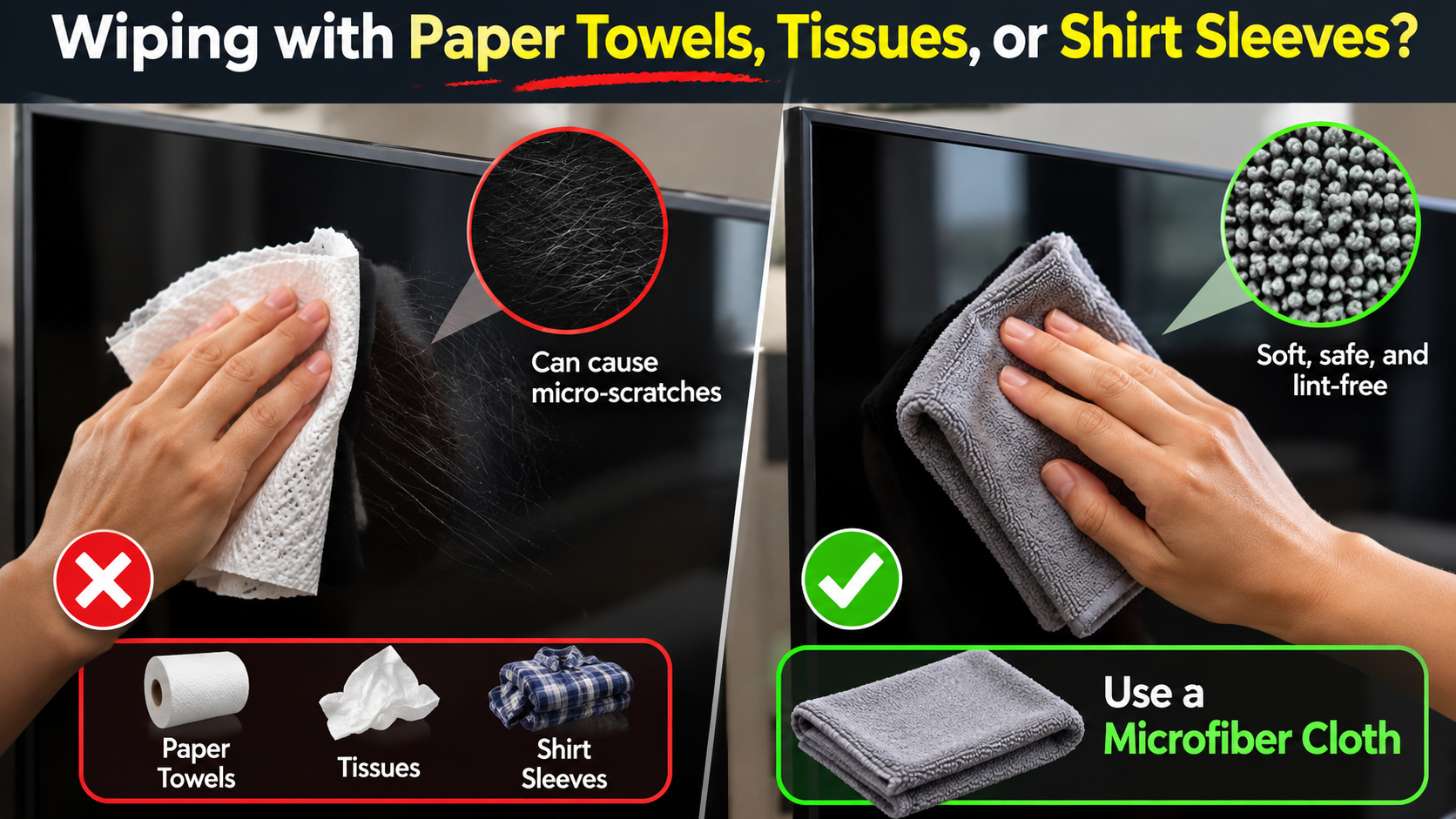
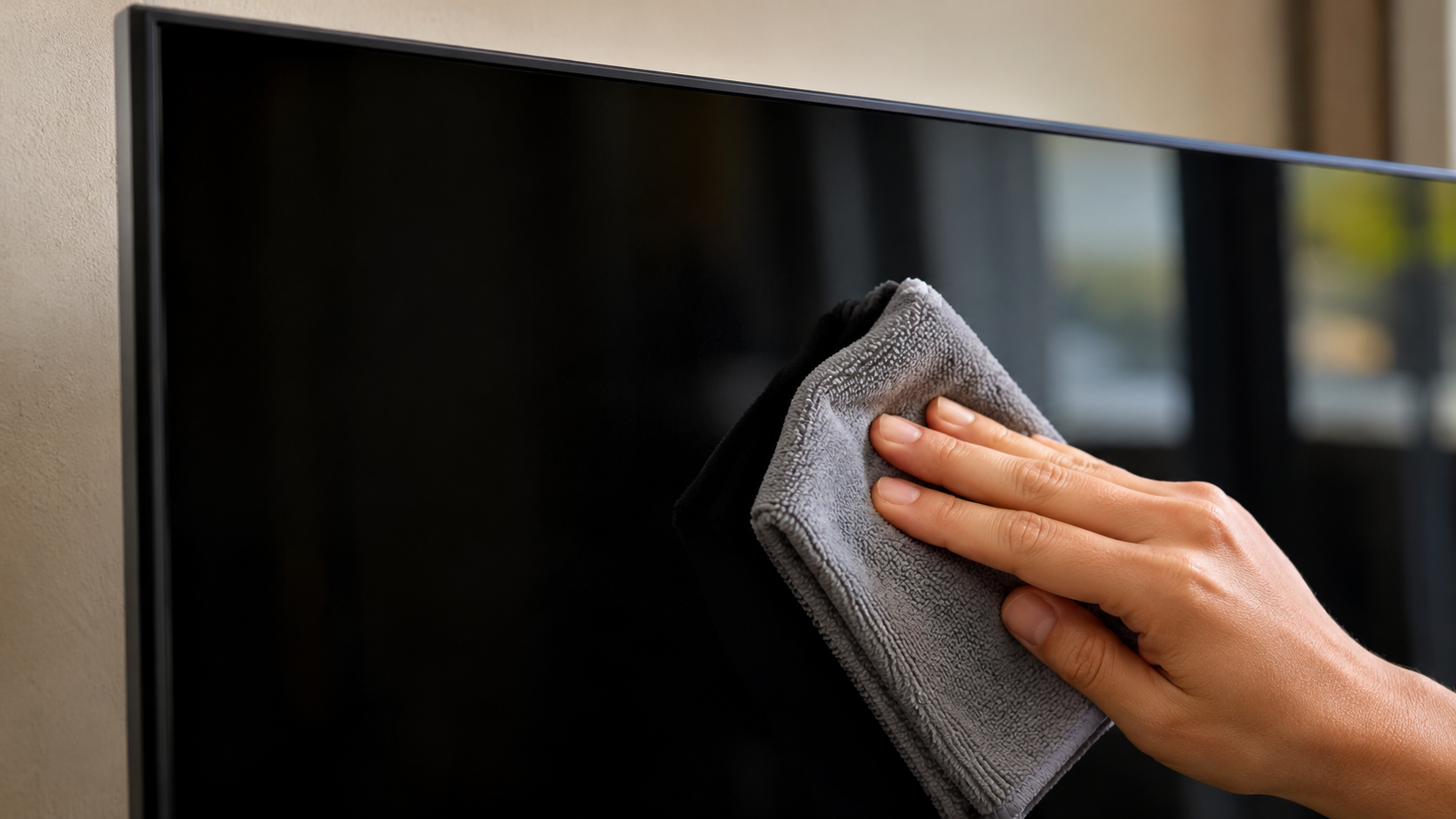
What to do instead: Always use a clean, soft, lint-free microfiber cloth. Choose one designed for eyeglasses, camera lenses, or delicate electronics. Before wiping, check the cloth for trapped dust or debris. Avoid using the same dirty section repeatedly, and keep your cleaning cloth separate from ordinary household fabrics.
4. Pressing Too Hard on Stubborn Spots
Applying excessive pressure is another common mistake when cleaning OLED screens. OLED panels are relatively thin, and their display surfaces can be sensitive to localized pressure. Pressing hard against the screen may damage the panel or cause other display-related problems.
Fingerprints and dried smudges can be frustrating, especially when they appear against dark backgrounds. However, aggressively rubbing these marks is not the solution. Excessive pressure can also spread skin oils across a larger area, making the surface look worse.
Avoid using your fingernails, rough cleaning tools, or abrasive sponges to remove stubborn dirt. These materials can scratch the surface or damage protective finishes.
What to do instead: Use a clean microfiber cloth and gentle wiping movements. If a mark remains, lightly dampen the cloth with distilled water when permitted. Give the moisture time to loosen the residue, then wipe gently. Never press hard or attempt to scrape dried marks away.
5. Cleaning the Screen While It’s Warm or Turned On
Cleaning an OLED display while it is powered on is not recommended. A bright screen can make fingerprints and dust harder to identify. Reflections and changing images may also prevent you from noticing streaks during cleaning.
A warm display can make moisture evaporate more quickly. This may leave visible streaks or water marks, particularly when you use too much liquid. Cleaning a powered device also creates an unnecessary electrical risk if moisture reaches openings or connections.
Another problem is accidentally activating buttons or touching sensitive controls while wiping the display. Turning off the device makes the cleaning process easier and safer.
What to do instead: Turn off your OLED television or monitor before cleaning. Unplug it if the manufacturer’s instructions recommend doing so. Allow the display to cool completely before wiping. Once the screen is dark and cool, inspect it under suitable lighting. This makes dust, fingerprints, and other marks easier to identify.
6. Using Dirty or Unwashed Microfiber Cloths
A microfiber cloth is only useful when it is clean. Reusing a dirty cloth can introduce dust, grit, and other abrasive particles onto your OLED screen. These particles may scratch the surface when you wipe them across the display.
Microfiber materials also collect oils and dirt during regular use. Over time, a cloth can become less effective at removing fingerprints. Instead of absorbing oils, it may spread them across the panel and leave visible streaks.
Another mistake is washing microfiber cloths with ordinary fabric softeners. These products can leave residue inside the fibers, reducing their cleaning performance.
What to do instead: Inspect your microfiber cloth before every cleaning session. Wash it regularly using a mild detergent without fabric softener. Follow the cloth manufacturer’s washing instructions and let it dry completely. Store clean cloths in a dust-free drawer or protective pouch. Keeping a separate cloth for your OLED display also prevents contamination from other cleaning tasks.
How to Clean an OLED Screen Without Damaging It?
Cleaning an OLED screen safely requires the right materials and a gentle technique. You don’t need expensive cleaning products or complicated equipment. In most cases, a clean microfiber cloth is sufficient for removing everyday dust and fingerprints.
Start by turning off your television or monitor. Unplug it if recommended by the manufacturer, and allow the panel to cool. Inspect the display under good lighting to identify dusty areas and visible fingerprints.
Follow these steps for safer cleaning:
- Remove loose dust: Use a clean, dry microfiber cloth to gently remove dust. Avoid pressing against the display.
- Prepare the cloth: If dry wiping isn’t sufficient, lightly dampen another microfiber cloth with distilled water, provided your manufacturer permits it.
- Clean stubborn marks: Gently wipe the affected area using broad, light movements. Avoid excessive pressure and repeated scrubbing.
- Remove remaining moisture: Use a separate, clean microfiber cloth to gently dry the surface.
- Inspect the display: Check for remaining streaks or fingerprints under suitable lighting.
Never spray liquid directly onto the OLED panel. Avoid household cleaners, abrasive materials, and unapproved chemical solutions. Always prioritize your device manufacturer’s instructions over general cleaning advice.
Why Are OLED Screens So Hard to Clean?
OLED screens can be surprisingly difficult to clean because fingerprints and oily marks are highly visible against their dark surfaces. Even a small amount of skin oil can create noticeable smudges when light reflects from the display.
Another factor is the surface finish. Some OLED televisions and monitors feature anti-reflective or anti-glare treatments. These coatings improve viewing comfort but may require specific cleaning methods. Using unsuitable chemicals or abrasive materials can affect their appearance.
Different OLED technologies also have different construction methods. WOLED and QD-OLED panels may use different surface treatments depending on the manufacturer and model. Therefore, you shouldn’t assume that every OLED display has identical cleaning requirements.
Microfiber cloths help because their fine fibers collect dust and absorb oils without requiring aggressive rubbing. However, a dirty cloth can still spread fingerprints or introduce abrasive particles.
The safest approach is simple: use a clean microfiber cloth, apply minimal moisture when permitted, and avoid unnecessary pressure. Checking the manufacturer’s instructions is particularly important for displays with specialized surface coatings.
Can I Use Alcohol Wipes on an OLED Screen?
Generally, you should avoid using alcohol wipes on OLED screens unless your device manufacturer specifically approves them. Disposable wipes often contain isopropyl alcohol, ethyl alcohol, or additional cleaning ingredients. If you’re also cleaning a laptop display, check whether alcohol wipes are safe for your laptop screen before using them. These substances may damage certain anti-reflective and anti-glare coatings.
The risk depends on the display’s surface treatment and the manufacturer’s cleaning recommendations. Some electronics manufacturers permit specific alcohol-based cleaning methods for particular products. However, that doesn’t mean the same method is suitable for every OLED television or monitor.
Using an unapproved alcohol wipe can also leave streaks or residue. Repeated exposure may affect sensitive surface finishes, potentially reducing their original appearance.
For everyday cleaning, a dry microfiber cloth is usually the safer starting point. If fingerprints remain, use distilled water sparingly when permitted by the manufacturer.
Important: Don’t assume that a product is safe simply because its packaging says it’s suitable for electronics. Check the ingredients and your display’s official cleaning instructions before applying any solution.
Are Screen Cleaners Safe for OLED?
Not all commercial screen cleaners are suitable for OLED displays. Some products contain alcohol, ammonia, detergents, or other ingredients that may damage specialized screen coatings. Others can leave residue that creates streaks or attracts additional dust.
Products advertised as suitable for televisions, monitors, or electronics aren’t automatically compatible with every OLED panel. Their safety depends on the ingredients and the display’s surface treatment.
Before purchasing a dedicated screen cleaner, check its ingredient list and compatibility information. Look for products explicitly approved for your particular display or recommended by its manufacturer. When cleaning OLED screens, choosing the right cleaning solution is essential to protecting delicate surface coatings.
Keep these precautions in mind:
- Avoid ammonia-based and abrasive cleaning products.
- Don’t use acetone or household glass cleaners.
- Check whether the manufacturer permits alcohol-based solutions.
- Avoid products containing unnecessary fragrances or detergents.
- Never spray cleaning solutions directly onto the display.
If you’re unsure about a commercial cleaner, don’t experiment with it. A clean microfiber cloth is usually sufficient for routine dust removal. Use a manufacturer-approved solution only when additional cleaning is necessary.
What Is the Best Cleaner for an OLED Screen?
The best cleaner for an OLED screen is usually a clean microfiber cloth. For everyday dust and light fingerprints, dry wiping is often sufficient. It removes loose particles without introducing unnecessary moisture or chemicals.
For stubborn fingerprints, distilled water may be suitable if your television or monitor manufacturer permits it. Unlike ordinary tap water, distilled water contains very few dissolved minerals. This reduces the likelihood of mineral deposits and visible water spots.
However, distilled water isn’t a universal solution for every OLED display. Some manufacturers recommend dry cleaning only or specify particular cleaning products. Always check your model’s instructions before introducing moisture.
If distilled water doesn’t remove a stubborn mark, don’t immediately switch to alcohol or household glass cleaner. Look for a dedicated display-cleaning solution that the manufacturer explicitly approves.
For the safest results, follow this simple approach:
- Everyday dust: Use a clean, dry microfiber cloth.
- Light fingerprints: Try gentle microfiber wiping.
- Stubborn smudges: Use a slightly damp cloth with distilled water if approved.
- Specialized cleaning: Follow the manufacturer’s recommended products and methods.
Following these precautions makes cleaning OLED screens safer and helps maintain your display’s appearance. Using the correct cleaning materials and gentle techniques can prevent unnecessary surface damage.
Conclusion
Cleaning OLED screens doesn’t require expensive products or complicated techniques. However, using the wrong cleaning materials can damage delicate display surfaces and affect picture quality. Avoid household glass cleaners, alcohol wipes, paper towels, excessive pressure, and direct liquid spraying.
For everyday maintenance, a clean, dry microfiber cloth is usually all you need. If stubborn fingerprints remain, use distilled water sparingly, provided your manufacturer’s instructions allow it. Always turn off your display and let it cool before cleaning.
Most importantly, follow your television or monitor manufacturer’s cleaning recommendations. You can also check LG’s official support website for product-specific care and maintenance instructions. These simple precautions will help keep your OLED screen clean, clear, and looking its best for years.