
What Is the DSL Port on My Router For?
Setting up a home network can be confusing, especially when you encounter several unfamiliar ports on your router. One common question is: What is the DSL port on my router actually used for?
DSL stands for Digital Subscriber Line. It is a broadband technology that delivers internet access through traditional copper telephone lines. According to the Federal Communications Commission (FCC), DSL remains one of the recognized types of broadband internet connections.
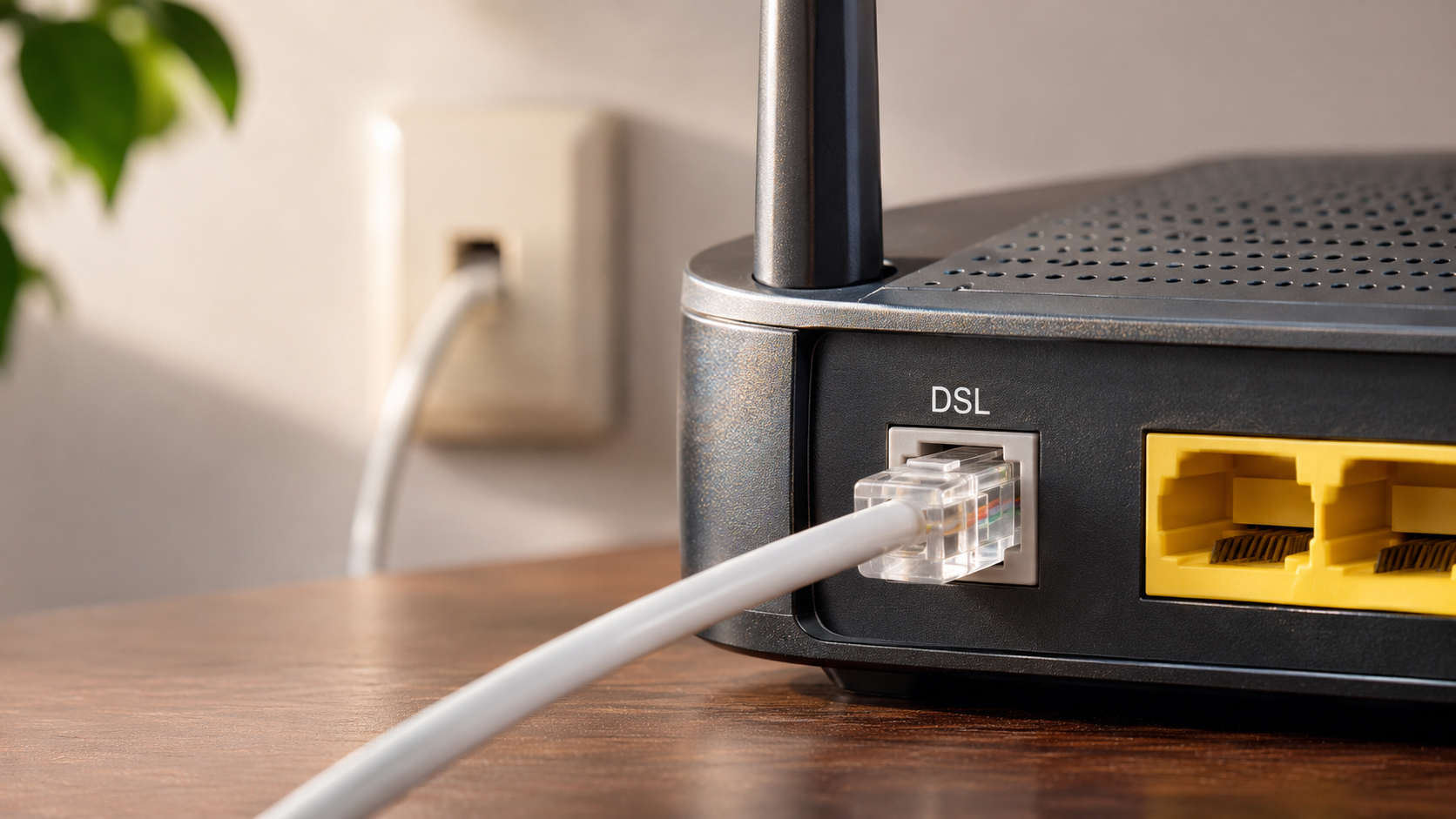
The DSL port connects your router’s built-in modem to your telephone line. This connection allows your router to receive internet signals from your service provider.
Understanding this port can help you avoid installation mistakes and troubleshoot connection problems. It also makes upgrading your internet service easier.
In this guide, we explain what the DSL port does, whether WiFi works without it, and how DSL differs from Ethernet. We also explore how DSL technology works and whether people still use it today.
What Is the DSL Port on My Router For?
The DSL port on your router connects your device to the internet through a traditional copper telephone line. It acts as the entry point for the broadband signal supplied by your internet service provider (ISP).
To establish this connection, you need an RJ11 telephone cable. Connect one end to the DSL port and the other to a compatible telephone wall socket. Your router’s built-in DSL modem then processes the incoming signal and converts it into data your home network can use.
Without an active telephone line connected to this port, a DSL-based router cannot establish its internet connection. However, your router may still provide local network access.
The DSL port is different from the Ethernet ports used for wired devices. It receives the incoming internet signal rather than connecting directly to computers or gaming consoles. If your router has newer networking connections, understanding what a 2.5G Ethernet port does can also help you identify its different capabilities.
How to Identify the DSL Port and Its Cable
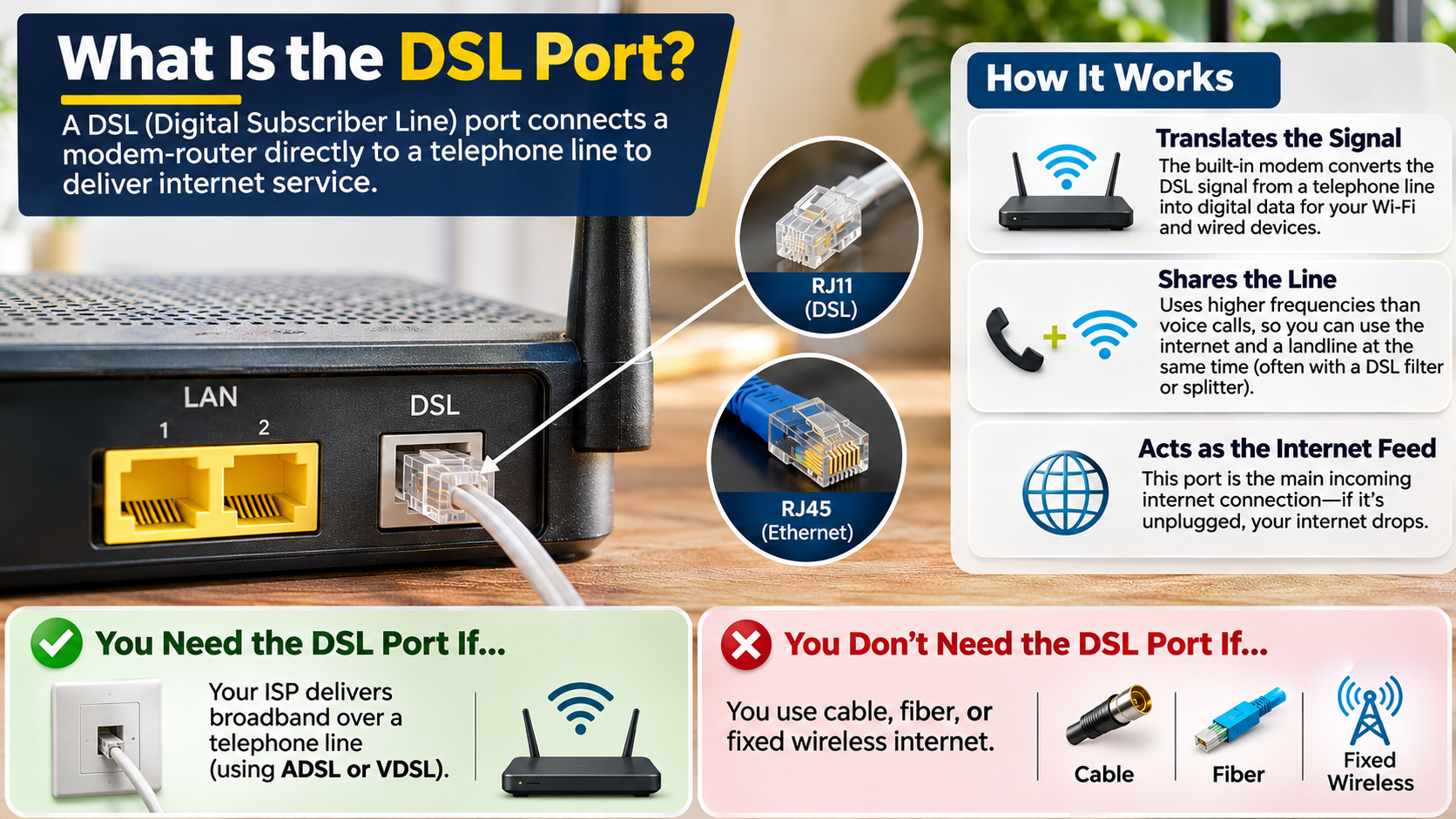
Finding the DSL port is usually straightforward. Manufacturers typically label it DSL, ADSL, or LINE on the router’s back panel. Some devices also use gray or green coloring to make identification easier.
The port is designed for a smaller RJ11 telephone connector. This connector is narrower than the RJ45 plug used by standard Ethernet cables.
Check these details before connecting anything:
- Port label: Look for DSL, ADSL, or LINE.
- Connector size: The DSL socket is narrower than an Ethernet socket.
- Cable type: Use an RJ11 telephone cable.
- Connection point: Connect the cable to a compatible telephone wall socket.
Always check your router’s manual if the labels are unclear. Never force an Ethernet plug into a smaller telephone socket. Doing so can damage the connector or its internal contacts.
Can WiFi Work Without DSL?
Yes, WiFi can work without a DSL connection. However, having an active WiFi network does not automatically mean you have internet access.
WiFi is a wireless networking technology. It allows devices such as smartphones, laptops, tablets, and smart TVs to communicate with your router. DSL, on the other hand, provides an internet connection through telephone lines.
These technologies perform different functions. Your router can broadcast a WiFi signal even when its DSL port has nothing connected. You can still connect devices and share files across your local network.
However, accessing websites, online applications, and cloud services requires an active internet connection. You can obtain that connection through DSL or another broadband technology.
For example, fiber, cable, satellite, and 5G home internet can all provide internet access without using a DSL telephone connection. Satellite internet is another option for remote locations, but its suitability depends on your needs. Find out whether satellite internet can handle video calls and online gaming before choosing this alternative.
How to Connect Your Router Without Using DSL
If you switch from DSL to another broadband service, you usually do not need to replace your entire home network. You may only need a compatible router or a different connection method.
The correct setup depends on the internet technology provided by your ISP.
For example, a fiber connection generally uses an Optical Network Terminal (ONT). A cable connection typically requires a cable modem.
Follow these general steps:
- Connect your fiber ONT or cable modem to a power source.
- Connect an Ethernet cable from the external device to your router’s WAN or Internet port.
- Turn on your router and wait for it to establish a connection.
- Connect your smartphone or computer to the router’s WiFi network.
- Check whether you can access the internet.
In this setup, the DSL port remains unused. Your router receives its internet connection through the WAN port instead. If you have an older router that you no longer need, you can also explore how to turn your old router into a Wi-Fi extender and extend wireless coverage around your home.
Remember that some ISP-provided gateways combine modem and router functions. Check compatibility before purchasing replacement equipment.
What Is DSL on an Internet Router?
DSL on an internet router refers to the modem technology that processes broadband signals arriving through telephone lines. A DSL router combines two important networking components: a DSL modem and a wireless router.
The DSL modem communicates with your internet service provider. It converts incoming DSL signals into data that connected devices can understand. The router then distributes that connection across your home network.
This combination eliminates the need for separate modem and router devices. It also makes installation easier because both functions operate through one piece of equipment.
DSL technology uses different frequency ranges to carry voice and internet data over the same copper telephone line. This allows compatible landline telephone services and broadband connections to operate simultaneously.
However, DSL performance depends on several factors. These include the condition of your telephone wiring, the distance from your provider’s equipment, and the DSL technology available in your area.
How DSL Signal Filtering Works
Traditional telephone lines can carry voice calls and internet data simultaneously. DSL achieves this by using different frequency ranges for each type of communication. However, as internet technology evolves, some households question whether maintaining a traditional telephone connection is still worthwhile. Explore whether buying a landline in 2026 makes sense before deciding to keep one.
Voice conversations generally use lower frequencies. DSL internet signals operate at higher frequencies. This separation allows both services to share the same copper wiring without interfering with each other under normal conditions.
However, telephone equipment can sometimes introduce interference. This is where DSL filters become useful.
A DSL filter separates voice and data signals for compatible telephone devices. It helps prevent static noise during calls and reduces interference that could affect your internet connection.
Depending on your provider’s installation, you may need filters on telephone devices connected to the same line.
Some installations use a central splitter instead. This device separates voice and DSL signals before they reach different parts of your home.
If you experience frequent disconnections or telephone noise, check your filters and wiring. Your ISP can also confirm whether your installation requires additional filtering.
Is an ADSL Port the Same as Ethernet?
No, an ADSL port is not the same as an Ethernet port. Although both appear on networking equipment, they serve completely different purposes.
An ADSL port connects your router to a telephone line. It uses a smaller RJ11 connector and carries DSL signals from your internet service provider. The router’s built-in modem processes these signals to establish an internet connection.
An Ethernet port uses a wider RJ45 connector. It connects devices such as desktop computers, gaming consoles, network switches, and external modems.
The two ports also handle different types of connections. The ADSL port receives the incoming DSL signal, while Ethernet ports transfer network data between compatible devices.
Using the wrong cable can prevent your connection from working. Therefore, identifying each port correctly is important when installing or troubleshooting your router.
Physical Differences Between DSL and Ethernet Ports
You can distinguish DSL and Ethernet ports by examining their size, connector type, and intended purpose.
Although both use rectangular sockets, their dimensions are different. A telephone cable uses an RJ11-style connector, while standard Ethernet connections use an eight-position RJ45-style connector.
Here are the main differences:
| Feature | DSL/ADSL Port | Ethernet Port |
|---|---|---|
| Connector | RJ11 | RJ45 |
| Cable type | Telephone cable | Ethernet cable |
| Main purpose | Receives DSL internet signals | Transfers network data |
| Typical connection | Telephone wall socket | Computer, modem, or switch |
| Built-in modem required | Yes, for DSL service | No |
An RJ11 connector is physically narrower and generally has fewer contacts than an Ethernet connector. Standard Ethernet connections use eight contacts.
Remember that the port label is more reliable than appearance alone. Always check your router’s documentation before connecting cables.
Using the correct port helps prevent connection problems and protects your networking equipment from unnecessary damage. The Ethernet cable you choose also matters for wired connections. Understanding Cat6a vs Cat6 Ethernet cables can help you select a suitable cable for your home network.
Does Anyone Still Use DSL?
Yes, DSL internet is still available in many parts of the world. Although fiber and cable connections have become increasingly popular, traditional DSL services continue to support households and businesses in certain areas.
One reason is existing telephone infrastructure. Copper telephone lines already reach many locations where installing new fiber-optic cables would require significant investment.
This makes DSL a practical option in some rural and remote communities. It can provide internet access where newer broadband technologies are limited or unavailable.
Some households also continue using DSL because their internet requirements are relatively simple. Activities such as browsing websites, checking emails, and using basic online services may not require extremely high speeds.
However, DSL has limitations. Its performance depends heavily on the distance between your home and the provider’s equipment. Speeds can also vary depending on the condition of the copper wiring and available technology.
As providers expand fiber networks, DSL availability may gradually decline in certain regions. Fiber connections rely on physical optical cables, including long-distance undersea infrastructure. Understanding who owns the undersea cables on the ocean floor provides another perspective on the infrastructure supporting modern internet connectivity.
Modern Upgrades to Traditional DSL Technology
Although traditional DSL has limitations, telecommunications providers have developed newer standards to improve performance over existing copper telephone lines.
These technologies offer better speeds and capabilities than older DSL connections. However, their performance still depends on wiring quality and distance.
Some notable DSL technologies include:
- ADSL (Asymmetric Digital Subscriber Line): Provides different download and upload speeds. It is commonly designed for households that download more data than they upload.
- VDSL (Very-high-bit-rate Digital Subscriber Line): Supports higher data rates than traditional ADSL, particularly over shorter copper connections.
- VDSL2: An improved version of VDSL that supports higher bandwidth and additional performance enhancements.
- G.fast: Uses advanced technology to deliver very high speeds over short copper connections, often alongside fiber infrastructure.
These upgrades help providers extend the usefulness of existing telephone networks. However, they do not eliminate the limitations of copper wiring.
Fiber-optic internet generally offers higher capacity and better long-term performance. Still, modern DSL technologies can remain useful where fiber deployment is not practical.
Conclusion
The DSL port on your router connects your home network to the internet through traditional copper telephone lines. It works with your router’s built-in modem to receive and process DSL signals from your internet service provider.
Understanding the difference between DSL and Ethernet ports helps you connect the correct cables and avoid common setup problems. Remember that WiFi can still work without DSL, provided your router uses another internet source, such as fiber, cable, or 5G.
Although DSL is gradually being replaced by faster broadband technologies, it remains a useful internet option in areas with limited connectivity. Knowing how it works can help you troubleshoot your network and choose the right internet connection for your home.