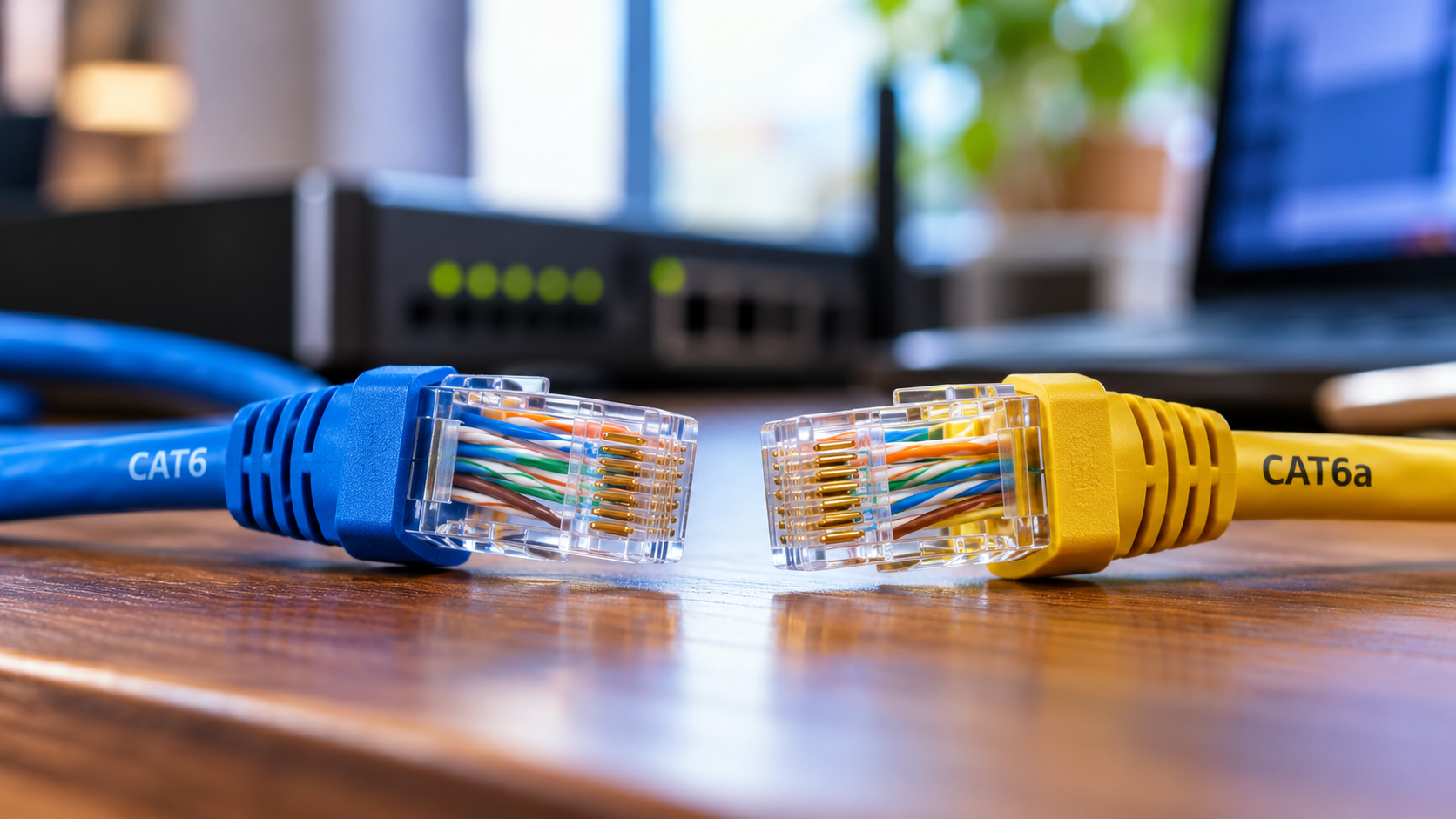
Cat6a vs Cat6: Which Ethernet Cable Should You Choose?
Choosing between Cat6a vs Cat6 Ethernet cables can affect your network’s speed, reliability, and future upgrade options. Both cable categories support high-speed connections for homes and businesses. However, they differ in bandwidth, 10Gbps transmission distance, and installation requirements.
Cat6 supports 1Gbps Ethernet over distances up to 100 meters. Cat6a supports 10Gbps Ethernet across the same distance. This makes Cat6a suitable for demanding networks that require faster data transfers. Meanwhile, Cat6 remains a cost-effective choice for everyday internet use, online gaming, and streaming.
Structured cabling standards help ensure reliable network installations. Choosing the right cable also reduces the risk of expensive upgrades later.
This guide explains the differences between Cat6a and Cat6, including speed, cost, compatibility, and cable construction. You will also discover whether Cat6a is necessary for home use and whether Cat6e is a reliable alternative.
Is Cat6a overkill for home use?
For most households, Cat6 provides sufficient performance for everyday networking. It supports gigabit Ethernet over distances up to 100 meters. This is suitable for 4K streaming, online gaming, video calls, and remote work. Your internet plan and networking equipment often limit performance before a Cat6 cable does.
The Cat6a vs Cat6 comparison becomes more important when you need 10Gbps connections. Cat6a supports this speed over a full 100-meter channel when installed correctly. Cat6 may support 10Gbps over shorter distances, depending on cable quality and installation conditions.
When Future-Proofing Justifies the Cost
Cat6a can be worthwhile during new construction or major home renovations. Installing cables before closing walls makes future upgrades easier. It also benefits households using network-attached storage, large file transfers, and multiple high-speed devices.
However, future-proofing should match your actual needs. Cat6a usually costs more and may require additional installation space. If you only need gigabit connectivity, the extra expense may offer little immediate benefit.
Consider these factors before choosing:
- Choose Cat6 for standard home networking and gigabit connections.
- Choose Cat6a for 10Gbps connections across longer cable runs.
- Plan for upgrades when installing permanent in-wall cabling.
Is Cat6a better than Cat6?
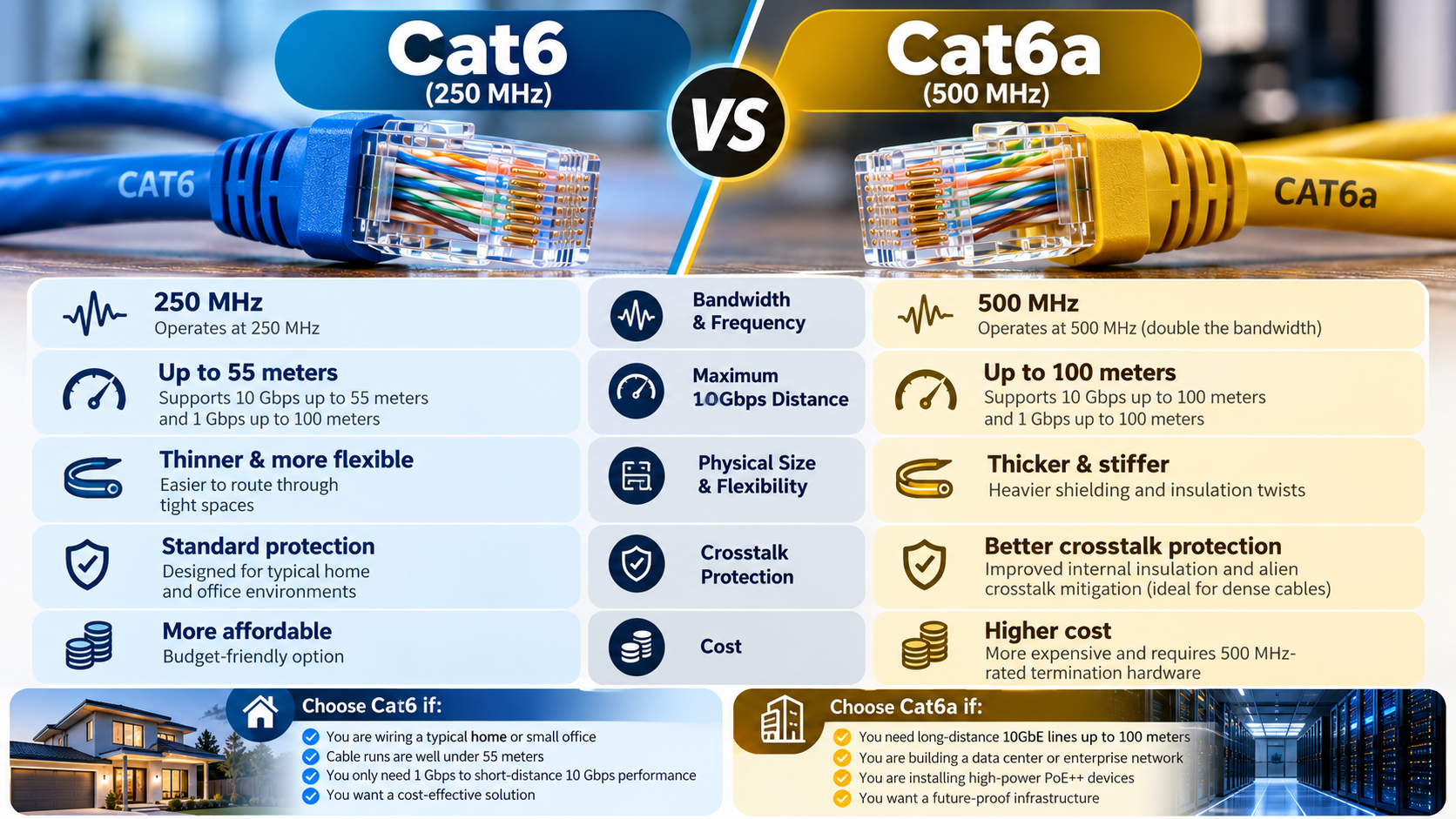
Cat6a offers greater bandwidth and more reliable 10Gbps performance over long distances. Cat6 supports frequencies up to 250 MHz, while Cat6a supports up to 500 MHz. Both categories support gigabit Ethernet over distances up to 100 meters.
The main difference appears when comparing 10Gbps Ethernet capabilities. Cat6a supports 10Gbps across a 100-meter channel. Cat6 can support the same speed over shorter distances, commonly up to around 55 meters under suitable conditions. Actual performance depends on installation quality, cable construction, and interference.
Physical Differences and Cable Flexibility
Cat6a cables are often thicker and less flexible than comparable Cat6 cables. This can make routing them through narrow conduits, tight corners, and crowded patch panels more difficult. If you are installing Ethernet wiring around your home, these clever ways to hide Ethernet cables can help you manage visible wiring without compromising accessibility.
Shielding also varies between cable models. Both Cat6 and Cat6a are available in shielded and unshielded versions. Shielding can help reduce electromagnetic interference, but not every Cat6a cable includes it.
| Feature | Cat6 | Cat6a |
|---|---|---|
| Maximum frequency | 250 MHz | 500 MHz |
| 1Gbps Ethernet | Up to 100 m | Up to 100 m |
| 10Gbps Ethernet | Shorter distances; commonly up to 55 m under suitable conditions | Up to 100 m |
| Cable size | Usually smaller | Often larger |
| Typical cost | Lower | Higher |
| Best use | General home networking | High-speed, demanding networks |
Cat6a is more capable, but Cat6 may deliver better value for less demanding installations.
What are the disadvantages of Cat6a cable?
Cat6a offers dependable 10Gbps performance over long distances, but it has several disadvantages. Its most noticeable drawback is its physical size. Many Cat6a cables are thicker and stiffer than Cat6 alternatives. These limitations are worth considering alongside the drawbacks of using Ethernet cables for home internet, especially when planning a residential network installation.
The cable itself may also cost more. Depending on its construction, you might need compatible connectors, patch panels, and additional installation space. These expenses can increase the total cost of a residential or commercial networking project.
Cost and Installation Complexities
Installation requirements depend on whether you choose shielded or unshielded Cat6a. Shielded systems require compatible components and proper grounding according to manufacturer instructions. Incorrect installation can undermine shielding effectiveness and create electrical problems.
Unshielded Cat6a avoids some grounding requirements but still needs careful installation. You should also consider conduit capacity, bend radius, and cable management before purchasing.
The main disadvantages include:
- Higher initial cost: Cable and compatible components may cost more.
- Installation challenges: Thicker cables can be harder to route.
- Space requirements: Larger cables may reduce conduit capacity.
- Additional setup requirements: Shielded systems need suitable components and grounding.
For small home networks, Cat6 may provide sufficient performance at a lower price. Cat6a makes more sense when its extended 10Gbps range addresses a specific requirement.
Is Cat6a compatible with Cat6?
Cat6a and Cat6 Ethernet connections generally work together without special adapters. Both use the familiar eight-position modular Ethernet interface, commonly called RJ45. A Cat6a patch cable can connect to a compatible Ethernet port designed for Cat6 connections.
However, physical compatibility does not guarantee Cat6a performance. The complete network channel determines the available performance. This includes the cable, connectors, patch panels, and active networking equipment.
For example, connecting a Cat6a cable to a gigabit switch will not create a 10Gbps connection. The switch limits the negotiated link speed. Similarly, using Cat6 components in a Cat6a installation may prevent the complete channel from meeting Cat6a performance requirements.
Maintaining Hardware Interoperability
You can upgrade your network gradually instead of replacing every component. Existing Cat6 cables can remain in use wherever their performance meets your requirements. New Cat6a runs can serve equipment that needs 10Gbps connectivity over longer distances.
Check your router, switch, network adapter, and connector specifications before upgrading. Their supported Ethernet speeds matter as much as the cable category.
Remember these practical points:
- Cat6a patch cables work with compatible Cat6 Ethernet ports.
- A Cat6a cable cannot upgrade a gigabit-only device to 10Gbps.
- Mixed-category cabling may limit the complete channel’s performance.
- Certified components help ensure the installation meets its intended category.
Compatibility makes gradual upgrades practical, but every component must support your target performance.
Which is better for my needs, Cat6A or Cat6e?
When comparing Cat6a vs Cat6e, the main distinction is standardization. Cat6a is a recognized Ethernet cabling category with established performance requirements. Cat6e, by contrast, is not an official TIA category. Some manufacturers use this term to market cables that claim enhanced performance beyond standard Cat6.
These claims do not automatically mean a Cat6e cable meets Cat6a requirements. The label alone cannot confirm bandwidth, construction quality, or the ability to support 10Gbps Ethernet over 100 meters.
Conclusion
Choosing between Cat6a vs Cat6 depends on your network requirements, budget, and future upgrade plans. Cat6 is the better choice for most homes because it supports gigabit Ethernet over distances up to 100 meters at an affordable cost. It handles everyday activities such as streaming, gaming, and remote work with ease.
Cat6a is worth the investment if you need 10Gbps speeds over longer distances. It supports 10Gbps Ethernet up to 100 meters, making it suitable for demanding home networks, offices, and commercial installations. Although it typically costs more and can be harder to install, it provides greater bandwidth for future upgrades.
For reliable results, choose quality cabling that meets recognized industry standards. You can learn more about structured cabling requirements in the Telecommunications Industry Association’s official standards announcement.
Ultimately, the best Ethernet cable is the one that delivers the performance you need without unnecessary expense.