Google Pay vs Google Wallet: What Is the Difference?
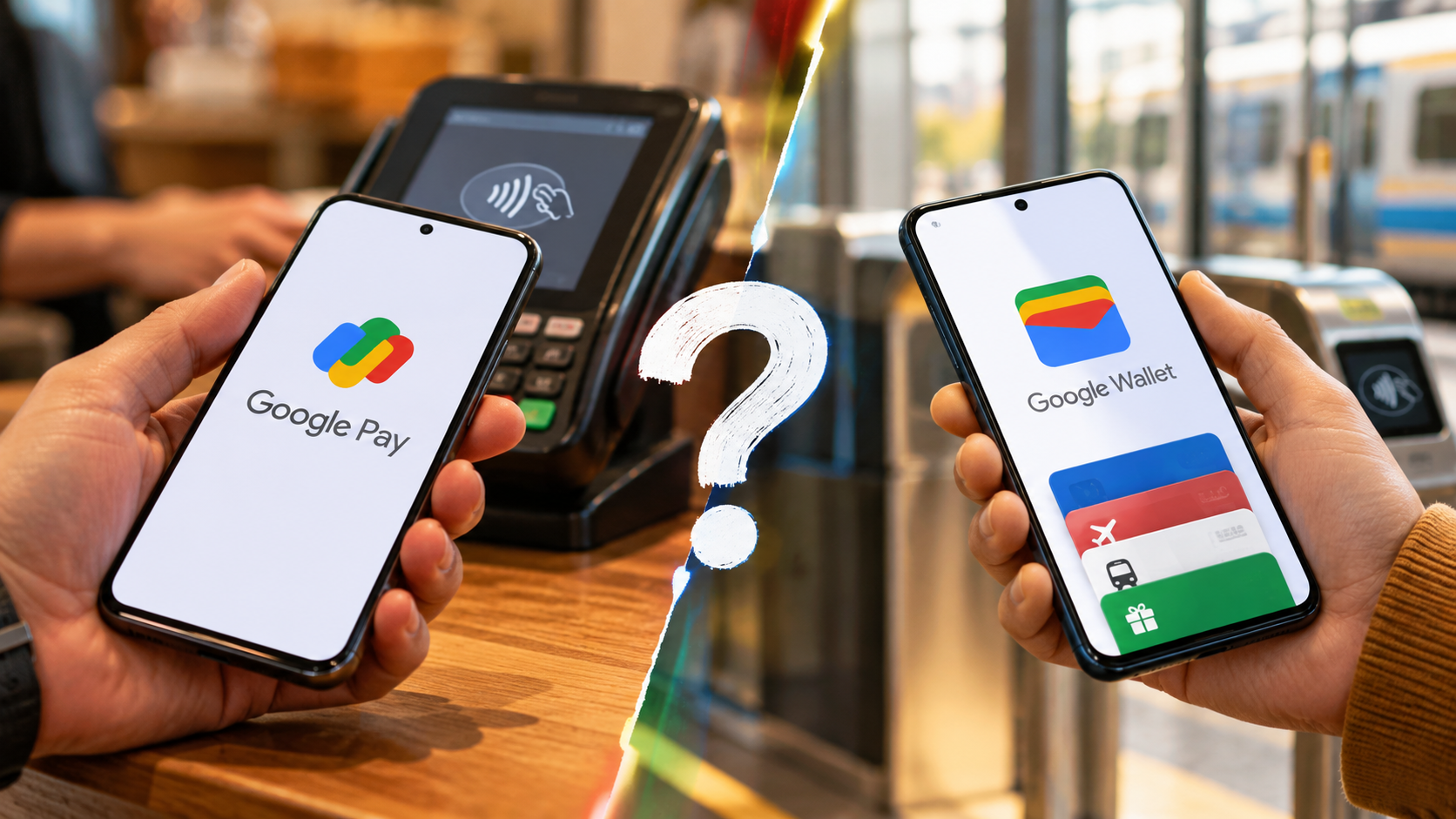
Google Pay vs Google Wallet can be confusing because Google has changed its payment apps over time. Although the names sound similar, they serve different purposes. Their roles can also vary depending on your country and the payment features you use.
Google Wallet works as a digital wallet for payment cards, tickets, passes, IDs, and other supported items. Google Pay refers to Google’s payment service that you may see during online, in-app, or supported contactless payments.
The exact experience depends on where you live. For example, Google discontinued the standalone Google Pay app in the U.S. in 2024. Google Pay remains available in markets such as India, where it supports local payment features.
Understanding Google Pay vs Google Wallet can help you choose the right setup for your Android phone. It can also prevent unnecessary apps and confusion.
This guide explains:
- Whether Google Pay and Google Wallet are the same
- What Google Wallet does
- The main disadvantages of Google Wallet
- Whether you need both apps
- How contactless payments work
- Whether Google Wallet has monthly fees
Is Google Pay the same as Google Wallet?
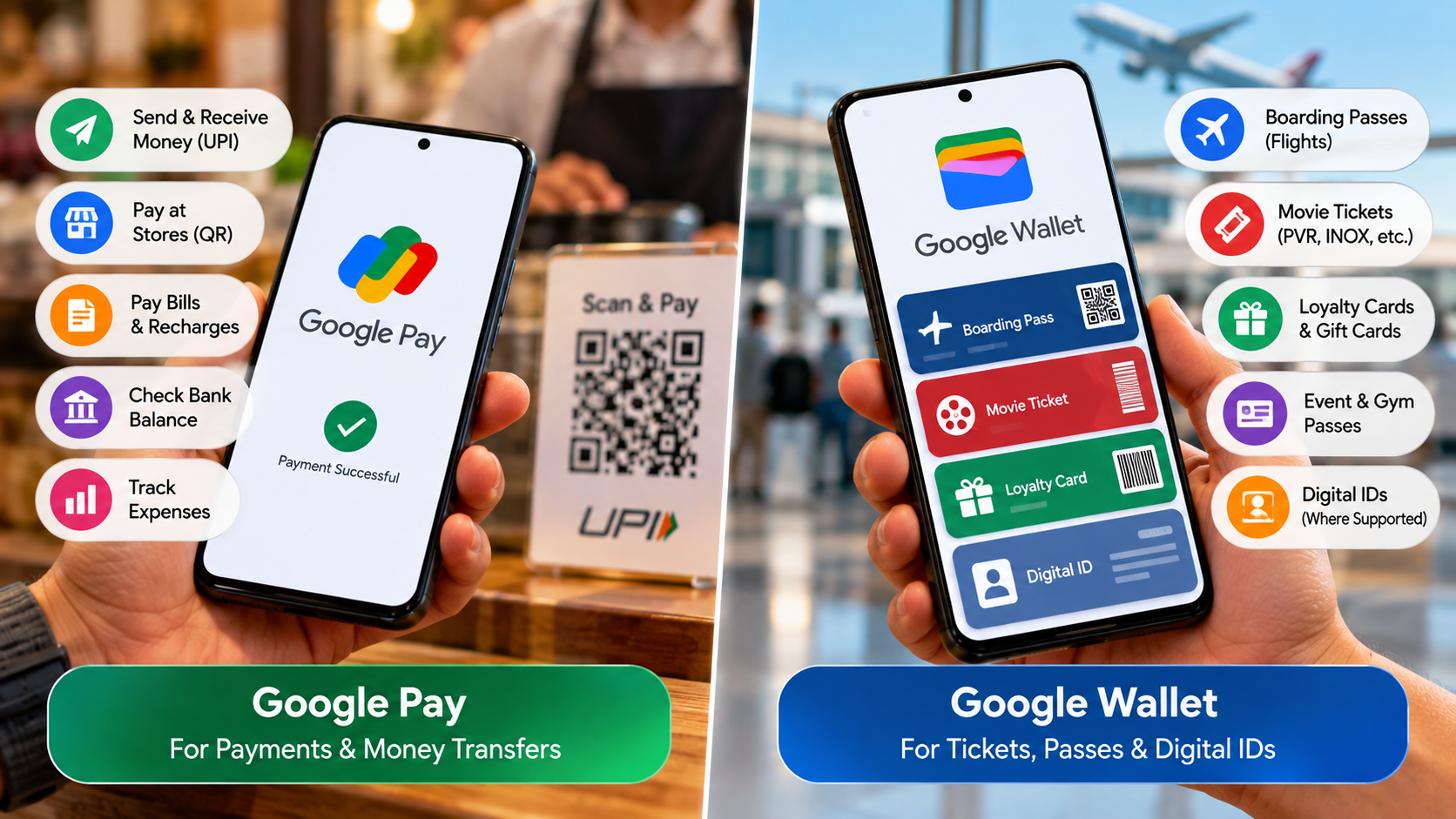
No. Google Pay and Google Wallet are related, but they are not the same app. Google Wallet provides a place to store and manage supported payment cards and digital items. Google Pay refers to Google’s payment service that helps you complete supported purchases.
Wallet can hold debit cards, credit cards, transit passes, event tickets, loyalty cards, and supported IDs. If you want to understand the broader role of digital identity in Google Wallet, what Google Wallet could solve for digital identity problems provides useful additional context. The features available to you depend on your country, device, and participating providers.
Google Pay can appear when you use supported payment methods during online or in-app checkouts. You may also see the Google Pay symbol at supported contactless payment terminals.
A simple way to understand Google Pay vs Google Wallet is to separate storage from payment use:
- Google Wallet: Stores and manages supported cards and digital passes.
- Google Pay: Provides Google’s payment service at supported checkouts.
- Contactless payments: Use a supported payment card through Google’s payment system.
The two services work together rather than competing directly. Your country determines which app and features you need.
The Clear Difference Between Wallet and Payments
Google Wallet focuses on storing and managing digital items. You can open Wallet to add a payment card, check a pass, or access supported digital credentials. This makes Wallet useful when you want one place for several important items.
Google Pay focuses more on the payment experience. You may encounter Google Pay when shopping online, paying inside an app, or using a supported contactless payment terminal.
The distinction becomes clearer during a contactless purchase. Google Wallet stores your supported payment card, while Android and Google’s payment services handle the payment process. Your phone must meet the required NFC and security conditions.
This does not mean Google Pay works as a completely separate payment engine. Instead, Google’s payment services and Wallet work together to support the payment experience.
Google also uses device tokens to help protect payment information. These tokens help prevent merchants from receiving your actual card number during supported transactions.
That is why older explanations can create confusion. Google has changed its payment ecosystem several times, so older information may describe a setup that no longer applies.
What are the disadvantages of Google Wallet?
Google Wallet offers convenience, but it also has some limitations. The biggest concerns involve regional availability, card support, device requirements, and smartphone dependence.
Not every bank supports every Wallet feature. A card might work for one payment method but not another. Transit passes, digital IDs, tickets, and other features also depend on participating providers and locations.
Your phone needs compatible hardware and software for contactless payments. NFC must be available and turned on. Google also requires supported security settings and software standards.
Battery life creates another practical concern. A dead or damaged phone can prevent easy access to your cards, tickets, or passes.
The main limitations include:
- Regional restrictions: Features vary between countries.
- Bank support: Some cards cannot be added or used.
- NFC requirements: Contactless payments need compatible NFC hardware.
- Device requirements: Older or unsupported devices may not work.
- Battery dependence: A dead phone limits access to stored items.
- Digital ID limits: Supported IDs work only in eligible locations.
For these reasons, Google Wallet works best as a convenient addition to your physical wallet. Keeping a backup payment method can help when your phone becomes unavailable.
Hardware Dependencies and Battery Limitations
Google Wallet depends on your phone’s hardware, software, and security settings. Contactless payments require NFC, and your phone must support the necessary Google services. You also need a supported payment method in an eligible country.
Software security matters as well. Google requires supported Android software, updated Google Play Services, and the latest Wallet app. Rooted devices do not support Google Wallet.
Your phone also needs a supported screen lock. Google uses device verification to help protect contactless payments. Depending on your device, you may verify payments with a PIN, pattern, password, or supported biometric method.
Battery life remains another practical weakness. If your phone turns off during a trip, accessing stored payment cards and passes becomes difficult. If you use a Pixel device, understanding whether extreme charging modes are bad for battery life can also help you make better charging decisions.
For important journeys, carrying a physical payment card remains sensible. You may also want a physical ID because digital IDs do not replace physical identification everywhere.
These requirements do not make Google Wallet impractical. They simply show why you should understand its limitations before relying on it completely.
Do I need to install Google Wallet to use Google Pay?
It depends on your country and the payment feature you want to use. Google Pay and Google Wallet have different roles, and Google does not provide exactly the same setup worldwide.
For contactless payments, Google directs users to Google Wallet to add and manage supported payment cards. Your phone must meet the required software standards and have NFC. You may also need Google Pay selected as the default payment app for contactless payments.
The situation differs by market. In the United States, Google discontinued the standalone Google Pay app in June 2024. Google moved key payment features, including tap-to-pay and payment-method management, into Google Wallet.
India follows a different model. Google continues to provide the Google Pay app for payments, including local payment functionality such as UPI. Google Wallet provides a separate place for supported digital passes and other items.
Therefore, there is no universal answer. Your location and the specific Google payment feature you use determine whether you need Wallet.
Understanding Google Pay vs Google Wallet in your own country is more useful than following generic Android advice.
The Role of Google Play Services
Google Play Services supports important functionality that Android apps rely on. However, it is not the same thing as Google Wallet or Google Pay.
When you make a contactless payment, several components work together. Your phone supplies the required NFC hardware. Android manages the connection, while Google’s payment system handles the supported payment method.
Google Wallet provides the interface for managing your cards and passes. You can use it to add payment cards and check whether a card is ready for contactless payments.
You normally do not need to open Wallet every time you pay. Once everything is configured, you can unlock your phone and hold it near a supported payment terminal.
Your device must meet the necessary requirements before contactless payments can work. These requirements can include NFC, device security, supported software, and an eligible payment card.
This explains why the terms can sometimes seem interchangeable. Wallet manages your payment credentials and digital items, while Google Pay remains part of the payment experience.
The exact setup can vary between Android devices and countries. Therefore, instructions for one market may not work identically on another device.
Do I need both Google Pay and Google Wallet?
No, you do not automatically need both apps. The answer depends on your country and the features you use. Google has different payment arrangements across markets, so there is no single setup for every Android user.
In the United States, Google discontinued the standalone Google Pay app in 2024. Google moved popular in-store payment and payment-method management features to Google Wallet. U.S. users therefore do not need the old Google Pay app for those functions.
India is different. Google continues to operate Google Pay as a payments app, while Google Wallet provides a place for supported cards, passes, tickets, and other digital items. Some Indian users may therefore find both apps useful.
Other countries have their own feature availability. Your bank, device, location, and payment method can all affect which services work.
Before uninstalling either app, check which services you actually use. Consider your payment cards, UPI payments, tickets, transit passes, and other digital items.
The simplest setup depends on your needs, not the number of apps installed.
Simplifying Your Android Payment Setup
You do not need to keep every Google payment app on your home screen. Instead, keep the apps that provide features you actually use.
If you use Google Wallet for cards, tickets, passes, and contactless payments, Wallet may be the only payment-related app you regularly open. You can still complete supported contactless payments without launching the app every time.
If you live in India and regularly use Google Pay for UPI payments, you may want to keep Google Pay installed. Google Wallet can then handle supported digital passes and wallet items.
A practical setup looks like this:
- Google Wallet: Use it for supported cards, passes, tickets, and IDs.
- Google Pay: Keep it when your country uses the app for payments.
- Both apps: Keep both when they provide different features you actively use.
- Unnecessary apps: Remove apps that provide no features you need.
Do not uninstall an app simply because another Google payment app exists. First check your current payment methods and saved passes.
When comparing Google Pay vs Google Wallet, your country should guide the decision. That matters more than advice from older Android articles.
Is there a monthly fee for Google Wallet?
No. Google Wallet does not charge a monthly subscription fee for its basic service. You can download and use the app without paying Google a recurring wallet membership fee.
However, using Google Wallet does not remove normal banking or card charges. Your bank or card issuer can still charge fees according to your account terms.
For example, a credit card may have foreign transaction fees, interest charges, late-payment fees, or other costs. A debit card may also have account-specific charges.
Google Wallet simply provides a digital way to use supported payment methods. It does not replace the terms of your bank account or credit card.
Merchant and service-provider charges can also apply. A transit provider, retailer, or other business may set its own prices and fees.
Google’s payment features can vary by country. Some features may not be available on every device or with every card.
So, while Google Wallet itself does not require a monthly subscription, your financial provider can still charge normal account or transaction fees.
Standard Banking Terms Still Apply
Google Wallet does not change the terms attached to your debit or credit card. Your bank remains responsible for the fees, interest rates, limits, and other conditions attached to your account.
For example, international purchases may trigger foreign transaction or currency-conversion fees. Credit card purchases may also generate interest when you do not pay your balance according to your card agreement.
These charges come from your financial provider, not from Google Wallet. The same applies to fees that a merchant or service provider may charge.
Your card must also support Google Wallet in your country. Banks decide whether their cards work with Google’s mobile payment services.
Before adding a card, check your bank’s support information. This can prevent confusion if another card works but your preferred card does not.
The same principle applies to merchants. A store can accept contactless payments while still applying its normal prices or policies.
Therefore, Google Pay vs Google Wallet does not change the basic financial terms attached to your card. Google Wallet provides the digital payment interface, but your bank controls your account fees.
Always check the terms attached to your specific payment method before assuming a transaction costs nothing.
Conclusion
The Google Pay vs Google Wallet comparison is easier once you understand that the two services have different roles. Google Wallet primarily gives you a place to manage supported payment cards, tickets, passes, and other digital items. Google Pay remains part of Google’s broader payment experience, including supported online, in-app, and contactless transactions.
You do not necessarily need both apps. Your ideal setup depends on your country and the Google payment features you use. In some markets, Google Wallet handles most everyday wallet functions. In others, such as India, Google Pay continues to provide important payment features alongside Wallet.
Google Wallet also does not charge a monthly subscription fee. However, your bank, card issuer, merchant, or payment provider can still apply normal transaction or account fees.
The main takeaway is simple: choose your Google payment setup based on your location and actual needs, not on the app names alone. Before changing your setup, check Google’s official Google Wallet Help for the latest information about supported cards, contactless payments, and available features in your country.