Which Galaxy Tablet Is Equivalent to the iPad Pro?
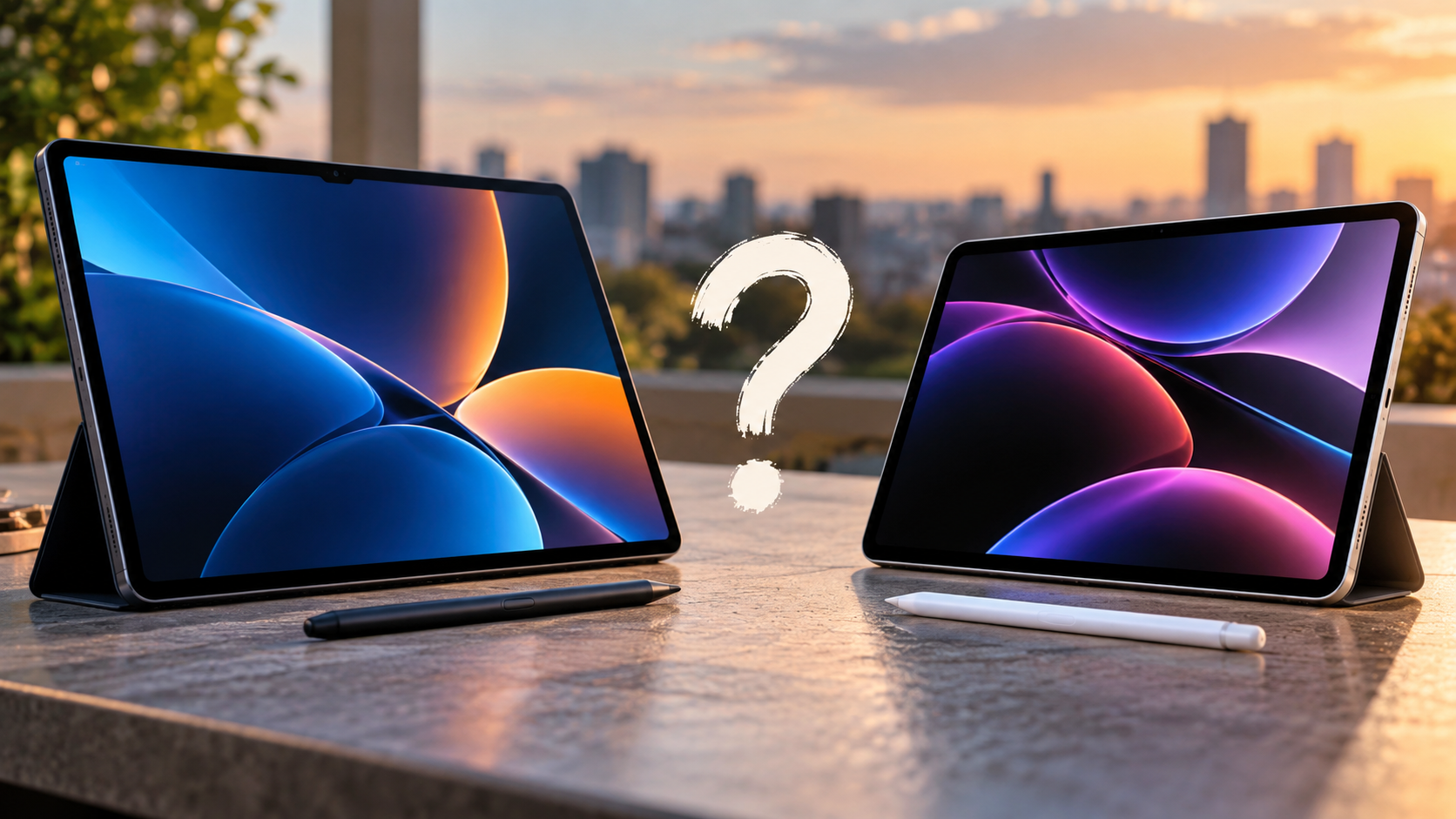
Choosing between premium tablets often comes down to Samsung Galaxy Tab vs iPad Pro. If you are looking for a Galaxy tablet equivalent to the iPad Pro, the current flagship is the Galaxy Tab S12 Ultra. Samsung introduced the Tab S12 series in October 2026 as its most capable Galaxy tablet lineup. It features a 14.6-inch Dynamic AMOLED 2X display, 120Hz refresh rate, MediaTek Dimensity 9500 processor, and an S Pen in the box.
Apple’s current iPad Pro uses the M5 chip and comes in 11-inch and 13-inch sizes. You can check the latest display, processor, storage, and connectivity specifications on Apple’s official iPad Pro specifications page. Both tablets target demanding users who want premium displays, strong performance, and advanced productivity features.
This guide compares the two platforms across performance, displays, stylus support, storage, multitasking, and software. It also explains which tablet makes more sense for students, professionals, artists, and content creators.
What Is the Samsung Equivalent of the iPad Pro?
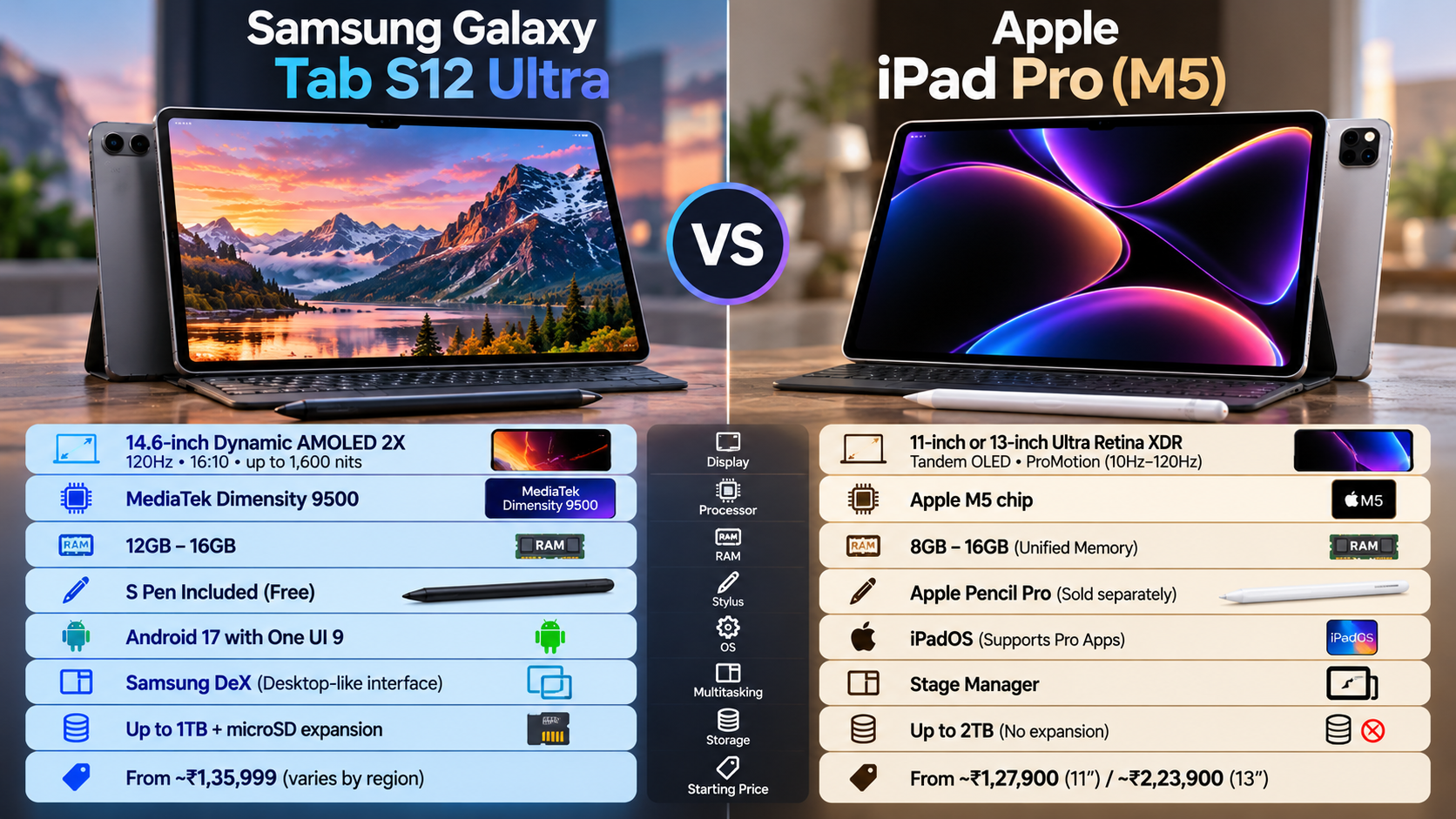
The closest current Samsung equivalent to the iPad Pro is the Galaxy Tab S12 Ultra. It sits at the top of Samsung’s tablet range and targets users who want flagship performance and a large display. The tablet features a 14.6-inch Dynamic AMOLED 2X panel with a 120Hz refresh rate. It also reaches up to 1,600 nits peak brightness.
Apple’s current iPad Pro offers an 11-inch or 13-inch Tandem OLED display. It also supports ProMotion with refresh rates up to 120Hz. The iPad Pro uses Apple’s M5 chip, while the Tab S12 Ultra uses MediaTek’s Dimensity 9500 processor.
For buyers searching for a Galaxy tablet equivalent to the iPad Pro, the Tab S12 Ultra is Samsung’s closest flagship alternative. However, the two devices take different approaches to productivity, software, and hardware flexibility.
Samsung emphasizes large-screen productivity, Android flexibility, DeX, and included S Pen support. Apple focuses on processing performance, iPadOS, and its professional app ecosystem.
Dynamic AMOLED 2X vs Tandem OLED: Which Display Is Better?
Display quality is one of the strongest reasons to consider either flagship. The Galaxy Tab S12 Ultra uses a 14.6-inch Dynamic AMOLED 2X display with a 2960 × 1848 resolution and a 120Hz refresh rate. Samsung also lists peak brightness of up to 1,600 nits.
The large display gives Samsung an advantage for users who want more working space. It can be useful for drawing, editing documents, watching movies, and running multiple apps.
The iPad Pro uses a Tandem OLED display in both 11-inch and 13-inch models. Apple lists ProMotion support from 10Hz to 120Hz. The display also supports P3 wide color and an anti-reflective coating.
Neither display is simply better for everyone. The Samsung tablet offers a much larger canvas, while the iPad Pro provides a more compact option.
Choose Samsung if screen size is your priority. Choose the iPad Pro if you want a smaller premium tablet or prefer Apple’s display ecosystem.
What Is the Android Tablet Equivalent of the iPad Pro?
For Android users, the Galaxy tablet equivalent to the iPad Pro is the Galaxy Tab S12 Ultra. It combines flagship hardware with a large OLED display, high refresh rate, expandable storage, and Samsung’s productivity features. If you are also comparing other premium Android tablets, our guide to the OnePlus Pad Lite vs iPad Air offers another useful comparison.
The Tab S12 Ultra uses a Dimensity 9500 processor and can be configured with up to 16GB of RAM and 1TB of internal storage. It also supports microSD expansion, giving users more flexibility for large files and media libraries.
The iPad Pro takes a different approach. Apple uses the M5 chip, with up to a 10-core CPU and 10-core GPU. Higher-storage configurations can also include 16GB of unified memory.
Raw specifications do not tell the complete story. Apple’s hardware has strong software optimization, especially for professional creative applications.
Samsung counters with Android flexibility, expandable storage, file-management options, and desktop-style multitasking. Therefore, the better choice depends heavily on the applications and workflow you use every day.
Android Apps and Professional Software
The software ecosystem is one of the biggest differences between these tablets. Android has improved significantly as a tablet platform. Samsung also works with developers to support larger screens and productivity-focused applications.
The Galaxy Tab platform supports popular applications such as Goodnotes, LumaFusion, Clip Studio Paint, Notion, and Photoshop. These apps can provide useful workflows for students, artists, creators, and office professionals.
However, Android does not completely match the iPad’s professional software ecosystem. Apple supports applications such as Final Cut Pro, Logic Pro, Procreate Dreams, and professional versions of other creative tools.
This difference matters more than benchmark scores for many users. A video editor should check whether their preferred editing application provides the required features on Android.
The same applies to designers, musicians, and illustrators. If your workflow depends on Apple’s exclusive software, the iPad Pro may be the safer choice.
Samsung is more attractive if your workflow benefits from Android flexibility and desktop-style multitasking.
Which Samsung Tablet Is Better Than the iPad?
There is no Samsung tablet that is simply better than the iPad Pro for every user. The better option depends on your priorities, software, accessories, and existing devices.
The Galaxy Tab S12 Ultra has several practical advantages. It includes an S Pen, supports expandable storage, and provides Samsung DeX for desktop-style multitasking. These features can improve its value for students and professionals. If you are also considering accessories for an iPad, it is worth comparing iPad accessories cheaper than Apple before making a purchase.
Apple sells the iPad Pro with support for Apple Pencil accessories, but the compatible Pencil is generally purchased separately. Apple also uses fixed internal storage rather than microSD expansion.
Samsung therefore offers greater hardware flexibility for users who store large media libraries, documents, or creative projects. The included S Pen can also be useful for handwriting and digital artwork.
However, the iPad Pro remains extremely powerful. Its M5 chip and professional iPadOS applications give it advantages in certain creative and demanding workloads.
The right question is not which tablet is universally better. Instead, ask which device fits your workflow with fewer compromises.
Samsung DeX for Desktop-Style Multitasking
Samsung DeX is one of the clearest differences between the Galaxy Tab S12 Ultra and iPad Pro. DeX provides a desktop-style interface with resizable application windows, familiar file-management controls, and keyboard-and-mouse support.
This setup can make the tablet feel closer to a lightweight computer. Users can work with multiple applications and move between documents, browsers, messaging tools, and other windows. However, it is still important to understand the disadvantages of using a tablet as a laptop replacement before relying on one as your primary computer.
Samsung also supports external displays through DeX. This can be useful for users who want a larger monitor while keeping the tablet as their primary device.
The Tab S12 Ultra’s enhanced DeX experience also focuses on workspaces and multitasking across multiple screens. These features can benefit office workers who frequently switch between applications.
However, DeX does not completely replace Windows or macOS. Some professional desktop applications still require a traditional computer.
The iPad Pro also offers advanced multitasking and external display support through iPadOS. Its approach is different rather than automatically worse.
For users who prefer a desktop-style tablet interface, however, DeX remains one of Samsung’s strongest advantages.
Is There a Samsung Tablet Like an iPad?
Yes. Samsung offers several tablets that provide an iPad-like premium experience. However, the right Galaxy model depends on which iPad Pro size you want to replace.
For users comparing a smaller iPad Pro, the Galaxy Tab S11 or Galaxy Tab S9 can provide a closer physical match than the enormous Ultra models. The Galaxy Tab S9, for example, has an 11-inch Dynamic AMOLED 2X display and a 120Hz refresh rate.
Samsung’s smaller tablets are easier to carry and can work well for students, commuters, and casual creators. They also retain features such as S Pen support and expandable storage. If you are considering a more affordable option, our guide to used Android tablets explains what to check before buying one.
The Tab S12 Ultra targets a different audience. Its 14.6-inch display provides significantly more working space for multitasking, drawing, video editing, and productivity.
Therefore, Samsung does not offer only one iPad alternative. Its tablet lineup covers different sizes and use cases.
If portability matters most, choose a smaller Galaxy Tab. If you want a large workspace similar to a portable desktop setup, the Ultra series makes more sense.
Aspect Ratio and Handheld Media Use
Samsung and Apple use different display proportions, which affects everyday use. The Galaxy Tab Ultra uses a widescreen-oriented format that works well for movies, streaming, and split-screen layouts.
The large 14.6-inch display also provides substantial room for running multiple applications. This can make documents, websites, and media easier to view side by side.
The iPad Pro uses a squarer 4:3-style display. This shape works well for documents, illustrations, web browsing, and portrait-oriented tasks.
For video consumption, Samsung’s wider screen can provide a more natural fit for widescreen content. It can reduce unused space around some movies and videos.
For reading and creative applications, the iPad’s proportions can feel more balanced. The difference becomes especially noticeable when holding the device in portrait mode.
Neither aspect ratio is universally better. Choose Samsung for widescreen media and a large multitasking canvas. Choose the iPad for a more traditional tablet workspace.
Your preferred apps should ultimately determine which screen format works best for you.
Which Is Better to Buy, an iPad or a Samsung Tablet?
The better purchase depends on your software ecosystem and daily workflow. The iPad Pro is a strong choice if you already use Macs, iPhones, and Apple services.
Features such as AirDrop and Continuity can make moving between Apple devices easier. The iPad Pro also supports professional applications such as Final Cut Pro and Logic Pro.
The Galaxy Tab S12 Ultra is more attractive if you prefer Android flexibility. It offers a large 14.6-inch display, included S Pen, expandable storage, and Samsung DeX.
For creative professionals, the iPad Pro may offer stronger application support. For office multitasking, file management, note-taking, and expandable storage, Samsung has meaningful advantages.
The processor comparison also needs context. Apple’s M5 chip is extremely powerful, but benchmark performance does not determine the better tablet by itself.
Software, accessories, storage, and ecosystem integration can matter more during everyday use.
If you already own a Galaxy phone and Windows PC, Samsung may fit your workflow better. If you own a Mac and iPhone, the iPad Pro may provide smoother integration.
Ecosystem Integration and Hardware Value
Your existing devices should influence the final decision. Apple makes the iPad Pro especially useful when paired with a Mac or iPhone.
Features such as AirDrop and Continuity reduce friction when moving between Apple devices. The iPad Pro also supports external displays and high-speed connectivity for demanding workflows.
Samsung takes a different approach. Galaxy tablets integrate with Samsung phones and other Galaxy products through features such as Quick Share and SmartThings.
DeX also provides a desktop-oriented workflow that can be useful for office tasks. Users can connect compatible accessories and external displays for a more traditional workspace.
Hardware value is another important factor. The Galaxy Tab S12 Ultra includes the S Pen and supports expandable storage. The iPad Pro offers M5 performance, Tandem OLED displays, and access to Apple’s professional software ecosystem.
Ultimately, there is no universal winner. Buy Samsung for flexibility, multitasking, expandable storage, and S Pen value. Choose Apple for ecosystem integration and professional software.
Your existing phone, computer, and most-used applications should be the final deciding factors.
Final Verdict: Which Galaxy Tablet Is Equivalent to the iPad Pro?
The Galaxy Tab S12 Ultra is the closest Galaxy tablet equivalent to the iPad Pro. It offers flagship performance, a huge 14.6-inch AMOLED display, 120Hz refresh rate, expandable storage, an included S Pen, and Samsung DeX. These features make it especially appealing for students, professionals, artists, and users who want desktop-style multitasking.
The iPad Pro remains the better choice for users who depend on Apple’s ecosystem or professional iPadOS applications. Its M5 chip, Tandem OLED display, and strong creative software support make it a powerful option for demanding workflows.
Choose the Galaxy Tab S12 Ultra if you value flexibility, multitasking, file management, expandable storage, and S Pen support. Choose the iPad Pro if you prioritize Apple’s ecosystem, professional apps, and seamless integration with Mac and iPhone.
In short, neither tablet is universally better. The right choice depends on your existing devices and the software you use most. For Android users seeking the closest high-end alternative to Apple’s flagship tablet, the Galaxy Tab S12 Ultra is the strongest match.