Samsung Smart Refrigerator Software Updates: What Owners Must Know
Buying a smart refrigerator adds digital features to a traditional kitchen appliance. For Family Hub owners, Samsung smart refrigerator software updates can affect security, compatibility, and available features. Modern refrigerators can manage food lists, calendars, entertainment, and connected smart-home devices.
That makes software support an important part of the ownership experience. A refrigerator can continue cooling food for many years, even when its software becomes outdated. These two lifespans should therefore be considered separately.
Samsung provides support and software updates for compatible smart appliances through its support ecosystem. However, the exact update schedule can vary by model, region, and software platform. You should check Samsung’s official support page for your specific refrigerator before assuming a fixed support period.
It is also important to distinguish firmware updates from new features. Some updates may improve security or system stability without noticeably changing the refrigerator’s interface. Others may add features or improve compatibility with connected services. Checking your model’s available software version can help you understand what support is currently available.
This guide explains how Samsung refrigerator software updates work. It also covers installation, automatic updates, physical lifespan, and newer extended-support policies.
How Long Does Samsung Update Software?
Samsung does not use one universal software-support period for every smart refrigerator. The available updates can depend on the model, release date, region, and software platform. Therefore, owners should avoid assuming that every Family Hub refrigerator receives updates for the same number of years.
During the supported period, Samsung may release software updates that improve system stability and compatibility. Some updates can also introduce new features or improve existing functions. Security and bug fixes can become especially important as connected appliances remain online.
The software lifespan can also differ from the refrigerator’s physical lifespan. A refrigerator may continue cooling properly long after its smart features become outdated. This distinction matters when evaluating the long-term value of a connected appliance.
What Happens When a Refrigerator Enters a Maintenance Phase?
Older smart refrigerators may eventually receive fewer feature updates. Support can shift toward stability improvements and security-related fixes. Some third-party services may also change or stop supporting older platforms.
Your refrigerator can still perform its basic cooling functions during this period. However, connected features may become less useful over time. Check your model’s official support page for current firmware availability and compatibility information.
How Do I Update My Samsung Smart Fridge?
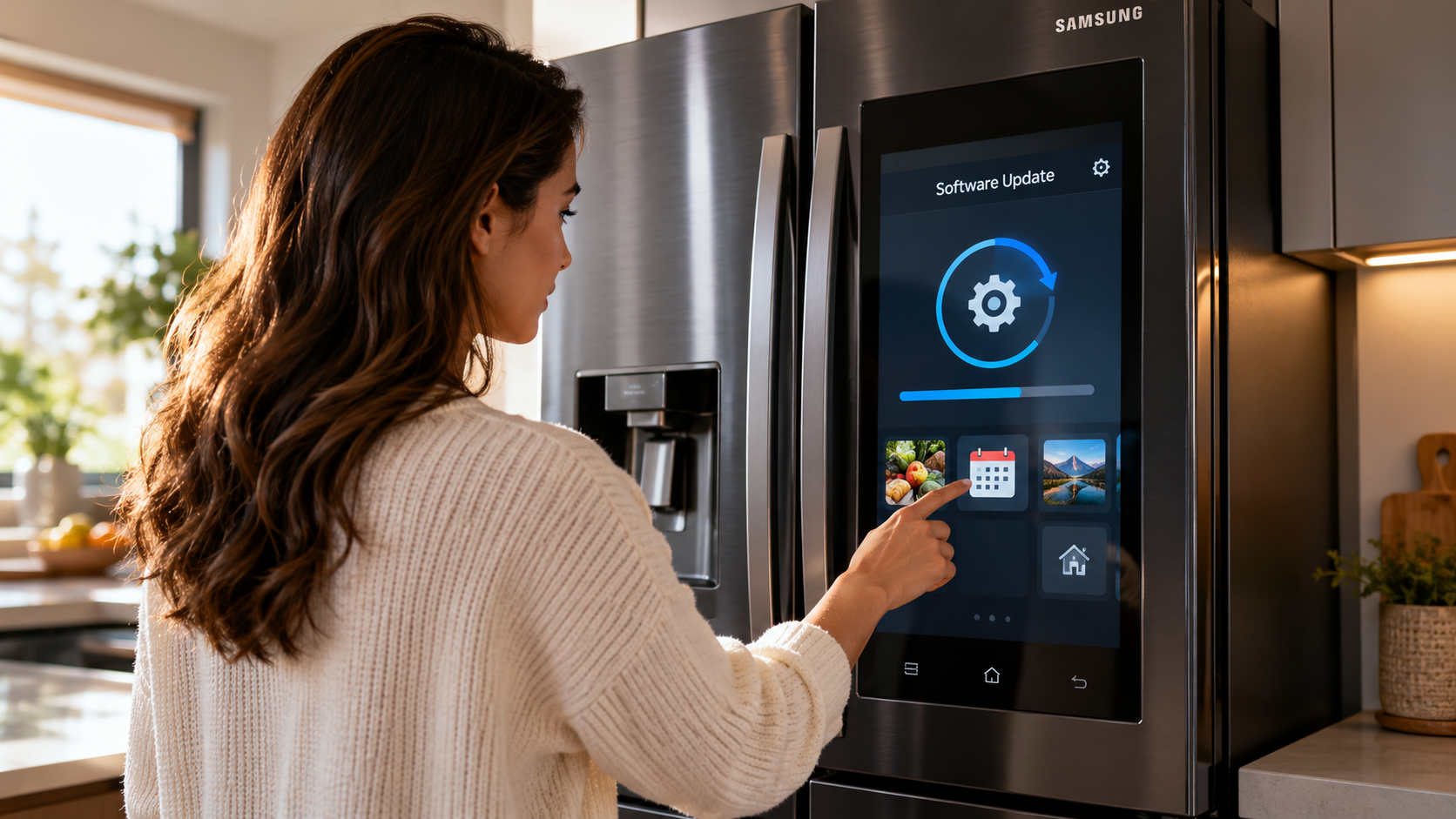
The update process can vary slightly between Family Hub generations. On supported models, software updates are normally managed through the refrigerator’s touchscreen and settings menu. First, connect the refrigerator to a stable Wi-Fi network.
Open the refrigerator’s Settings menu and look for options such as Software Update, About Family Hub, or a similar system-information section. The exact wording can differ between models and software versions.
If an update is available, follow the instructions displayed on the screen. Allow the refrigerator to complete the installation before using the touchscreen normally. Avoid interrupting the process while the update is installing.
For the most accurate instructions, use Samsung’s support documentation for your exact model number. This is particularly important because menus and update procedures can change between Family Hub generations.
Should You Enable Automatic Updates?
If your refrigerator supports automatic software updates, enabling the feature can reduce the need for manual checks. Automatic updates can help keep supported software current when new firmware becomes available.
However, automatic-update behavior can vary by model and region. Some refrigerators may provide different update controls or installation schedules.
Before changing the setting, check your model’s user manual or Samsung support page. You should also keep the refrigerator connected to a reliable Wi-Fi network.
Regularly checking the software version can help you identify whether your appliance is receiving current firmware. It can also reveal when Samsung has stopped providing updates for your particular model.
What Is the Average Lifespan of a Samsung Refrigerator?
A refrigerator’s physical lifespan is different from its software-support lifespan. A well-maintained refrigerator can operate for many years, but the exact lifespan depends on the model, usage, environment, and maintenance. For a broader look at how connected devices age, you can also compare this with How Long Do Android Tablets Last? Lifespan & User Views.
The cooling system, compressor, seals, electronics, and other components can age at different rates. Smart refrigerators also contain additional hardware that traditional refrigerators do not need.
This means a Family Hub refrigerator may continue cooling properly even when some smart features become outdated. Touchscreens, processors, connectivity hardware, and third-party services can have shorter practical lifespans.
Maintenance can help protect the refrigerator’s physical components. Keeping ventilation areas clear and maintaining door seals can support efficient operation. Following Samsung’s maintenance recommendations is more reliable than assuming a fixed service life.
When evaluating a smart refrigerator, consider both lifespans. The appliance’s cooling system may remain useful for years, while its connected features can change sooner.
How Can You Help Extend Your Refrigerator’s Physical Lifespan?
Basic maintenance can reduce unnecessary strain on your refrigerator. Follow the maintenance schedule provided for your specific Samsung model.
Useful practices can include:
- Keep ventilation areas clear around the refrigerator.
- Inspect door seals for damage or poor sealing.
- Clean components according to Samsung’s recommended schedule.
- Replace water filters when required by your model.
- Keep the refrigerator level when the manufacturer’s instructions require it.
These steps support the physical appliance but cannot guarantee a particular lifespan. Component failures can still occur because of normal wear, environmental conditions, or unexpected faults.
The smart system also needs attention. Keeping supported software current can help maintain compatibility and security while Samsung continues providing updates.
Does Samsung Offer Software Updates for 7 Years?
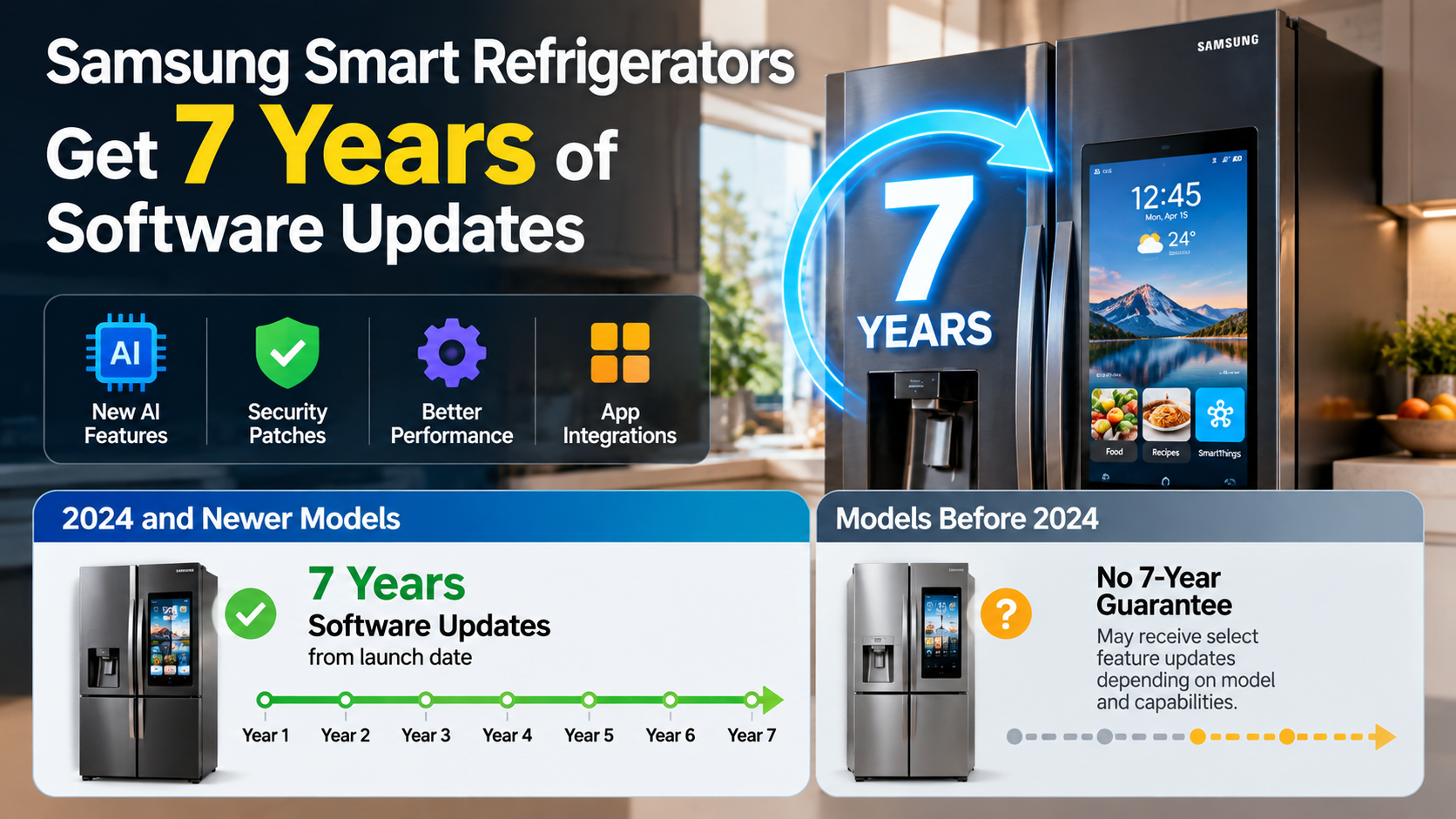
Samsung has announced extended software-support commitments for certain newer products and appliances. However, a seven-year support period should not be assumed for every Samsung smart refrigerator. Samsung has also offered extended update commitments for some of its other connected devices, such as Galaxy smartwatches, showing why support periods should be checked for each specific product.
Eligibility depends on the specific product and Samsung’s applicable support policy. Newer flagship Family Hub products may have longer support commitments than older models. The type of support can also vary during different stages of the product’s lifecycle.
Extended support does not necessarily mean seven years of major new features. Software support can include security updates, bug fixes, and other maintenance improvements. Feature availability can also depend on hardware capabilities and third-party services.
Before relying on a seven-year figure, identify your refrigerator’s exact model number. Then check Samsung’s current documentation for that product.
What Does Extended Software Support Actually Cover?
Extended support is primarily useful for keeping a connected appliance maintained after its initial release. Depending on the product, updates can address security issues, software bugs, stability problems, or compatibility requirements.
However, software support does not guarantee unlimited feature updates. Older hardware may not support every newer feature. Third-party applications can also change their own requirements independently of Samsung.
For this reason, the practical value of extended support depends on your refrigerator’s hardware and connected services. A longer support period can help maintain the system, but it does not make the appliance technologically identical to a newer model.
Always verify the support terms for your exact refrigerator. Samsung’s official documentation is the most reliable source for current model-specific information.
Conclusion
Understanding Samsung smart refrigerator software updates can help you get more value from your Family Hub refrigerator. Software support affects security, compatibility, and access to connected features, while the physical cooling system can remain useful for much longer.
Because update policies vary by model, always check Samsung’s official support information for your refrigerator. Keeping Samsung smart refrigerator software updates current when they are available can help maintain reliable performance and connected features throughout the supported period.
A smart refrigerator should be viewed as both an appliance and a connected device. Regular maintenance can help protect the physical hardware, while timely software updates can support its digital features. Keeping both sides in good condition can make the refrigerator more useful over its working life.
Before buying or replacing a Family Hub model, check its specific support period, available features, and update requirements. This information can help you understand what to expect as the refrigerator’s hardware and software age.