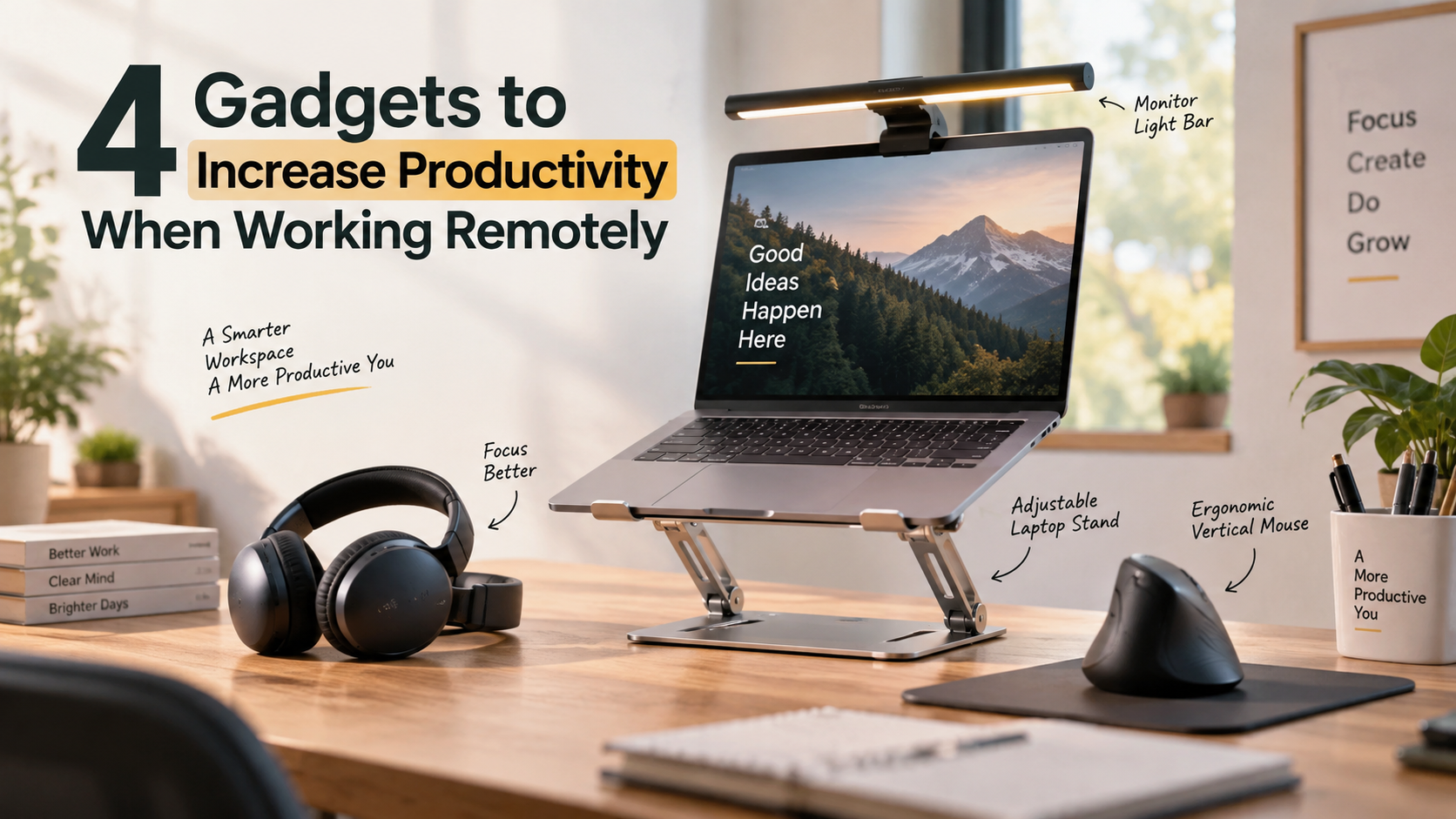
4 Gadgets to Increase Productivity When Working Remotely
Working from home offers flexibility, but staying efficient requires deliberate workspace choices. The right gadgets to increase productivity can turn an ordinary desk into a more comfortable and efficient workspace. Ergonomics guidance from the Occupational Safety and Health Administration also highlights the value of an adaptable, well-aligned workstation.
When physical discomfort decreases, maintaining focus becomes easier. Modern remote work also requires tools that reduce friction, automate routine tasks, and support clear communication. Whether you face digital fatigue, desk clutter, or household distractions, targeted technology can address common productivity barriers.
A comfortable workstation is an important part of staying productive while working remotely. For practical guidance on proper monitor positioning, seating, posture, and desk setup, refer to the OSHA computer workstation guidelines. These recommendations can help you create a more comfortable workspace and choose gadgets to increase productivity that support your daily routine.
Choosing practical equipment can save time throughout the week. The right setup depends on your workflow, workspace, and daily needs. These gadgets to increase productivity can help create a more comfortable, focused, and efficient remote work environment.
1. Active Noise-Canceling (ANC) Headphones
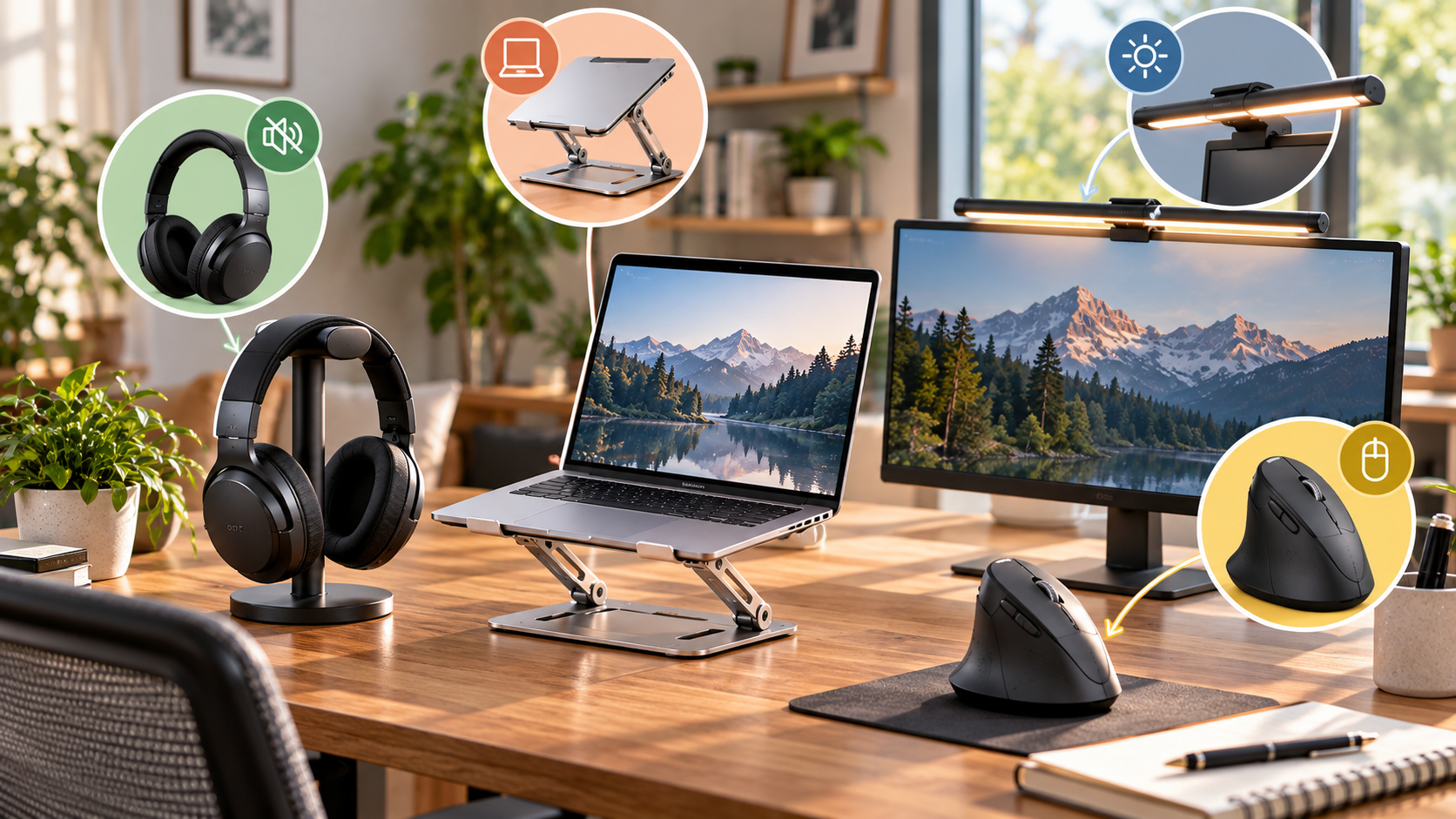
What it does: Active noise-canceling headphones reduce unwanted background sounds, including family conversations, traffic, and household appliances. This creates a quieter environment for focused work, virtual meetings, and other tasks that require concentration.
A quieter workspace can make it easier to maintain focus while working from home. ANC headphones are especially useful when you cannot control surrounding noise. They can also provide a consistent listening environment during long work sessions.
Top pick: Anker Soundcore Life Q30 offers multi-mode noise cancellation and long battery life at an accessible price. Its combination of features makes it a practical option for remote workers who want fewer distractions.
When choosing ANC headphones, consider comfort, battery life, microphone quality, and connectivity. A comfortable fit matters if you wear them for several hours each day.
For remote professionals, noise-canceling headphones are among the most practical gadgets to increase productivity. They create a more focused audio environment without requiring major changes to your workspace.
2. Ergonomic Vertical Mouse
What it does: An ergonomic vertical mouse keeps your hand in a more natural handshake position while you work. This design can help reduce awkward wrist positioning during long periods of clicking and scrolling.
Traditional mice can encourage the palm to face downward. A vertical design changes the hand position and may feel more comfortable for some users. This can be helpful when your work involves frequent mouse movements throughout the day.
Top pick: Logitech Lift Vertical Mouse is designed for smaller to medium-sized hands. Its ergonomic shape provides a comfortable grip, while wireless connectivity helps reduce desk clutter.
When choosing a vertical mouse, consider hand size, button placement, and grip comfort. The right fit can make the transition from a traditional mouse easier.
An ergonomic mouse will not replace regular breaks or proper workstation positioning. However, it can become one of the most useful gadgets to increase productivity for people who spend hours at a computer. This small upgrade can make everyday navigation feel more natural.
3. Adjustable Laptop Stand
What it does: An adjustable laptop stand raises your screen closer to eye level. This can encourage a more upright viewing position and help reduce neck fatigue during extended work sessions.
Laptop screens often sit too low when placed directly on a desk. Looking downward for hours can make your workstation less comfortable. Raising the display can create a better screen position, especially when paired with an external keyboard and mouse.
Top pick: Lamicall Adjustable Laptop Stand provides sturdy metal support and folds for easier storage or transportation. Its adjustable design also suits flexible workspaces where your setup changes throughout the day.
When selecting a laptop stand, look for stability, adjustability, and laptop compatibility. A sturdy base is important when typing or adjusting the screen.
An adjustable stand is a simple home office upgrade. It improves screen positioning without requiring a new desk or monitor. For remote workers who frequently use laptops, it is one of the practical gadgets to increase productivity while creating a more comfortable workstation.
4. Monitor Light Bar
What it does: A monitor light bar illuminates your desk without taking up valuable workspace. It provides focused lighting around your keyboard and work surface while limiting distracting screen glare.
Poor lighting can make computer work less comfortable, especially during early mornings or evening sessions. A monitor-mounted light bar offers a compact alternative to traditional desk lamps. It also keeps your workspace clear for other essential equipment.
Top pick: BenQ ScreenBar clips directly onto your monitor and automatically adjusts brightness based on surrounding room conditions. Its compact design suits modern home offices with limited desk space.
When choosing a monitor light bar, consider brightness controls, color temperature, monitor compatibility, and glare management. The goal is balanced illumination rather than simply adding more light.
A well-lit workspace can support comfortable screen use throughout the day. While lighting alone cannot prevent eye fatigue, a suitable setup can improve workspace comfort. For remote professionals, this is one of the useful gadgets to increase productivity for a cleaner, more comfortable desk.
What are some good gadgets to increase productivity?
Good tools to boost output should reduce repetitive work while limiting physical fatigue. Gadgets to increase productivity should solve specific problems rather than add unnecessary technology. Ergonomic vertical mice can encourage a more neutral wrist position during extended computer use. For broader advice on creating an efficient workspace, see our guide to Minimalist Study Desk Setup.
Programmable mechanical keyboards can also streamline frequent tasks through custom macros and shortcuts. An ultrawide monitor provides another practical upgrade. It lets you view multiple documents, applications, or project windows side by side.
When choosing productivity equipment, focus on tools that improve comfort, save time, or simplify repetitive actions. Useful options include:
-
Ergonomic mice for improved hand positioning
-
Programmable keyboards for faster shortcuts
-
Ultrawide monitors for multitasking
-
Macro pads for recurring workflows
These tools can remove everyday digital bottlenecks. They can also create a more comfortable workspace for long working sessions. The most effective gadgets to increase productivity are those that fit naturally into your existing workflow.
Instead of buying technology simply because it is popular, identify your biggest daily obstacles first. Then choose devices that directly address those problems.
What are the best gadgets for working from home?
The best gadgets for working from home help reduce distractions while improving communication and connectivity. Active noise-canceling headphones can create a quieter listening environment by reducing surrounding sounds. This can be useful when household activity or street noise interrupts concentration. If you are building a dedicated workspace, Classical décor ideas for your home office can also provide inspiration for creating a comfortable office environment.
A dedicated USB microphone can also improve virtual meetings. Directional microphones can focus on your voice while reducing some unwanted room noise. A high-definition webcam can provide a clearer image during client calls and team meetings.
A reliable USB-C docking station is another useful addition. It can connect a laptop to monitors, power, storage, and other accessories through fewer cables. This helps keep a remote workstation organized.
Consider these home office essentials:
-
Noise-canceling headphones for quieter work sessions
-
USB microphones for clearer communication
-
HD webcams for professional video calls
-
USB-C docks for simplified connectivity
The right combination depends on your working style. These gadgets to increase productivity can make a home setup more practical and organized. They also help create a professional workspace without requiring a dedicated office room.
What are the top 10 gadgets for home use?
Home productivity devices can extend beyond the traditional office desk. They can automate household routines, improve connectivity, and reduce everyday maintenance. These tools can free up time for work, personal projects, and relaxation.
Useful home gadgets include:
-
Robot vacuum cleaners for automated floor cleaning
-
Wi-Fi 6 mesh routers for consistent whole-home connectivity
-
Smart thermostats for automated temperature control
-
Smart speakers for timers and voice commands
-
Smart plugs for controlling connected devices
-
Indoor LED gardens for automated plant growing
-
Video doorbells for managing deliveries remotely
-
Smart air purifiers for managing indoor air quality
-
Wireless charging stations for reducing cable clutter
-
Digital e-readers for storing reference books and reading material
Each device serves a distinct purpose. Headphones can reduce surrounding noise, while ergonomic peripherals support comfortable computer use. A docking station simplifies connections, and an ultrawide monitor supports multitasking. If you rely heavily on your smartphone alongside these devices, Does Overnight Charging Ruin Your Smartphone Battery? can help you understand common charging concerns.
Instead, choose technology that solves recurring problems. Automating simple chores and routines can reduce interruptions and restore valuable personal time.
Some of these gadgets to increase productivity also improve efficiency outside traditional work hours. That makes them useful additions to a connected and organized home.
What are some good gadgets for home offices?
A productive home office needs equipment that supports comfort, organization, and efficient work. Motorized standing desks allow users to move between seated and standing positions throughout the day. This flexibility can make it easier to vary posture during long work sessions.
An ergonomic chair can provide additional support during extended periods at a desk. Monitor light bars are another useful accessory. They illuminate the workspace while reducing the need for bulky desk lamps.
Cable management also matters. Under-desk cable trays can hide power cords and adapters, helping create a cleaner workspace. A self-warming ceramic mug can keep a beverage at a preferred temperature while you work.
Useful home office upgrades include:
-
Motorized standing desks
-
Ergonomic office chairs
-
Monitor light bars
-
Under-desk cable management
-
Self-warming mugs
The goal is not to fill your desk with technology. Instead, select equipment that solves practical problems. The right gadgets to increase productivity can support comfort while reducing avoidable distractions.
A comfortable and organized workspace can also make demanding work sessions easier to manage. Start with the equipment that addresses your most common daily challenges.
What are the top 10 must-have gadgets?
A practical collection of productivity hardware can form the foundation of an efficient modern workspace. The ideal setup depends on your work habits, but several devices can address common needs.
The core must-have gadgets include:
-
Active noise-canceling headphones
-
A dual-motor standing desk
-
An ergonomic trackball mouse
-
A mechanical keyboard
-
A high-bandwidth USB-C docking station
-
An ultrawide productivity monitor
-
A 1080p autofocus webcam
-
A compact high-capacity GaN wall charger
-
A magnetic wireless power bank
-
An encrypted external solid-state drive
Each device serves a distinct purpose. Headphones can reduce surrounding noise, while ergonomic peripherals support comfortable computer use. A docking station simplifies connections, and an ultrawide monitor supports multitasking.
Portable charging tools