Why Routers Have External Antennas (And Mesh Doesn’t)
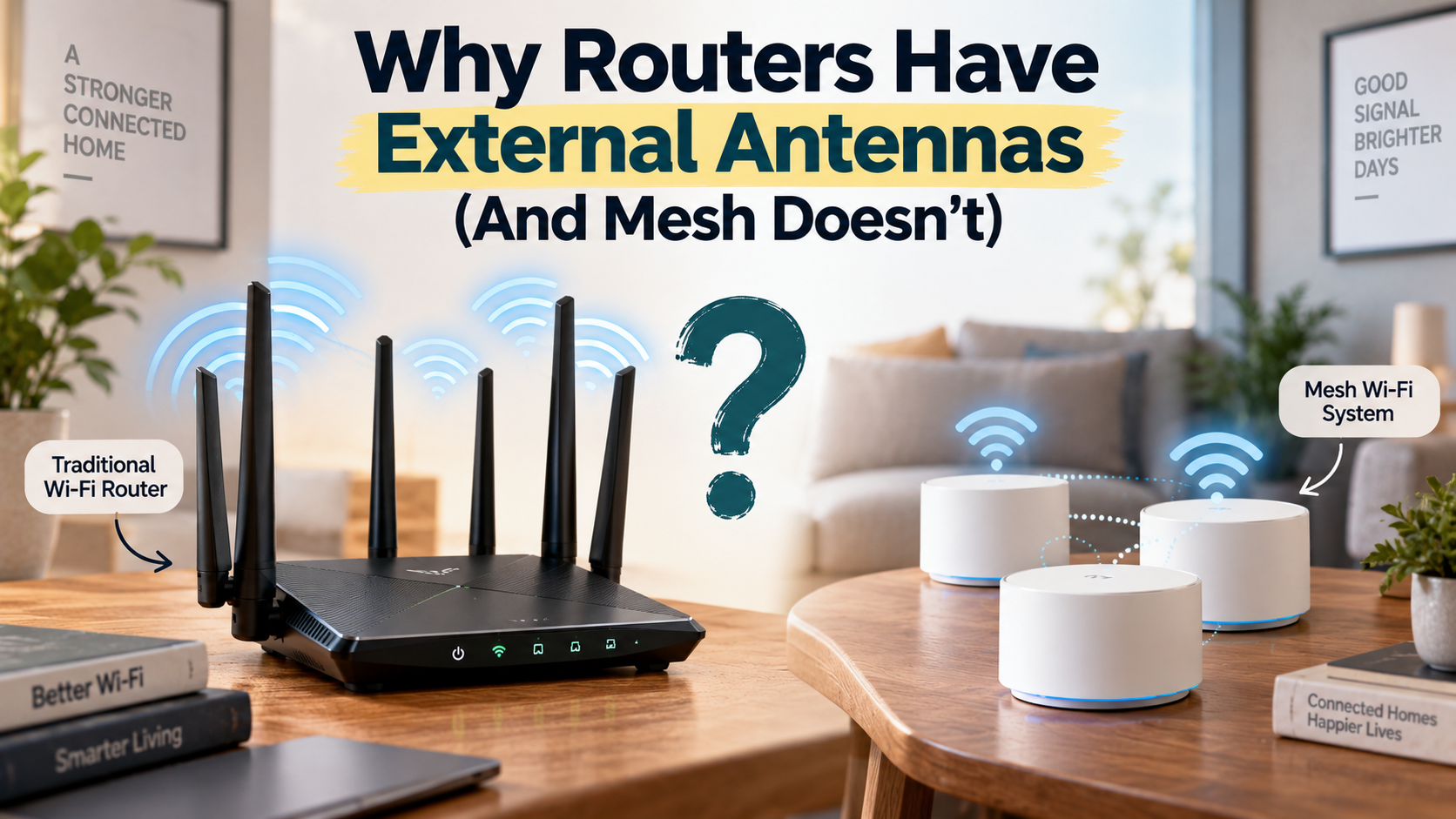
Walk into any electronics store, and traditional Wi-Fi routers often look like futuristic spacecraft. They usually have several adjustable external antennas. Modern mesh nodes, however, tend to have smooth, minimalist designs. So, why routers have external antennas while mesh systems hide theirs is a common question.
The answer comes down to radio-frequency engineering, antenna placement, and network design. Wi-Fi antennas convert electrical signals into electromagnetic waves. The technology follows wireless networking standards developed by organizations such as the IEEE. You can explore the current IEEE 802.11 wireless LAN standard for more technical details.
Traditional routers concentrate their processing power and radio hardware in one central device. External antennas help that device manage wireless coverage from a single location. Mesh systems take a different approach by spreading smaller wireless nodes throughout the home.
Each mesh node works with the others to create one connected network. This distributed design reduces the need for large external antennas. It also lets manufacturers hide carefully tuned antenna arrays inside compact enclosures.
Understanding why routers have external antennas can help you choose the right Wi-Fi setup. Your home’s size, layout, wall materials, and performance needs all matter.
Are mesh systems better than routers?
Mesh systems are not automatically better than traditional standalone routers. Both technologies solve different home networking problems. A standalone Wi-Fi router concentrates processing power, radio hardware, and coverage in one location.
This design works well in apartments and compact single-story homes. A properly positioned router can deliver strong speeds with low latency. It also costs less and requires fewer devices to maintain.
Mesh Wi-Fi becomes more useful in larger homes. It can also help when multiple floors or thick walls create difficult dead zones. Instead of relying on one transmitter, a mesh system uses several coordinated nodes. These nodes create a unified network across multiple areas.
This difference also explains why routers have external antennas while mesh products often use internal antennas. Traditional routers need to maximize coverage from one location. Mesh systems distribute that responsibility across several nodes.
Your choice should depend on your floor plan. Consider these factors before buying:
- Home size: Larger properties benefit more from distributed coverage.
- Wall construction: Concrete and brick can weaken wireless signals.
- Performance needs: Gaming may favor a direct router connection.
- Budget: A standalone router usually costs less.
For smaller homes, a quality router may provide everything you need. For complex layouts, mesh can offer more consistent whole-home coverage.
Matching Hardware to Your Floor Plan
Choosing between a standalone router and mesh Wi-Fi starts with your home’s physical layout. A single router often works well in an open floor plan below about 2,000 square feet. It can provide strong coverage without the extra cost or power consumption of multiple nodes. Before upgrading, it is also worth checking whether a simple restart can resolve temporary performance issues. See What Happens If You Never Restart Your Router? for more information.
Mesh Wi-Fi becomes more attractive as distance and physical barriers increase. Homes above roughly 2,500 square feet may benefit from multiple access points. Multi-story properties can also be difficult for one centrally placed router to cover evenly.
Consider where your router or mesh nodes will sit. A central, open location usually provides better coverage than a closed cabinet or distant corner. This placement principle also helps explain why routers have external antennas. A central router must serve devices across the entire home.
Mesh systems can reduce dead zones when nodes are positioned correctly. Your devices can move between nodes while staying on the same network.
Before choosing hardware, evaluate:
- Square footage
- Number of floors
- Wall materials
- Internet speed
- Gaming or streaming requirements
- Ethernet availability
The best Wi-Fi setup matches your home’s structure. More hardware does not automatically mean better performance.
Why Do Wi-Fi Routers Have Antennas While Mesh Systems Don’t?
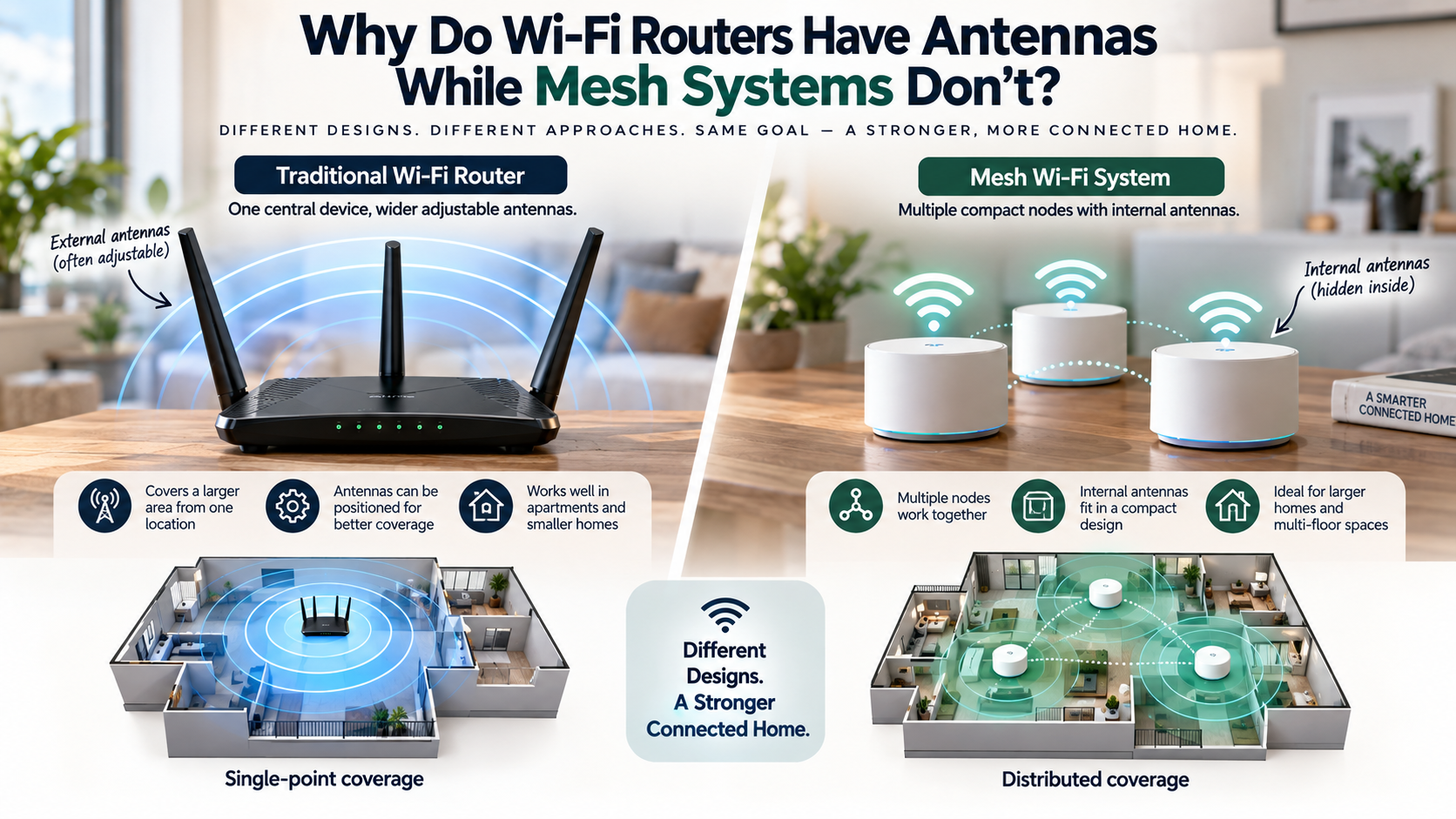
The main reason why routers have external antennas is their single-point coverage design. Traditional routers must provide wireless coverage from one central location. External antennas give manufacturers flexibility when designing that coverage.
Many standalone routers use dipole-style antennas that users can position. Adjusting their orientation can help optimize coverage for a particular environment. However, antenna direction does not work like a simple spotlight. Modern routers also include other useful networking features beyond antenna design. See 5 Cool Things You Didn’t Know Your Wi-Fi Router Can Do for more examples.
Wi-Fi radiation patterns depend on antenna design, frequency, orientation, and surrounding materials. This is an important part of understanding why routers have external antennas.
Mesh systems use a different strategy. Instead of depending on one central transmitter, they distribute wireless coverage across several nodes. Manufacturers can therefore place multiple internal antennas inside each compact enclosure.
These internal antenna arrays can support several radio bands and spatial streams. They also help mesh nodes maintain a clean appearance. When comparing newer routers and mesh systems, Wi-Fi standards also matter. Wi-Fi 6 vs Wi-Fi 7: Is It Time to Upgrade Your Home Network? explains the key differences between these generations.
The design offers practical benefits:
- External antennas: Easier to access and sometimes adjustable.
- Internal antennas: Better suited to compact hardware.
- Mesh nodes: Use multiple locations to extend coverage.
- Standalone routers: Concentrate coverage around one central device.
So, visible antennas are not simply a sign of better Wi-Fi. They reflect a different approach to wireless network design.
Form Factor Meets Distributed Radio Engineering
Internal antennas help mesh nodes blend into modern home environments. Their compact appearance can also encourage users to place them in open locations. That placement often helps wireless performance because antennas work poorly when surrounded by dense materials.
Mesh systems do not need one large antenna system to cover an entire property. Instead, several nodes work together. Each node maintains connections with nearby devices and other mesh nodes.
This distributed approach is another reason why routers have external antennas while mesh units usually do not. A standalone router needs strong centralized coverage. A mesh system divides coverage between multiple locations.
Manufacturers can build multi-antenna internal arrays into relatively small enclosures. These arrays can support multiple spatial streams and frequency bands.
The enclosure also protects the antenna hardware from everyday contact. Users cannot accidentally bend or reposition an internal antenna.
However, appearance is not the main technical reason for the design. Antenna placement must match the radio circuitry and enclosure. Manufacturers tune internal antennas for each specific hardware design.
That tuning helps maintain predictable coverage without external rods.
The result is a balance between performance and design. Standalone routers emphasize centralized radio coverage. Mesh nodes emphasize distributed coverage from several coordinated locations.
What is a major disadvantage of a mesh network?
One major disadvantage of a wireless mesh network is potential speed loss over wireless backhaul connections. A mesh satellite may need to communicate with client devices while also sending traffic back to the primary node.
In a dual-band system, both connections can compete for available wireless airtime. This can reduce throughput, especially when a satellite is far from the main router. Performance also depends on signal quality, interference, node placement, and system design. If your network becomes slow or unstable, restarting the router may also help resolve temporary issues. Learn more about What Happens If You Never Restart Your Router?
Wireless mesh systems can also add some latency. Each additional wireless hop requires the network to process and relay traffic. The difference may be small for browsing and streaming. Competitive gamers may prefer the consistency of a direct wired connection.
Mesh networks also cost more when multiple nodes are required. Each unit consumes electricity and adds another device to manage.
These limitations highlight another important point about why routers have external antennas. Traditional routers can concentrate wireless resources in one location. Mesh systems trade some centralized performance for broader distributed coverage.
Common disadvantages include:
- Reduced wireless backhaul capacity
- Additional latency between nodes
- Higher equipment costs
- Greater power consumption
- More complicated placement requirements
These limitations do not make mesh systems poor choices. They show why mesh performance depends heavily on network design.
Mitigating the Wireless Throughput Penalty
You can reduce wireless mesh performance losses by choosing the right backhaul design. A tri-band mesh system can dedicate one radio band to communication between nodes. This leaves other bands available for connected devices.
Wired Ethernet backhaul can provide an even stronger solution. Instead of sending inter-node traffic over Wi-Fi, Ethernet carries that traffic through a physical cable. This reduces wireless congestion and can improve speed and latency.
If your home already has Ethernet cabling, wired backhaul is often the best option. It lets mesh nodes act more like coordinated wired access points.
This approach also changes the performance equation behind why routers have external antennas. A standalone router depends heavily on centralized wireless coverage. Wired mesh nodes can distribute access without relying on a wireless link between every node.
When selecting a mesh system, consider:
- Tri-band or quad-band radios
- Dedicated wireless backhaul
- Ethernet backhaul support
- Available Ethernet cabling
- Distance between nodes
- Expected client traffic
Placement still matters, even with advanced hardware. A satellite should receive a strong connection from the main node.
A well-designed mesh system can avoid much of the throughput penalty associated with basic dual-band wireless backhaul.
Is mesh WiFi overkill?
Mesh Wi-Fi can be overkill for small homes, apartments, and open-plan spaces. If a single router already provides strong coverage, adding multiple nodes may offer little benefit.
For homes below roughly 1,500 square feet, a well-positioned router can often provide excellent performance. A standalone router also uses less electricity because only one primary device needs to remain powered.
Adding unnecessary mesh nodes can sometimes create new problems. Nodes placed too close together may increase wireless interference. Devices may also have more opportunities to roam between access points when they do not need to.
That does not mean mesh systems are unsuitable for smaller properties. Thick concrete walls, unusual floor plans, and difficult signal paths can still justify multiple nodes.
Before buying mesh hardware, check whether your current router actually has dead zones. Test different router locations first. Moving the router into a central, elevated, open position can sometimes solve coverage problems without additional equipment.
This also helps explain why routers have external antennas. A single router must serve the whole coverage area. Mesh hardware only needs each node to cover its surrounding area.
For small homes, consider:
- Router placement
- Wall construction
- Coverage requirements
- Internet speed
- Number of connected devices
- Current Wi-Fi dead zones
If one router already covers your home reliably, mesh may simply add unnecessary cost and complexity.
When Single-Point Hardware Wins Out
A standalone router often makes more sense when your home has an open layout. It can also be the better choice when devices remain relatively close to the router.
Central placement is important. Avoid putting the router inside cabinets, behind large appliances, or near dense obstructions. A central and elevated position usually provides a better starting point for whole-home coverage.
Standalone hardware also benefits users who prioritize low latency and peak single-device speeds. A direct connection to one powerful router avoids wireless mesh hops between nodes.
This centralized design is also central to understanding why routers have external antennas. External antennas can help manufacturers optimize coverage from one location. Mesh systems distribute that task across multiple devices instead.
A standalone router can also simplify troubleshooting. There is only one primary wireless device to configure and maintain.
Choose a standalone router when:
- Your home has few or no dead zones.
- Most rooms are reasonably close to the router.
- You want lower equipment costs.
- You prioritize simple network management.
- You need strong gaming performance.
Mesh becomes more valuable when physical barriers prevent one router from reaching important areas.
The key point is simple: buy for the problem you actually have. If coverage is already strong, additional nodes may not improve your experience.
Does mesh WiFi penetrate walls?
Mesh Wi-Fi does not magically penetrate walls better than a traditional router. Both systems use the same basic radio-frequency principles. Signal strength decreases as wireless waves pass through physical obstacles.
Materials such as concrete, brick, plaster, metal, and reinforced structures can weaken Wi-Fi signals. Higher-frequency bands, including 5 GHz and 6 GHz, generally have shorter effective ranges than lower-frequency bands.
Mesh systems solve this problem differently. They do not need one transmitter to cross every wall in the home. Instead, you can place nodes closer to the areas where coverage is needed.
A well-positioned node can receive a stronger signal from another node. It can then provide a fresh wireless connection to nearby devices.
This approach helps explain why routers have external antennas. A standalone router must push coverage from one location. Mesh systems can place another radio closer to a weak area.
For better wall coverage:
- Place nodes in open areas.
- Keep them away from thick concrete walls.
- Avoid closed metal cabinets.
- Use hallways and doorways when practical.
- Maintain a strong connection between nodes.
Mesh therefore works around difficult structures. It does not give Wi-Fi special wall-penetrating abilities.
Strategic Node Placement Around Dense Barriers
Node placement can have a greater impact on mesh performance than simply adding more hardware. A satellite should receive a strong signal from the primary router or another suitable node.
Avoid placing a mesh unit directly behind a thick concrete wall. Do not hide it inside a metal utility cabinet. These locations can weaken the connection before the node serves nearby devices.
Open spaces usually provide better conditions for wireless communication. Hallways, shelves, and areas near interior doorways can be useful positions.
Try to maintain a clear path between neighboring nodes where possible. Fewer dense obstacles mean less signal loss and a stronger wireless backhaul.
This placement strategy contrasts with why routers have external antennas. A standalone router often relies on antenna positioning from one central location. Mesh systems instead rely on several strategically placed nodes.
Also avoid placing nodes too far apart. A satellite with a weak connection cannot provide strong coverage simply because it sits closer to a dead zone.
For best results:
- Start with the primary node in a central location.
- Place satellites between the router and weak areas.
- Avoid dense construction and metal enclosures.
- Check the connection quality between nodes.
- Move nodes before buying additional units.
Good placement lets mesh systems use their distributed design effectively.