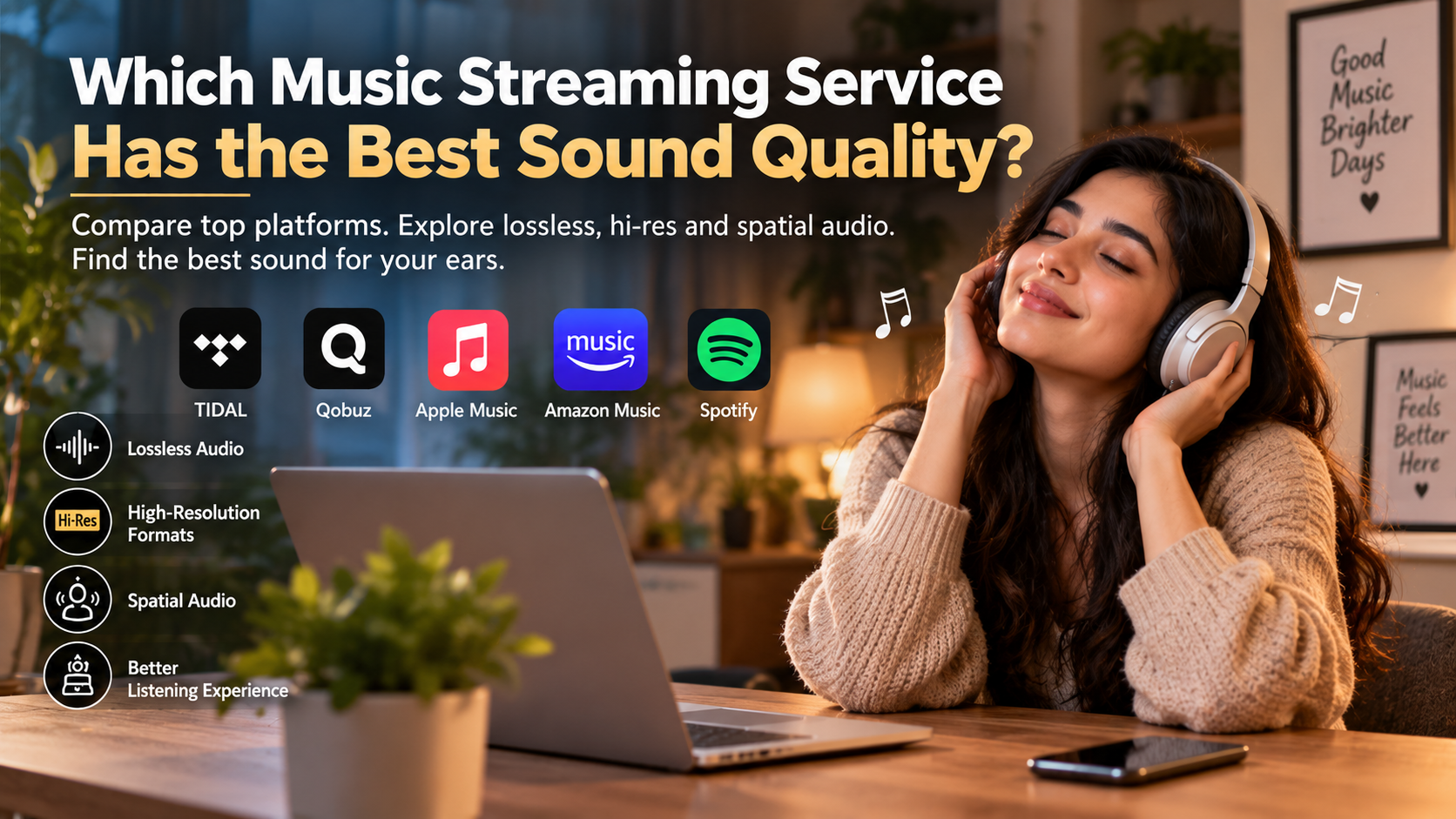
Which Music Streaming Service Has the Best Sound Quality?
Finding a music platform with the best sound quality can transform how you experience your favorite songs. Everyday listeners often accept compressed audio without realizing how much detail can be lost. Subtle acoustic textures, dynamic changes, and vocal nuances may become less distinct.
The final result depends on more than the streaming service. File quality, codecs, headphones, speakers, DACs, and wired vs wireless audio equipment all influence what you hear. A premium stream cannot compensate for poor playback equipment.
Today, major services offer lossless audio, high-resolution formats, and spatial audio. These options give listeners more ways to enjoy recordings at higher quality.
This guide compares the leading platforms and explains what actually affects sound quality. We explore whether 320kbps is enough, whether Tidal beats Spotify, and how Apple Music compares. You will also learn when hi-res audio makes a meaningful difference and which setup can deliver the best sound quality for your needs.
Which audio streaming service has the best sound quality?
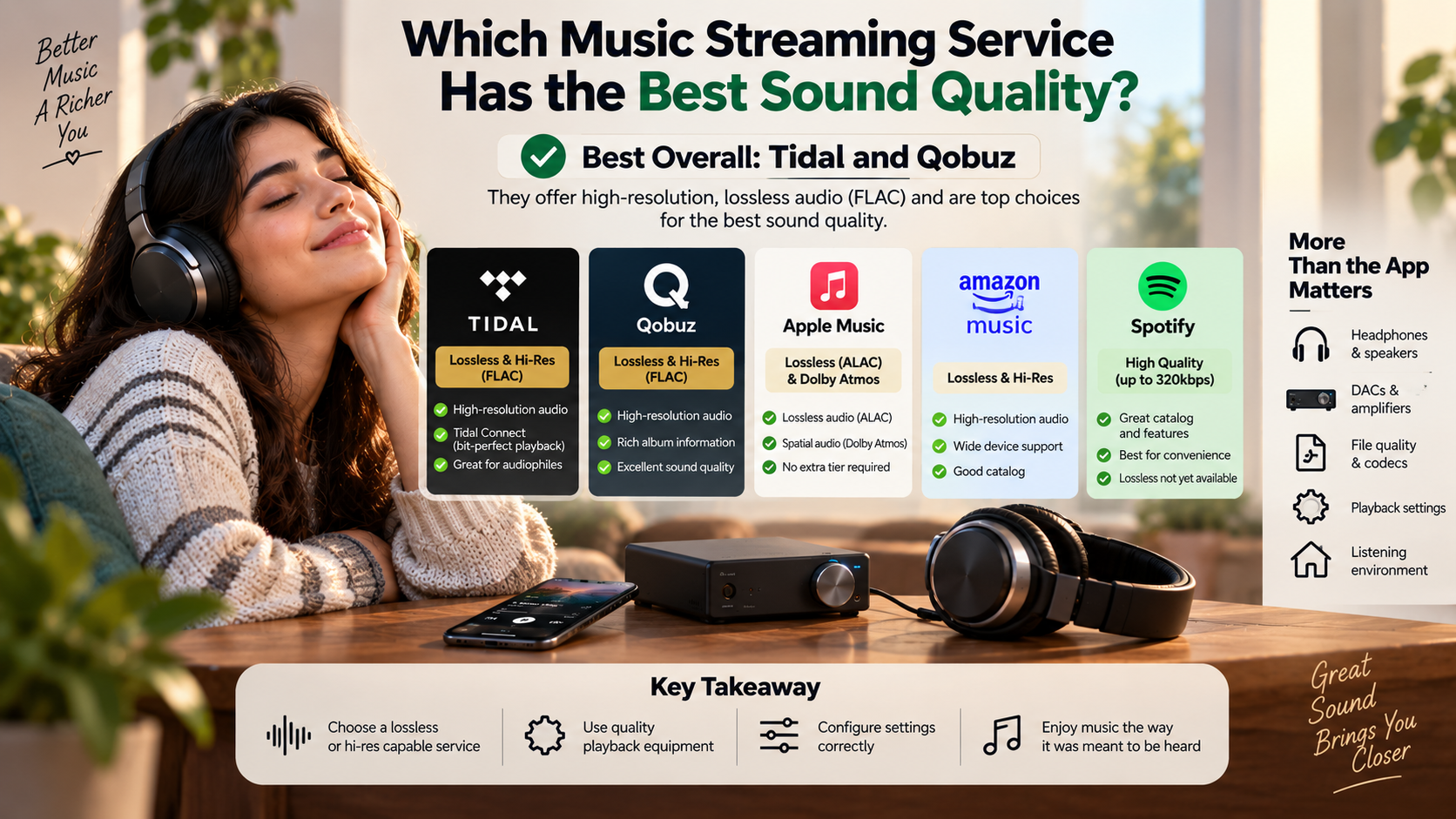
Tidal, Qobuz, Apple Music, and Amazon Music offer some of the highest-quality streaming options available. Several support lossless and high-resolution audio, although their catalogs, formats, and playback features differ. For listeners seeking the best sound quality, these services are stronger choices than platforms limited to lossy streaming.
Tidal and Qobuz are particularly popular among dedicated listeners. Both provide high-resolution FLAC options on supported tracks. Apple Music also offers lossless ALAC and Dolby Atmos content without requiring a separate high-resolution tier.
However, maximum specifications do not guarantee better sound. The master recording, DAC, headphones, speakers, and listening environment all matter.
Your ideal service therefore depends on your equipment and priorities. If you use wired audiophile equipment, lossless streaming can be worthwhile. With basic wireless earbuds, differences may be much harder to notice.
For pure technical quality, choose a service offering lossless or high-resolution files. Then focus on the rest of your listening chain.
Dedicated Bit-Perfect Streaming Hardware Support
Tidal Connect can provide a convenient way to send music directly to compatible hardware. This feature can reduce unnecessary handling between the streaming app and supported playback equipment.
With compatible devices, the receiving hardware manages playback directly. This can help preserve the original stream without unwanted software processing or operating-system mixing. The result depends on the connected equipment and its configuration.
For audiophiles, this approach can be useful because it simplifies the signal path. A compatible network streamer or DAC can handle the incoming audio without relying entirely on a computer’s standard audio output.
However, bit-perfect playback does not automatically make every recording sound better. The quality of the original master remains crucial. Your amplifier, headphones, speakers, and room also influence the final result.
If you want the best sound quality, look beyond the streaming app. Check whether your hardware supports the service’s highest-resolution formats. Then configure output settings correctly.
The goal is a clean digital path from the streaming service to your playback equipment.
Which music streaming app has the best quality audio?
Tidal is one of the strongest choices for listeners seeking an app focused on high-fidelity playback. Its supported tracks can include lossless FLAC and high-resolution content. The exact quality depends on the recording and selected playback settings.
The app also displays information about available audio quality. This helps listeners identify whether a track is playing in standard, lossless, or higher-resolution quality.
Apple Music is another strong option. It supports lossless ALAC and Dolby Atmos on compatible tracks. Spotify vs. Apple Music is also worth considering if you want to compare audio quality, features, and overall listening experience. Qobuz also appeals to listeners who prioritize high-resolution music and detailed album information.
The best sound quality does not come from an app alone. Playback hardware and settings have a major effect. Wired headphones and a capable DAC can reveal more detail than basic Bluetooth earbuds, while learning how to improve audio quality on a phone can also help mobile listeners.
Desktop listeners may also benefit from advanced output configurations. However, most users do not need complicated settings to enjoy excellent audio.
Choose the app that combines high-quality streams with hardware compatibility, an interface you enjoy, and a catalog that matches your listening habits.
Pristine Dynamic Playback Without Volume Normalization Compression
Volume normalization changes playback levels so different songs sound more consistent. This feature can be convenient when playlists contain recordings with very different mastering levels.
However, normalization settings can involve additional processing. Some listeners prefer disabling normalization during critical listening because they want the original mastering and dynamics preserved as closely as possible.
Turning normalization off does not magically improve the underlying recording. It simply prevents the service from applying its chosen loudness adjustment. The actual effect depends on the platform and its implementation.
For listeners chasing the best sound quality, checking playback settings is still worthwhile. Make sure you understand whether normalization, equalization, crossfade, or other processing features are active.
A clean playback configuration lets your headphones or speakers reproduce the recording without unnecessary changes.
That does not mean everyone should disable normalization. It can make everyday listening more comfortable, especially when switching between albums with different mastering levels.
For critical listening, however, many audiophiles prefer fewer processing steps. This approach makes it easier to evaluate the recording itself rather than the platform’s playback adjustments.
Is 320kbps the highest quality audio?
No. 320kbps is not the highest quality audio available. It represents a high-quality level for lossy compression, but lossless formats preserve the original audio data more completely.
A 320kbps MP3 or similar lossy file removes information through perceptual compression. The encoder attempts to discard details that listeners are less likely to notice. Lossless formats instead preserve the source data while reducing file size efficiently.
CD-quality audio typically uses 16-bit depth and a 44.1kHz sample rate. High-resolution formats can use higher bit depths and sample rates, such as 24-bit/96kHz or 24-bit/192kHz.
However, higher numbers do not automatically mean better sound. The quality of the original master matters greatly. Your headphones, speakers, amplifier, and DAC also affect what you hear.
For casual listening, 320kbps can sound excellent. For listeners seeking the best sound quality, lossless streaming provides a more faithful source and avoids another layer of lossy compression.
Real Audible Differences on Analytical Audio Hardware
Lossless audio preserves the complete digital information from the source file. Whether you can hear a meaningful difference depends on your equipment, hearing, listening environment, and the recording itself.
High-quality headphones and studio monitors can reveal subtle details that may be harder to notice on basic earbuds. Instrument separation, reverb tails, and quieter background elements can become easier to evaluate, especially when exploring spatial audio in headphones.
However, claims that every listener can easily hear lossless advantages should be treated cautiously. Well-encoded 320kbps audio can sound extremely close to lossless in many listening situations.
The difference becomes more relevant when using transparent equipment and carefully comparing the same master. Even then, the result varies between listeners.
If your goal is the best sound quality, lossless files are a sensible starting point. They preserve the source without lossy compression. You can then evaluate whether your equipment and ears reveal a noticeable improvement.
Ultimately, better equipment and better recordings may provide larger improvements than simply moving from one high-quality format to another.
Is Tidal better than Spotify?
Tidal can be the better choice if your main priority is high-fidelity audio. It offers lossless and high-resolution music on supported tracks, while Spotify has historically focused on lossy streaming quality.
Spotify remains highly competitive in other areas. Its recommendation system, playlists, social features, and broad device support make it extremely convenient. Features such as Discover Weekly can also help users find new music, while YouTube Music provides another alternative for listeners who value broad music discovery and streaming convenience.
For listeners focused specifically on the best sound quality, Tidal has an advantage when its higher-resolution and lossless options are used with suitable equipment. Spotify can still sound excellent, especially for everyday listening.
The difference becomes less important with basic Bluetooth headphones. Wireless codecs can introduce their own compression, which is an important consideration when comparing the disadvantages of Bluetooth audio and the theoretical advantage of a lossless source.
Your choice should therefore depend on your priorities. Choose Tidal if audio fidelity is central to your subscription. Choose Spotify if discovery, social features, and convenience matter more.
Neither service is universally better. The right option depends on how and where you listen.
Curated Editorial Discovery Versus Machine Learning Algorithms
Spotify and Tidal take different approaches to music discovery. Spotify is particularly well known for personalized recommendations powered by listening data and machine-learning systems.
Features such as Discover Weekly and Release Radar help users find artists and tracks based on their listening habits. This makes Spotify appealing to listeners who enjoy constant recommendations.
Tidal places greater emphasis on editorial curation and music-focused presentation. Its service has historically highlighted genres, artists, albums, and curated playlists through human editorial input.
The difference is not directly related to the best sound quality. Instead, it affects how easily you discover music that you enjoy.
Spotify may appeal to listeners who want automated recommendations and social sharing. Tidal can be attractive to users who prefer album-focused listening and detailed music presentation.
Your ideal service may even change depending on how you listen. Someone who discovers music through playlists may prefer Spotify. An album-focused listener may prefer Tidal or Qobuz.
Audio quality should remain one factor among several. Catalog depth, discovery tools, device compatibility, and subscription cost can all influence your final decision.
Which is cheaper, Spotify or Tidal?
The price difference between Spotify and Tidal can change as both companies update their plans. Subscription pricing also varies by country, promotional offers, taxes, and plan type.
For that reason, it is better to compare the current individual and family plans before subscribing. More importantly, compare what each plan includes rather than looking only at the monthly price.
Tidal has focused its subscription offering around lossless and high-resolution music. Spotify offers a broad Premium experience centered on music discovery, playlists, podcasts, and convenience. Availability of specific audio features can vary by market and plan.
If your priority is the best sound quality, a slightly higher subscription price may be worthwhile if you have equipment capable of revealing the difference. If you mostly use basic wireless earbuds, paying more for higher-resolution files may provide limited audible benefit.
Spotify’s free tier can also make it more accessible for casual listeners, although it does not provide the same Premium experience.
Before choosing, compare current pricing, supported formats, catalog features, and device compatibility. The cheapest service is not necessarily the best value for every listener.
Maximum Acoustic Value Without Premium Tier Surcharges
High-resolution audio used to be associated with expensive premium tiers. Today, several major services include lossless or high-resolution formats within their standard paid offerings.
That makes comparing subscription value more important than simply comparing headline prices. A service that includes high-resolution playback can offer strong value for listeners with capable wired equipment.
However, paying for a high-resolution tier does not guarantee a dramatic improvement. The original recording must support the format, and your playback equipment must reproduce it accurately.
For listeners chasing the best sound quality, the strongest value usually comes from a complete listening chain. That includes a high-quality source, suitable DAC, capable amplifier, and revealing headphones or speakers.
Casual listeners may get more value from a platform with better recommendations or a larger selection of their favorite content.
Consider how you actually listen before upgrading. If you use Bluetooth earbuds most of the time, higher-resolution files may not be the most important investment.
If you use wired audiophile equipment, however, a lossless or high-resolution subscription can make more sense.
Frequently Asked Questions
Can you hear the difference between Spotify and Tidal on AirPods?
Most listeners cannot hear a significant difference between Spotify and Tidal when using standard AirPods. Bluetooth wireless transmission compresses audio using codecs such as AAC or SBC before sound reaches your ears. Because Bluetooth bandwidth cannot transmit full lossless data streams, both services sound relatively similar over standard wireless connections.
Do I need an external DAC to listen to hi-res audio?
Yes, you need a dedicated external Digital-to-Analog Converter (DAC) to listen to hi-res audio above 24-bit/48kHz. Standard smartphone and laptop headphone outputs downsample audio files to standard definition. An asynchronous USB DAC correctly decodes 24-bit/96kHz and 24-bit/192kHz FLAC streams, preserving original studio resolution for your wired headphones.
Does lossless audio consume more mobile data?
Lossless audio consumes significantly more cellular data than standard compressed streams. A standard 320kbps track uses approximately 2.4 megabytes of data per minute of playback. In contrast, a 24-bit/192kHz hi-res FLAC track can consume up to 40 megabytes per minute, rapidly exhausting limited mobile bandwidth allowances.
Does Apple Music offer the same audio quality as Tidal?
Apple Music offers audio quality comparable to Tidal, supporting ALAC lossless streaming up to 24-bit/192kHz alongside Dolby Atmos and spatial audio. Both services deliver identical theoretical resolution. However, Tidal remains preferred by many desktop audiophiles due to exclusive driver support and third-party music management software integrations like Roon.
Conclusion
Choosing the streaming platform with the best sound quality depends on your equipment, listening habits, and priorities. Tidal, Qobuz, Apple Music, and Amazon Music all provide strong options for lossless and high-resolution listening.
For wired audiophile headphones, a capable DAC, or a quality home stereo, lossless streaming can provide an excellent source. Tidal and Qobuz are particularly attractive to dedicated listeners, while Apple Music combines lossless audio with a broad ecosystem and spatial audio support.
Spotify remains a strong choice for everyday listeners. Its discovery features, playlists, social tools, and convenience can outweigh differences in source quality for many people.
Remember that higher resolution does not automatically mean better sound. The recording master and playback equipment often matter more than sample-rate numbers.
If you want to experience the best sound quality, start with a well-mastered recording. Use lossless playback where practical, disable unnecessary processing, and connect quality wired equipment when possible.
The best streaming service is ultimately the one that delivers the right balance of audio quality, features, price, and convenience for your listening style.