Why Do Gamers Prefer Wired Keyboards Over Wireless Ones?
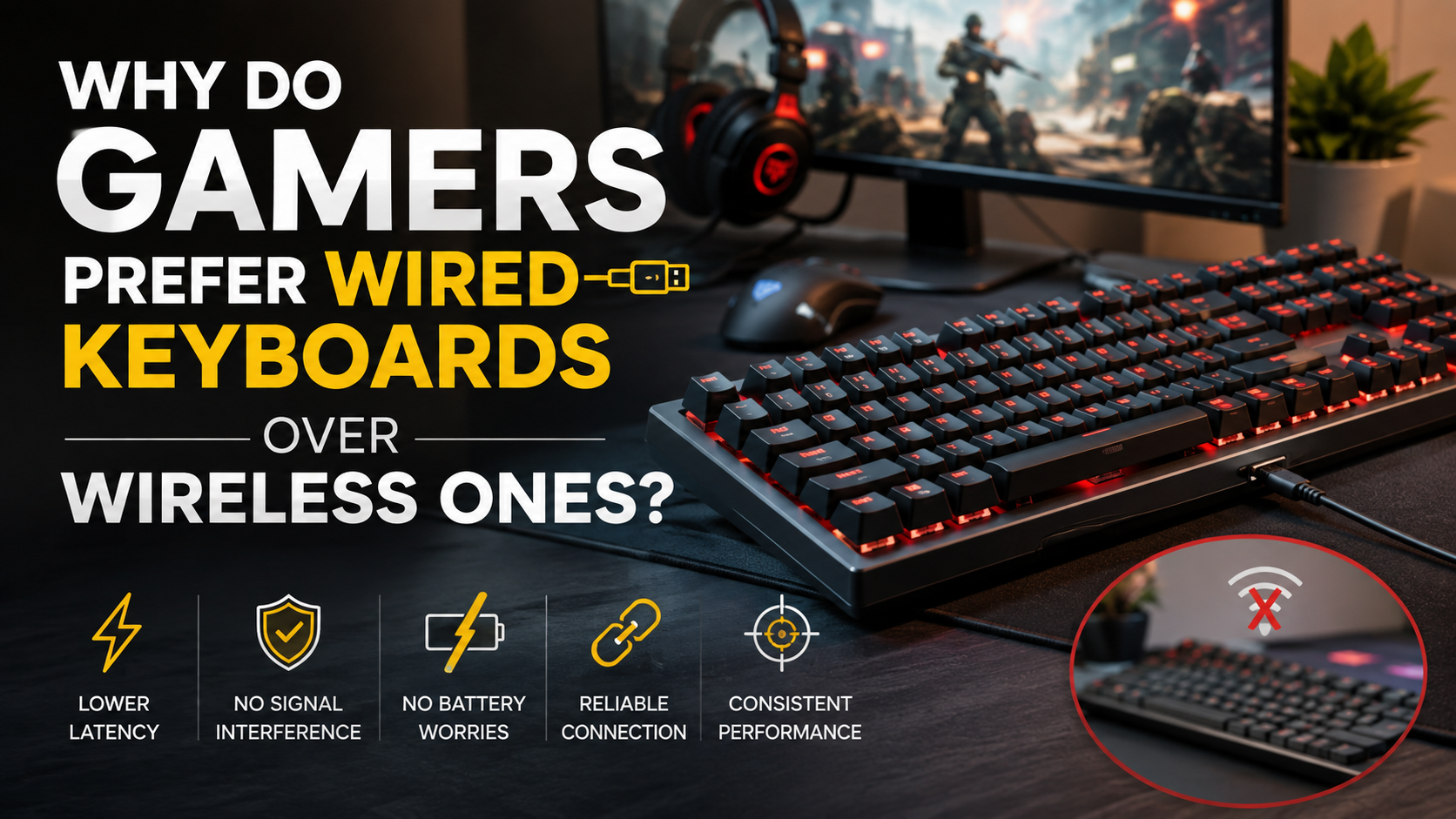
Competitive gaming demands split-second precision, so peripheral choices can affect your experience. Many players still prefer wired keyboards over wireless keyboards for consistent performance during intense matches. Although modern wireless peripherals have improved greatly, a physical connection remains popular among competitive gamers. Players comparing different switch types can also explore Mechanical vs Membrane Keyboard for Gamers: Which Wins? when choosing a gaming keyboard.
A wired keyboard connects directly to your computer through USB. This setup avoids wireless pairing and reduces concerns about interference, signal stability, or battery levels. For players competing in tournaments or climbing ranked leaderboards, predictable input can provide valuable peace of mind.
Organizations such as the USB Implementers Forum help establish standards for USB technology and high-speed data transfer. These standards support reliable wired connections across compatible devices.
Your ideal keyboard depends on your gaming habits, workspace, and priorities. This guide compares wired and wireless keyboards across latency, interference, battery consumption, portability, and everyday convenience. Understanding these differences can help you choose the right keyboard for your gaming setup.
Do gamers prefer a wired or wireless keyboard?
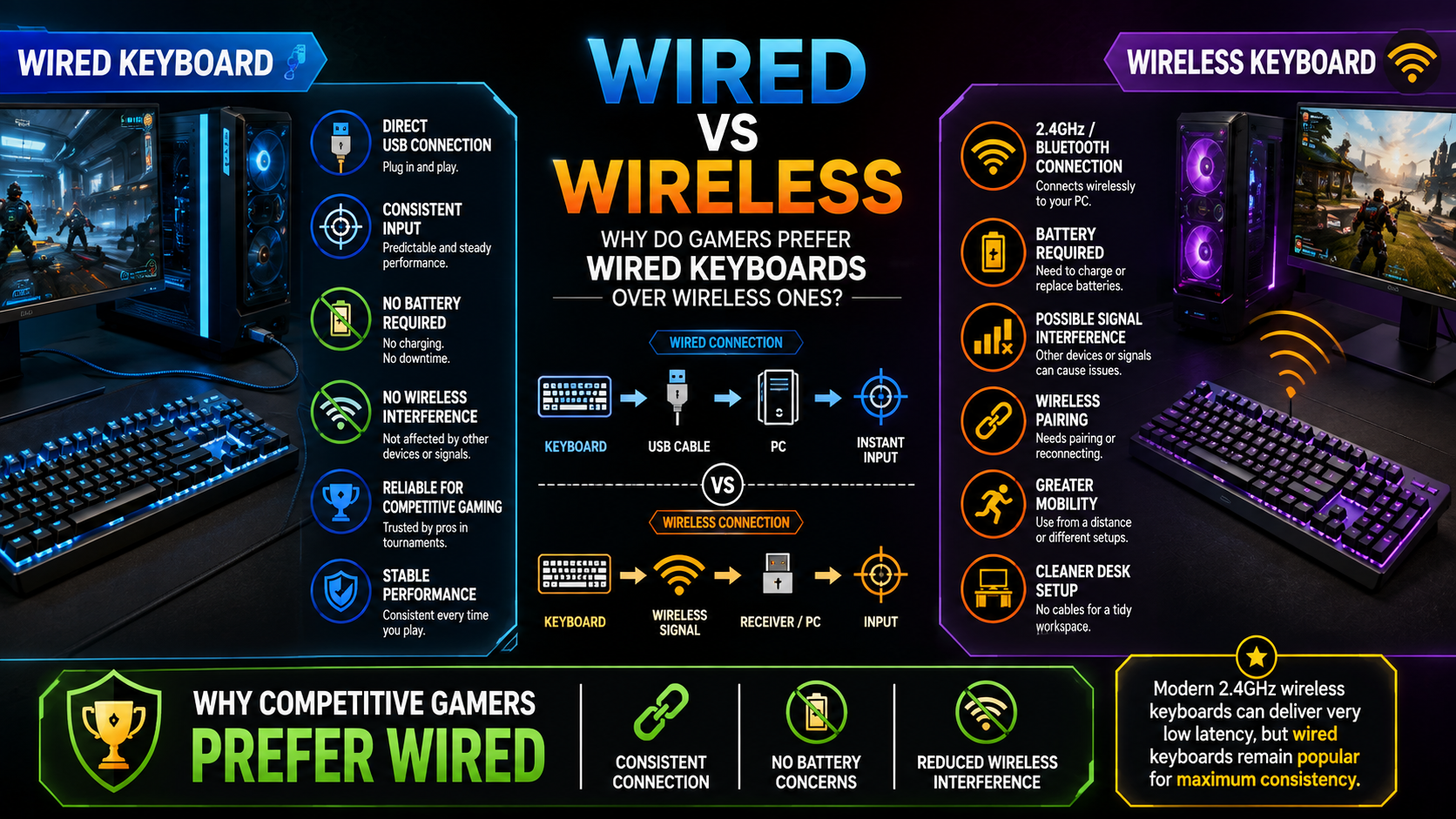
Many competitive gamers still prefer wired keyboards because they provide a simple and consistent connection. A direct USB connection avoids wireless pairing and reduces potential signal-related issues. It also means you never need to stop playing because the keyboard battery needs charging.
Wireless keyboards have become much faster and more reliable. Premium 2.4GHz gaming models can deliver performance that feels extremely close to wired alternatives. However, competitive players often value predictable performance over maximum convenience. For users concerned about wireless connectivity, 4 Disadvantages Of Using Bluetooth For Everything provides useful context about the limitations of Bluetooth technology.
Wireless keyboards can still make sense for casual gaming and flexible workspaces. They provide a cleaner desk and make it easier to move between locations. However, players who compete seriously often prefer the simplicity of plugging in a cable.
The Role of Zero Signal Interference
A wired keyboard does not rely on a radio connection between the keyboard and computer. This eliminates wireless-channel congestion as a possible source of connection problems. In crowded gaming environments, that can provide useful consistency.
However, wired connections do not literally guarantee zero latency. USB processing, switch technology, firmware, and the computer itself still contribute to overall response time.
Which is better, a wired or wireless keyboard?
Neither keyboard type is universally better. The right choice depends on your gaming habits, workspace, portability needs, and performance priorities. Wired keyboards remain excellent for stationary gaming setups where consistent connectivity matters most. If you are building an office setup, How To Pick The Perfect Mechanical Keyboard For Your Office can help you choose a suitable mechanical keyboard.
A wired model also removes the need for charging and wireless pairing. You simply connect the keyboard and start using it. This makes wired keyboards particularly convenient for fixed desktop setups.
Wireless keyboards offer a different set of advantages. They reduce cable clutter and make it easier to reposition your keyboard. You can also use them from greater distances when controlling media or gaming from a couch.
Modern 2.4GHz wireless keyboards can provide very low latency. Some premium models perform similarly to wired keyboards in everyday gaming. Bluetooth models may prioritize compatibility and power efficiency instead.
Ultimately, competitive players may prefer wired models for maximum consistency. Casual gamers and users who value flexibility may prefer wireless options.
Matching Hardware to Your Playstyle
Choose a wired keyboard if you frequently play fast-paced competitive games. First-person shooters, fighting games, and rhythm titles can benefit from predictable input. A wired setup also works well when your computer stays in one location.
Wireless keyboards suit players who value flexibility and desk organization. They work especially well for mixed gaming and productivity setups. If you regularly move your keyboard, a wireless model can feel more convenient.
Your choice should also consider your connection type. Premium 2.4GHz wireless keyboards generally provide lower latency than basic Bluetooth models. For competitive gaming, 2.4GHz wireless is usually the more suitable wireless option.
Are wired mouses less laggy?
Wired mice generally provide a straightforward and dependable connection. A USB cable sends data directly between the mouse and computer, without relying on wireless transmission. This can reduce concerns about interference and connection instability.
However, modern gaming mice have changed the comparison. High-end 2.4GHz wireless gaming mice can now deliver extremely low latency. Some models perform at a level that is difficult to distinguish from wired mice during normal gaming.
Basic Bluetooth mice are different. Bluetooth connections can prioritize power efficiency and compatibility instead of maximum gaming responsiveness. They may therefore feel less responsive in fast-paced games.
Wired mice also avoid battery management. Their performance does not depend on remaining battery capacity. They can maintain their configured polling rate as long as the computer supplies sufficient power.
For competitive gaming, a quality wired mouse remains an excellent option. Yet premium wireless mice can also provide outstanding responsiveness without the restrictions of a cable.
Maintaining Maximum Polling Rates
Polling rate determines how frequently a mouse reports its position to the computer. Gaming mice commonly support rates ranging from 1000Hz to 8000Hz, depending on the model and configuration.
A wired mouse can maintain its selected polling rate without worrying about battery runtime. Wireless gaming mice must balance performance with power consumption. Some models may offer different polling settings to extend battery life.
That does not mean every wireless mouse automatically becomes slower as its battery decreases. Battery behavior depends on the manufacturer’s hardware and firmware. Many premium wireless mice maintain strong performance until the battery becomes critically low.
Higher polling rates can reduce the interval between mouse reports. However, the practical benefit depends on your monitor, system, game, and sensitivity settings.
For most players, connection stability and sensor quality matter more than simply choosing the highest polling rate. A reliable mouse with consistent tracking is usually more valuable than a larger specification number.
What are the downsides of using a wired keyboard?
The biggest disadvantage of a wired keyboard is the physical cable. A cable can add clutter to your desk and restrict how freely you position your keyboard. Poor cable management can also make the setup look less organized.
Long or thick cables may catch on monitor stands, desk edges, or other equipment. They can also create tension when you move your keyboard during gaming. In compact workspaces, cable routing can become particularly annoying.
Wired keyboards also limit portability. You cannot easily move several feet away from your computer without extending the cable. This matters if you frequently switch between gaming at a desk and using your PC from another position.
Physical wear is another consideration. Repeated bending, pulling, or twisting can eventually damage a cable or connector. Keyboards with detachable USB-C cables are easier to replace if the cable becomes damaged.
Despite these disadvantages, good cable management can solve many everyday problems. For stationary gaming setups, the limitations are often minor compared with the reliability of a wired connection.
Managing Physical Cable Drag
Cable drag can become noticeable when your keyboard cable sits across an active area of your desk. Movement may pull against the keyboard or create unnecessary tension around the connector.
Good cable management can reduce these problems. Route the cable toward the rear of your desk and leave enough slack for comfortable keyboard movement. Avoid sharp bends that place continuous stress on the connector.
A detachable USB-C cable provides another practical advantage. If the cable becomes damaged, you can replace it without replacing the entire keyboard. It also makes packing the keyboard easier for travel. Before choosing a USB-C connection, it is also useful to understand Do All USB-C Ports Support Video? and the differences between USB-C ports.
You can further improve your setup by using clips, cable channels, or simple desk-routing accessories. These options keep the cable away from your mouse and other equipment.
For gamers who make large mouse movements, cable positioning matters. Keeping the keyboard cable away from your active mouse area can make the entire desk feel more comfortable.
Does a wired keyboard drain a laptop battery?
Yes. A wired keyboard draws power from a laptop through its USB connection. However, the amount of power it uses depends on the keyboard’s design and features.
A basic mechanical keyboard without lighting usually consumes relatively little power. Its effect on total laptop battery life may be small during normal use. The impact becomes more noticeable with keyboards that include extensive RGB lighting, displays, processors, or other powered features.
RGB lighting can increase power consumption because LEDs require continuous electrical power. Bright per-key effects generally consume more energy than simple static or low-brightness lighting.
If you regularly game or work away from a charger, reducing keyboard lighting can help extend battery life. You can lower the brightness, choose a static effect, or disable RGB lighting completely.
The keyboard itself is rarely the biggest source of laptop battery drain. The display, processor, graphics hardware, and demanding applications usually consume much more power. Still, reducing unnecessary USB power usage can help maximize runtime during long portable sessions.
Optimizing Onboard RGB Power Consumption
RGB lighting can significantly increase the power requirements of a gaming keyboard. Bright per-key effects use more energy than a keyboard with its lighting disabled. The exact difference depends on the number of LEDs and the keyboard’s internal hardware.
If battery life matters, start by lowering RGB brightness. A 50% brightness setting can reduce power use compared with maximum illumination. Static lighting can also be more efficient than complex animations.
Turning RGB lighting off provides the greatest reduction in keyboard lighting power consumption. You can still keep a small amount of illumination if you need visibility in a dark room.
Some gaming keyboards also include software controls for lighting schedules and effects. These tools can help you balance appearance with battery efficiency.
For laptop users, simple lighting adjustments are an easy way to reduce unnecessary power consumption. You do not need to disconnect your wired keyboard to save energy. Instead, manage the features that consume the most power while keeping the keyboard comfortable to use.
Frequently Asked Questions
Can a wireless keyboard match wired latency?
Yes. Premium 2.4GHz wireless gaming keyboards can offer extremely low latency and may feel comparable to wired models. Performance depends on the keyboard’s wireless technology, firmware, polling rate, and environment. Bluetooth keyboards can behave differently because they are designed for broader compatibility and efficiency.
Do mechanical switches affect latency?
Yes. Switch technology can influence when a keypress is detected. Optical and magnetic Hall-effect switches can offer very fast actuation and additional customization. However, overall keyboard latency also depends on scanning, firmware, processing, and connection technology.
Why do tournament players use wired gear?
Many esports events prefer or require wired peripherals for consistency and easier event management. A wired connection removes wireless pairing and radio interference concerns. Tournament rules vary, so not every competition has identical peripheral requirements.
How long do wireless gaming keyboard batteries last?
Battery life varies by model, connection method, and lighting settings. Some modern keyboards can operate for hundreds of hours with RGB lighting disabled. Heavy RGB use can reduce runtime considerably. Always check the manufacturer’s stated battery rating for the most accurate estimate.
Conclusion
Choosing between wired keyboards over wireless ones comes down to performance, convenience, and personal preference. Competitive gamers often choose wired keyboards because they provide a direct connection without battery management or wireless pairing.
A wired keyboard can also simplify a tournament setup. You connect it to the computer and avoid concerns about wireless-channel congestion. That consistency can be valuable during high-pressure competitive matches.
Wireless technology, however, has improved substantially. Premium 2.4GHz gaming keyboards can provide very low latency while offering greater freedom and cleaner desk organization. However, wired keyboards over wireless ones still appeal to competitive gamers who prioritize consistent performance and reliability. For casual gaming, productivity, and flexible workspaces, wireless benefits can outweigh the advantages of a cable.
Before buying, consider your gaming genres, desk layout, portability needs, and budget. Think about whether you value maximum consistency or greater flexibility.
If competitive performance is your highest priority, a high-quality wired gaming keyboard remains an excellent choice. If convenience and mobility matter more, a modern wireless keyboard can deliver an impressive gaming experience without sacrificing much responsiveness.