Is It Safe to Keep Using a Cracked Screen Protector?
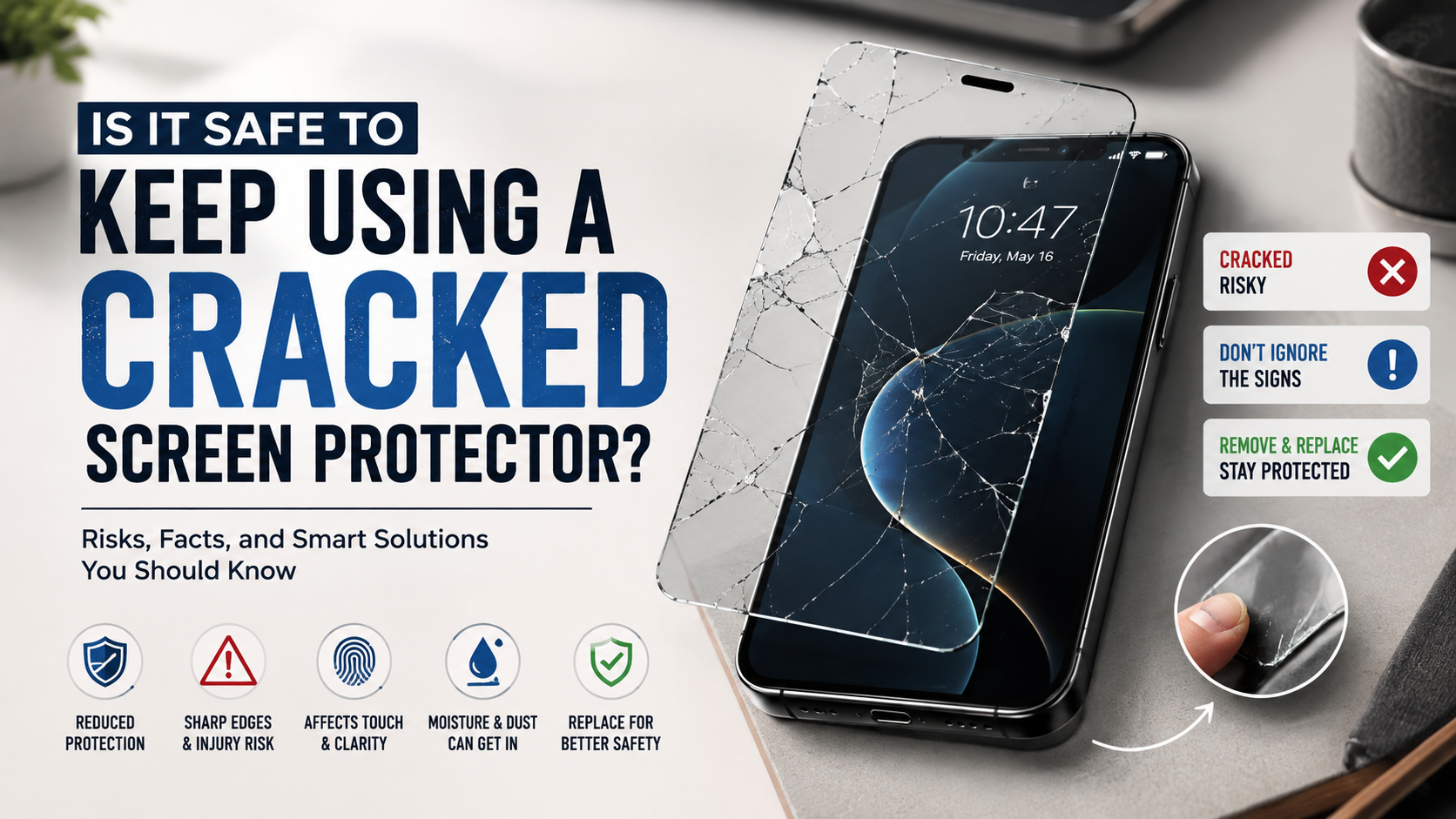
Using a cracked screen protector may seem harmless when your phone’s actual display is still intact. However, a damaged protector can create sharp edges, reduce clarity, and provide less reliable protection. We have all experienced that dreaded moment when a smartphone slips from our fingers and hits the ground.
Using a cracked screen protector may seem harmless, especially when the phone’s actual display still works. However, damaged glass can create several practical problems. Cracks can expose your fingers to sharp edges and reduce the protector’s ability to handle another impact.
According to display safety guidelines documented by organizations like the National Safety Council, handling fractured consumer glass carries real cut and puncture risks during daily use.
A damaged protector can also affect touch response and display clarity. Dust may collect inside larger cracks and make the screen harder to clean. If moisture reaches the damaged area, it may also create problems for the phone beneath it.
This guide explains when a cracked protector should be replaced. It also covers safe removal, temporary protection, and alternatives to traditional tempered glass.
Is it bad if my screen protector is cracked?
Yes, a cracked screen protector should generally be replaced rather than used indefinitely. Tempered glass protectors are designed to absorb and distribute impact. Once the glass breaks, its protective performance becomes less predictable.
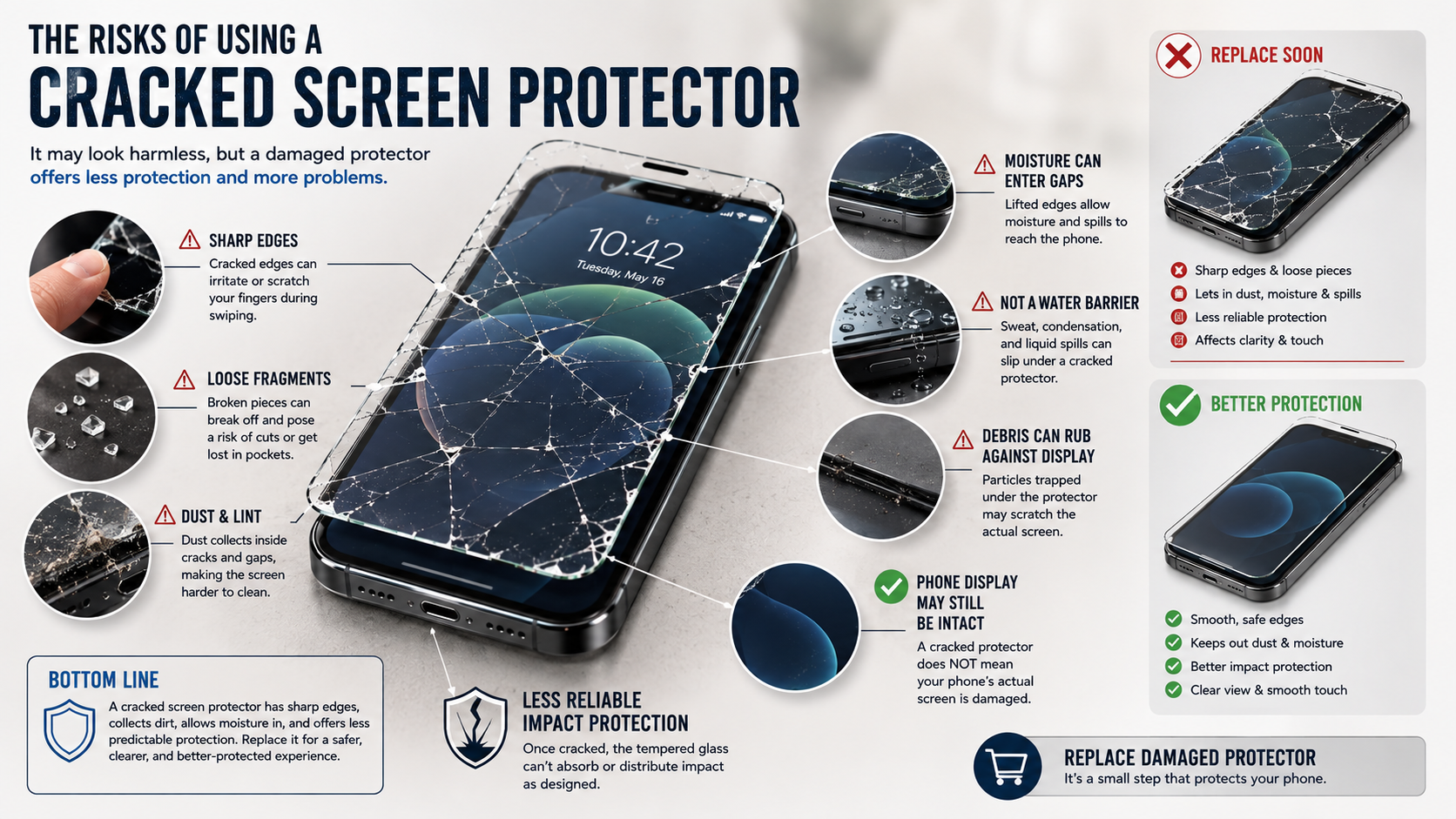
Cracks can also create sharp edges or loose fragments. These may scratch or irritate your fingertips during normal swiping. The risk is higher when the protector has chipped corners or larger broken areas.
A fractured protector can also affect your everyday experience. Cracks may scatter light and create distracting glare. Deep fractures can interfere with touch sensitivity in some areas. Dust and lint can also collect inside the damaged sections. If display visibility is a concern, privacy screen protectors offer another approach to managing what can be seen on your phone.
A cracked protector does not automatically mean your phone’s display is damaged. However, leaving it in place provides little benefit compared with installing a fresh protector.
For the best protection, replace the damaged layer when practical. If you notice exposed edges, loose pieces, or sharp fragments, remove it sooner.
Hidden Internal Hardware Hazards
A cracked screen protector does not automatically expose your phone to internal water damage. However, significant cracks, gaps, or lifted edges can allow moisture and debris to reach areas that were previously covered.
This matters most around damaged edges and open sections. Sweat, condensation, and small liquid spills can collect beneath a lifted protector. The underlying display may then become dirty or difficult to clean.
Moisture exposure can be especially concerning if the phone already has compromised seals. A cracked protector should not be treated as a reliable barrier against water. It also cannot restore the phone’s original water resistance.
There are other potential problems. Dust trapped beneath a damaged protector may rub against the display during use. This can contribute to scratches or surface wear if particles move between the layers.
For these reasons, replace a damaged protector instead of relying on it for long-term protection. If the phone itself has suffered a major impact, inspect the display carefully. Back up important data if you suspect any hardware damage.
Is it better to leave a cracked screen protector on or take it off?
In most cases, it is better to remove and replace a cracked screen protector. A broken protector may still hold some fragments together, but its protective performance is no longer reliable.
Leaving it temporarily in place can make sense if you cannot replace it immediately. This may help contain loose pieces and provide limited protection until you have a replacement. However, avoid continuing to use it for an extended period.
Check the protector before deciding what to do. If it has sharp edges, loose glass, major chips, or sections that are lifting, remove it carefully. Do not press hard on damaged areas while using the phone.
A new protector provides a cleaner surface and more predictable protection. It also restores the smooth touch response and clear viewing experience expected from an undamaged accessory.
If the phone’s actual display is cracked, the situation is different. A replacement protector can offer temporary protection, but it cannot repair the damaged screen underneath.
Safe Removal and Disposal Practices
Removing a cracked protector requires more care than removing an intact one. Broken tempered glass can have sharp edges, so avoid picking at the damaged surface with your fingernails.
Start by turning off the phone and cleaning your hands. If possible, work over a clean, stable surface. Look for a corner or edge where the protector has already started separating from the display.
Use a rigid plastic card to gently lift the protector. Slide the card beneath the edge rather than forcing it downward. Peel the protector away slowly at a shallow angle.
If the glass begins breaking into smaller pieces, stop pulling aggressively. Wrap the damaged protector in paper or place it inside suitable protective packaging. This helps prevent loose fragments from causing injuries in household waste.
After removal, inspect the phone’s actual display. Use a soft microfiber cloth to remove adhesive residue and dust. Avoid applying excessive pressure.
If the native screen is cracked, chipped, or lifting, consider professional inspection before installing another protector.
Is it a good idea to put a screen protector over a cracked screen?
Putting a new protector over a cracked phone screen can provide temporary protection. It may help hold loose fragments in place and reduce direct contact with sharp edges.
However, this approach does not repair the underlying display. A damaged OLED or LCD panel can continue developing problems after the new protector is installed. Touch issues, black spots, lines, and spreading cracks may still occur.
A new protector can also make an already damaged screen harder to inspect. Air gaps may form around existing cracks, creating bubbles or visible distortion. Touch sensitivity may also feel different across heavily damaged areas.
If you need temporary protection while arranging a repair, a new protector can be useful. Handle the phone carefully and avoid exposing it to additional impacts or moisture.
Before installing anything, back up important data. If the display has severe damage, professional repair is the safer long-term solution.
Most importantly, do not mistake a replacement protector for a screen repair. It protects the surface but cannot restore the structural integrity of the phone’s original glass.
Realistic Long-Term Expectations
A new screen protector can make a cracked display easier and safer to use temporarily. However, it cannot reverse structural damage in the phone’s original glass or display assembly.
Existing cracks may continue spreading when the phone experiences pressure or another impact. The damage can also affect touch performance, brightness, or image quality if it reaches the underlying display components.
For that reason, treat a new protector over a cracked screen as a temporary measure. It can help contain fragments while you arrange professional repair. It should not replace an assessment of serious display damage.
Before seeking repair, back up photographs, contacts, documents, and other important data. This is especially useful if the screen becomes difficult to operate later.
If the phone has exposed glass, display discoloration, touch failure, or signs of moisture, avoid unnecessary use. Contact a qualified repair provider for advice.
A proper screen replacement restores the damaged display assembly. The exact repair needed depends on the phone model and the severity of the damage.
Are phones better without a screen protector?
Using a phone without a screen protector can provide a smoother and more natural experience. You can feel the manufacturer’s original glass and use its full oleophobic coating without another layer between your finger and the display. For a closer look at this trade-off, see our guide on whether matte screen protectors can affect your phone’s display.
Modern smartphones also use increasingly durable cover glass. Technologies such as Ceramic Shield and Gorilla Armor can provide strong scratch and impact resistance. However, no smartphone glass is completely scratch-proof or shatter-proof.
Small particles can still damage an unprotected display. Sand and other abrasive materials are particularly capable of creating scratches. A drop onto concrete can also damage even advanced cover glass.
Going without a protector therefore involves a trade-off. You gain maximum clarity and tactile response, but you accept greater exposure to scratches and impact damage.
For people who handle their phones carefully, bare glass may be perfectly reasonable. Others may prefer the lower replacement cost offered by a quality screen protector.
Your choice should depend on how you carry, use, and protect your phone every day.
Weighing Tactile Feel Against Repair Costs
A bare smartphone display usually delivers the most natural touch experience. There is no additional layer affecting texture, reflections, or the feel of the original glass.
It can also preserve the manufacturer’s intended display appearance. Brightness, color, viewing angles, and surface smoothness remain unchanged when no protector covers the screen.
However, the financial risk is higher. A serious drop can damage the phone’s original display, and genuine screen repairs can be expensive. Repair costs vary considerably by manufacturer and model.
A good screen protector offers an inexpensive layer between everyday hazards and the phone’s native glass. It may absorb scratches, chips, and some impact damage before the phone itself is affected. Different materials perform differently, so comparing tempered glass and plastic screen protectors can help you choose the right option.
Consider a protector if you regularly carry your phone outdoors or place it in pockets with other objects. Keys and coins are less likely to cause serious damage, but abrasive particles can still scratch glass.
Ultimately, the choice depends on your priorities. Maximum tactile feel favors a bare screen, while lower replacement risk favors a protective layer.
What to use instead of a screen protector?
If you dislike thick tempered glass, several alternatives can provide different types of protection. Thin TPU film protectors are flexible and often work well on curved displays. They can provide scratch resistance while maintaining good touch sensitivity.
Some films also advertise self-healing properties. These materials may reduce the appearance of minor surface scratches, but they cannot repair deep cuts or structural damage. For another common type of screen protection, learn more about blue light screen protectors and whether they actually work.
Liquid screen coatings are another option. These products add a thin surface treatment designed primarily to improve scratch resistance and smoothness. They should not be considered equivalent to impact-resistant tempered glass.
You can also skip a screen protector altogether. Pairing a bare display with a durable case can still provide useful protection. Look for a case with raised bezels around the screen.
Other options include:
- Thin film protectors for a barely noticeable layer.
- TPU protectors for flexible coverage.
- Protective cases with raised screen edges.
- Folio cases that cover the display when closed.
- Padded sleeves for extra protection during travel.
Choose based on your phone, lifestyle, and tolerance for scratches.
Folio Cases and Protective Sleeves
Folio cases offer a practical alternative for people who dislike traditional screen protectors. Their front covers shield the display when the phone is stored or carried. This can reduce exposure to scratches from objects inside bags and pockets.
A folio case also keeps the display covered when the phone is not being used. Depending on its construction, it may provide additional protection during minor drops. However, the quality and impact protection vary between cases.
Protective sleeves work differently. They are useful when you want to use the phone without a permanent screen covering. A padded microfiber sleeve can help protect the display while the phone travels inside a backpack, purse, or luggage.
These accessories can preserve the natural feel of bare glass. They also avoid some of the glare and touch changes that certain screen protectors introduce, which can be useful if you’re interested in reducing everyday screen exposure and screen fatigue.
However, neither option guarantees protection from every drop. A case with raised edges can help, while a sleeve mainly protects the phone during storage and transport.
For everyday protection, combine the accessory with sensible handling habits. Keep the phone away from abrasive debris and avoid placing it with hard objects.
FREQUENTLY ASKED QUESTIONS
Can a broken screen protector damage my phone’s camera?
Yes, fractures spreading across the upper display cutouts can degrade front camera performance. Light entering the lens scatters across the fractured edges, creating optical glare, blurry portrait shots, and washed-out video feeds. Furthermore, fractured glass can interfere with proximity sensors and facial recognition hardware, causing failed unlocks and erratic screen behavior during phone calls.
How often should you replace a screen protector?
You should replace your screen protector immediately once it develops cracks, deep scratches, or chipped corners. Even without physical drops, consider replacing standard films every twelve months. Regular friction degrades the original oleophobic coating over time, leading to stubborn fingerprint smudges, increased surface drag, reduced clarity, and poor touch accuracy during daily usage.
Does a damaged screen shield ruin phone trade-in value?
A damaged protective film will not directly reduce your phone trade-in valuation, provided you peel it off beforehand. However, leaving fractured glass attached might hide permanent scratches or micro-abrasions underneath. Inspectors will evaluate the bare native glass display, so removing the damaged layer and cleaning the front panel ensures you get an accurate quote.
Can hairline cracks on a screen protector heal themselves?
No, hairline cracks in tempered glass protectors cannot heal or mend themselves over time. Glass fractures are permanent structural failures caused by mechanical stress. Only specialized thermoplastic polyurethane (TPU) film protectors possess limited self-healing properties, which gradually close faint surface scratches through natural material expansion, but even TPU cannot fix deep physical tears.
Conclusion
Using a cracked screen protector may seem harmless when your phone’s display still works normally. However, damaged glass can create sharp edges, reduce clarity, and affect touch performance.
A cracked protector also provides less predictable impact protection. It should not be treated as a permanent solution after a drop. Replacing the damaged layer is usually the simplest and safest choice.
If the phone’s actual display is cracked, a new protector can provide temporary coverage. It may help contain loose fragments and reduce exposure to dust. However, it cannot repair the underlying display or prevent existing hardware problems.
You can choose from several alternatives to traditional tempered glass. TPU films, protective coatings, raised-edge cases, folio covers, and sleeves each offer different benefits.
The best option depends on your priorities and daily habits. Whatever you choose, replace severely damaged protection promptly and inspect the phone after significant impacts.
A clean, intact protective layer gives you better everyday protection without sacrificing usability.
This version keeps the original topics and headings while making the claims more defensible, improving keyword relevance, and breaking dense sections into shorter paragraphs. It is also structured for easier scanning and featured-snippet-style answers.