A Complete Guide to the Logitech Combo Touch
If you need a versatile keyboard case for your tablet, Logitech Combo Touch is worth considering. It can change how you use your device for work, school, or entertainment. Many buyers want to know how well it performs and protects their tablet. They also want to know whether its weight becomes uncomfortable during daily use.
Logitech designs its tablet accessories around specific device models. This approach helps ensure reliable compatibility and seamless power delivery through smart connectors. The exact features can vary by tablet model, so compatibility should always be checked before buying.
In this guide, we examine the Logitech Combo Touch from several practical angles. We cover its performance, design, protection, weight, and versatility. We also compare Logitech with HP to help you understand which brand suits your needs.
Is the Logitech Combo Touch Good for Everyday Use?
The Logitech Combo Touch is a strong choice for tablet users who want laptop-style productivity. It combines a protective case with a detachable keyboard and trackpad. This design gives you more flexibility than a basic tablet cover.
The keyboard provides well-spaced keys and a responsive typing experience. Its trackpad also supports multi-touch gestures for easier navigation. You can detach the keyboard when you want to read, watch videos, or draw.
For students, remote workers, and frequent travelers, this flexibility can be especially useful. You can quickly switch between typing documents and using the tablet as a traditional touchscreen device. The setup also keeps essential productivity tools together instead of requiring separate accessories.
Another benefit is the overall convenience of the design. The keyboard remains connected through the tablet’s smart connector, so there is no Bluetooth pairing process. This makes it easier to start working whenever you open the case.
The Combo Touch also works well for different types of daily tasks. You can write notes, respond to emails, browse websites, edit documents, or watch videos. Its versatility makes it more than just a keyboard attachment.
Everyday Performance and Versatility
The adjustable kickstand supports different viewing angles for everyday tasks. You can use it for emails, documents, browsing, or creative work. The keyboard connects through the tablet’s smart connector, so Bluetooth pairing is unnecessary.
The keyboard also draws power from the tablet. That means there is no separate keyboard battery to charge. This setup can reduce connection problems and simplify daily use.
For people who often switch between productivity and entertainment, the modular design is useful. It offers a practical balance of typing comfort, flexibility, and tablet portability.
The kickstand is another useful part of the experience. It lets you position the tablet at a comfortable angle while typing or viewing content. This can make longer sessions more convenient.
Overall, the Combo Touch is well suited to users who want more from their tablet. It provides many laptop-style features without permanently turning the tablet into a laptop.

What Is the Logitech Combo Touch?
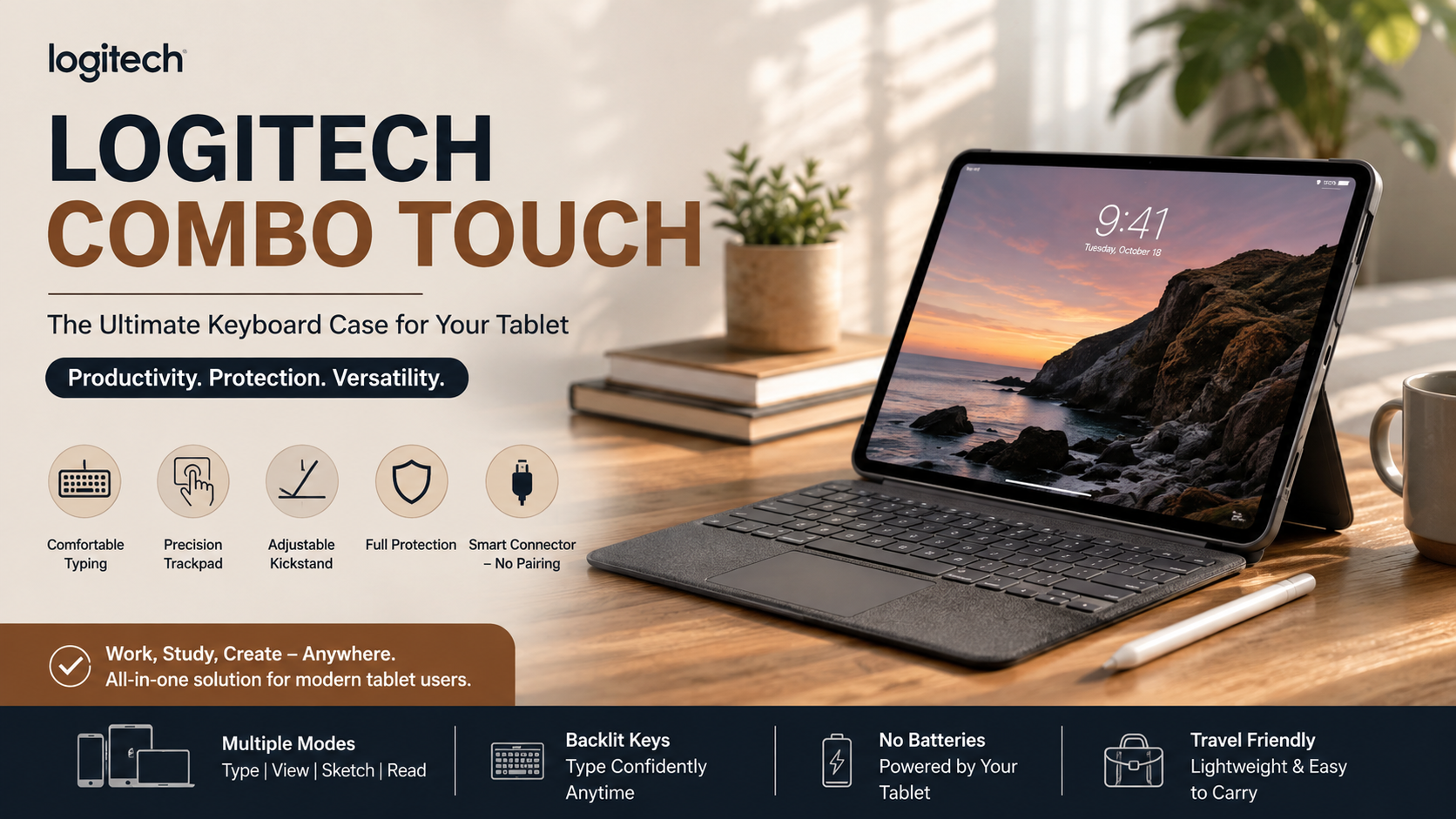
The Logitech Combo Touch is a detachable keyboard case designed for compatible tablets. It combines a keyboard, precision trackpad, and protective case. Together, these components give a tablet a more laptop-like setup.
The keyboard includes backlighting on supported models, making it easier to type in low-light environments. Its trackpad provides gesture support for navigation and multitasking. The physical connection also supplies power without requiring Bluetooth pairing.
Unlike a basic tablet cover, the Combo Touch is designed for several different use cases. You can use the tablet for productivity with the keyboard attached. You can also remove the keyboard when you want a lighter touchscreen experience.
This makes the accessory particularly useful for people who move between different activities. A student might use it for writing assignments and then detach the keyboard for reading. A professional could use the same setup for emails, meetings, and presentations.
The design also keeps the tablet protected while adding productivity features. Instead of carrying a separate case and keyboard, you get both functions in one system. This can make your everyday setup more organized.
Understanding the Core Components
The case has two main sections. One is the detachable keyboard, while the other is the protective back shell. The back shell includes an integrated kickstand for hands-free viewing.
The case supports several practical modes. You can use it for typing, viewing, sketching, or reading. This flexibility makes it suitable for different situations throughout the day.
Depending on the specific model, features can vary. Compatibility is therefore important when choosing a Combo Touch for your tablet.
The keyboard section provides physical keys for longer typing sessions. The trackpad also lets you control the cursor without constantly touching the display. This can make document editing and multitasking feel more natural.
The protective shell holds the tablet securely while helping protect its back and edges. Meanwhile, the kickstand provides hands-free positioning. These components work together to create a flexible tablet workstation.
Key features include:
- Detachable keyboard for flexible tablet use
- Integrated trackpad for cursor control and gestures
- Adjustable kickstand for multiple viewing positions
- Protective case design for everyday tablet protection
- Smart connector support on compatible tablet models
Which Keyboard Is Better: HP or Logitech?
Choosing between HP and Logitech depends on your device and how you plan to use it. HP keyboards often focus on traditional Windows computers and business environments. Logitech offers a wider range of accessories across different platforms.
For tablet users, Logitech has a clear advantage with specialized products such as the Combo Touch. Its tablet-focused design combines a keyboard, trackpad, kickstand, and protective case. This makes it more suitable for people seeking mobile productivity.
However, HP can still be the better choice for users who mainly work with HP laptops or desktop computers. Its accessories are often designed around conventional Windows setups. That familiarity can matter in professional or office environments.
Your typing preferences should also influence the decision. Some users prefer traditional desktop-style keyboards, while others value compact tablet accessories. Consider the device you already own before choosing between the brands.
Price and portability are also worth considering. A tablet-focused Logitech accessory can provide more functionality than a standard keyboard. However, users who only need basic typing may not need those additional features.
Key Factors in the Brand Comparison
Compatibility should be your first consideration. HP accessories may make more sense if you primarily use HP laptops or Windows desktops. Logitech can be a better fit for tablet users and people who want flexible accessories.
Your preferred software ecosystem also matters. Logitech offers software features for many compatible computer accessories. HP focuses heavily on its hardware ecosystem and business-oriented devices.
Build quality and intended use are equally important. HP products can suit office environments and traditional computer setups. Logitech’s tablet accessories focus more on portability and flexible working styles.
You should also consider how often you switch between typing and touchscreen use. The Combo Touch makes this transition simple because its keyboard can be detached. A standard keyboard does not offer the same tablet-focused flexibility.
Consider these factors before choosing:
- Tablet compatibility: Logitech offers dedicated tablet accessories.
- Windows use: HP can suit traditional Windows setups.
- Portability: Logitech’s tablet products emphasize mobile use.
- Productivity: Combo Touch adds keyboard and trackpad functionality.
- Design preference: Both brands offer different styles and form factors.
Is the Logitech Combo Touch Protective?
The Logitech Combo Touch provides protection against everyday scratches, bumps, and general wear. Its form-fitting design helps cover the tablet’s back, corners, and edges. This gives your device more protection than a simple keyboard attachment.
The outer material also provides additional grip when handling the tablet. That can help reduce accidental slips during everyday use. However, it should not be treated as a heavy-duty rugged case for extreme environments.
For everyday users, this level of protection can be practical. The case is designed to handle common situations such as commuting, studying, and office use. It adds protection without focusing entirely on rugged construction.
The design also supports normal tablet handling. You can place the tablet on a desk, carry it in a backpack, or use it while traveling. The case helps protect the device during these routine activities, especially when considering screen safety during everyday use.
However, protection should not be confused with complete drop resistance. The Combo Touch is not intended to make a tablet immune to serious impacts. Careful handling remains important, especially with expensive tablet models.
Impact Protection and Screen Safety
The raised edges can help keep the display away from surfaces when the tablet is placed face down. The folio design also helps protect the screen while the device is stored or carried.
Its protective design is best suited to normal daily situations. These include commuting, school, office use, and travel. It offers a practical balance between protection, functionality, and portability.
The folio also adds a layer between the tablet display and other items in your bag. This can help reduce contact with everyday objects. However, sharp objects should still be kept away from the screen.
The protective shell can also help guard the tablet’s rear surface against scratches. This is useful when placing the device on desks or other frequently used surfaces. The exact level of protection depends on the specific model.
Keep in mind that no tablet case can guarantee protection from every drop. The level of protection also depends on the specific Combo Touch model and tablet. Checking the model-specific specifications is important before purchase.
Is the Logitech Combo Touch Heavy for Daily Carry?
The Logitech Combo Touch is heavier than a basic tablet folio. That is expected because it includes a physical keyboard, trackpad, and protective shell. The additional weight provides functionality that a simple cover cannot offer.
For many users, the extra weight remains manageable during commuting, studying, and travel. When attached, the setup can also replace some laptop tasks. This may reduce the need to carry a separate computer for lighter productivity work.
The overall weight can feel more noticeable when carrying the tablet for long periods. This is especially true when you already have other items in your backpack. However, the added functionality can make the extra weight worthwhile for productivity-focused users.
Your usage habits should therefore guide your decision. If you mainly watch videos or read, a slimmer case may be more suitable. If you type regularly, the Combo Touch can offer greater practical value.
The balance between weight and functionality is one of the main trade-offs. You are carrying more hardware, but you also gain a keyboard, trackpad, stand, and protective shell.
Managing Weight and Portability
The detachable design gives you another way to manage weight. You can remove the keyboard when you only need the tablet and protective back case. This works well for reading, drawing, browsing, or watching videos.
The trade-off is simple. You get more functionality and protection, but the setup is heavier than a slim folio. For frequent travelers and students, the added weight may be worthwhile.
The modular design also gives you more control over how you carry the tablet. Keep the keyboard attached when working outside your home. Remove it when you want a lighter setup for casual use.
This flexibility can make the additional weight easier to manage. You do not have to carry the complete setup during every activity. Instead, you can choose the configuration that fits your immediate needs.
Before buying, compare the combined weight of your tablet and case. This gives you a better idea of how comfortable the complete setup will be. Also consider your typical bag weight and how often you travel with the tablet.
For users who value productivity, the extra weight may be a reasonable compromise. Those seeking maximum portability may prefer a lighter folio instead.
Frequently Asked Questions About Logitech Combo Touch
The Logitech Combo Touch is designed to make tablet productivity simpler. Still, buyers often have questions about its connection method, charging, backlighting, and detachable keyboard.
Does the Logitech Combo Touch Require Bluetooth Pairing?
No. Compatible Combo Touch models connect directly through the tablet’s smart connector. This connection transfers data and power without traditional Bluetooth pairing.
That means you do not need to manage a separate keyboard connection. It can also eliminate the need to charge a separate keyboard battery.
Can I Charge My Tablet With the Case Attached?
Yes. The case is designed to provide access to the tablet’s charging port. You can normally charge the tablet without removing the protective case.
The exact port access can vary by device model, so check the specifications for your tablet.
Is the Keyboard Backlit for Low-Light Environments?
Many Combo Touch models include adjustable keyboard backlighting. This feature makes typing easier in darker environments.
Brightness controls can vary by model. Check the specifications for your exact tablet version before purchasing.
Can the Keyboard Be Detached When Not in Use?
Yes. The keyboard is detachable on Combo Touch models that use this design. You can remove it when you want a lighter tablet setup.
This makes the case useful for reading, sketching, or watching videos. You can then reconnect the keyboard when you need a more productive workspace.
Conclusion: Is Logitech Combo Touch Worth Buying?
The Logitech Combo Touch is a versatile accessory for compatible tablet users. It combines a keyboard, trackpad, kickstand, and protective case in one modular design. This makes it useful for both productivity and entertainment.
Throughout this guide, we examined its performance, protection, weight, and flexibility. We also compared Logitech with HP and explored common questions about connectivity and daily use.
For students, professionals, and creative users, the Combo Touch can make a tablet more practical for longer work sessions. Its detachable keyboard also lets you return to a lighter tablet setup when needed.
The main trade-off is weight. It is heavier than a basic folio because it adds more hardware and functionality. However, that extra weight may be worthwhile if you want laptop-style productivity without carrying a separate keyboard.
Before buying, confirm that your tablet model is compatible. Then consider its weight, protection, keyboard features, and available iPad accessories. If those features match your needs, the Logitech Combo Touch can be a practical tablet upgrade.