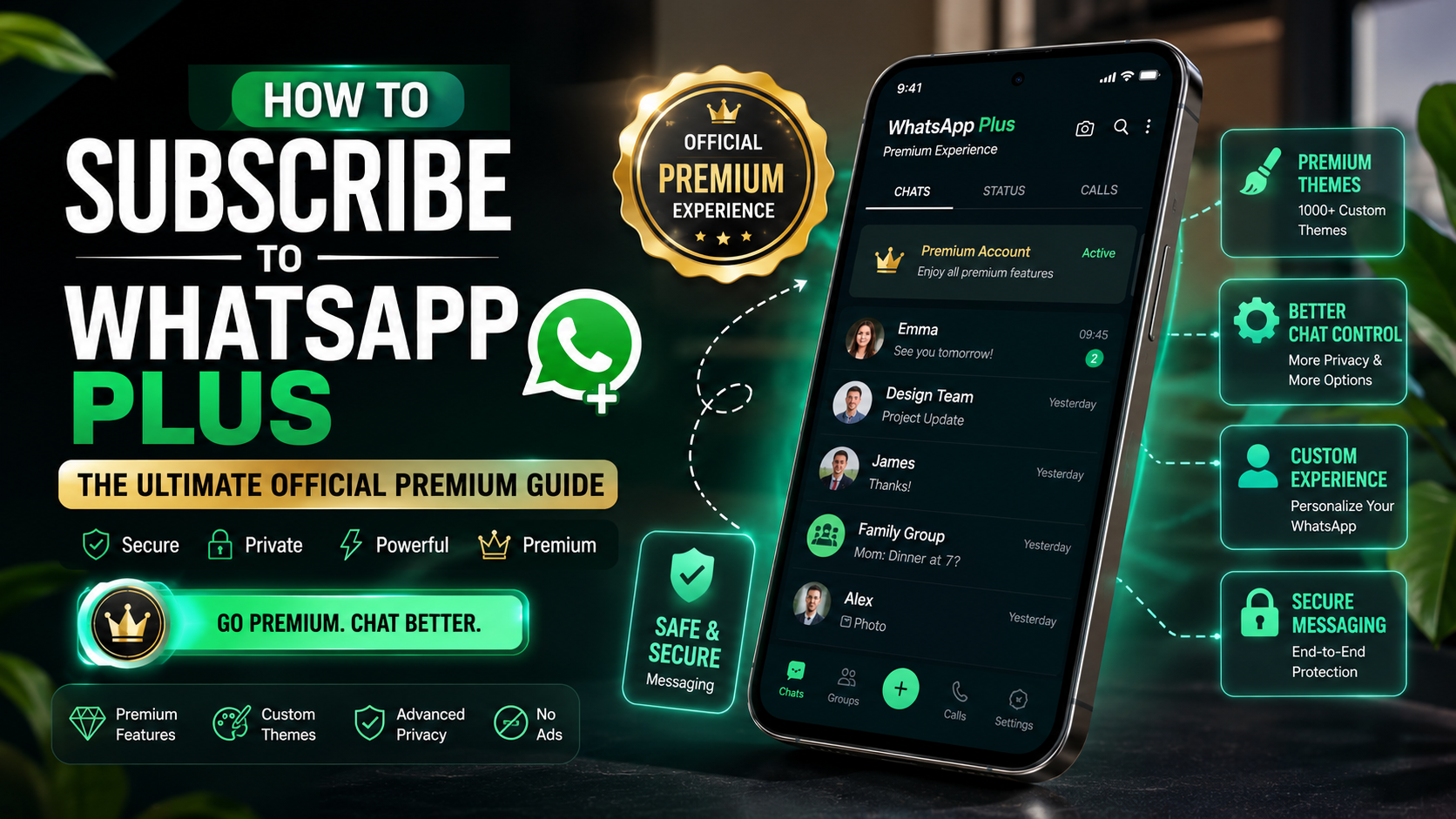
How to Subscribe to WhatsApp Plus: The Ultimate Official Premium Guide
For over a decade, WhatsApp has been the king of free, simple messaging. However, Meta is changing things with a new optional premium tier called WhatsApp Plus. This tier offers exclusive design upgrades and organization tools for power users. If you are wondering how to subscribe to WhatsApp Plus, the process is simple and happens directly inside the app.
According to the Official WhatsApp Help Center, this premium service gives users more control over their interface while keeping the core secure messaging features free and unchanged. Users can explore additional customization options, improved chat management tools, and other premium benefits designed for a more personalized messaging experience.
In this guide, we will explain how to subscribe to WhatsApp Plus, explore its pricing details, and review the premium features to help you decide whether the subscription is worth your money.
What Is the New Official WhatsApp Plus Subscription?
Before exploring the subscription process, it is important to understand what WhatsApp Plus actually means. For many years, the name “WhatsApp Plus” was associated with an unofficial third-party application. This modified version was created by external developers and offered extra customization options. However, it was not supported by WhatsApp and could create privacy concerns. In some cases, users of unofficial versions faced account restrictions or security problems because these apps did not follow WhatsApp’s official guidelines.
The new official WhatsApp Plus subscription is different because it is designed as a premium upgrade within the regular WhatsApp experience. Instead of replacing the original app, it adds extra tools for users who want more control over their chats and interface. The subscription focuses mainly on personalization, improved organization, and additional design features.
Moreover, the official premium service keeps the familiar WhatsApp environment while adding optional enhancements. Users can enjoy a more customized interface, better chat management options, and exclusive features without needing to install any external applications. As a result, subscribers can personalize their messaging experience while maintaining the security and reliability of the standard WhatsApp platform.
Step-by-Step: How to Subscribe to WhatsApp Plus
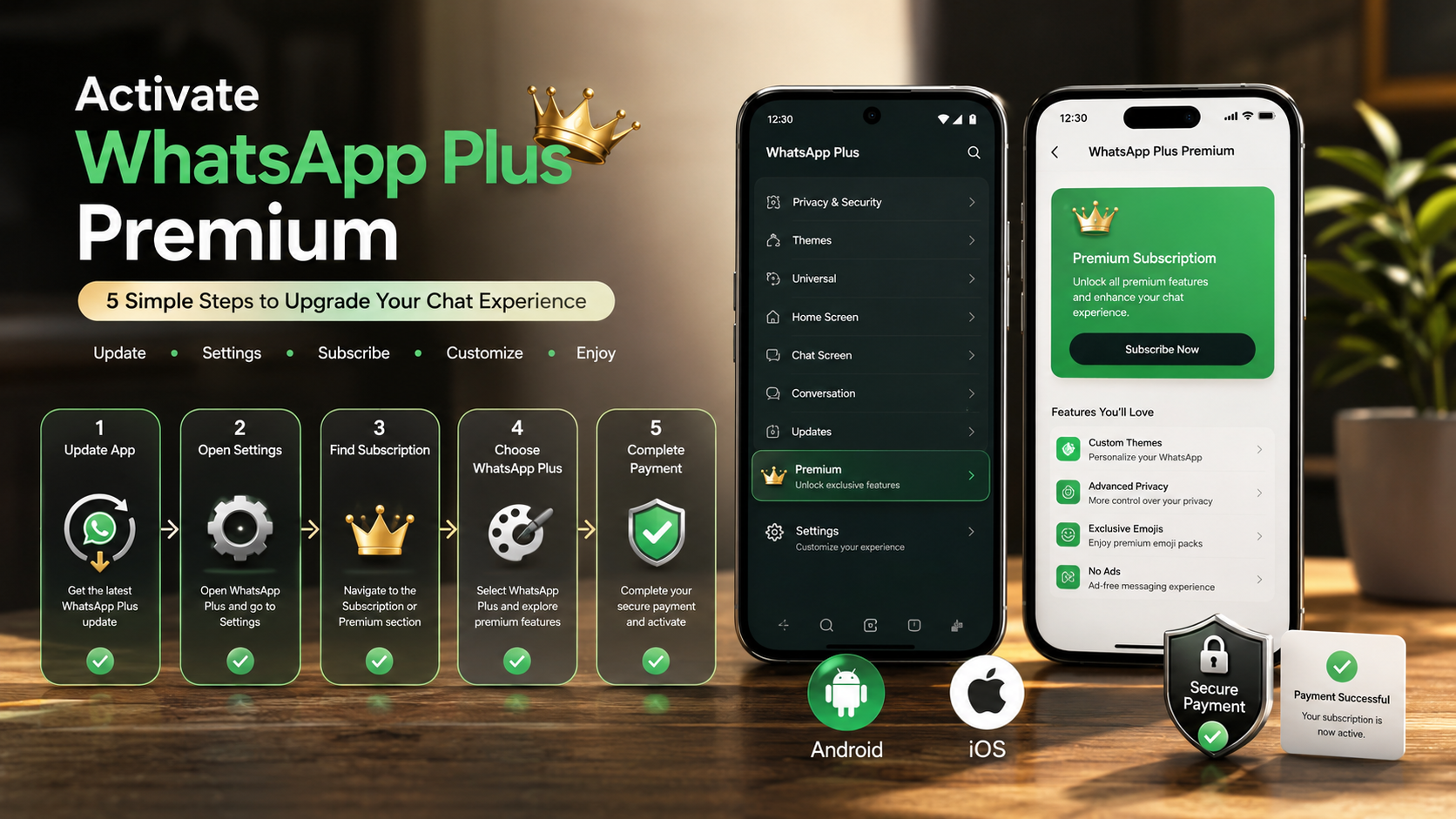
Learning how to subscribe to WhatsApp Plus helps users understand the complete activation process and access premium customization features safely.Subscribing to WhatsApp Plus is a quick and simple process. The entire setup can usually be completed within a few minutes. Since the subscription is managed through official mobile payment systems, users can complete the process safely without relying on third-party websites or external applications. Therefore, your account information and payment details remain protected during the transaction.
How to Activate WhatsApp Plus on Android and iOS
Update the App: First, open the Google Play Store or Apple App Store. Then, check whether your WhatsApp Messenger app is updated to the latest available version. Updating ensures that you have access to the newest features and settings.
Open WhatsApp Settings: Next, launch WhatsApp on your smartphone. On an iPhone, tap the gear icon at the bottom of the screen to open Settings. On Android devices, tap the three-dot menu in the top corner and select Settings.
Find the Subscription Option: After opening Settings, look for the Subscriptions section. This option allows you to view available premium plans and additional features connected to your account.
Choose WhatsApp Plus: Once you find the subscription page, select WhatsApp Plus. You can then review the available benefits, customization options, and regional pricing details before continuing.
Complete the Payment: Finally, tap Continue and confirm your subscription. Android users can complete the purchase through Google Play Billing, while iOS users can use Apple’s in-app payment system.
After your payment is successfully processed, you will receive a confirmation message inside the app. Shortly afterward, your premium features will be activated, allowing you to access the new customization and organization tools immediately.
Exclusive Features: What Do You Get After Upgrading?
The WhatsApp Plus subscription is designed for users who want a more personalized and organized messaging experience. While the standard version already provides essential communication tools, the premium upgrade focuses on adding extra customization options and improved convenience. Therefore, it is especially useful for power users, professionals, and anyone who spends a lot of time managing chats.
More Chat Pins: One of the key benefits is improved chat organization. Standard accounts may have limits on pinned conversations. However, premium users can pin more important chats and groups at the top of their list. As a result, users can quickly access their most valuable conversations without scrolling through long chat histories.
Interface Themes: Another major upgrade is the ability to personalize the app’s appearance. Users can choose from different color styles, layouts, and custom backgrounds. This allows everyone to create a messaging environment that matches their preferences.
Custom App Icons: In addition, subscribers can change the appearance of the WhatsApp icon on their device’s home screen. These options provide a more unique and personalized look.
Premium Sounds and Expressions: Finally, upgraded users can access exclusive ringtones, animated sticker packs, and special visual effects. These features make conversations more engaging and help users express themselves in creative ways.
FAQs
Can I use my WhatsApp Plus subscription across multiple devices?
Yes, you can use your WhatsApp Plus subscription across multiple supported devices. The premium access connects directly to your WhatsApp account and phone number. Therefore, once you activate the subscription on your primary device, your account can share the available features with linked devices.
To continue using the premium experience, simply connect your additional devices through WhatsApp’s linked devices option. After the connection, your chats and selected settings can sync across your devices. This makes it easier to switch between your phone, desktop, and other supported platforms.
However, some features may depend on device compatibility and app version. Make sure every connected device uses the latest version of WhatsApp to access the newest tools and improvements.
In addition, your subscription remains connected to your account rather than a single device. As a result, you can enjoy a smoother messaging experience while managing conversations from different locations.
Will subscribing change my privacy or encryption?
No, subscribing to WhatsApp Plus will not change your privacy settings or encryption protection. The premium upgrade only adds extra customization and organization features to improve your overall experience. Your regular messaging functions will continue to work the same way.
WhatsApp keeps your messages, voice calls, video calls, and shared media protected through end-to-end encryption. This security system helps ensure that only you and the intended recipient can access your private conversations.
Furthermore, the subscription does not give WhatsApp Plus access to your personal chats or private files. It simply adds optional tools that allow you to personalize the app’s appearance and manage conversations more efficiently.
Therefore, users can enjoy premium features without changing the way they communicate. Your existing chats, contacts, and account information will remain available while you use the upgraded experience.
What happens if I cancel my subscription?
If you decide to cancel your WhatsApp Plus subscription, your premium features will not disappear immediately. Instead, WhatsApp will keep your upgraded features active until your current billing period finishes. This means you can continue using the premium tools you already enjoy until the subscription end date.
After the billing cycle ends, your account will automatically switch back to the standard WhatsApp experience. You will lose access to premium customization options, advanced organization tools, and other exclusive features included with the subscription.
However, canceling your plan will not delete your chats, contacts, or personal data. Your conversations and media will remain available as usual. The change only affects the premium features connected to your subscription.
Additionally, you can always subscribe again in the future if you want to restore the premium experience. Therefore, canceling the service gives you control over your subscription without affecting your regular WhatsApp account.
Are there extra fees for sharing media?
No, WhatsApp does not charge additional fees for sharing media because of the WhatsApp Plus subscription. The premium plan only covers the extra features and customization options that come with the upgrade. Therefore, you can send photos, videos, documents, voice messages, or other files the same way you do on the standard version of WhatsApp.
However, your regular internet connection handles media sharing. If you use mobile data, your carrier may charge you according to your plan. On the other hand, if you connect to Wi-Fi, your media transfers use your existing Wi-Fi connection without any separate WhatsApp fee.
In addition, the subscription does not make users pay extra for everyday communication features. You can continue calling, messaging, and sharing files based on your normal data usage. As a result, the premium upgrade focuses on improving your experience with added tools rather than increasing the cost of basic messaging activities.
Why can’t I see the subscription option?
If you cannot find the subscription option in your WhatsApp settings, there is usually no need to worry. WhatsApp often introduces new features gradually, so some users may not see them at the same time. Therefore, availability can depend on factors such as your account, device, app version, or region.
First, check whether you use the latest version of WhatsApp from the official app store. Regular updates help you access new features as soon as WhatsApp releases them. Additionally, restarting the app or your device may refresh the available settings.
However, if the subscription option remains missing, your account may not have access yet. In that case, waiting for the official rollout is the safest approach.
It is also important to avoid third-party applications or websites that claim to unlock premium features. These unofficial tools can put your account, personal information, and device security at risk. Instead, always use official WhatsApp channels for updates, subscriptions, and feature access.
Conclusion
Learning how to subscribe to WhatsApp Plus is a simple process. The premium plan provides extra customization and organization tools. For example, users can access themes, app icons, and improved chat management.
Casual users may prefer the free version. However, people who spend a lot of time on messaging apps may find the added features useful. Overall, the subscription offers a more personalized communication experience.
Overall, the subscription offers a smoother and more flexible communication experience for users who want more control over their messaging environment. If you are also looking for more useful mobile tools and apps, check out our guide on the best free apps for Android to discover more options.