
Why Do So Many PC Cases Have Glass Panels?
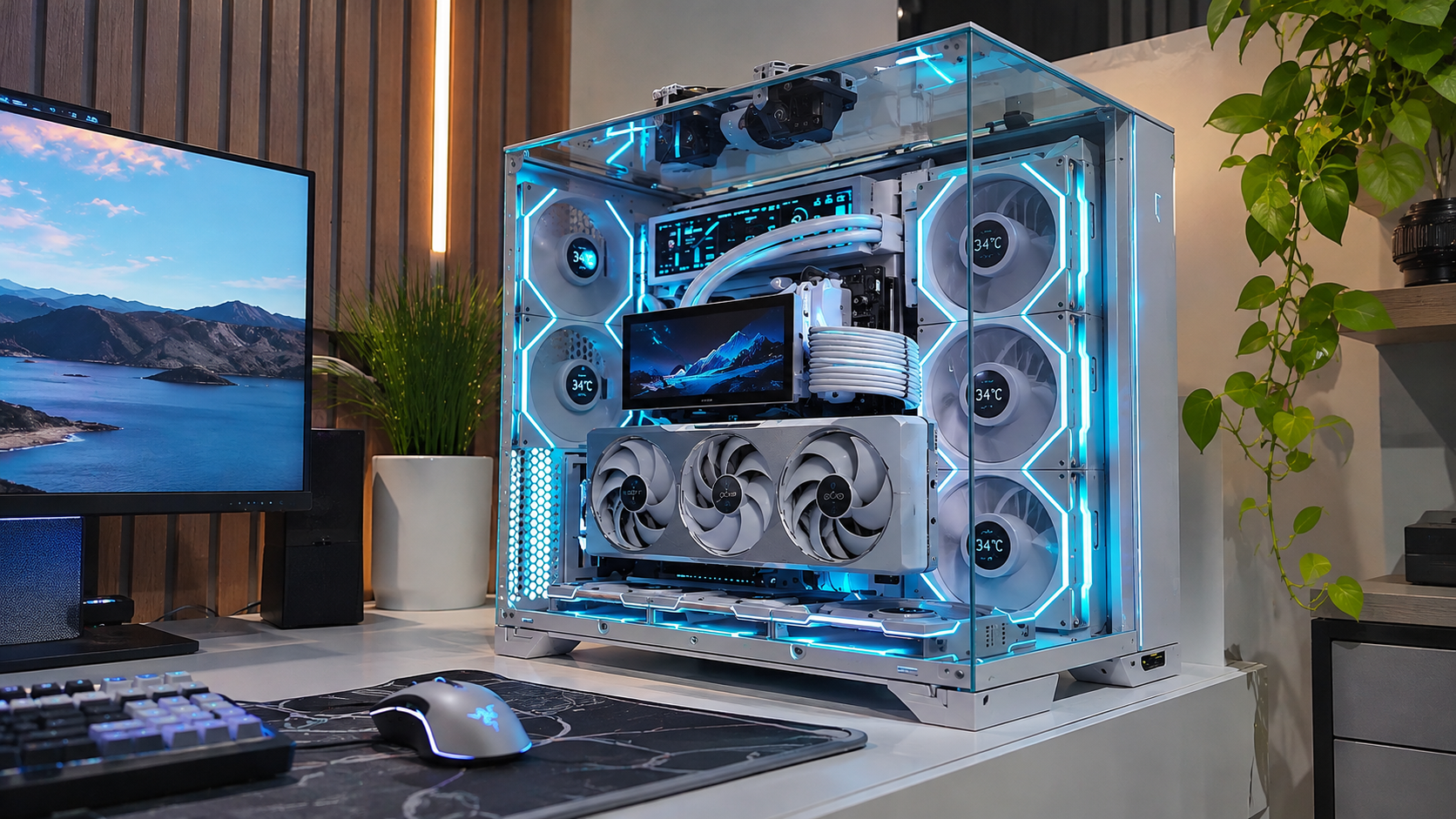
Walk into any electronics store today, and you will notice something interesting. Many modern PC cases feature transparent glass panels instead of traditional solid metal sides. Over the past decade, desktop computers have evolved from simple office machines into stylish gaming and workstation setups.
Manufacturers such as Corsair helped popularize tempered glass panels. These designs allow users to showcase their graphics cards, cooling systems, RGB lighting, and carefully managed cables.
Choosing the right PC case affects your computer’s cooling, durability, and appearance. However, transparent panels are not necessarily the best choice for everyone. Some builders prefer traditional metal cases because they offer practical advantages.
So, why do so many PC cases have glass panels today? Are they actually better than metal alternatives?
In this guide, we explore the reasons behind their popularity. We also discuss their disadvantages, airflow differences, panel placement, and whether your next PC build needs a glass case.
Why Do So Many PC Cases Have Glass?
Most modern PC cases feature tempered glass because PC building has become more than simply assembling computer components. Many gamers and creators now treat their desktops as part of their workspace aesthetics. They want to display expensive graphics cards, custom cooling systems, and colorful RGB lighting.
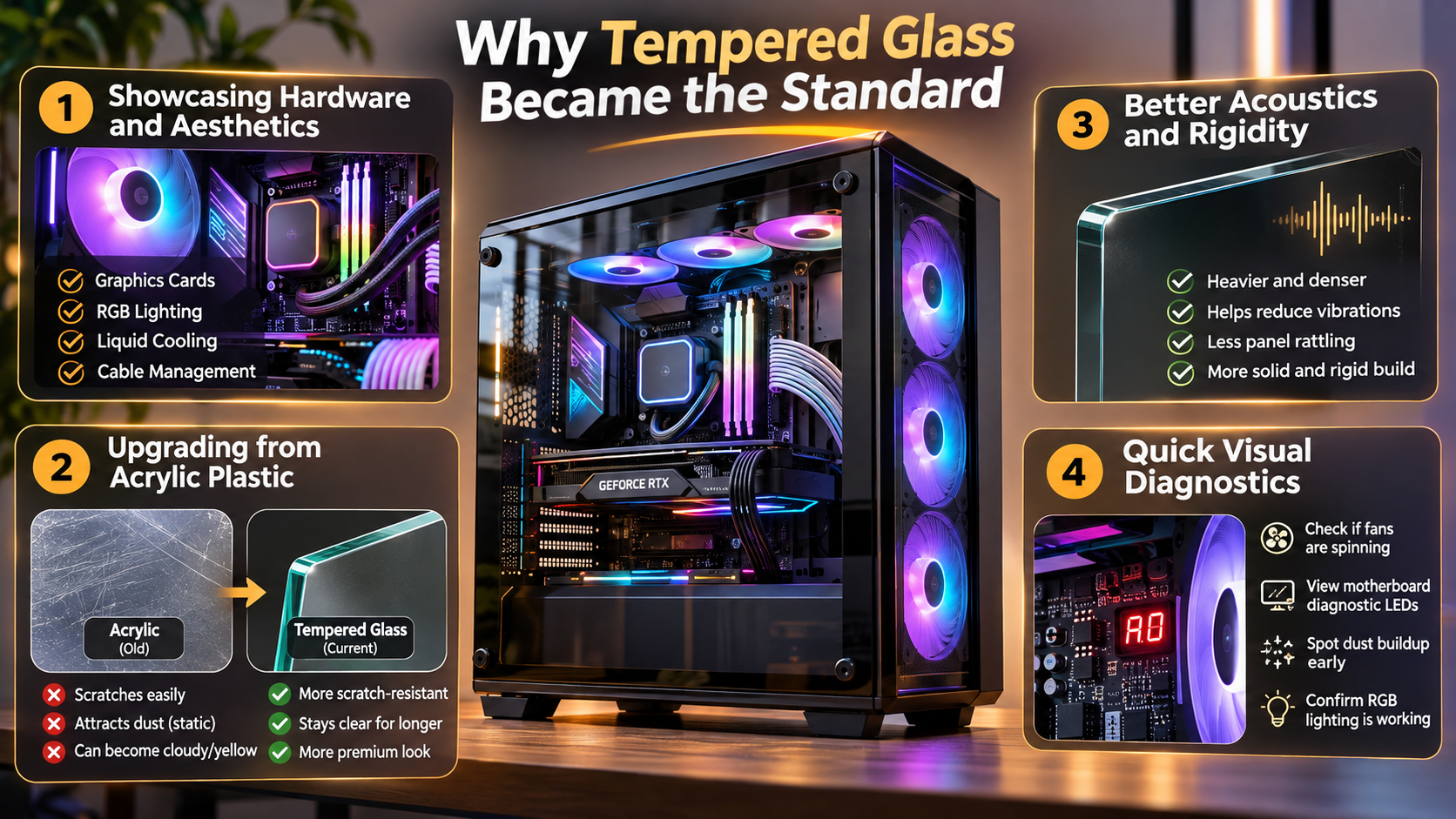
Manufacturers have responded by introducing cases with transparent side panels. These panels allow users to showcase their hardware without opening the computer. Tempered glass also provides better scratch resistance and visual clarity than traditional acrylic windows.
Social media platforms have further increased interest in attractive desktop setups. Gamers frequently share their customized computers online, encouraging others to build similar systems.
Additionally, manufacturers can offer glass panels across different price ranges. This makes attractive PC designs accessible to more buyers. As a result, glass has become a popular feature in modern gaming and enthusiast PC cases.

The Rise of RGB and Component Aesthetics
RGB lighting has significantly influenced modern PC case designs. Hardware manufacturers now produce components with customizable lighting and attractive finishes.
For example, many motherboards, graphics cards, RAM modules, and CPU coolers include RGB lighting. A transparent side panel allows users to display these components.
Without a window, much of this visual customization remains hidden. This reduces the appeal of expensive lighting accessories for enthusiasts who enjoy personalized setups.
Several manufacturers also offer matching accessories. These include RGB fans, illuminated cables, and liquid cooling systems.
The combination creates a visually coordinated desktop environment. It also gives builders more opportunities to customize their computers.
Some common reasons people prefer glass panels include:
- RGB lighting: Display colorful lighting effects inside the computer.
- Hardware visibility: Showcase graphics cards, motherboards, and cooling systems.
- Cable management: Display neatly arranged cables and components.
- Personalization: Create a desktop setup that reflects individual preferences.
However, appearance is only one part of choosing a suitable PC case.
What Are the Downsides of Glass Walls?
Glass panels make computers look attractive, but they also introduce practical disadvantages. One major drawback is their weight. Tempered glass is generally heavier than comparable thin metal panels, making some desktop towers harder to transport.
Another concern is durability. Tempered glass is strong against many everyday impacts, but its edges can remain vulnerable. A hard impact against ceramic tiles or another rigid surface can cause the entire panel to shatter.
Maintenance is another consideration. Fingerprints, dust, and smudges become particularly noticeable on transparent surfaces. Owners must clean these panels regularly to maintain their appearance.
Glass can also affect airflow, but the panel’s location matters. A solid glass side panel does not automatically restrict front-to-back airflow. However, a glass front panel can limit fresh air intake when ventilation openings are inadequate.
Therefore, understanding the case design is essential before purchasing one.
Shatter Risks and Maintenance Headaches
Tempered glass is designed to withstand considerable everyday stress. However, it is not completely resistant to damage. Its edges and corners are particularly vulnerable to concentrated impacts.
For example, accidentally hitting a glass panel against a ceramic floor can cause it to break into numerous small pieces. This can create a frustrating cleanup process and require an expensive replacement panel.
You should take a few precautions when handling a glass-sided PC case:
- Avoid placing glass panels directly on ceramic or stone floors.
- Handle panels carefully during installation and cleaning.
- Use a soft, stable surface when removing the side panel.
- Avoid striking the corners or edges against hard objects.
- Clean fingerprints using a suitable microfiber cloth.
Glass panels can also allow more sound to escape than some insulated metal panels. However, overall noise levels depend on fan quality, component noise, ventilation, and case construction.
Regular cleaning and careful handling can help maintain your glass PC case for years. You should also remove internal dust regularly and learn how to safely clean your electronics with compressed air without damaging sensitive components.
Do All PC Cases Have the Glass on the Left Side?
No, not every PC case places its glass panel on the left side. However, this arrangement is common because of traditional desktop computer layouts.
Most standard ATX cases position the motherboard on the right side of the chassis when viewed from the front. This arrangement places the main components behind the left-side panel. Consequently, manufacturers commonly install transparent glass on that side.
This design also suits traditional desk arrangements. Many users position their desktop towers to the right of their monitors. A left-side glass panel then faces the user, making internal components easier to see.
However, desk arrangements vary between users. Some prefer placing their computers on the left side. Others need different configurations because of limited desk space.
Manufacturers therefore offer inverted and reverse-layout cases. These designs change the internal component arrangement and can make hardware visible from the opposite side.
Inverted Layouts for Left-Side Desk Setups
An inverted PC case can solve visibility problems for users who place their computers on the left side of their desks.
In a traditional case, the glass panel usually faces outward from the left side. Depending on the desk arrangement, this panel might face a wall instead of the user.
An inverted case changes the internal layout. It typically moves or repositions the motherboard mounting arrangement, allowing the main components to face the opposite direction.
Some manufacturers also offer modular cases with reversible internal layouts. These designs provide additional flexibility for different desk configurations.
Brands such as be quiet! and Lian Li offer cases with alternative or configurable layouts across selected product ranges.
Before purchasing an inverted case, consider:
- Desk placement: Check which side will face your seating position.
- Motherboard compatibility: Confirm support for your motherboard form factor.
- Cooling configuration: Check fan and radiator mounting options.
- Component clearance: Ensure sufficient space for your graphics card and CPU cooler.
These details help you choose a case that suits your workspace.
Does a PC Need a Glass Case?
No, a computer does not need a glass case to operate properly. Glass panels are primarily an aesthetic feature. Your processor, graphics card, motherboard, and other components do not require transparent panels to function.
A well-designed metal or mesh case can provide excellent cooling and component protection. In fact, many workstation users prefer traditional solid-panel cases because they prioritize practicality over appearance.
Solid steel panels are generally less vulnerable to shattering. They can also make transporting a desktop computer easier, depending on the overall case construction.
Another advantage is privacy. Without a transparent window, users do not need to worry about displaying messy cables, dusty components, or unfinished builds.
However, glass cases still offer advantages for people who enjoy customizing their desktops. They make internal components visible and complement RGB lighting systems.
Ultimately, the right choice depends on your priorities. Consider cooling, durability, appearance, transportation, and budget before selecting your next PC case.
When Solid Panels Make More Sense
A solid-panel PC case can be a better option when appearance is less important than practicality. These cases suit users who want a reliable desktop without spending extra money on decorative features.
For example, a traditional metal case makes sense when your computer stays under a desk. You gain little from transparent panels if you rarely look at your internal components.
Solid cases can also suit office environments, professional workstations, and computers that require frequent transportation.
Consider choosing a solid-panel case if you:
- Keep your computer underneath your desk.
- Frequently move your desktop between locations.
- Prefer a simple and professional appearance.
- Want to avoid maintaining transparent surfaces.
- Do not need RGB lighting or visible components.
There is another financial advantage worth considering. You can spend less on decorative accessories and allocate more money toward useful hardware.
For example, you could invest in additional storage, a better graphics card, or improved cooling.
A solid case is not automatically better, but it can offer better value when aesthetics are not your priority.
Which Type of PC Case Is Better, Mesh or Glass?
Mesh and glass PC cases serve different purposes. Neither option is automatically better for every computer build. However, mesh-front cases generally offer better airflow than cases with solid glass front panels.
A mesh front panel contains numerous small openings. These allow intake fans to pull fresh air into the chassis. The incoming air helps remove heat generated by processors, graphics cards, and other components.
Glass-front cases often depend on side vents or smaller ventilation openings. If these openings restrict airflow, internal temperatures can increase under demanding workloads.
However, it is important to distinguish between front and side panels. A tempered glass side panel does not automatically reduce cooling performance. Many modern gaming cases combine glass side panels with highly ventilated mesh fronts.
Therefore, your cooling experience depends more on the complete case design than the presence of glass alone. If you are comparing different cooling configurations, our guide to choosing the best PC case for air and liquid cooling can help you find a suitable option.
Balancing Airflow and Aesthetics
You do not have to choose between an attractive computer and good cooling performance. Many modern PC cases combine both features through hybrid designs.
A popular configuration includes a tempered glass side panel and a mesh front panel. The glass allows users to display internal components, while the mesh provides better access to fresh air.
This combination works particularly well for gaming computers. High-performance processors and graphics cards generate considerable heat during demanding workloads. Proper ventilation helps maintain suitable operating temperatures.
When comparing different PC cases, consider these factors:
- Front ventilation: Look for mesh openings that provide sufficient airflow.
- Fan support: Check the number and size of supported cooling fans.
- Radiator compatibility: Confirm support for your preferred liquid cooling system.
- Dust filtration: Look for removable filters that simplify maintenance.
- Component clearance: Ensure enough space for larger graphics cards and CPU coolers.
A well-designed hybrid case offers a practical balance between appearance and cooling.
For most gaming builds, a mesh-front case with a tempered glass side panel is a sensible option. It provides hardware visibility without unnecessarily sacrificing ventilation.
Final Verdict
So, why do so many PC cases have glass panels? The main reason is the growing popularity of gaming aesthetics, RGB lighting, and personalized desktop setups.
Tempered glass allows users to display their hardware while creating an attractive workspace. However, it also introduces additional weight, maintenance requirements, and potential breakage risks.
If you prioritize appearance, a glass-sided case can be worth considering. If you prefer practicality, a solid metal case remains a suitable choice.
For the best balance, consider a mesh-front PC case with a tempered glass side panel. This combination provides good ventilation while allowing you to showcase your computer components.