
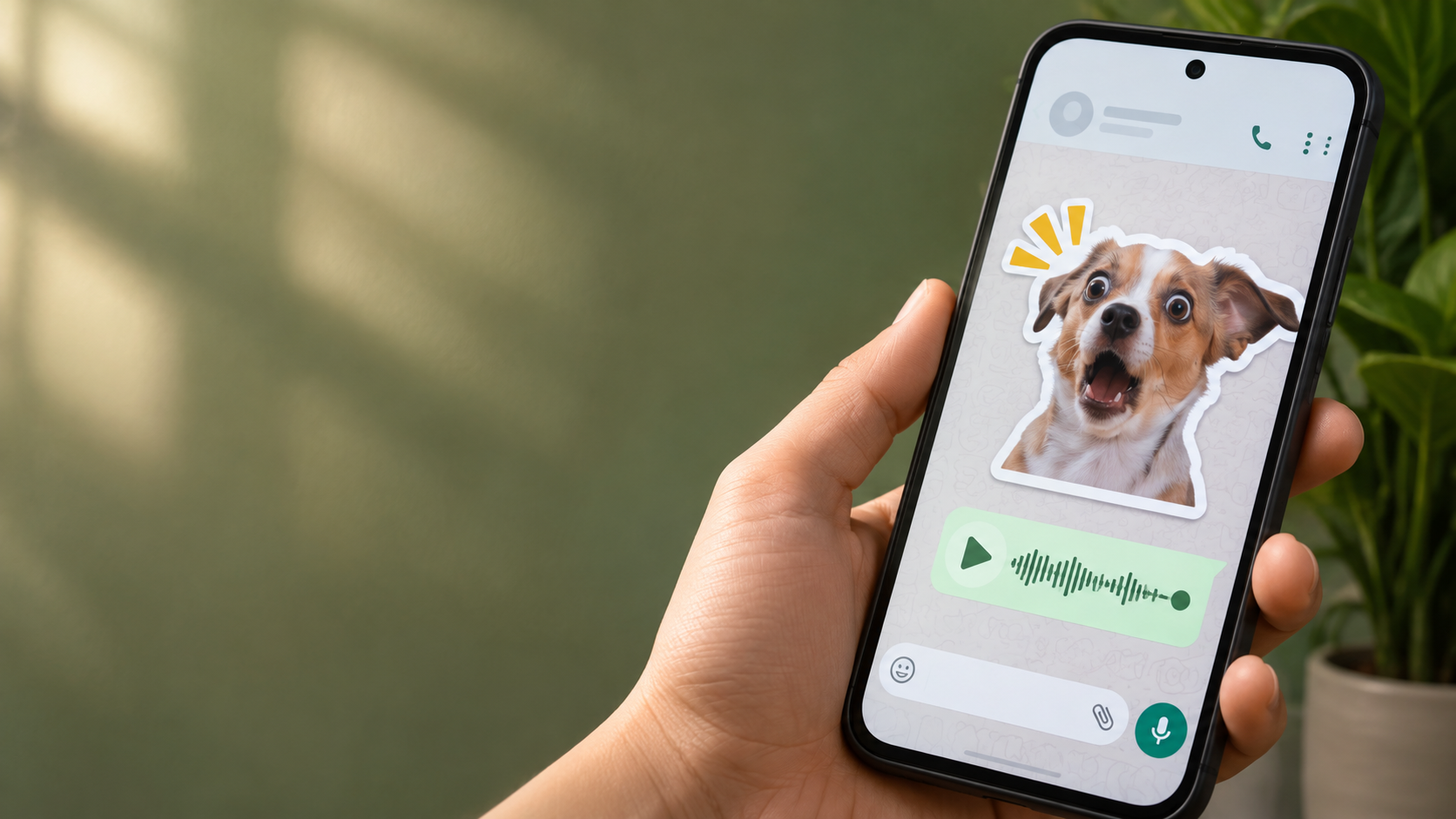
WhatsApp Sound Stickers: How to Get, Make, and Send Them
Visual messages dominate modern conversations, but static images cannot always express every emotion. Sometimes, a funny sound effect or short audio clip makes a reaction more entertaining. That’s why WhatsApp sound stickers have become an interesting topic among messaging app users.
However, there is one important limitation. WhatsApp does not currently support built-in audio for standard or animated stickers. Although you can send stickers and audio separately, combining them requires a different approach.
Whether you want to share a viral meme sound, create personalized reactions, or explore sticker-making tools, understanding these limitations can save time.
In this guide, we’ll explain how to get audio stickers on WhatsApp, whether stickers support sound, and how Gen Z uses custom reactions. We’ll also cover ways to combine audio with images and create your own WhatsApp stickers.
How to Get Audio Stickers on WhatsApp?
You cannot download native audio stickers directly from the official WhatsApp sticker store. This is because WhatsApp stickers do not support built-in audio files. However, you can use alternative methods to share sound-based reactions with your contacts.
One option is to install a third-party soundboard app from the Google Play Store or Apple App Store. These apps provide collections of popular sounds, memes, and funny audio effects. You can select a sound and share it through WhatsApp when the app supports that option.
Another option is to send a short video containing both an image and an audio clip. This creates a similar experience without requiring a separate voice message.
Remember that these methods do not create actual audio stickers. They simply let you combine visual reactions with sound in your conversations.
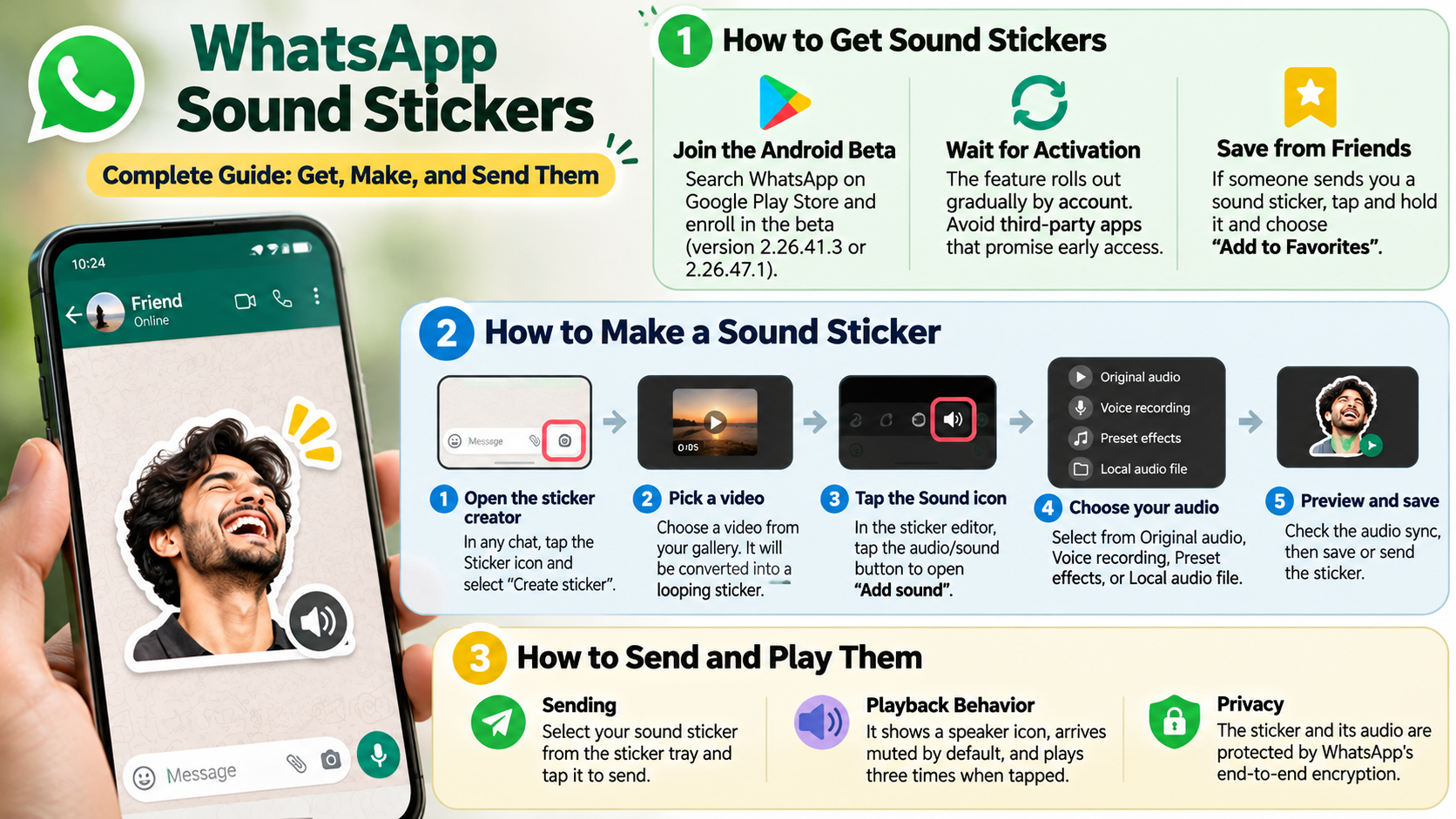

Using Third-Party Soundboard Apps
Third-party soundboard apps make sharing funny sounds easier. They usually organize audio clips into categories, allowing you to find suitable reactions quickly.
For example, you might find collections featuring:
- Funny meme sounds and viral reactions.
- Cartoon sound effects and character voices.
- Popular internet audio clips.
- Short musical effects and comedy sounds.
Once you find a suitable sound, tap the playback or share option. If the application supports WhatsApp sharing, select WhatsApp and choose your intended conversation.
However, check the application’s permissions before installing it. Avoid apps requesting unnecessary access to contacts, messages, or personal files.
Also, remember that sharing options vary between applications. Some only copy audio files, while others provide direct sharing features.
Do WhatsApp Stickers Have Sound?
No. Standard and animated WhatsApp stickers do not support built-in sound. This means you cannot tap a regular sticker and expect it to play music, speech, or sound effects.
WhatsApp stickers use image-based formats, including WebP. Animated stickers can contain visual movement, but that does not mean they support audio tracks.
If someone sends you a moving image with sound, they have probably shared a video instead of a traditional sticker. An MP4 video can combine moving visuals with an audio track, making it suitable for this purpose.
This distinction is important when searching for WhatsApp sound stickers online. Some websites and applications use the term loosely to describe videos, soundboards, or separate media files.
Understanding the difference helps you choose the right format and avoid downloading applications that promise unsupported sticker features.
Why WhatsApp Stickers Remain Silent
WhatsApp stickers are designed for quick visual communication. Their lightweight image-based format makes them easy to share without sending large media files.
Keeping stickers silent also provides a consistent messaging experience. Users can open conversations without unexpected sounds interrupting their music, calls, or surroundings.
There are several practical differences between stickers and videos:
- Static stickers: Display images without movement or sound.
- Animated stickers: Show short visual animations without audio.
- Video messages: Can combine moving images and sound.
- Audio messages: Deliver recorded speech or other sounds without requiring a visual element.
These formats serve different communication purposes. Stickers provide quick visual reactions, while videos offer more expressive multimedia experiences.
Therefore, if you want to share a reaction with sound, sending a short video is currently a more practical option than using a traditional WhatsApp sticker.
Do Gen Z Use Stickers?
Yes, stickers remain a popular part of digital communication among Gen Z. Younger users often prefer personalized reactions, funny screenshots, and internet memes over traditional greeting images.
For many people, stickers work like visual punchlines. They communicate emotions, sarcasm, humor, and inside jokes without requiring lengthy messages. This trend also reflects social media’s impact on digital communication, where visual formats increasingly shape how people express themselves online.
Gen Z users frequently create stickers from popular memes, celebrity reactions, awkward photographs, and recognizable internet moments. These images make conversations feel more personal and entertaining.
Custom sticker packs also help friends develop their own communication styles. A single reaction image can represent a shared experience or an ongoing joke within a group.
Although preferences vary between individuals, personalized and meme-based stickers remain an important part of online messaging culture.
The Appeal of Custom Meme Stickers
Custom meme stickers offer something that standard emoji and generic sticker packs cannot always provide: personal humor.
Instead of selecting a familiar smiley face, users can create reactions from their own photographs or popular internet images. This makes conversations more expressive and recognizable.
Some common examples include:
- Funny facial expressions from friends.
- Viral meme screenshots.
- Popular movie and television reactions.
- Unexpected photographs and humorous moments.
- Short captions combined with reaction images.
These stickers work particularly well in group chats because everyone understands the context behind them.
Their popularity also comes from their simplicity. Users can create an image once and reuse it whenever a similar situation appears.
However, always consider privacy before turning someone’s photograph into a sticker. Ask permission before sharing personal images, especially outside private conversations.
How Do I Add Sound to a Sticker?
You cannot directly embed an audio track into a standard WhatsApp sticker. However, you can combine a sticker image with a sound effect using a mobile video editor.
Applications such as CapCut and InShot allow you to place images, add audio, and export short videos. This provides an alternative way to create sound-based reactions for WhatsApp conversations.
Start by selecting the sticker image you want to use. Import it into your preferred video editor and place it over a background.
Next, add your preferred audio clip to the editing timeline. Adjust its duration to match the visual content. You can also add simple animations or text to make the reaction more expressive.
Once editing is complete, export the project as an MP4 video. Open WhatsApp and share the video with your preferred contact.
Remember, the final result will be a video, not an actual audio-enabled sticker.
Turning Audio Stickers into Short Videos
Creating a short video is one of the easiest ways to combine a visual reaction with sound. You do not need advanced editing experience or professional software.
Follow these steps:
- Choose a sticker: Select an existing WhatsApp sticker or save a suitable image to your gallery.
- Open a video editor: Launch CapCut, InShot, or another compatible editing application.
- Import the image: Add your selected sticker image to a new project.
- Add an audio clip: Import a music file, voice recording, or sound effect.
- Adjust the timeline: Match the audio duration with the visual content.
- Export the video: Save your finished project in MP4 format.
- Share on WhatsApp: Open a conversation and send the exported video.
For a sticker-like experience, keep the video short and focus on one clear reaction. A simple background and minimal editing can make the result easier to understand.
You can also add captions or subtle animations to make your creation more entertaining.
How Do I Create a Custom Sticker for WhatsApp?
Creating a custom WhatsApp sticker is easier than many users expect. You do not necessarily need a separate application because WhatsApp offers built-in sticker creation tools on supported mobile versions.
These tools allow you to turn personal photographs into stickers directly from your conversations. You can also customize your designs with text, drawings, and emojis.
To get started, open a WhatsApp conversation and locate the sticker icon beside the message input field. Select the creation option, usually identified by a plus or Create button.
Choose a photograph from your phone’s gallery. WhatsApp can automatically identify the main subject and remove its background on supported devices.
After creating the cutout, you can make additional changes before sending it. Once shared, your sticker becomes available in your recent sticker collection for convenient reuse.
The exact interface and available editing features may vary depending on your device and WhatsApp version.
Refining Your Custom Sticker Design
A well-designed sticker should remain recognizable even when displayed at a small size. Therefore, choosing the right photograph and keeping the design simple can improve its appearance.
Here are some practical tips for creating better WhatsApp stickers:
- Choose clear photographs: Use images with visible subjects and good lighting.
- Use contrasting backgrounds: Clear separation helps background removal tools identify the subject.
- Keep text short: Use brief captions that remain readable on mobile screens.
- Add simple decorations: Emojis, doodles, and outlines can make reactions more expressive.
- Avoid unnecessary details: Complicated designs may become difficult to recognize at smaller sizes.
- Check the final appearance: Preview your sticker before sharing it with friends.
You can also create themed sticker collections around specific emotions, jokes, or occasions.
With a little creativity, ordinary photographs can become personalized reactions that make everyday conversations more entertaining.
Conclusion
WhatsApp sound stickers offer an interesting way to make everyday conversations more expressive and entertaining. However, WhatsApp does not currently support audio directly within standard or animated stickers. You can still create similar reactions using third-party soundboard apps or combining sticker images with audio in short MP4 videos.
If you prefer personalized reactions, WhatsApp’s built-in sticker maker makes it easy to turn your favorite photographs into custom stickers. Visit the official WhatsApp Help Center to explore messaging features and sticker-related guidance.
Although true audio-enabled stickers are not currently supported, there are plenty of ways to make your WhatsApp chats more engaging. Choose the method that works best for you and start creating reactions worth sharing!