
What To Do If Someone Steals Your Video Doorbell
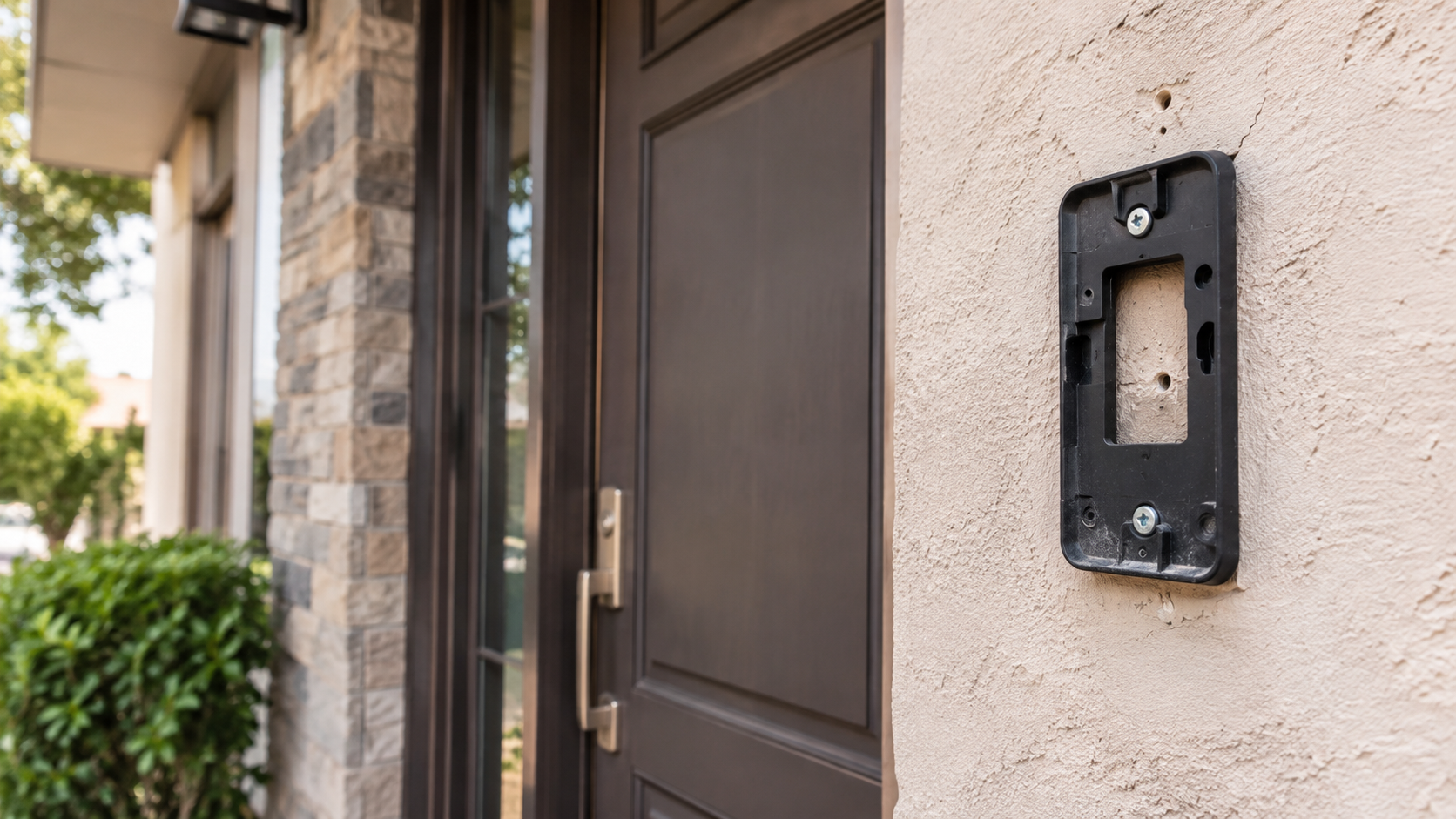
Walking out of your front door and finding an empty mounting bracket is frustrating. Knowing what to do if someone steals your video doorbell can save you time, money, and stress. If someone steals your video doorbell, taking immediate action can also help protect your recordings and account.
Although smart security cameras help deter unwanted visitors, determined thieves can still target the hardware. According to the Federal Trade Commission, securing smart home devices requires physical protection and proper account management.
When your camera disappears, your immediate actions matter. First, preserve any available recordings before they expire. Next, secure your account and check for unauthorized access. You should also report the theft to local authorities as soon as possible.
Some manufacturers offer theft replacement programs, but eligibility requirements vary. You may need proof of purchase, a police report, and other supporting documents.
In this guide, we explain what to do if someone steals your video doorbell. You’ll learn how to report a stolen Ring doorbell, protect your recordings, and understand whether GPS tracking is possible. We’ll also cover video doorbell hacking risks and ways to identify suspicious account activity.
Can Someone Steal My Doorbell Camera?
Yes, someone can steal your doorbell camera, especially if it uses a removable battery and an accessible mounting system. Most smart doorbells attach to a mounting plate using security screws. Someone with the correct tools may remove the device within seconds. If you’re considering different home security options, understanding the differences between video doorbells and security cameras can help you choose the right protection for your property.
However, the difficulty depends on the camera’s design and installation. Some models include additional locking mechanisms, while others rely on basic mounting hardware. Although security screws make removal more difficult, they cannot guarantee that nobody steals your video doorbell.
How Security Screws Slow Down Thieves
Many manufacturers use proprietary security screws to discourage opportunistic theft. These fasteners require compatible tools, making quick removal less convenient. However, they cannot stop someone determined to steal the camera.
You can make your installation more secure by following these precautions:
- Use security screws: Install the manufacturer’s recommended tamper-resistant fasteners.
- Choose strong mounting surfaces: Attach brackets to solid brick, concrete, or wooden supports.
- Install security anchors: Use suitable anchors to prevent someone from pulling the entire mounting assembly away.
- Position the camera carefully: Choose a location that is difficult to reach without assistance.
These precautions increase the effort required to remove your device. They also make opportunistic theft less attractive.
Remember that physical protection is only one part of home security. Your account settings, cloud recordings, and network security matter too. Keep these protections updated to reduce the risks associated with a stolen camera.
What to Do If Someone Steals Your Ring Doorbell?
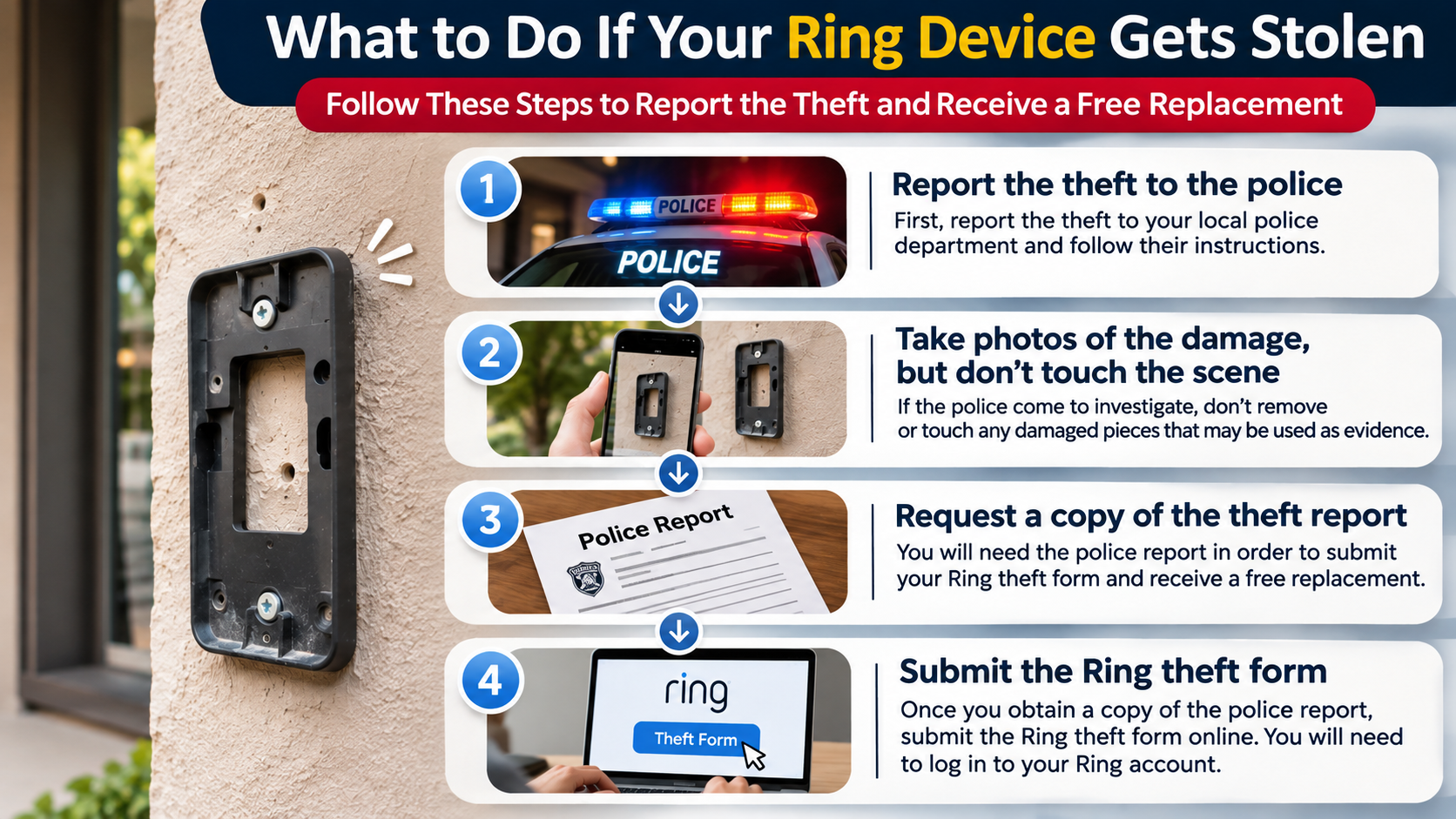
If someone steals your Ring doorbell, start by preserving your available recordings. Open the Ring app and download any relevant motion or event clips. Look for footage showing the theft, the suspect, or their vehicle.
If someone steals your video doorbell, preserving the available footage should be your first priority. Next, report the incident to your local police department. Explain when you discovered the missing device and provide any available video evidence.
Request a copy of the police report because Ring requires supporting documentation for theft replacement claims.
After obtaining the report, visit Ring’s official stolen device page. Follow the instructions to submit your theft claim.
Ring offers a theft replacement policy for eligible devices. However, certain conditions apply. Its published policy includes purchase, ownership, and submission requirements. Claims generally need to be submitted within 15 days of the theft.

Never Remove the Stolen Device From Your Account
Avoid immediately deleting the stolen doorbell from your Ring account. Ring’s theft protection information requires eligible devices to remain active on the account. Removing the device could also affect your access to its event history.
Instead, contact Ring Customer Support or follow its official theft reporting procedure. Ask for guidance before changing the device’s account status.
Before contacting support, prepare the following information:
- Police report: Obtain an official copy documenting the theft.
- Purchase receipt: Keep proof that you originally purchased the device.
- Device information: Gather the model, serial number, or MAC ID if available.
- Account details: Use the Ring account associated with the stolen camera.
- Theft information: Record the approximate date and circumstances of the incident.
Ring’s replacement policy has specific eligibility restrictions. It generally applies to the original consumer purchaser and qualifying purchases from Ring.com. It also limits replacement claims for each purchased device.
Do not assume that every stolen Ring device automatically qualifies for a free replacement. Check the current terms before submitting your claim.
Can I Track My Ring Doorbell If Stolen?
No, you cannot track your stolen Ring doorbell using GPS. Ring video doorbells do not provide a consumer GPS-tracking feature like smartphones or dedicated tracking tags.
Unfortunately, there is no built-in GPS feature that helps you locate a device after someone steals your video doorbell. Once someone removes your camera, you may lose its connection to your home Wi-Fi network. Consequently, you cannot rely on the Ring app to display its live physical location.
However, losing the device does not mean you have lost every useful source of information. Your existing cloud recordings may contain evidence that helps investigators identify the person responsible.
Check your Ring app for the final available event recordings. Look for identifiable details, including faces, clothing, vehicles, and the direction the suspect travelled.
Using Cloud Footage to Assist Police
Your recorded footage can provide valuable evidence after a video doorbell theft. Even without GPS tracking, clear recordings may help police understand what happened.
Start by reviewing the events recorded shortly before and during the theft. Download relevant clips and preserve the original files whenever possible.
Pay attention to these details:
- Facial features: Look for clear images of the suspect’s face.
- Clothing: Record visible colours, logos, and distinctive clothing.
- Vehicles: Note registration numbers, vehicle colours, and identifying features.
- Time of incident: Record the exact or approximate time of the theft.
- Other individuals: Check whether someone assisted the suspect.
Share relevant recordings with the investigating police department. You can also ask nearby neighbours whether their security cameras captured anything useful.
If investigators need information associated with a stolen Ring device, they can contact Ring through the appropriate legal process. However, this does not guarantee that the device’s location can be recovered.
Preserve your footage promptly because available recording history depends on your subscription and video storage settings.
Can Your Doorbell Camera Be Hacked?
Yes, your doorbell camera can be hacked if attackers gain unauthorized access to your account or network. However, this does not necessarily mean someone has broken the camera’s encryption or exploited a manufacturer vulnerability.
Weak passwords and reused login credentials create common security risks. For example, hackers may obtain passwords from unrelated website breaches and try them against smart home accounts.
An unsecured home Wi-Fi network can create additional opportunities for unauthorized access. Outdated firmware may also leave known security weaknesses unpatched.
Therefore, protecting your account is just as important as preventing someone from stealing your video doorbell.
You can reduce these risks by taking a few practical precautions:
- Enable two-factor authentication: Require an additional verification step when signing in.
- Create a unique password: Never reuse your smart home password on other websites.
- Secure your router: Use WPA2 or WPA3 encryption when supported.
- Update firmware: Install security updates released by your manufacturer.
- Review account access: Remove devices and users you no longer recognize.
These steps make unauthorized access more difficult. They also help protect your camera recordings, account information, and connected smart home devices.
Why Credential Stuffing Is a Major Security Threat
Credential stuffing is a common method attackers use to access online accounts. It involves testing stolen usernames and passwords against different websites and applications.
For example, imagine using the same password for your shopping account and Ring account. If hackers obtain your shopping account credentials, they may try those details against Ring.
This creates an unnecessary security risk. Attackers can automate these attempts using specialized software, allowing them to test large numbers of stolen credentials.
The simplest protection is to use a different password for every important account. A reputable password manager can generate and securely store strong passwords.
You should also enable two-factor authentication wherever available. This adds another verification requirement, even if someone obtains your password.
Additionally, avoid sharing your Ring login credentials with family members or other users. Instead, use the manufacturer’s shared-access features when available.
These habits reduce the chances of someone accessing your doorbell camera without permission. Regularly reviewing account activity also helps you identify suspicious behaviour before it becomes a larger problem.
How Do I Know If Someone Has Hacked My Ring Doorbell?
You may suspect unauthorized access if unfamiliar devices appear in your Ring account. Open the Ring app and navigate to Control Center. Select Authorized Client Devices to review the phones, tablets, and computers connected to your account.
Look for devices you do not recognize. However, an unfamiliar device does not automatically prove hacking. It could belong to an old phone, a replacement device, or someone you previously authorized.
Other warning signs deserve attention too. These include unexpected password reset messages, changes to your account settings, and unfamiliar shared users.
You should also investigate unexpected changes to motion zones, notification preferences, and camera settings. Strange activity through the two-way speaker may warrant further investigation.
If you notice suspicious activity, secure your account immediately. Change your password, review authorized devices, and check whether anyone has unauthorized shared access.
Immediate Steps to Lock Out an Intruder
If you suspect someone has accessed your Ring account, take immediate action to protect your devices and recordings. Ring provides an option to sign out connected phones, tablets, and computers through its Control Center.
Follow these steps:
- Open the Ring app on your phone.
- Tap the menu icon.
- Select Control Center.
- Open Authorized Client Devices.
- Select Remove All Devices.
- Confirm the removal when prompted.
This signs out authorized client devices from your Ring account. You may need to sign in again on your own devices.
Next, change your Ring account password. Choose a strong password that you have never used elsewhere. Enable two-factor authentication if it is not already active.
You should also review your shared users and connected services. Remove anyone or anything you do not recognize.
Finally, check your email account for suspicious activity. If someone controls your email, they may attempt to reset your Ring password.
These steps help restore control over your account and reduce the chances of repeated unauthorized access.
Conclusion
Having someone steal your video doorbell can put your home security at risk, but taking quick action can help minimize the damage. Save your available recordings, report the theft to local police, and contact the manufacturer about replacement options. If you use a Ring doorbell, check its theft replacement policy and follow the required steps. Most importantly, secure your account with a strong password and two-factor authentication. These precautions help protect your personal information, prevent unauthorized access, and keep your home security system ready for its next device.