
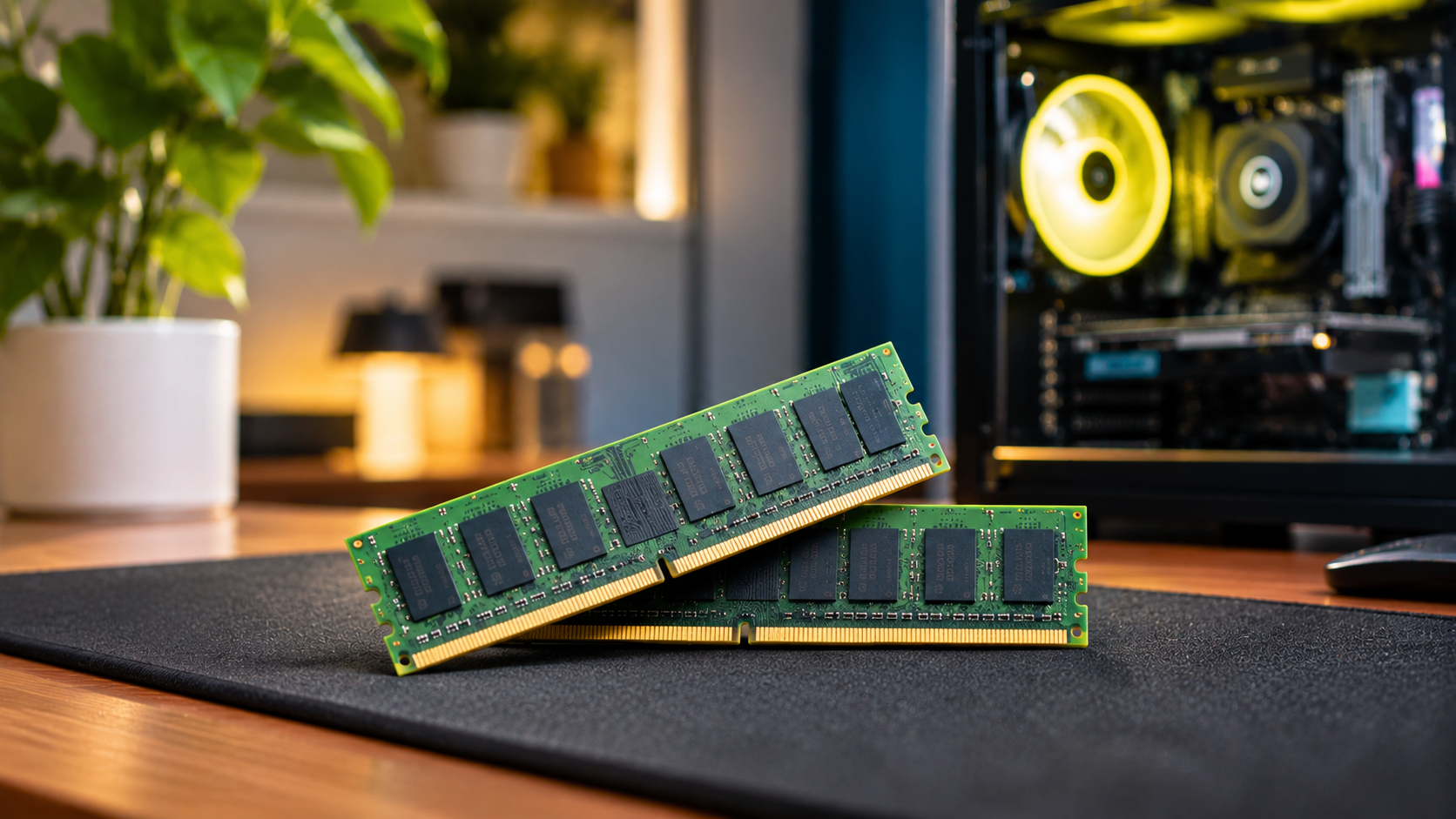
Does a Single RAM Stick Make Overall Performance Bad?
Using a single RAM stick does not damage your computer, but it can limit memory performance. Modern processors depend on fast memory communication to handle everyday tasks, gaming, and demanding applications. Running one memory module typically activates single-channel mode on supported desktop platforms. This provides less memory bandwidth than a dual-channel configuration.
According to Intel’s official memory configuration documentation, memory configuration affects available bandwidth. Single-channel configurations offer less theoretical bandwidth than dual-channel configurations. This difference can affect gaming performance and demanding workloads.
Choosing the right RAM configuration matters when building or upgrading a computer. Many prebuilt systems ship with one memory module to reduce manufacturing costs. Adding another compatible module can improve performance.
In this guide, we answer common questions about computer memory. We compare one versus two RAM sticks and explain whether 32GB is necessary. You will also learn about Windows 11’s minimum RAM requirement and whether 2TB is excessive for gaming.
Is using a 1 RAM stick bad?
Using a single RAM stick is not harmful to your computer. However, it can restrict your system’s memory bandwidth. When you install one compatible memory module, your computer generally operates in single-channel mode. This means the memory controller uses one 64-bit memory channel.
For everyday activities, the difference might be difficult to notice. Browsing websites, watching videos, and editing documents usually work normally. However, demanding applications can benefit from additional memory bandwidth.
Modern games, video editors, and professional applications frequently transfer large amounts of data. A single-channel configuration can limit performance in certain situations. You might experience lower frame rates or inconsistent performance, depending on your hardware.
There is another important consideration: memory capacity. A single 16GB stick provides more usable capacity than one 8GB stick. Therefore, having enough RAM remains important.
A single RAM stick is perfectly usable, but two compatible modules can deliver better performance on dual-channel platforms. Consider upgrading if your applications benefit from additional bandwidth.
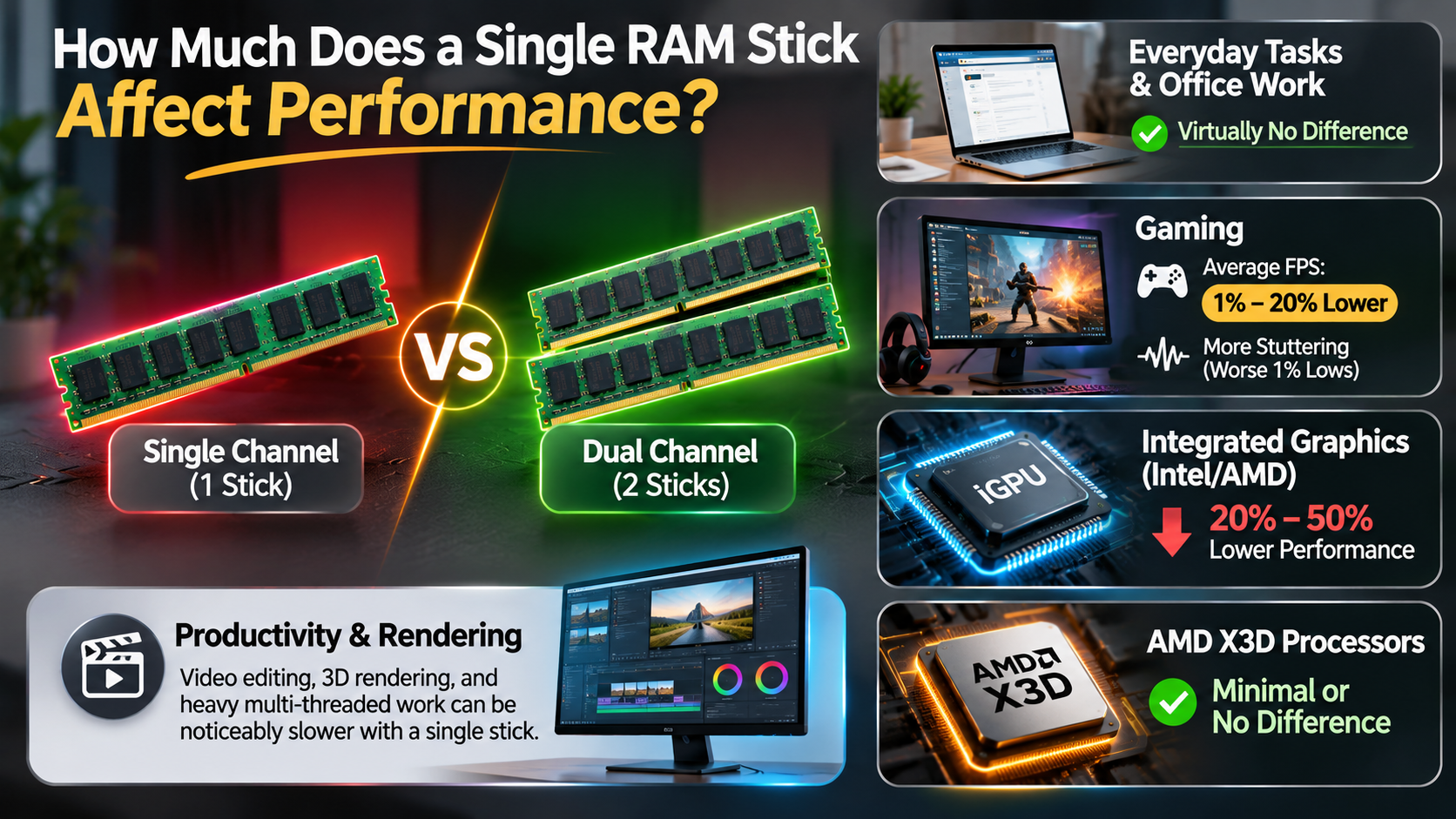

How Single-Channel Mode Impacts Gaming
Single-channel memory can affect gaming performance, particularly in CPU-intensive games. These games frequently process physics calculations, character movements, and environmental details. They depend on efficient communication between the processor and system memory.
When memory bandwidth becomes a limitation, the processor might struggle to access data efficiently. This can reduce average frame rates and affect minimum frame rates. However, the actual difference depends on the game and hardware.
For example, games running on integrated graphics can benefit significantly from dual-channel memory. Integrated graphics share system memory instead of using dedicated video memory. Additional bandwidth helps the graphics processor access data more efficiently.
Dedicated graphics cards usually have their own video memory. Therefore, the impact of single-channel system RAM can be smaller. Nevertheless, some CPU-heavy games still benefit from dual-channel configurations.
Adding another compatible RAM stick can improve performance. However, a 10–20% improvement is not guaranteed. Always consider your processor, graphics card, game, and memory speed before expecting specific results.
Is 32 GB of RAM overkill?
For basic everyday activities, 32GB of RAM might be unnecessary. Browsing websites, watching videos, attending online meetings, and answering emails rarely require that much memory. Many casual users can comfortably operate with 8GB or 16GB.
However, 32GB has become a practical choice for modern gaming and demanding workloads. Some newer games use substantial memory, especially alongside background applications. Running Discord, browsers, streaming software, and games simultaneously increases memory consumption.
Having 32GB provides additional room for multitasking. It also reduces the possibility of memory-related slowdowns when several demanding applications run together.
Content creators can benefit from the extra capacity, too. Video editing, large Photoshop projects, programming environments, and virtual machines can consume considerable memory.
Your actual requirements depend on your workload. Buying 32GB does not automatically make applications faster. It simply provides more available memory when your activities require it. Before upgrading, consider checking current RAM prices in 2026 to determine whether the additional capacity fits your budget.
When You Actually Need 32 GB
You should consider 32GB if your computer regularly handles demanding applications. It is particularly useful when several memory-intensive programs run simultaneously.
Here are some situations where 32GB makes sense:
- Modern gaming: Playing demanding games while running browsers, Discord, and other background applications.
- Video editing: Working with high-resolution footage, multiple timelines, and complex editing projects.
- Graphic design: Editing large images and working with multiple creative applications.
- Programming: Running development environments, databases, emulators, and virtual machines.
- Heavy multitasking: Keeping numerous browser tabs and productivity applications open.
For casual users, 16GB remains a reasonable starting point for general computing. However, 32GB provides additional flexibility for demanding workloads.
It is also worth considering your upgrade plans. If you want to keep your computer for several years, additional memory capacity can provide more room for future applications.
Remember: RAM capacity should match your actual workload. Buying extra memory without needing it will not automatically increase performance or gaming frame rates.
Is it better to have 1 or 2 RAM sticks?
For most desktop computers supporting dual-channel memory, using two compatible RAM sticks is better than using one. The main advantage is increased memory bandwidth. Two modules can allow the memory controller to access two memory channels simultaneously.
Consider two configurations with identical total capacity. One uses a single 16GB RAM stick, while another uses two 8GB sticks. Both provide 16GB of memory, but the second configuration can deliver higher bandwidth when dual-channel mode is enabled.
This difference can improve gaming performance, application responsiveness, and workloads that transfer large amounts of data. Integrated graphics can benefit particularly from additional memory bandwidth.
However, two sticks are not automatically faster in every situation. Compatibility, memory speed, timings, and processor support also matter.
For the best results, purchase a compatible memory kit designed to work together. Check your motherboard specifications before upgrading, especially when choosing between DDR4 and DDR5 RAM, as these memory generations have different compatibility requirements.
Overall, two RAM sticks are generally preferable for dual-channel systems, provided they operate at supported speeds and capacities.
Proper Motherboard Slot Placement
Installing two RAM sticks in the correct motherboard slots is essential for activating dual-channel mode. Simply inserting both modules into adjacent slots might not provide the intended configuration.
Most four-slot desktop motherboards recommend using slots A2 and B2 for two memory modules. These slots typically activate the recommended dual-channel configuration.
However, motherboard layouts differ between manufacturers and models. Therefore, always check your motherboard manual before installing additional memory.
Follow these steps:
- Shut down your computer and disconnect its power supply.
- Locate the RAM slots on your motherboard.
- Check the motherboard manual for the recommended dual-channel slots.
- Insert the first module into the recommended slot.
- Install the second module in its corresponding channel slot.
- Restart your computer and verify the installed memory.
You can check the memory configuration through your BIOS or system monitoring software.
Also, remember that mixing different RAM kits can sometimes cause compatibility issues. For reliable performance, use matching modules with supported specifications.
Can I run Windows 11 on 4GB RAM?
Yes, you can run Windows 11 with 4GB of RAM. Microsoft lists 4GB as the minimum system memory requirement for installing Windows 11. However, this is the minimum requirement, not the recommended amount for comfortable everyday use.
With only 4GB, Windows 11 has limited memory available for applications. Background services, security software, and other system processes also consume RAM.
Opening several browser tabs or running multiple applications can quickly exhaust available memory. Your computer might become sluggish, experience delayed responses, or struggle with multitasking.
Windows uses virtual memory when physical RAM becomes insufficient. This involves transferring some memory data to your storage drive. However, even a fast SSD is considerably slower than physical RAM.
As a result, a computer with 4GB can feel noticeably slower during demanding activities.
If you are purchasing a computer for Windows 11, consider upgrading its memory. At least 8GB is a more practical starting point, while 16GB offers a better experience for multitasking and everyday productivity.
The Reality of 4GB Performance
Running Windows 11 with 4GB of RAM is possible, but the experience can be restrictive. You might successfully open basic applications, browse websites, and perform simple tasks. However, performance can decline quickly when memory usage increases.
The operating system needs memory for background processes and essential services. Your browser, antivirus software, and other applications require additional resources.
When available RAM becomes insufficient, Windows relies more heavily on its paging file. This allows the system to continue operating, but storage is much slower than physical memory.
You might experience:
- Slower application startup times.
- Delayed responses when switching between programs.
- Browser tabs reloading frequently.
- Occasional freezing during multitasking.
- Reduced performance when running demanding software.
An SSD can improve overall responsiveness compared with a traditional hard drive. However, it cannot completely compensate for insufficient RAM. Understanding common SSD myths and misconceptions can also help you understand why faster storage cannot fully replace physical memory.
For a smoother experience, consider upgrading to 8GB or 16GB. Check your laptop or motherboard specifications before purchasing additional memory.
Is 2TB RAM overkill for gaming?
Yes, 2TB of RAM is extremely excessive for a typical gaming computer. Modern games do not require anything close to this amount of system memory. Even demanding AAA titles generally operate comfortably with much smaller capacities.
For most gaming computers, 16GB provides a reasonable starting point. However, 32GB is a more flexible choice for modern gaming, multitasking, and demanding applications.
There is also a hardware limitation to consider. Typical consumer gaming motherboards and processors cannot support 2TB of RAM. Their maximum memory capacity depends on the processor’s memory controller, motherboard specifications, and supported memory modules.
Some high-end workstation and enterprise server platforms can support terabytes of memory. These configurations are designed for demanding workloads rather than ordinary gaming.
Examples include large databases, virtualization environments, scientific computing, and artificial intelligence workloads.
Therefore, purchasing enormous amounts of RAM for gaming offers little practical value. Focus on sufficient capacity, compatible memory speeds, and a suitable dual-channel configuration instead.
Why More Capacity Does Not Equal More FPS
Installing a single RAM stick with higher capacity does not automatically increase gaming performance. RAM capacity for gaming matters when your system does not have enough memory to handle demanding games and background applications.
For example, upgrading from 8GB to 16GB can improve performance when a game previously struggled with insufficient memory. Similarly, moving from 16GB to 32GB can help demanding games and multitasking workloads.
However, increasing capacity beyond what your system needs generally does not improve frame rates.
Several other factors influence gaming performance:
- Memory bandwidth: Higher bandwidth can help processors and integrated graphics access data efficiently.
- Memory latency: Lower latency can improve certain memory-sensitive workloads.
- Processor performance: CPU speed and architecture influence game calculations.
- Graphics card performance: GPU capabilities directly affect rendering and frame rates.
- Memory configuration: Dual-channel memory can improve performance on supported platforms.
Once your computer has sufficient RAM, upgrading your graphics card or processor might deliver a more noticeable gaming improvement. If you are unsure which component deserves your money, understanding whether to upgrade your CPU or GPU first can help you make a better decision.
The goal is to choose a balanced configuration rather than purchasing the largest memory capacity available.
Conclusion
Choosing the right RAM configuration is essential for getting the best performance from your computer. Using a single RAM stick is not harmful, but it can limit memory bandwidth on systems that support dual-channel memory. Installing two compatible RAM sticks can improve performance, especially in gaming and demanding applications. However, the actual improvement depends on your processor, motherboard, and workload.
For most users, 16GB of RAM is sufficient for everyday computing, while 32GB offers more flexibility for modern gaming, video editing, programming, and multitasking. Windows 11 can run with 4GB, but upgrading to at least 8GB provides a more comfortable experience. Meanwhile, 2TB of RAM is unnecessary for gaming and belongs to specialized workstation and server environments.
Ultimately, more RAM does not always mean better performance. Focus on choosing the right capacity, memory speed, and configuration for your needs. Before upgrading, check your motherboard and processor specifications to ensure compatibility. A balanced RAM setup will deliver better value than spending money on memory your computer will never use.