
Should You Accept or Reject Cookies From a Website?
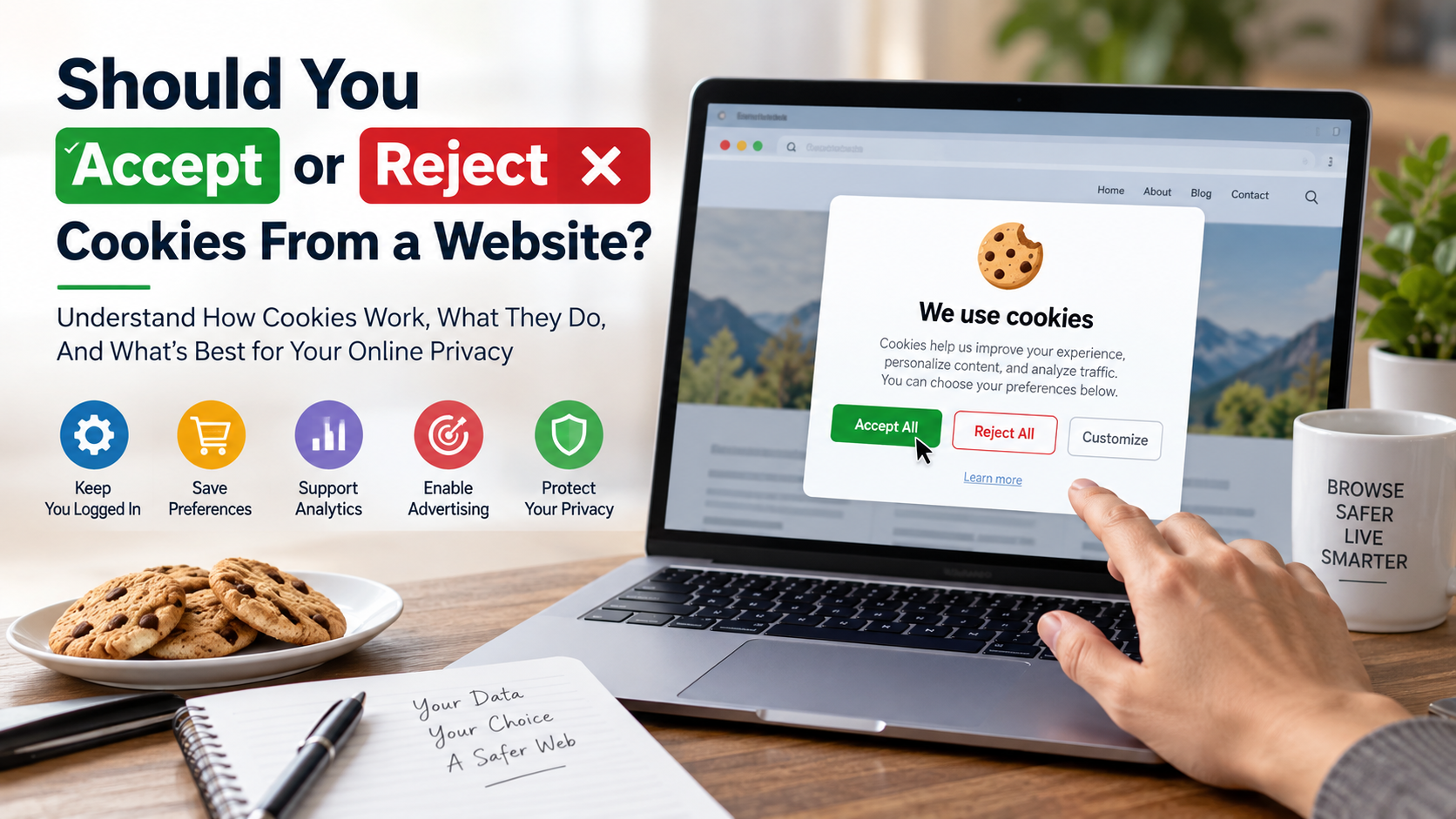
Every time you visit a new website, a cookie banner may ask for your consent. Deciding whether to accept or reject cookies has become a routine part of browsing. Cookies are small data files that websites use to remember sessions, preferences, and other information.
Some cookies keep shopping carts active or remember your preferred language. Others support analytics, advertising, personalization, or cross-site tracking. The main privacy concern usually involves non-essential cookies, especially those used for advertising and tracking.
While some files simply keep items in your shopping cart, others follow you across the internet to build marketing profiles. Privacy watchdogs like the Federal Trade Commission have established consumer guidance to help users navigate tracking technologies and digital privacy.
Many users click “Accept All” simply to remove the banner. Others block every cookie and discover that important website features stop working. Neither approach is ideal for every situation.
Before you accept or reject cookies, check what each category actually does. Necessary cookies often support core functions, while optional cookies may collect additional browsing information.
This guide explains what happens when you accept or reject cookies, what clearing cookies removes, and how cookie settings affect your online privacy.
Is it better to accept cookies or reject them?
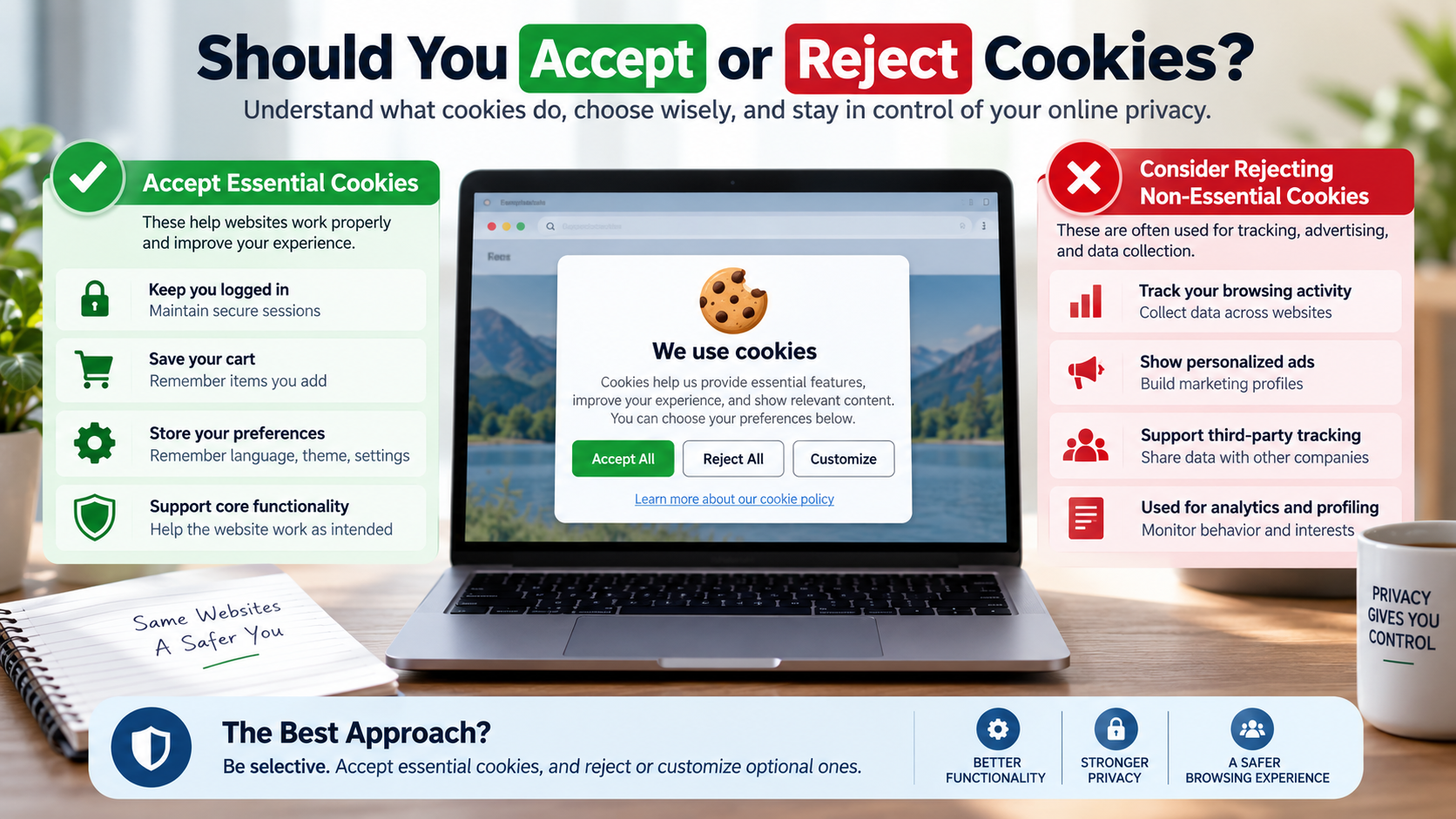
In most situations, it is better to reject non-essential cookies while allowing necessary ones. Essential cookies support secure logins, shopping carts, session management, and other basic website functions.
When deciding whether to accept or reject cookies, consider what the website needs to operate. Necessary cookies can improve functionality, while optional cookies may support advertising, analytics, and personalization.
Rejecting optional cookies can reduce unnecessary data collection. It may limit how advertising companies track your browsing activity across different websites.
However, rejecting every cookie can make some websites less convenient. You might need to sign in again or reset certain preferences during future visits.
The best approach is selective rather than absolute. Review the consent choices provided by each website and disable categories you do not need.
For trusted websites, accepting functional cookies can improve convenience. For unfamiliar websites, rejecting optional tracking is usually a sensible privacy choice.
Ultimately, learning when to accept or reject cookies helps you balance privacy, security, and everyday browsing convenience.

Choosing Custom Preferences on Consent Banners
When a cookie banner appears, look for options such as “Customize,” “Preferences,” or “Manage Choices.” These settings give you more control than simply clicking “Accept All.”
Before you accept or reject cookies, review the categories listed in the consent window. Keep strictly necessary cookies enabled when they support security, authentication, and essential website functions.
You can often disable optional categories, including advertising, personalization, and certain analytics cookies. The available choices vary between websites, so read each description carefully.
This process takes slightly longer than accepting everything. However, it gives you greater control over the information websites and their partners can collect.
A cookie banner does not mean that every cookie is dangerous. Many cookies have legitimate purposes and help websites provide useful services.
The important point is understanding what you are allowing. If you are unsure whether to accept or reject cookies, choose custom preferences and allow only the categories you need.
This approach provides a practical balance between online privacy, website functionality, and convenience. It also reduces unnecessary tracking without forcing you to block useful features.
What happens if I reject cookies on a website?
When you reject optional cookies, the website should prevent those non-essential cookies from being stored. Depending on the site’s consent system, related tracking technologies may also be restricted.
Strictly necessary cookies can still operate when they are required for essential functions. These may support secure sessions, account access, shopping carts, or other basic features.
If you choose to accept or reject cookies based on privacy concerns, rejecting optional categories can reduce personalized advertising. You may see more generic advertisements instead of products related to previous browsing activity. You should also understand the risks of using public Wi-Fi when browsing on unfamiliar networks.
Some personalization features may also change. A website might not remember your language, theme, location, or other preferences.
Your experience depends on the website. Some pages work normally without optional cookies, while others may provide fewer features.
You may also see the consent banner again after clearing browser data.
Rejecting cookies does not automatically make a website unusable. If a useful feature stops working, review the site’s settings and allow only the permissions needed.
Understanding these effects makes it easier to decide whether to accept or reject cookies on different websites.
Dealing With Broken Features on Complex Websites
Some modern websites rely on cookies and other browser storage technologies for interactive features. These technologies can support account sessions, shopping carts, personalization, embedded services, and security functions.
After rejecting optional cookies, certain features may behave differently. A video player, live chat widget, embedded service, or personalized dashboard may require additional permissions.
However, cookies are not always responsible for broken features. Browser settings, content blockers, JavaScript restrictions, network problems, and website errors can also cause issues.
If a trusted website needs additional permissions, review its consent settings first. Avoid changing your global browser privacy settings just to fix one website.
When deciding whether to accept or reject cookies, allow the minimum categories required for the feature you need. This site-by-site approach provides stronger privacy than disabling every protection.
Separate browser profiles can also help with different activities. They reduce the need to repeatedly change privacy settings.
You do not have to choose between complete functionality and complete privacy. Instead, identify which permissions are necessary.
This makes it easier to accept or reject cookies without weakening your privacy protections across the entire internet.
What will I lose if I clear cookies?
Clearing cookies removes stored information that websites use to recognize your browser. The most noticeable result is usually being signed out of websites that rely on cookies for login sessions.
You may also lose saved website preferences. A site might forget your selected language, region, theme, or other customized settings.
Cookie-based shopping carts can also be affected. Items stored for guest users may disappear after cookies are removed.
After clearing cookies, websites may treat you like a first-time visitor. Consent banners can appear again because your previous choices may no longer be stored.
However, clearing cookies does not normally delete bookmarks, browsing history, or downloaded files. Those are controlled separately by most browsers.
Cookies are also different from cached files. Understanding the difference between clearing cache and clearing data can help you choose the right cleanup option. Check the browser’s cleanup settings before confirming the deletion.
If you are unsure whether to accept or reject cookies, clearing them gives you a fresh starting point. Just remember that you may need to sign back into your accounts afterward.
Why Periodic Browser Cleanouts Protect Your Privacy
Regularly reviewing browser data can improve privacy, particularly on shared or frequently used devices. Removing old cookies prevents websites from continuing to recognize your browser through those stored files.
However, clearing cookies does not eliminate every form of online tracking. Websites can also use account information, IP addresses, browser characteristics, and other technologies.
Browser cleanup still offers practical benefits. It can remove outdated session information, reset unwanted preferences, and sometimes resolve website problems. Regular browser maintenance can also help speed up your iPhone when performance issues appear.
You do not necessarily need to clear everything every month. A better approach is to review your browser’s privacy controls and remove stored data when necessary.
If clearing cookies signs you out of several accounts, a password manager can make signing back in easier. It securely stores login credentials and reduces the inconvenience of regular browser cleanup.
When deciding whether to accept or reject cookies, remember that cookie deletion is only one part of online privacy.
For stronger protection, combine browser cleanup with tracker blocking and careful consent choices. These habits can reduce unnecessary data collection without making everyday browsing difficult.
A thoughtful approach to browser privacy helps you stay in control of stored information and tracking technologies.
Is it safe to accept cookies from a website?
Accepting cookies from a legitimate website is generally safe from a traditional malware perspective. Cookies are small pieces of stored data, not executable computer programs.
They cannot normally install viruses on your computer by themselves. The bigger concern when you accept or reject cookies is usually privacy rather than malware.
Some cookies help websites and advertising partners understand your browsing activity. Depending on the technology used, this information may contribute to personalized advertising or broader behavioral profiles.
Security is another consideration. A poorly secured website could expose session information through other vulnerabilities. For this reason, use reputable websites and learn how a VPN can protect your online activity before choosing additional privacy tools.
It is also important to distinguish between necessary and optional cookies. Necessary cookies often support authentication, security, and core functionality. Optional cookies may support advertising, analytics, or personalization.
If you trust the website, accepting necessary cookies is generally reasonable. You can still reject optional tracking categories when privacy is your priority.
Before you accept or reject cookies, consider both the website’s reputation and the purpose of its cookies.
The safest everyday habit is to make an informed choice instead of automatically accepting everything.
Spotting Red Flags Before Consenting to Storage
Before accepting cookies, check whether the website appears legitimate. Look carefully at the domain name because fraudulent websites sometimes imitate trusted brands with slightly altered addresses.
HTTPS is also important. A secure connection helps protect information while it travels between your browser and the website. However, HTTPS alone does not prove that a website is trustworthy.
Watch for aggressive pop-ups, unusual domain names, misleading buttons, suspicious downloads, or requests for unrelated personal information.
A legitimate cookie banner should explain its categories or provide access to privacy settings. Be cautious when a banner makes “Accept All” highly visible while hiding the rejection option.
When deciding whether to accept or reject cookies, you do not need to grant unnecessary permissions simply because a banner appears.
If a website looks suspicious, leave the page. Never enter passwords, payment information, or other sensitive details on questionable websites.
Good browser security also includes keeping your browser, operating system, and security software updated.
These precautions work alongside sensible cookie choices. They help reduce privacy and security risks while browsing.
If you are uncertain whether to accept or reject cookies, prioritize the website’s legitimacy and only allow permissions that serve a clear purpose.
Should I accept cookies or not?
Whether you should accept cookies depends on the website, the cookie category, and your privacy preferences. There is no single rule that works perfectly for every website.
For trusted services such as online banking, workplace portals, and account platforms, necessary cookies are often important. They can maintain secure sessions and support normal functionality.
For unfamiliar websites, blogs, news pages, and stores you rarely visit, rejecting optional cookies is often a sensible privacy choice. This can limit advertising and analytics tracking.
You do not have to choose between accepting everything and blocking everything. Most modern consent banners provide more specific controls.
A practical rule is to accept necessary cookies and question optional ones. Review what each category does before granting permission.
Your decision can also change over time. A website you trust today may introduce new tracking technologies later.
Taking a few seconds to review cookie settings gives you greater control over your personal information.
If you are asking whether to accept or reject cookies, focus on necessity rather than convenience alone. Allow useful functions while limiting unnecessary tracking.
This balanced approach supports both privacy and a smoother browsing experience.
Adopting a Hybrid Strategy With Browser Extensions
A hybrid privacy strategy combines sensible cookie choices with browser-level tracking protection. Modern privacy-focused browsers can block many third-party trackers while allowing necessary website functions to continue working.
Privacy extensions can add another layer of protection. They may block known trackers, advertising scripts, and other technologies used to monitor browsing activity.
However, choose extensions carefully. Install tools from reputable developers and review the permissions they request. A privacy extension should not create a separate privacy risk.
This approach reduces the need to manually adjust every consent banner. You can maintain stronger default protections while making exceptions for websites you trust.
The goal is not to block every technology a website uses. Some cookies and storage methods provide genuine functionality and security benefits.
When deciding whether to accept or reject cookies, focus on minimizing unnecessary tracking while preserving services you actually need.
A combination of browser privacy settings, tracker protection, and selective cookie consent can provide a practical balance.
This hybrid strategy gives you greater control without making everyday browsing unnecessarily difficult. It also helps you accept or reject cookies with more confidence and fewer repeated decisions.
FREQUENTLY ASKED QUESTIONS
What is the difference between first-party and third-party cookies?
First-party cookies come directly from the website you are visiting. They handle critical tasks like keeping you logged in and remembering items in your cart. Third-party cookies belong to outside advertisers and analytics companies embedded on that site. They monitor your activity across completely different domains to deliver targeted promotions and build comprehensive advertising profiles.
Do cookies slow down my computer or internet connection?
Cookies do not noticeably reduce internet speeds because they are minuscule text files. However, having thousands of stored tracking files can slow down your web browser over time. Stale cache files and bloated tracking scripts consume browser memory, which leads to sluggish tab switching. Cleaning your browser cache periodically helps restore smooth, responsive navigation.
Can cookies reveal my real name and personal identity?
Cookies cannot independently extract your legal name, physical address, or private documents from your hard drive. They only record details that you voluntarily submit to a web form, along with technical device metrics. However, advertising networks can piece together your browsing patterns, IP address, and location data to profile you with remarkable, unsettling accuracy.
Can modern websites work normally without any cookies enabled?
Basic informational websites with static articles load perfectly fine without cookies. However, dynamic platforms will struggle or fail entirely. Without basic functional data, websites cannot keep you signed in, remember your preferences, or save items inside a checkout basket. Completely disabling all cookies in your browser settings will break most modern e-commerce stores and web portals.
Conclusion
Navigating the decision to accept or reject cookies does not need to be complicated. You do not have to choose between protecting your privacy and using modern websites comfortably.
A practical approach is to allow necessary cookies when they support legitimate functions. At the same time, treat optional advertising and tracking cookies with greater caution.
Rejecting unnecessary trackers can reduce data collection without preventing essential website features. For trusted websites, you can make exceptions when a particular function requires additional storage or permissions.
Your browser also provides important privacy controls. Review its cookie settings, enable available tracking protection, and consider using reputable privacy tools when appropriate.
Before accepting a consent request, take a moment to check the available categories. Choose custom preferences when you want more control instead of automatically selecting “Accept All.”
The goal is not to eliminate every cookie. It is to understand what you are allowing and limit unnecessary tracking.
With a selective approach, you can maintain useful website features while reducing your digital footprint and making more informed privacy decisions.