Is It Worth Replacing Your PlayStation 5 Controller’s Battery?
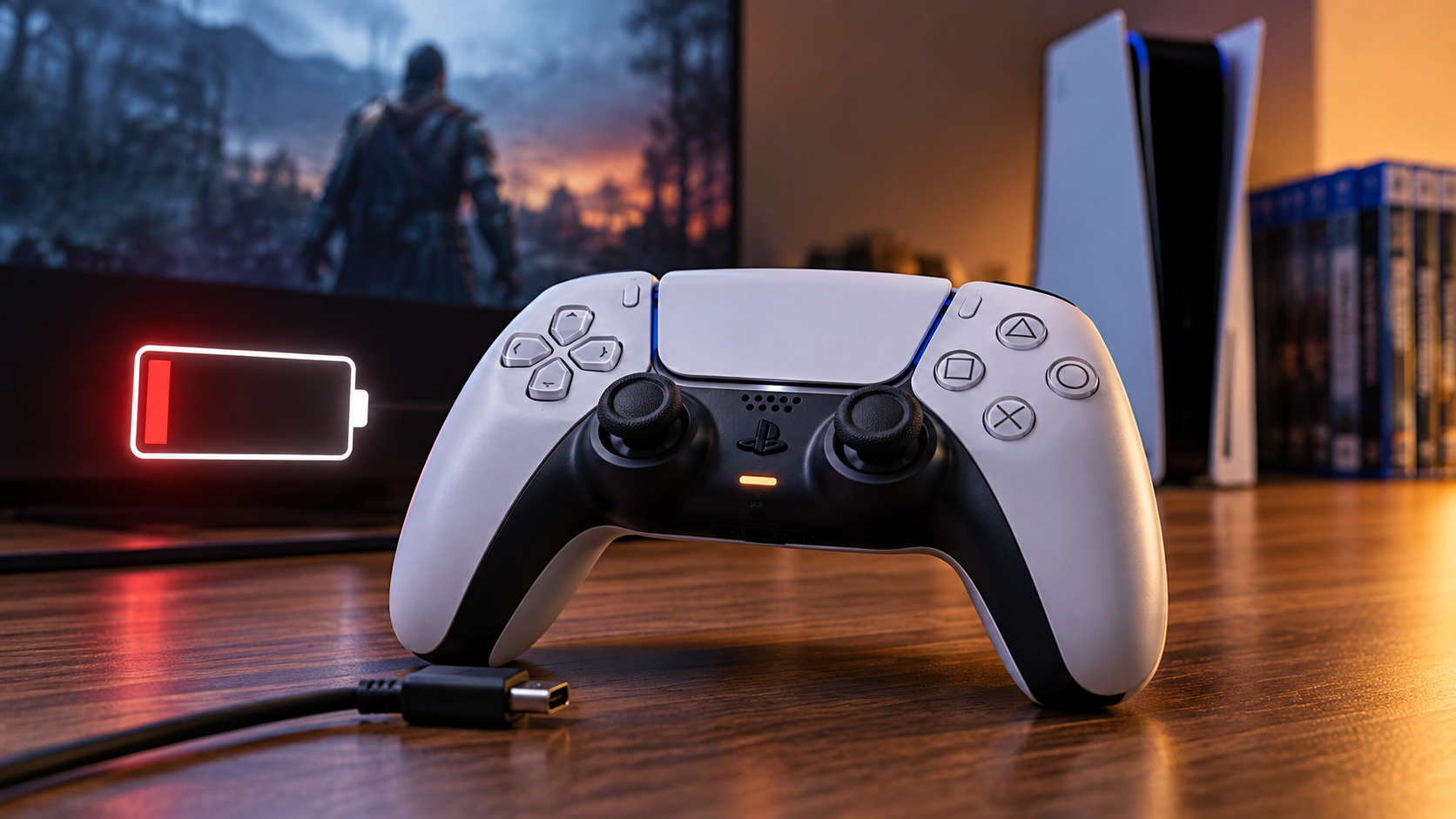
Few things interrupt a gaming session faster than a low-battery warning. If you are considering replacing your PlayStation 5 controller’s battery, you may wonder whether the repair is worth the cost and effort. The Sony DualSense controller combines haptic feedback, adaptive triggers, motion sensors, and wireless connectivity. You can check the official PlayStation Support resources for information about DualSense hardware and support.
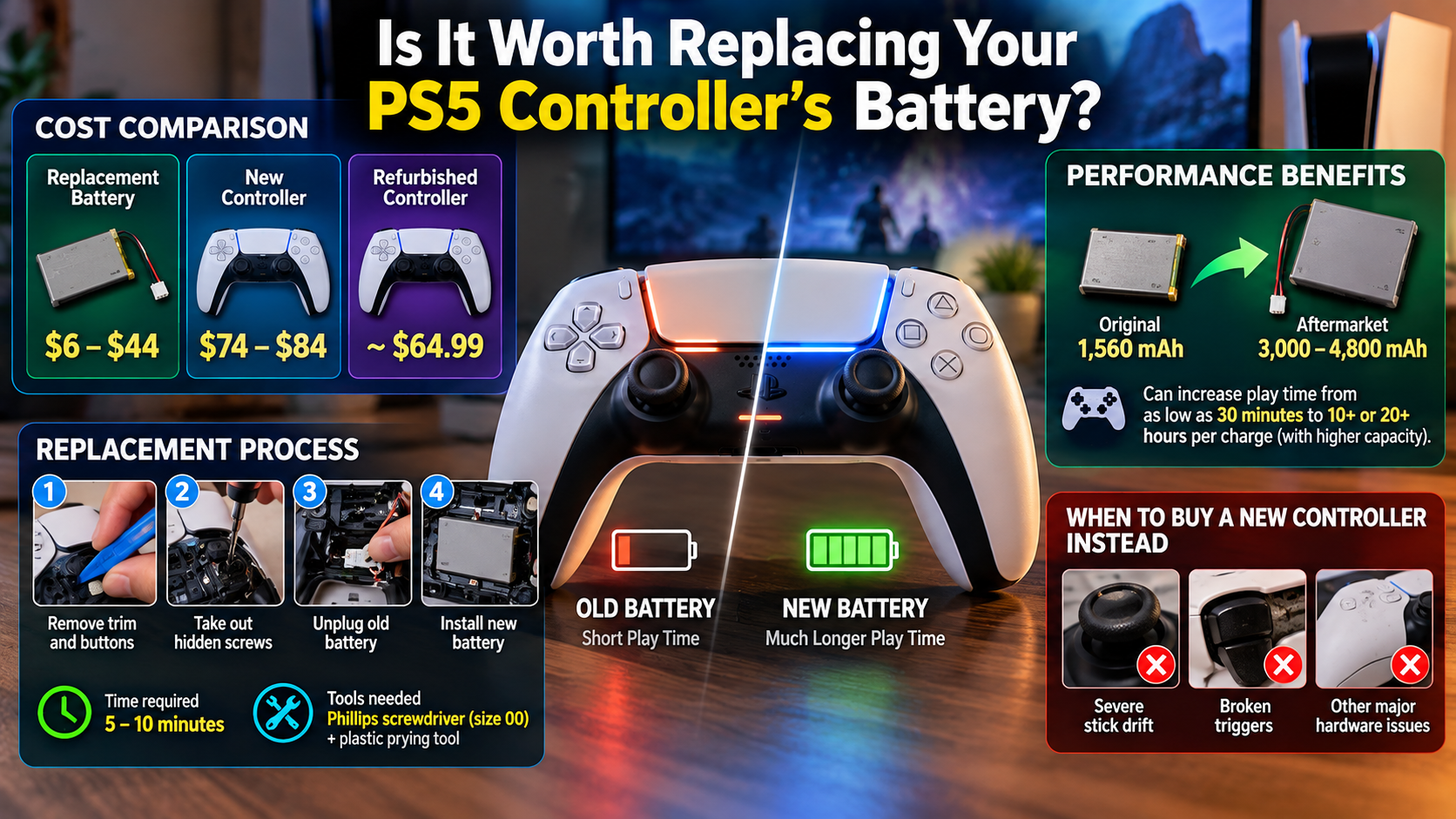
Over time, its built-in lithium-ion battery naturally loses capacity. Sony lists the DualSense battery at 1,560 mAh. Battery performance can also change with age, usage, and storage conditions.
That leaves many players wondering whether replacing the battery is better than buying another controller. The answer depends on your controller’s condition, repair skills, and replacement costs.
If the sticks, buttons, triggers, and wireless connection still work properly, replacing your PlayStation 5 controller’s battery can extend its useful life. It can also reduce unnecessary electronic waste.
This guide covers battery life, replacement difficulty, costs, power-draining features, and controller care. By the end, you will know whether a DualSense battery replacement makes practical sense.
How Long Do PlayStation 5 Controller Batteries Last?
A PS5 DualSense controller’s battery life varies between games and settings. Sony does not provide one fixed runtime for every gaming situation. Battery duration depends on factors such as haptic feedback, adaptive triggers, speaker use, wireless activity, and overall usage.
The DualSense uses a built-in 1,560 mAh lithium-ion battery. Battery capacity naturally decreases as the battery ages and goes through repeated use. Storage conditions and temperature can also affect battery performance.
As the battery gets older, you may notice more frequent charging. A controller that once lasted through long sessions may eventually need several charging breaks.
Heavy use of immersive features can increase power consumption. This is especially noticeable in games that use strong haptic feedback and adaptive trigger resistance.
There is no universal replacement date. Instead, consider replacing your PlayStation 5 controller’s battery when reduced capacity starts interfering with normal gaming.
Signs that replacement may be worthwhile include:
- Much shorter wireless sessions
- Frequent low-battery warnings
- Rapid charge loss during gameplay
- A controller that works normally when connected by USB
If the controller still performs well apart from its battery, replacement can be a practical repair.
Features That Drain Power Quickest
Several DualSense features can affect how long the controller lasts between charges. The biggest factors include haptic feedback, adaptive triggers, the built-in microphone, speaker, and light bar.
Haptic feedback creates detailed vibration effects during gameplay. Adaptive triggers can also change resistance based on what happens in a game. These features make the controller more immersive, but they also require additional power.
The built-in microphone and speaker can contribute to power consumption. Wireless communication also continues while you use the controller without a cable.
If battery life has become inconvenient, you can reduce the workload on the controller. The PS5 provides settings that let you adjust certain controller features.
Try reducing:
- Vibration intensity
- Trigger effect intensity
- Controller speaker volume
- Microphone-related features when unnecessary
- Light bar brightness where supported
These changes will not restore an aging battery’s lost capacity. However, they may provide more useful playtime between charges.
Before replacing your PlayStation 5 controller’s battery, test these settings first. A simple adjustment may improve battery life enough to delay the repair.
Can I Replace the Battery in My PS5 Controller?
Yes. Replacing your PlayStation 5 controller’s battery is possible because the DualSense uses an internal rechargeable battery. However, the controller does not have an external battery door. You must open the housing to access the battery.
The exact procedure depends on the DualSense hardware revision. Different controller versions can have internal differences. Identify your controller model before buying a replacement battery or following a repair guide.
A typical repair involves removing exterior trim and screws. You then separate the case carefully and access the battery connector. The battery can normally be disconnected from the motherboard without soldering.
You generally need basic tools such as:
- A plastic opening pick or spudger
- A suitable Phillips screwdriver
- Tweezers for handling the battery connector
The repair can be manageable if you are comfortable working with small electronics. However, opening the controller can damage clips, cables, or the housing.
If your controller is under warranty, check the applicable warranty and support options first. DIY disassembly may affect warranty coverage depending on the circumstances.
Essential Safety Tips for DIY Disassembly
Battery replacement requires more care than ordinary controller cleaning. Lithium-ion batteries can become dangerous if they are punctured, crushed, overheated, or handled incorrectly.
Turn the controller off before starting. Disconnect any charging cable and work on a clean, dry surface with good lighting.
Never pull directly on battery wires. Grip the connector when disconnecting it. Avoid using metal tools around the battery whenever possible.
If the battery looks swollen, damaged, leaking, or unusually hot, stop the repair. Do not puncture, squeeze, or continue handling a damaged battery unnecessarily.
Before replacing your PlayStation 5 controller’s battery, confirm that the replacement matches your controller version. Battery models can differ between DualSense revisions.
Work slowly when separating the case. Plastic clips can break if you use excessive force. Keep screws organized so they return to their correct locations.
If you are uncomfortable opening electronics, consider professional repair instead. A small mistake can damage the controller and make the repair more expensive.
How Much Does It Cost to Replace a PS5 Controller Battery?
The cost of a DualSense battery replacement depends on where you buy the battery and who performs the repair. DIY replacement is generally cheaper because you pay mainly for the replacement part and necessary tools.
Third-party battery kits are available in different capacities and price ranges. Some kits include opening tools, while others contain only the replacement battery. Prices can vary by country, seller, controller version, and battery quality.
Professional repair adds labor costs. The final price can therefore become considerably higher than the battery itself.
Before replacing your PlayStation 5 controller’s battery, compare the repair cost with the price of another compatible controller. A battery replacement makes more sense when the rest of your DualSense remains in good condition.
Consider the controller’s:
- Analog stick condition
- Button responsiveness
- Adaptive trigger operation
- Charging port condition
- Wireless connection
- Physical shell condition
If several major components are already failing, replacing only the battery may not be worthwhile.
Do not choose a battery based only on advertised capacity. Compatibility, physical dimensions, connector type, and manufacturer reliability are more important.
A properly matched replacement battery can extend the useful life of an otherwise healthy DualSense. That makes battery replacement a practical option for many owners.
Upgrading Capacity With High-Milliampere Kits
Third-party replacement batteries are sometimes advertised with capacities higher than the original 1,560 mAh battery. A larger-capacity battery may provide longer runtime, but capacity should not be your only consideration.
First, confirm that the battery is designed for your specific DualSense revision. Different controller versions can use different battery models and internal layouts.
The replacement battery must also fit safely inside the original battery compartment. Never force a larger battery into the controller or allow it to press against other components.
Look for a reputable seller and clear technical specifications. Avoid products that make unusually high capacity claims without providing reliable supporting information.
A suitable replacement should have the correct voltage, connector, dimensions, and protection circuitry for the controller.
You should also consider whether you actually need additional capacity. If your existing battery has simply degraded, a reliable replacement with the correct specifications may be enough.
The goal should be safe and compatible capacity, not the largest number printed on the package.
Before buying, check your controller’s model or revision. Then compare it with the replacement battery’s specifications. This can prevent compatibility problems and unnecessary returns.
Do PS5 Controllers Have Bad Battery Life?
The DualSense can feel short-lived compared with controllers designed around longer battery endurance. However, calling its battery life universally bad oversimplifies the issue.
The controller contains several power-hungry features that simpler gamepads may not have. These include advanced haptic feedback, adaptive triggers, a built-in microphone, a speaker, motion sensors, and wireless communication.
These features contribute to the controller’s immersive experience. They can also increase power consumption during games that use them heavily.
Battery performance therefore depends heavily on how you use the controller. Someone using strong haptic feedback and trigger effects may recharge more often than someone using reduced settings.
Battery age is another important factor. Even if the controller originally provided acceptable runtime, its lithium-ion battery gradually loses capacity through age and use.
Instead of judging the controller only by runtime, compare its current performance with its previous performance.
If your DualSense still works normally but now requires much more frequent charging, battery degradation is a reasonable explanation.
If runtime has suddenly collapsed, however, check the charging cable, port, settings, and charging behavior before assuming the battery has failed.
Replacing your PlayStation 5 controller’s battery becomes more relevant when reduced battery capacity remains a problem after checking these other factors.
Realistic Expectations Versus Competing Hardware
The DualSense was designed around immersion rather than maximum battery endurance. Its haptic feedback and adaptive triggers are central parts of the controller experience.
That creates a practical trade-off. More active features can require more power, while reducing those features can extend the time between charges.
Comparisons with other controllers can therefore be misleading. Different devices use different batteries, motors, wireless systems, and feature sets.
Instead of expecting one specific number of hours, consider whether the controller meets your normal gaming needs.
If it comfortably lasts through your typical sessions, replacing your PlayStation 5 controller’s battery may not be necessary yet. If you repeatedly stop playing to recharge it, the battery has become a practical limitation.
You can also reduce certain controller features before spending money on a replacement. Lower vibration and trigger intensity may provide additional usable runtime.
If those adjustments no longer provide enough playtime, replacing the internal battery becomes a reasonable next step.
The important distinction is between normal power consumption and an aging battery. A DualSense can use more power than a simpler controller without being defective.
What Is the Life Expectancy of a PS5 Controller?
There is no single guaranteed lifespan for a DualSense controller. Its longevity depends on usage frequency, handling, storage, cleaning, and the condition of individual components.
The battery naturally loses capacity with age and repeated use. Other components can also wear independently. Analog sticks, buttons, triggers, charging ports, and internal connections may eventually develop problems.
This means a controller can remain mechanically useful after its original battery becomes weak. Conversely, a new battery cannot fix stick drift, damaged triggers, broken buttons, or a faulty charging port.
Treat the controller’s battery and other components as separate wear points.
Good habits can help reduce unnecessary damage:
- Keep the controller away from liquids and excessive heat.
- Store it somewhere clean and dry.
- Avoid dropping it on hard surfaces.
- Keep dust and debris away from the analog sticks.
- Use compatible charging cables and equipment.
- Avoid pulling forcefully on connectors or cables.
If the controller has only one major problem, such as reduced battery capacity, replacing your PlayStation 5 controller’s battery can extend its useful life.
If multiple components are failing at the same time, buying another controller may be more practical.
The key question is not simply how old the controller is. Consider its overall condition and whether the battery is the main problem.
Preserving Controller Health for Maximum Longevity
Proper charging and storage habits can help protect the DualSense battery over time. Battery performance naturally changes with usage, storage conditions, environment, and age.
Avoid exposing the controller to excessive heat. Charge it within the recommended temperature conditions and use a suitable USB cable.
You also do not need to deliberately drain the battery completely before every charge. Modern lithium-ion batteries do not require that routine.
Follow Sony’s charging guidance instead of relying on generic battery myths. Avoid unnecessary heat and poor storage conditions whenever possible.
Regular cleaning can also help protect the controller’s mechanical components. Keep dust and debris away from the analog sticks, buttons, and trigger mechanisms.
If the controller will remain unused for a long period, follow the manufacturer’s storage recommendations.
These habits cannot stop normal battery aging. However, they can help you get more useful life from the controller.
When battery performance eventually becomes unacceptable, replacing your PlayStation 5 controller’s battery can be a practical way to extend the life of an otherwise healthy DualSense.
Before starting the repair, verify the battery model and controller revision. If the controller has several other problems, compare the total repair cost with replacement options. You can also compare the PS5’s hardware performance with other gaming hardware in this guide to Which Nvidia GPU Is Equivalent To The PlayStation 5?