
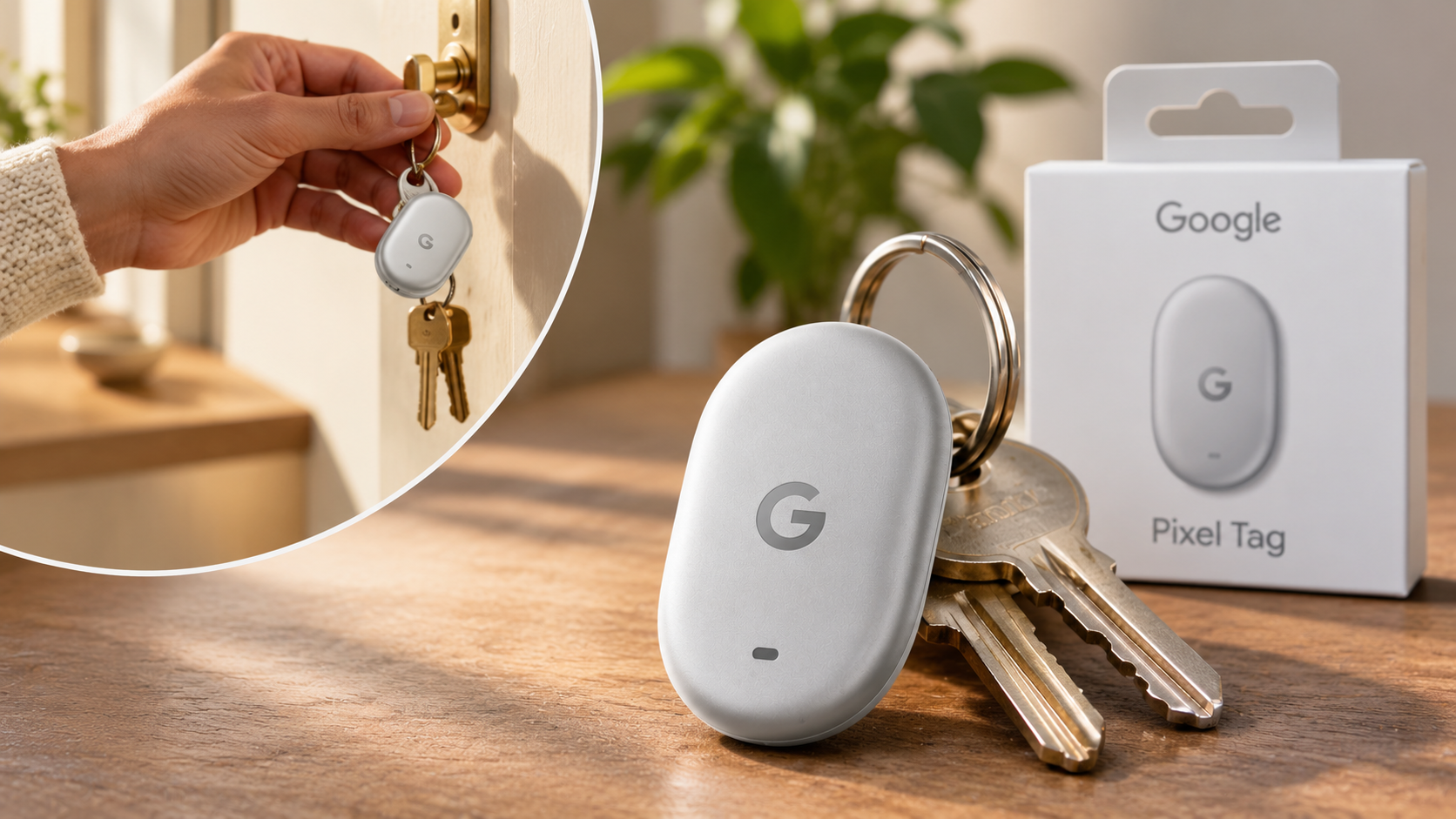
Google Pixel Tag: Features, Availability, and Top Alternatives
Finding misplaced keys, wallets, or luggage can be frustrating. If you own an Android phone, a Google Pixel Tag can make finding these items much easier. Google’s first official tracking tag now gives Pixel users another option for protecting their everyday essentials.
Unlike Apple’s AirTag, which relies on Apple’s Find My network, Google Pixel Tag uses Google’s Find Hub network. This network connects compatible Android devices to help locate lost belongings. You can check an item’s location, play a sound, and use directional guidance when searching nearby.
Google’s tracker also competes with established alternatives from brands like Chipolo, Pebblebee, and Motorola. Each option offers different designs, battery types, and tracking features.
In this guide, we explore Google Pixel Tag’s features, availability, and compatibility. We also compare its alternatives and explain how Google’s tracking technology works. By the end, you will understand which tracker best suits your needs.

What Is the Use of Google Pixel Tag?
The Google Pixel Tag is a compact Bluetooth tracking device designed to help you locate misplaced belongings. You can attach it to keys, backpacks, luggage, or other everyday essentials. It connects to compatible Android phones through Google’s Fast Pair technology.
Once connected, the tag appears inside Google’s Find Hub app. You can check its reported location on a map or play a sound when it is nearby. This makes finding misplaced items easier, especially around your home, office, or vehicle.
If you leave an item somewhere else, the Find Hub network can help locate it. Nearby participating Android devices securely detect the tag and report its location.
The tracker also supports additional features:
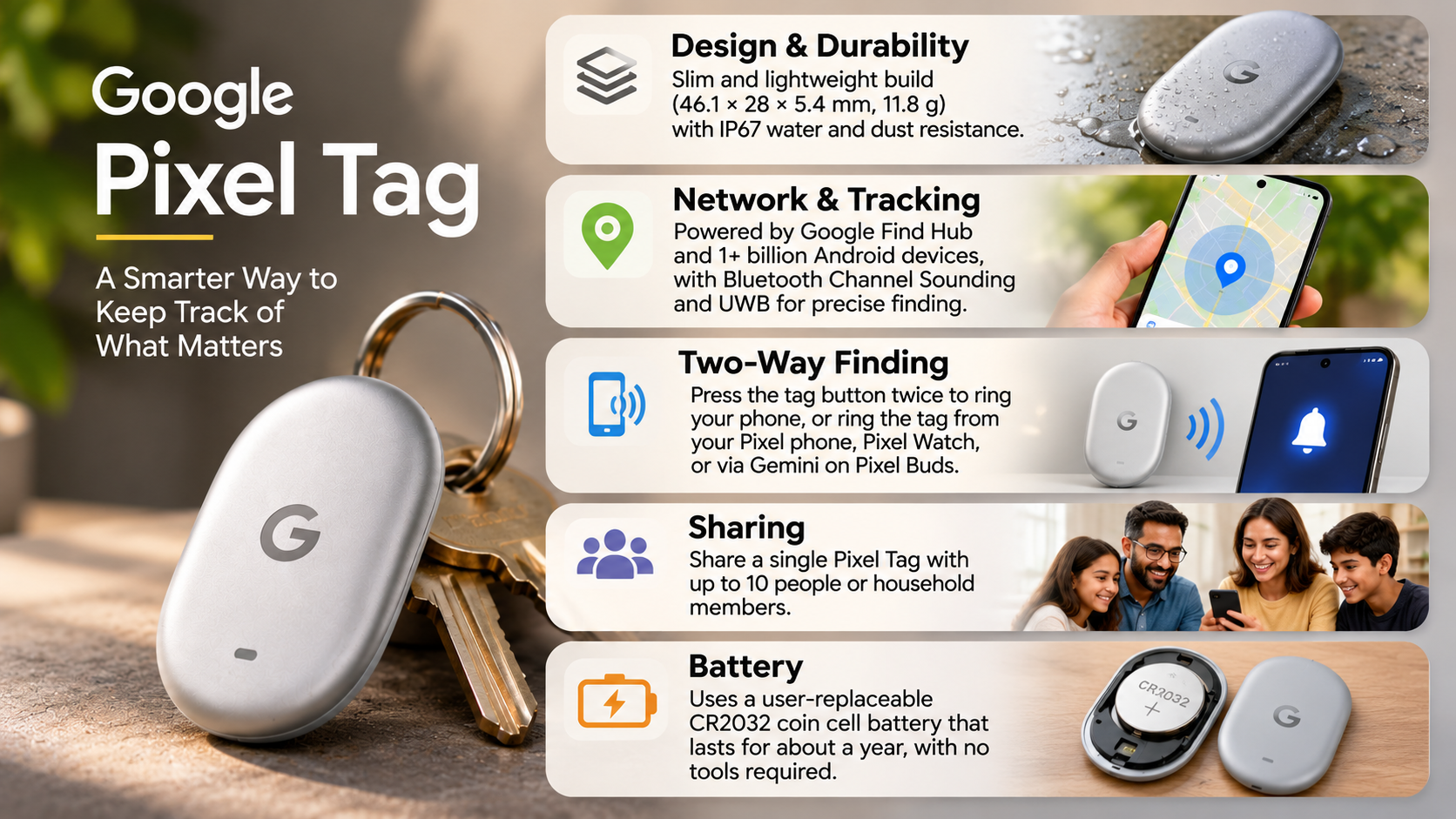
- Precision Finding: Provides directional and distance guidance when supported hardware is available.
- Left Behind Alerts: Notifies you when you accidentally leave a tagged item behind.
- Phone Finding: Lets you press the tag’s button to ring your connected phone.
- Location Sharing: Allows you to share access with up to 10 people.
Precision Finding and Everyday Peace of Mind
One useful feature of Google Pixel Tag is its Precision Finding capability. It helps you locate belongings when a basic map location is not enough. Instead of relying entirely on a Bluetooth signal or sound, your phone can provide directional guidance.
The Find Nearby feature displays distance information and visual directions. This helps you move towards your missing item without repeatedly searching different locations. It is particularly useful when your keys are hidden under furniture or inside a crowded bag.
Google Pixel Tag combines Ultra-Wideband (UWB) and Bluetooth Channel Sounding for more precise tracking. However, Precision Finding requires a compatible UWB-enabled phone. Not every Android device supports this feature.
The tracker also includes a built-in speaker. You can activate it through Find Hub to make nearby items easier to locate.
These features make the Pixel Tag useful for everyday tracking. However, it should not replace dedicated GPS tracking devices for monitoring people, vehicles, or pets.
Does Google Pixel Have a Smart Tag?
Yes. Google has officially introduced the Google Pixel Tag, its first dedicated item-tracking device. Google announced the product on August 12, 2026, before launching it in November 2026.
This release gives Android users a first-party tracking accessory designed around Google’s Find Hub ecosystem. Previously, Pixel owners mainly depended on compatible third-party trackers from manufacturers like Motorola, Chipolo, and Pebblebee.
The Google Pixel Tag connects to compatible Android phones through Fast Pair. Once paired, users can manage their tracker through the Find Hub app. This includes checking reported locations, playing sounds, and sharing access.
Google’s tracker also features a stainless steel design, IP67 water and dust resistance, and a replaceable battery. Its battery can last over a year under Google’s stated usage conditions.
Availability depends on the country and local Google Store listings. Therefore, check regional availability before purchasing.
Why Google’s Own Tracking Hardware Matters
Google’s entry into the tracking market gives Android users another first-party hardware option. Previously, buyers had to compare products from different manufacturers. They also needed to check whether each model supported Google’s Find My Device network, now known as Find Hub.
The Pixel Tag provides a more direct connection between Google’s hardware and software. Fast Pair simplifies setup, while Find Hub brings tracking features into one familiar application.
Its hardware also includes features designed for everyday convenience. These include a built-in speaker, a replaceable battery, and a button for finding your phone.
However, Google’s entry does not make third-party trackers unnecessary. Other manufacturers still offer different shapes and designs. For example, some provide slim wallet cards or rechargeable keychain trackers.
The important difference is that buyers can now choose between Google’s own tracker and compatible alternatives. Both options can use the Android tracking ecosystem, but their physical designs and additional features differ.
Is There an AirTag for Pixel?
Yes. Google Pixel users now have an official AirTag alternative called Google Pixel Tag. It uses Google’s Find Hub network rather than Apple’s Find My network.
Apple AirTags are designed primarily for Apple’s ecosystem. They do not offer native integration with Android phones through Apple’s Find My app. Pixel users therefore need an Android-compatible tracker.
Google Pixel Tag provides a similar core purpose. You can attach it to personal belongings, check its location, and play a sound when searching nearby. Its Precision Finding feature also provides directional guidance on compatible phones.
Other alternatives remain available from brands such as Chipolo, Pebblebee, and Motorola. These manufacturers offer different designs and battery options. Some models focus on keychains, while others fit inside wallets.
When choosing an AirTag alternative, consider your phone’s compatibility, battery requirements, and preferred design. Also check whether the tracker supports the full Find Hub network rather than a manufacturer’s smaller tracking network.
Comparing Top Pixel-Compatible Trackers
Google Pixel Tag is not the only tracker available for Android users. Several established manufacturers offer products that connect to Google’s Find Hub network.
Here are some options worth comparing:
- Google Pixel Tag: Google’s first-party tracker, featuring UWB, Bluetooth Channel Sounding, and a replaceable CR2032 battery.
- Motorola Moto Tag: An Android-compatible tracker with UWB support and a replaceable battery.
- Chipolo ONE Point: A compact keychain tracker designed for Google’s tracking ecosystem.
- Pebblebee Clip: A rechargeable tracker with a convenient clip-style design.
- Pebblebee Card: A slim tracker designed for wallets and other flat storage spaces.
The best choice depends on your requirements. Google Pixel Tag offers direct integration with Google’s hardware ecosystem. Motorola provides another option with UWB support, while Pebblebee offers rechargeable designs.
Before purchasing, verify the exact model’s Find Hub compatibility. Not every tracker from these manufacturers supports the same network or features.
Does Google Have a Tracker Tag?
Yes. Google manufactures its own physical tracking device called Google Pixel Tag. It also operates the software infrastructure that connects compatible trackers through the Find Hub network.
The Pixel Tag works with Android phones running Android 9 or later. Users can connect it through Fast Pair and manage it inside the Find Hub app. This provides a straightforward setup process without requiring a separate manufacturer application.
Google’s tracking ecosystem also supports hardware from other manufacturers. Compatible devices include trackers from Chipolo, Motorola, Pebblebee, and several other brands.
This approach gives Android users more choices when selecting a tracking accessory. You can choose Google’s own hardware or select a third-party tracker with a different design.
However, compatibility does not guarantee identical features across every product. UWB support, battery life, sharing options, and physical design can vary between models. Always check the manufacturer’s specifications before buying.
Built-In Privacy and Safety Protections
Privacy is an important consideration when using Bluetooth tracking devices. A tracker should help locate lost belongings without creating opportunities for unauthorized monitoring.
Google’s Find Hub network uses encrypted location information to protect users. According to Google, item location data receives end-to-end encryption. This helps prevent unauthorized access to tracking information.
Google also includes protections against unwanted tracking. Compatible Android devices can alert users when an unknown tracker appears to be moving with them. These alerts are one part of Android security. You can also learn how to check whether your Android phone is still secure and review other important security protections.
The system also allows you to play a sound on a detected tracker. This can help identify an unfamiliar device hidden inside a bag or vehicle.
You should still use tracking devices responsibly. Never attach a tracker to someone’s belongings without their knowledge or permission.
These protections make the tracking ecosystem more secure. However, users should keep their phones updated and understand how tracking alerts work.
What Is a Pixel Tag?
Google Pixel Tag is the official name of Google’s Bluetooth item tracker. It is designed to help Android users locate everyday belongings through the Find Hub network.
Before Google’s official announcement, the term Pixel Tag appeared frequently in technology discussions. Many people used it to describe a rumored Google tracking device. Some also used the phrase when searching for trackers compatible with Pixel smartphones.
That distinction matters today. Pixel Tag is no longer simply a nickname for an unreleased product. Google has officially introduced the hardware and integrated it into its tracking ecosystem.
The device competes with products such as Apple AirTag and Samsung Galaxy SmartTag. However, each tracker belongs to a different software ecosystem. Buyers should check compatibility before choosing one.
Google Pixel Tag supports Fast Pair, Precision Finding on compatible phones, and location sharing. It also includes a replaceable battery and built-in speaker.
If you own a Pixel phone, the official tracker is now another option for protecting your belongings.
Avoiding Counterfeit or Outdated Trackers
Because several tracking products look similar, shoppers should check compatibility before purchasing. A tracker may advertise Bluetooth connectivity without supporting Google’s Find Hub network.
This distinction can affect how effectively you locate lost belongings. Some older Bluetooth trackers depend on their manufacturer’s proprietary application. Their location coverage may be more limited than Google’s crowdsourced network.
Before buying a Google Pixel Tag or an alternative, follow these checks:
- Check network compatibility: Look for explicit Google Find Hub support.
- Verify the exact model: Similar products from one manufacturer may support different tracking networks.
- Review battery specifications: Check whether the tracker uses a replaceable or rechargeable battery.
- Confirm phone compatibility: Check whether your Android device supports advanced features such as UWB.
- Buy from trusted sellers: Prefer official stores and authorized retailers.
Avoid purchasing a product simply because its packaging mentions Android compatibility. Confirm that it supports the tracking features you actually need.
These checks can help you avoid outdated or incompatible accessories. They also make it easier to choose a tracker that works reliably with your Pixel phone.
Conclusion
The Google Pixel Tag gives Android users a convenient way to keep track of their everyday belongings. With Google’s Find Hub network, Bluetooth tracking, Precision Finding, and built-in privacy protections, it offers a practical alternative to Apple’s AirTag.
Whether you want to track your keys, wallet, backpack, or luggage, the Pixel Tag makes finding misplaced items easier. Its integration with Google’s ecosystem also provides a familiar experience for Pixel smartphone owners.
However, it is not the only option worth considering. Trackers from Motorola, Chipolo, and Pebblebee offer different designs, battery options, and features. Your ideal choice depends on your budget, phone compatibility, and tracking requirements.
Before purchasing, explore Google’s official Find Hub network and check the list of compatible tracking devices. You can also review Google’s unwanted tracking protection to understand how Android protects users from unauthorized tracking.
Ultimately, the best tracker is one that fits your everyday needs and helps you keep your valuables within reach.