
Does Bending an Ethernet Cable Reduce Internet Speed?
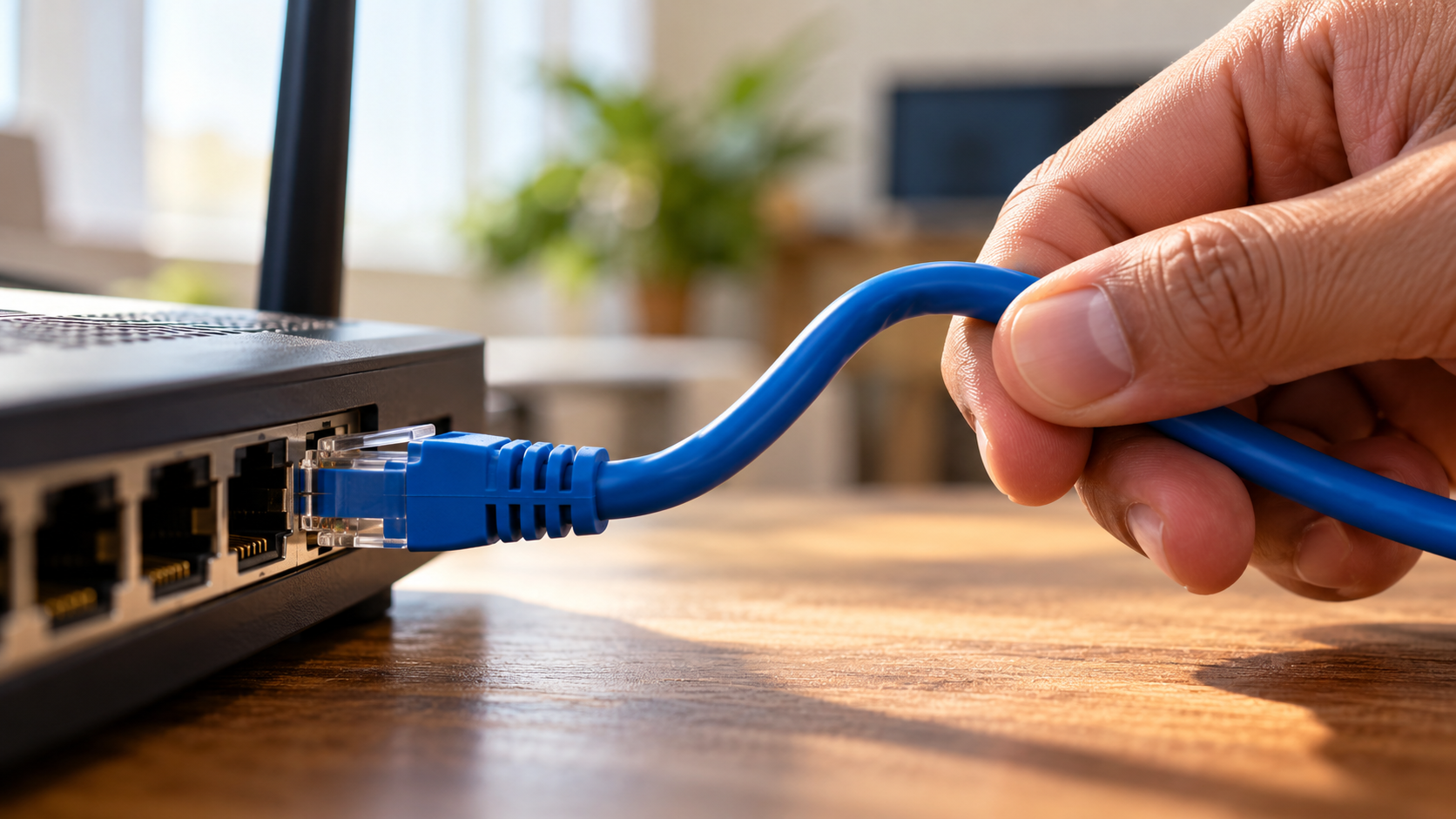
When setting up a reliable home network, cable placement can raise an important question: does bending an Ethernet cable reduce internet speed? Ethernet cables contain twisted copper wire pairs that transmit data while reducing electromagnetic interference. However, sharp bends, tight kinks, and excessive pressure can damage their internal structure.
This damage may affect signal quality, increase transmission errors, or cause connection problems. In severe cases, a damaged cable may struggle to maintain a stable connection at its rated speed. A gentle curve, on the other hand, usually causes no performance issues.
Understanding Ethernet cable bend radius limits helps you protect your network and avoid unnecessary troubleshooting. This guide explains safe bending practices, Cat6 performance for 500 Mbps internet plans, and the recommended cable length for reliable connections.

Is It Okay to Bend an Ethernet Cable?
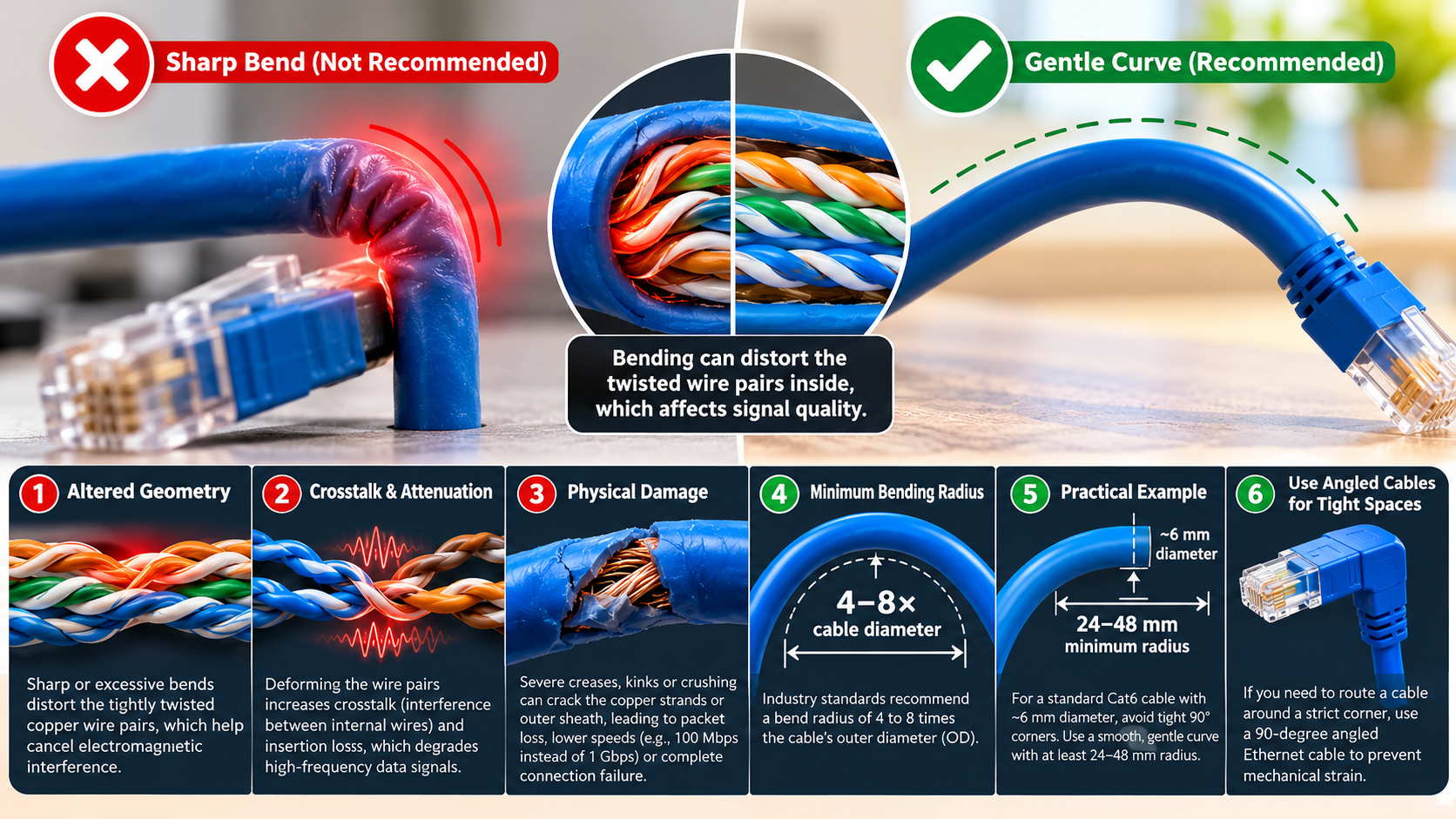
Yes, bending an Ethernet cable is generally safe when you follow the manufacturer’s recommended bend radius. These cables are designed to bend around furniture, walls, and other obstacles during installation. However, bending them too tightly can damage their internal structure.
Ethernet cables contain twisted copper wire pairs that help reduce interference and maintain signal quality. A sharp kink may distort these pairs, increasing crosstalk or transmission errors. Severe damage can cause slower negotiated speeds, unstable connections, or complete connection failure.
The key is to bend the cable gently rather than force it into a sharp corner. Avoid crushing it under heavy furniture, pulling it excessively, or fastening it too tightly with cable ties.
For everyday home networking, a smooth curve is usually sufficient. If a cable has a visible kink, exposed wires, or persistent connectivity problems, replace it with an undamaged cable. Proper routing helps maintain reliable Ethernet performance.
Respecting the Minimum Bend Radius
The minimum bend radius is the smallest curve a cable can safely form without risking damage. For many unshielded twisted-pair Ethernet cables, a common installation guideline is a bend radius of at least four times the cable’s outer diameter. However, the exact requirement depends on the cable design and manufacturer’s specifications.
For example, if a cable has an outer diameter of 6 mm, a four-times-diameter guideline gives a minimum radius of 24 mm. This measurement refers to the radius of the curve, not its full diameter.
Follow these practices when routing Ethernet cables:
- Use smooth curves instead of sharp folds.
- Avoid pinching cables against desk edges or door frames.
- Do not overtighten cable ties or clips.
- Check the manufacturer’s installation guidelines for the correct bend radius.
Maintaining the recommended radius protects the internal wire pairs and helps preserve signal integrity. If you need to route cables neatly along walls or behind furniture, these ways to hide Ethernet cables around the house can help you achieve a cleaner setup without creating tight bends. It also reduces the risk of hidden damage during installation.
Is Cat6 Enough for 500 Mbps?
Yes, a properly installed Cat6 Ethernet cable can easily support a 500 Mbps internet connection. Category 6 cabling supports 1 Gbps Ethernet over a channel up to 100 meters long. It also supports 10 Gbps Ethernet over shorter distances, typically up to 55 meters under suitable installation conditions.
Cat6 cables are rated for frequencies up to 250 MHz. This specification describes their bandwidth characteristics rather than directly determining internet speed. Your actual connection speed also depends on your router, network adapter, cable quality, and internet service plan.
For a 500 Mbps connection, upgrading from Cat6 to Cat6a or Cat7 is generally unnecessary. If you’re comparing their capabilities, read our guide to Cat6a vs Cat6 to understand their differences and decide which cable suits your network. A correctly installed Cat6 cable can provide enough capacity for streaming, online gaming, video calls, and large downloads.
Before upgrading your cable, check whether your router and computer support gigabit Ethernet. Also, ensure that the cable is properly terminated and undamaged. These factors matter more than choosing a higher cable category for a standard 500 Mbps connection.
Gigabit Performance and Bandwidth Capacity
Cat6 cables use four twisted copper wire pairs to transmit Ethernet data. Their construction helps control crosstalk, which occurs when signals from one wire pair interfere with another. Some Cat6 designs also include a plastic spline to separate the pairs and improve performance.
Cat6 supports gigabit Ethernet at distances up to 100 meters, provided the complete channel meets the applicable specifications. This capacity exceeds the requirements of a 500 Mbps internet plan.
However, the cable category alone does not guarantee a particular internet speed. Performance can also depend on the equipment, termination quality, and condition of the cable.
To check your connection, confirm that your network adapter reports a 1 Gbps link when connected to a gigabit port. Then run a speed test using a reliable service.
If your results are consistently below your expected speed, inspect the cable and connectors before purchasing a more expensive category. If your internet speed test looks normal but downloads remain slow, our guide explains why your internet is fast but downloads are slow and what might be causing the problem. A damaged or poorly terminated Cat6 cable can cause issues that a newer cable category will not automatically solve.
Is a 20m Ethernet Cable Too Long?
No, a 20-meter Ethernet cable is well within the standard distance limit for most home and office networks. Standard copper Ethernet cabling supports a channel length of up to 100 meters, including the permanent cable and patch cords, when installed according to the relevant specifications.
A 20-meter cable is approximately 65.6 feet long. This makes it suitable for connecting devices in different rooms, linking a router to a desktop computer, or reaching a television across a living room.
At this distance, a good-quality, properly installed Ethernet cable should not cause noticeable speed loss simply because of its length. Cat5e and Cat6 cables can both support gigabit Ethernet over a compliant 20-meter connection.
Choose a cable made with suitable copper conductors and reliable connectors. Avoid damaged cables and products with misleading specifications.
If your connection becomes unstable over 20 meters, investigate cable damage, connector problems, or network equipment before assuming the cable is too long. You should also consider the drawbacks of using Ethernet cables for home internet, particularly when planning cable routes around your home. A correctly installed cable of this length should provide dependable performance.
Signal Integrity Over Distance
Ethernet signals weaken as they travel through copper cable. This effect is known as signal attenuation. However, standard Ethernet cabling is designed to keep signal loss within acceptable limits over its specified distance.
For compliant twisted-pair Ethernet channels, the typical maximum length is 100 meters. This usually consists of up to 90 meters of permanent cabling and a combined allowance of up to 10 meters for patch cords, depending on the installation.
A 20-meter cable is comfortably within this limit. Therefore, its length alone should not cause meaningful internet speed loss or noticeable additional latency.
Cable quality, conductor material, connector termination, and physical damage can still affect performance. For longer installations, follow the cable manufacturer’s specifications and the applicable Ethernet standards.
If you need to extend a connection beyond 100 meters, consider an appropriate network switch, fiber-optic connection, or another supported network extension method. Avoid joining multiple cables without checking the complete channel’s compliance and performance.
Can You Bend Cat6 90 Degrees?
You can route a Cat6 Ethernet cable around a corner, but the bend must respect the cable’s minimum bend radius. A 90-degree change in direction is not automatically harmful. The problem occurs when you force the cable into a tight corner that compresses or deforms its internal structure.
Cat6 cables contain four twisted wire pairs designed to maintain consistent electrical characteristics. Some models also use an internal spline to separate the pairs. A sharp kink can disturb this geometry and increase interference or transmission errors.
When routing a cable along walls or behind furniture, create a smooth curve rather than folding it sharply. Use suitable cable clips or surface-mounted raceways to keep the cable secure without crushing it.
If the installation requires a tight turn, choose a routing path that provides enough space for a gradual bend. Always follow the manufacturer’s guidance, as recommended bend radii vary by cable design.
Safe Corner Routing Techniques
You can route Cat6 Ethernet cables around corners without damaging them by planning the cable path before installation. If you’re organizing a dedicated workspace, these home office setup ideas can help you plan cable placement alongside your desk and other equipment. The goal is to maintain a smooth curve and prevent excessive pressure on the cable jacket.
Use these practical techniques:
- Create a gentle curve: Leave enough space around corners to maintain the recommended bend radius.
- Install cable raceways: Surface-mounted raceways can guide cables along walls while protecting them from accidental pressure.
- Use suitable cable clips: Secure cables without squeezing or flattening them.
- Avoid sharp edges: Route cables away from metal corners, door hinges, and areas where furniture could crush them.
- Inspect existing cables: Look for flattened sections, sharp kinks, damaged jackets, or loose connectors.
A 90-degree turn is acceptable when the cable follows a sufficiently wide curve. Do not force the cable into a square fold simply to keep it close to a wall.
If a cable has suffered a severe kink and your network experiences persistent errors or connection drops, replace it and test the connection again. Proper routing helps protect your cabling and maintain reliable network performance.
Conclusion
So, does bending an Ethernet cable reduce internet speed? Not necessarily. Gentle bends are generally safe, but sharp kinks and excessive pressure can damage internal wires and affect network performance. Follow the manufacturer’s recommended bend radius and consult Montana State University’s telecommunications cable installation guidelines for additional installation advice.
For most home networks, Cat6 easily supports a 500 Mbps internet connection, while a 20-meter Ethernet cable is well within standard distance limits. Even a 90-degree turn is generally safe when the cable follows a smooth curve rather than a sharp fold.
Ultimately, does bending an Ethernet cable reduce internet speed depends on the severity of the bend and whether the cable’s internal structure is damaged. Proper cable routing and regular inspections can help maintain reliable speeds and prevent unnecessary network problems.