
Can You Clean Battery Corrosion With Isopropyl Alcohol Safely?
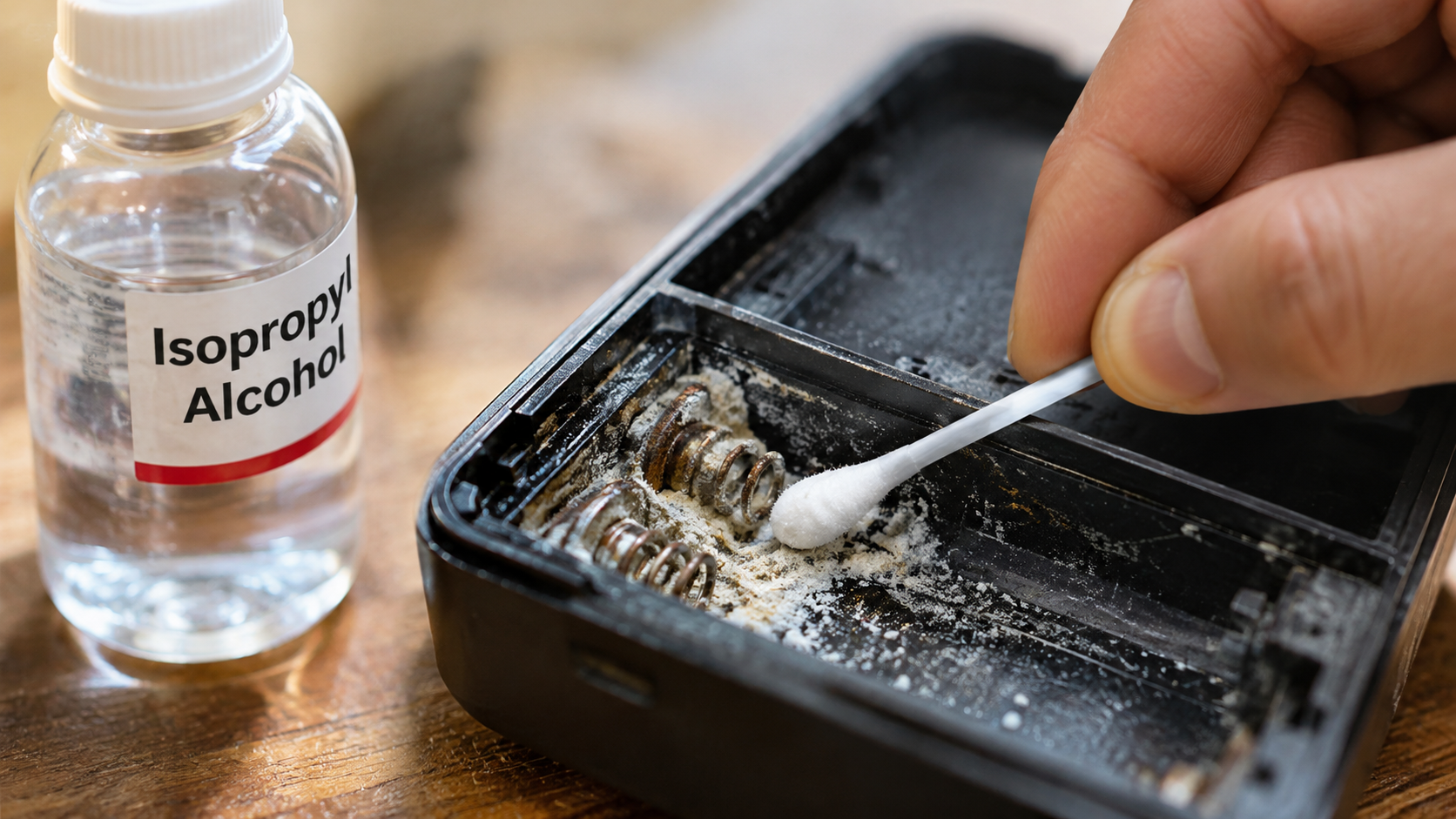
Few things are more frustrating than opening an expensive gadget and finding a chalky crust inside the battery compartment. If you want to clean battery corrosion with isopropyl alcohol, the answer is yes, but there is an important limitation. Isopropyl alcohol helps remove residue after the corrosion has been neutralized. It does not effectively neutralize alkaline battery leakage on its own.
Leaking alkaline batteries commonly release potassium hydroxide, which reacts with carbon dioxide and forms white, crusty deposits. These deposits can damage metal contacts, battery springs, and nearby circuit boards. If left untreated, corrosion may eventually prevent your device from working.
Understanding which cleaning agents work best can help prevent further damage. This guide explains how to use isopropyl alcohol, which chemical solutions neutralize battery corrosion, and whether household products are safe. You will also learn the differences between 70% and 91% rubbing alcohol. Follow the appropriate precautions to clean affected contacts and protect your electronics.

Can You Use Isopropyl Alcohol To Clean Battery Corrosion?
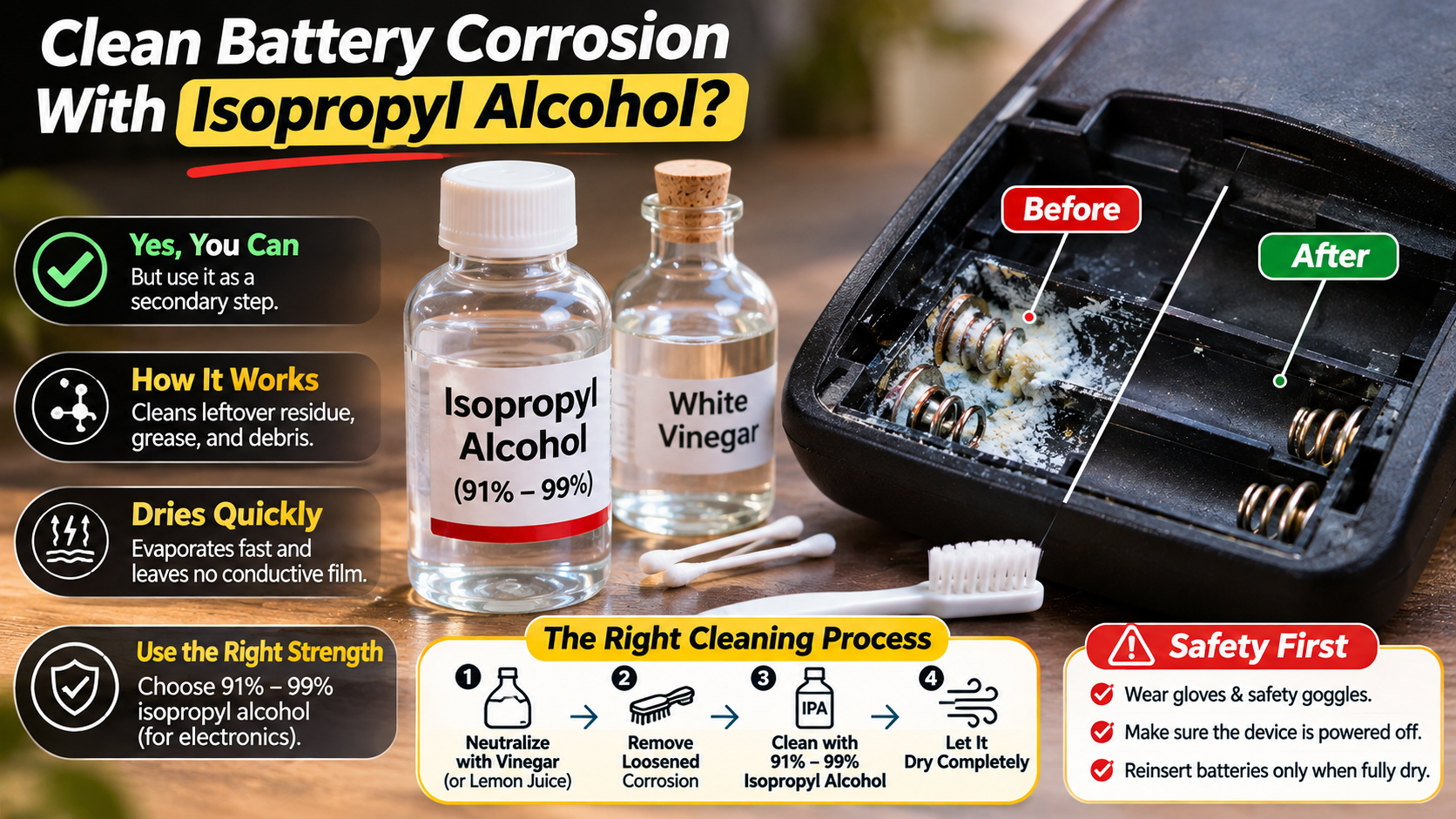
Yes, you can use isopropyl alcohol to clean battery corrosion, but it should not be your first cleaning agent. Most household battery leaks involve alkaline cells. These batteries contain potassium hydroxide, which can leave behind stubborn white deposits. Isopropyl alcohol does not effectively neutralize this alkaline residue.
Instead, use a mild acidic solution, such as distilled white vinegar, to neutralize corrosion from alkaline batteries. Apply it carefully with a cotton swab. Once the reaction stops, remove the loosened deposits without spreading them across nearby components. Follow the cleaning process with a small amount of high-purity isopropyl alcohol when appropriate.
Isopropyl alcohol works best as a final cleaning solvent. It helps remove remaining dirt, oils, and cleaning residue. It also evaporates quickly, leaving less moisture behind than water-based cleaners. However, always check component compatibility before applying it.
The Correct Way To Apply Solvent On Terminals
Applying isopropyl alcohol correctly helps protect delicate battery contacts and electronic components. Start by removing the batteries and disconnecting every power source. Never clean a device while it remains connected to electricity.
After neutralizing the alkaline deposits, remove loose corrosion using a soft nylon brush. Make sure the cleaning solution does not spread into nearby electronic components. Allow the affected area to dry before applying alcohol.
Follow these steps:
- Choose 91% or higher isopropyl alcohol suitable for electronics.
- Apply a small amount to a lint-free swab or soft brush.
- Gently clean the metal terminals and battery springs.
- Remove loosened dirt and remaining residue.
- Allow the alcohol to evaporate completely.
Avoid pouring alcohol directly into the battery compartment. Excessive liquid can enter switches, connectors, and other sensitive areas. Never use alcohol near flames because it is highly flammable. Reinstall the batteries only after everything is completely dry.
What Is the Best Thing To Clean Battery Corrosion?
The best cleaner for battery corrosion depends on the type of battery involved. Different batteries contain different chemical electrolytes. Therefore, using the wrong cleaning solution can make the damage worse. Distilled white vinegar is also a common ingredient in homemade cleaning products, making it a familiar household option for certain cleaning tasks.
For common alkaline batteries, such as AA and AAA cells, distilled white vinegar is a suitable neutralizing agent. Its mild acidity helps neutralize alkaline residue. Fresh lemon juice can also work, although vinegar is generally easier to apply and control.
Automotive lead-acid batteries require a different approach. Their electrolyte contains sulfuric acid, which is highly corrosive. A baking soda and water solution can neutralize small external acid spills. However, never apply this mixture inside a battery or allow it to enter battery vents.
After neutralization, remove the remaining residue using an appropriate cleaning method. For electronic devices, avoid unnecessary water exposure. Finish with a compatible electronics cleaning solvent when needed.
Matching Chemical Neutralizers To Battery Types
Choosing the correct neutralizer is essential when cleaning battery corrosion. Always identify the battery chemistry before applying any household cleaning solution.
Here are the common cleaning approaches:
- Alkaline batteries (AA, AAA, C, D): Use a small amount of distilled white vinegar to neutralize alkaline leakage.
- Lead-acid batteries: Use a baking soda and water solution for small external acid spills. Keep the solution away from battery openings.
- Lithium-ion batteries: Do not attempt household chemical cleaning of leaking, swollen, or damaged cells. Stop using the device and arrange professional handling or appropriate battery disposal.
- Nickel-based batteries: Identify the specific battery chemistry before selecting a cleaning method. Follow the manufacturer’s safety instructions.
Always wear protective gloves and eye protection when handling leaked battery material. Work in a well-ventilated area and avoid touching the deposits directly. If the leak is extensive, stop and seek professional assistance.
Can Coca-Cola Clean Battery Corrosion?
Coca-Cola contains phosphoric acid, which can react with certain mineral deposits. This explains why some people use it to remove corrosion from metal surfaces. However, Coca-Cola is not a suitable cleaner for electronic devices.
The main problem is its ingredients. Regular Coca-Cola contains sugar, coloring, and other dissolved substances. These ingredients leave behind sticky residue after the liquid dries. That residue can collect dust, attract moisture, and interfere with electrical contacts.
Although some people use cola to clean heavily corroded automotive battery terminals, it is not an ideal solution. It can also introduce unnecessary moisture and contaminants around sensitive electrical components.
For household electronics, choose a more controlled cleaning method. Use distilled white vinegar to neutralize alkaline battery leakage. Then remove the residue and use compatible isopropyl alcohol for final cleaning. This approach reduces the risk of leaving unwanted substances inside your device.
Why Sugary Beverages Ruin Portable Gadgets
Using sugary beverages to clean electronics creates additional problems. Even when a drink contains enough acidity to react with corrosion, its remaining ingredients can damage sensitive components.
Regular soda contains sugar, coloring agents, and other additives. These substances can remain on battery contacts after the liquid evaporates. Over time, the residue may collect dust and interfere with electrical connections.
Diet beverages are not a safe alternative either. They can still contain acids, flavoring agents, artificial sweeteners, and other dissolved ingredients. Their water content also increases the risk of unwanted moisture entering electronic assemblies.
Avoid using these household beverages on:
- Battery compartments and contact springs.
- Printed circuit boards and electrical connectors.
- Micro-switches and charging ports.
- Sensitive electronic components.
Instead, use appropriate electronics cleaning products. A compatible high-purity isopropyl alcohol solution is generally more suitable for removing remaining dirt and residue.
Does 91% Isopropyl Alcohol Damage Electronics?
91% isopropyl alcohol is generally safe for many electronic components when used correctly. Repair technicians commonly use high-purity isopropyl alcohol to remove oils, dirt, flux, and certain residues from unpowered circuit boards. If you are planning to clean a computer, learn more about using alcohol to clean your PC safely before applying any cleaning solution.
Its relatively low water content allows it to evaporate faster than 70% alcohol. This reduces the amount of moisture left behind during cleaning. However, fast evaporation does not make the solvent suitable for every electronic material.
Some plastics, protective coatings, adhesives, and rubber components may react poorly to alcohol. It can also damage certain display coatings and transparent plastic surfaces. Therefore, avoid applying it directly to screens, lenses, and unknown materials.
Always remove batteries and disconnect external power before cleaning. Apply alcohol sparingly with a suitable cleaning swab. Allow the entire assembly to dry before reconnecting power. If corrosion has reached internal circuitry, professional inspection may be necessary.
Materials Vulnerable To Alcohol Solvents
Although isopropyl alcohol works well on many electronic surfaces, certain materials require extra care. The solvent can affect plastics, coatings, and adhesives. Its compatibility depends on the material, concentration, and exposure time.
Avoid applying alcohol directly to the following surfaces unless the manufacturer confirms compatibility:
- LCD and display panels: Alcohol may damage anti-glare coatings or protective layers.
- Acrylic surfaces: Some acrylic plastics can develop cracks, cloudiness, or surface damage.
- Rubber components: Certain rubber seals and protective gaskets may deteriorate after repeated exposure.
- Adhesive layers: Alcohol can weaken some adhesives used in compact electronic assemblies.
- Printed labels: It may remove ink, markings, and protective coatings.
For routine battery compartment cleaning, concentrate on exposed metal contacts and compatible circuit board surfaces. Use a lint-free swab rather than soaking the assembly. When material compatibility is uncertain, consult the device manufacturer’s cleaning instructions first.
Is It Better To Use 70% or 91% Isopropyl Alcohol?
For cleaning battery corrosion on compatible electronic components, 91% isopropyl alcohol is generally preferable to 70%. The main difference between these concentrations is their water content.
A 70% solution contains approximately 30% water, while 91% contains approximately 9%. The higher concentration generally evaporates faster and leaves less water behind. This makes it useful when cleaning exposed electronic contacts and circuit boards.
However, 70% isopropyl alcohol is not automatically unsuitable for electronics. It can work for certain cleaning applications when the manufacturer permits it. Its higher water content simply means that drying may take longer.
For battery corrosion cleanup, the correct cleaning sequence matters more than alcohol concentration alone. First, neutralize the alkaline deposits using an appropriate solution. Remove the remaining residue before applying alcohol.
Neither concentration should be treated as a substitute for proper neutralization. Always ensure that the device is completely dry before reconnecting its power source.
Why Low Water Content Matters For Circuits
Water content is an important consideration when choosing an electronics cleaning solvent. Excess moisture can remain around connectors, metal contacts, and other exposed components. If power is restored before complete drying, it may contribute to electrical problems.
91% isopropyl alcohol contains less water than 70% alcohol. Therefore, it generally evaporates faster under similar conditions. This makes it a practical option for cleaning compatible electronic surfaces.
However, faster evaporation does not guarantee that every area is dry. Liquid can become trapped beneath connectors, inside switches, or around closely spaced components. These areas may require additional drying time.
Consider these precautions when cleaning circuits:
- Use only a small quantity of alcohol.
- Avoid soaking connectors and electronic assemblies.
- Keep the device disconnected from every power source.
- Allow sufficient time for complete evaporation.
- Inspect the cleaned area before reinstalling batteries.
For delicate or expensive electronics, follow the manufacturer’s cleaning recommendations. Proper handling and complete drying are more important than choosing alcohol based on concentration alone.
Conclusion
Cleaning battery corrosion with isopropyl alcohol can help restore damaged contacts and improve electrical connections. However, using the correct cleaning method is essential. Isopropyl alcohol does not neutralize alkaline battery leakage on its own. Start by using distilled white vinegar to neutralize alkaline deposits. Then remove the loosened residue and use 91% isopropyl alcohol for final cleaning, where material compatibility allows.
Avoid household beverages like Coca-Cola, as their ingredients can leave harmful residue. Always remove batteries, disconnect power sources, and allow the device to dry completely before use. For swollen, leaking lithium-ion batteries or severe corrosion, seek professional assistance.
For additional safety guidance, consult the U.S. Consumer Product Safety Commission (CPSC) for consumer product safety information and battery-related precautions.
Remember: Neutralize first, clean carefully, and protect your electronics from further damage.