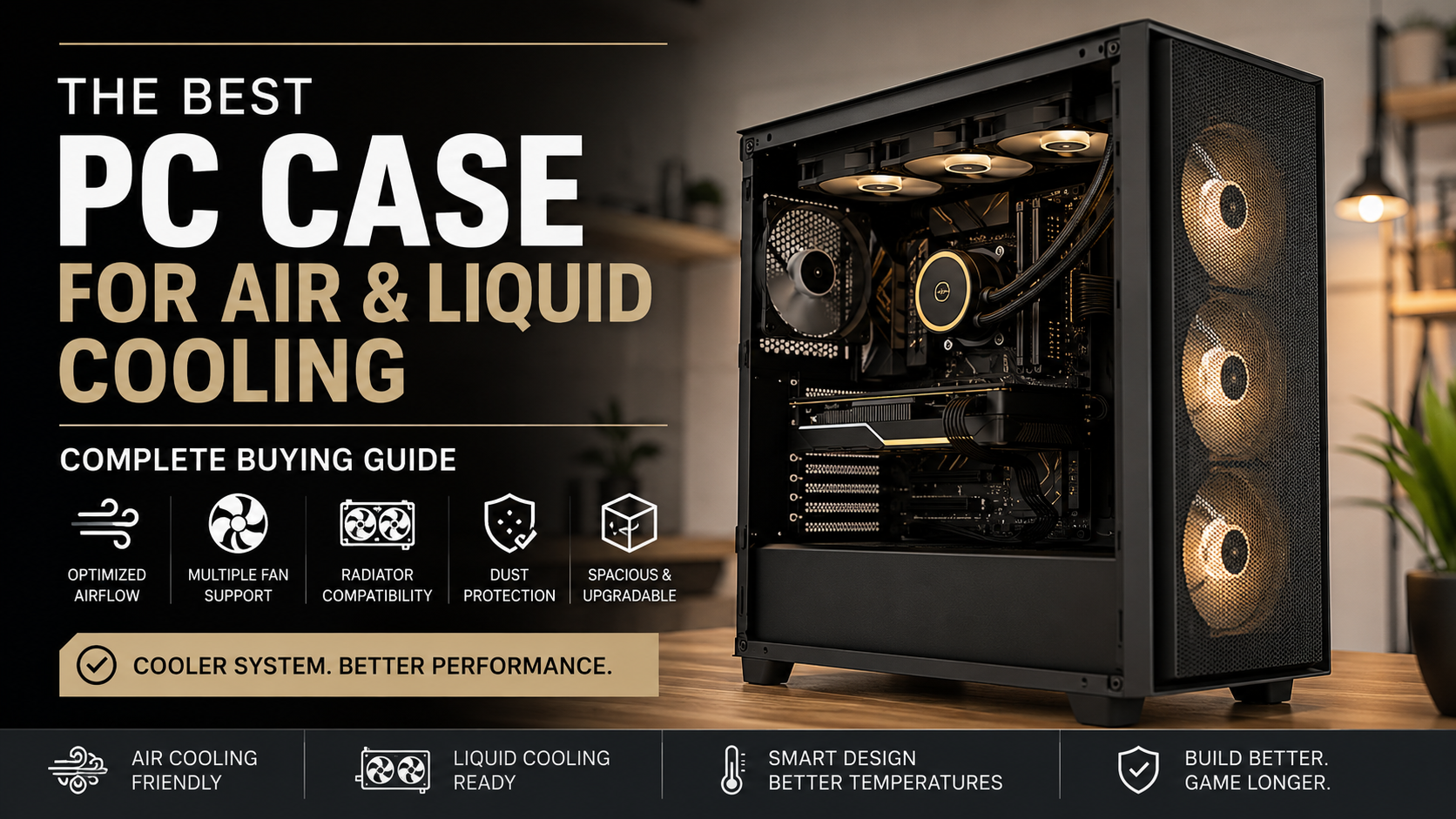
Best PC Case for Air and Liquid Cooling: Complete Buying Guide
Choosing the best PC case for air and liquid cooling is one of the most important decisions when building a powerful desktop computer. Many users focus heavily on selecting the latest CPU, graphics card, or motherboard, but the case determines how effectively those components perform.
A good PC case does much more than hold your hardware. It controls airflow, manages temperatures, reduces noise, simplifies installation, and provides room for future upgrades. A poorly designed chassis can restrict airflow, increase component temperatures, and limit your cooling options.
Modern processors and graphics cards generate more heat than ever before. High-end gaming GPUs, multi-core CPUs, and professional workstation hardware require efficient thermal management to maintain stable performance. Whether you prefer a large air cooler or an advanced liquid cooling setup, your case must provide enough space and ventilation. For additional information about how chassis design affects airflow and thermal performance, you can explore Intel chassis thermal design guidelines.
The right enclosure should offer a balance between airflow design, cooling compatibility, component clearance, dust protection, and build convenience.
In this guide, we will explain everything you need to know before buying a PC case for air and liquid cooling. You will learn how to evaluate airflow, radiator support, case sizes, cooling layouts, and important features that affect long-term performance.
What PC case is best for cooling?
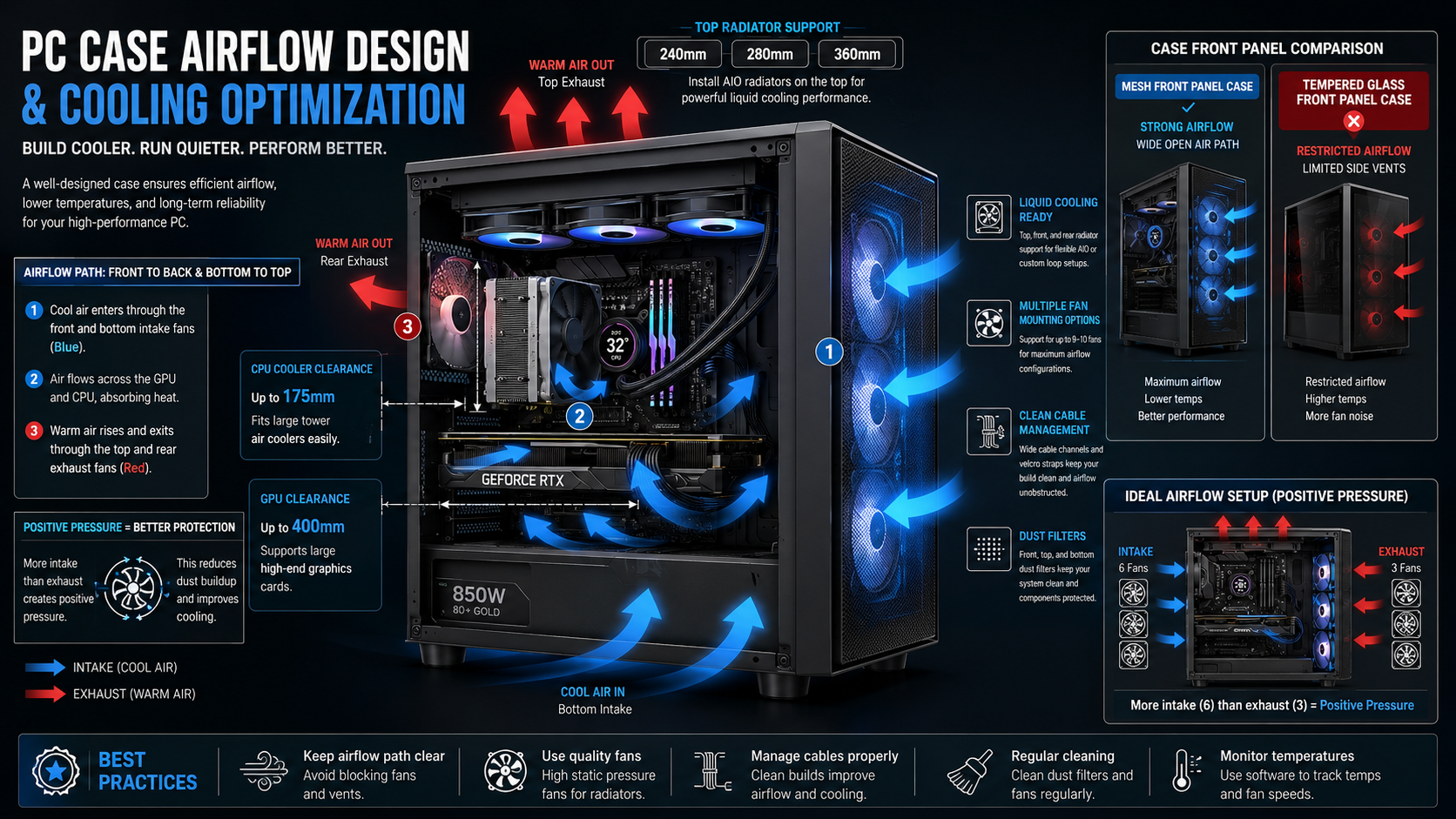
Finding the best cooling PC case requires careful attention to airflow design, internal layout, and fan support. A case with strong ventilation allows cool air to enter easily while removing hot air efficiently.
Modern airflow-focused cases usually feature mesh front panels because they provide fewer restrictions than solid glass designs. Better airflow reduces component temperatures and allows fans to operate at lower speeds.
The internal structure also plays an important role. Dual-chamber designs separate the power supply and storage drives from the main hardware area. This improves cable organization and prevents unnecessary heat buildup near important components.
When selecting a cooling-focused chassis, consider support for large intake fans. Cases with 140mm or 200mm fans can move more air while producing less noise compared to smaller fans.
Popular manufacturers such as Corsair, Lian Li, and Fractal Design create cases designed around efficient airflow paths. These designs help maintain lower temperatures during demanding workloads.
Mesh Panels Versus Solid Glass Designs
Mesh and glass panels offer very different cooling results. Tempered glass panels provide a premium appearance and allow users to showcase RGB components. However, restricted airflow can increase internal temperatures.
Mesh front panels allow fresh air to enter directly into the case. This makes them ideal for gaming computers and workstations with powerful hardware.
A mesh design is usually the better choice for users who prioritize cooling performance. It helps graphics cards, processors, and radiators receive consistent airflow during long sessions.
Do You Need a Special Case for Liquid Cooling on a PC?
Most modern PC cases support all-in-one liquid coolers without requiring a specialized design. However, custom liquid cooling systems need additional features that standard cases may not provide.
A proper liquid cooling case should include enough room for radiator installation, pump placement, and reservoir mounting. Custom loops often require support for large radiators, especially 360mm and 420mm models.
Clearance is another important factor. Thick radiators and fans can interfere with motherboard heatsinks, RAM modules, or graphics cards if the case layout is limited.
Before purchasing a case, check the manufacturer’s radiator compatibility information. This ensures your cooling hardware fits correctly and prevents installation problems.
A good liquid cooling chassis provides enough space around the motherboard tray and side panels. This allows clean tube routing and prevents unnecessary stress on cooling components.
Checking Radiator Clearance and Mounting Points
Radiator support is one of the most important features for liquid cooling builds. Always check radiator thickness limits, mounting locations, and available fan positions.
A case may support a 360mm radiator but still lack enough clearance for thicker radiator and fan combinations. Proper planning helps maintain clean installation and reliable cooling performance.
Which PC Case Has the Best Airflow?
The best airflow PC cases focus on unrestricted ventilation, effective fan placement, and efficient heat removal. Cases with high-quality mesh panels usually perform better because they allow air to move freely.
Models designed around airflow often include multiple pre-installed fans. These fans improve cooling performance immediately and reduce the need for additional upgrades.
A strong airflow layout creates a clear path for cool air to enter and hot air to exit. This prevents heat buildup around important components such as the CPU and GPU.
Cable management also affects airflow. Poorly arranged cables can block air movement and reduce cooling efficiency. Cases with dedicated cable channels keep wiring organized behind the motherboard tray.
Popular airflow-focused designs from brands like Corsair and Fractal Design are built to support powerful gaming and workstation systems.
The Importance of Pre-Installed High-Performance Fans
Cases with included high-performance fans provide better value for many builders. Pre-installed fans are often positioned to match the case’s airflow design.
Good factory fan placement creates balanced intake and exhaust performance. This improves temperatures without requiring immediate upgrades.
However, users with high-end processors or graphics cards may still benefit from adding extra fans. Additional cooling hardware can improve airflow in demanding environments.
Which Case Is Best for Airflow?
The best airflow case combines open ventilation, effective dust protection, and enough internal space for modern hardware. Airflow performance depends on more than just the front panel design.
High-quality cases use fine mesh filters that block dust while allowing air to pass through efficiently. Removable filters make maintenance easier and help preserve cooling performance over time.
Bottom intake support is another useful feature. It allows fresh air to reach graphics cards directly, reducing heat buildup around expansion slots.
A well-designed airflow case also supports proper fan placement. Balanced intake and exhaust pressure helps maintain consistent temperatures during gaming and heavy workloads.
Choosing the right case layout improves system stability, reduces fan noise, and extends hardware lifespan.
Maintaining Dust Filters for Long-Term Airflow Efficiency
Dust management is essential for maintaining cooling performance. Dirty filters restrict airflow and force fans to work harder.
Cleaning magnetic dust filters once a month helps maintain efficient ventilation. Internal components should also be cleaned every few months to prevent dust accumulation.
Regular maintenance keeps your cooling system operating close to its original performance level.
Is liquid cooling worth it for a PC?
Liquid cooling is definitely worth it for a PC if you push your processor and graphics card to their absolute limits, demand ultra-quiet operation under heavy workloads, or simply prefer a clean aesthetic inside your chassis. Water blocks and closed-loop all-in-one coolers transfer heat away from critical components much faster than traditional metal heatsinks, dumping thermal energy directly into large radiator fins where fans dissipate it efficiently. Enthusiasts who engage in heavy CPU overclocking, 4K video rendering, or competitive gaming often see significant thermal headroom gains. These gains prevent thermal throttling, allowing your hardware to sustain maximum clock speeds for longer durations without dropping performance. However, liquid cooling setups generally cost more than air coolers and introduce complex installation procedures alongside minor risks like pump failure or potential leaks. Choosing the right enclosure ensures your cooling gear fits securely without blocking your motherboard or GPU.
Is Liquid Cooling Overkill for Gaming?
Liquid cooling is not necessary for every gaming PC. For many users, a high-quality air cooler provides excellent performance at a lower cost.
Modern air coolers can compete with smaller all-in-one liquid coolers while offering simple installation and long-term reliability. Large dual-tower air coolers are capable of handling many gaming processors without pump noise or maintenance concerns.
However, liquid cooling becomes more valuable for high-end systems. Enthusiasts using powerful CPUs, overclocked processors, or workstation applications can benefit from improved heat transfer.
Liquid coolers move heat away from the processor quickly and transfer it to a radiator. Larger radiator surfaces allow fans to remove heat more effectively.
The right choice depends on your processor, workload, budget, and personal preference.
Evaluating Processor Wattage and Thermal Loads
Understanding your CPU’s power consumption helps determine whether liquid cooling is necessary. High-wattage processors generate more heat and often benefit from larger cooling solutions.
For standard gaming, a capable air cooler may provide enough thermal performance. For professional workloads, streaming, rendering, and overclocking, liquid cooling can offer additional headroom.
Always match your cooling solution with your hardware requirements rather than choosing based only on appearance.
Frequently Asked Questions About the Best PC Case for Air and Liquid Cooling
Can a Single PC Case Handle Both High-End Air Cooling and Custom Liquid Loops?
Yes, many modern PC cases are designed to support both high-performance air cooling and liquid cooling systems. These cases usually include flexible layouts, multiple fan mounts, and radiator support for future upgrades. You can start with a large CPU air cooler and later install an AIO or custom water-cooling loop. Always check CPU cooler height, radiator clearance, and GPU space before purchasing to ensure full compatibility.
How Do I Measure My Graphics Card Clearance Before Buying a Chassis?
To measure GPU clearance, check your graphics card’s official length and compare it with the maximum GPU support listed by the case manufacturer. Remember that front-mounted fans or radiators can reduce available space. Leave extra room for easier installation and better airflow. Checking clearance details before buying prevents problems with oversized graphics cards and ensures your components fit properly inside the chassis.
Is Mesh Front Panel Design Always Better Than Tempered Glass for Thermals?
Mesh front panels usually provide better airflow because they allow more fresh air to enter the case. This makes them ideal for high-performance gaming systems and demanding workloads. Tempered glass cases offer better visual appeal but may restrict airflow if ventilation is limited. A well-designed glass case can still perform well with proper fan placement. The best choice depends on whether you prioritize cooling performance or aesthetics.
What Is Positive Air Pressure, and Why Does It Matter for Dust Control?
Positive air pressure occurs when intake fans bring more air into the case than exhaust fans remove. This helps reduce dust because air leaves through small gaps instead of pulling unfiltered air inside. A case with strong intake airflow and quality dust filters is easier to maintain. Positive pressure also keeps components cleaner, helping your cooling system perform efficiently over a longer period.
How Much Space Do I Need Behind the Motherboard Tray for Cable Management?
A good PC case should provide around 20mm to 30mm of space behind the motherboard tray for cable management. This allows room for power cables, fan connections, and front-panel wires. Cases with wider rear compartments, Velcro straps, and routing channels make installation easier. Proper cable management improves airflow, creates a cleaner appearance, and prevents pressure on the side panel when closing the case.
Which Radiator Sizes Are Most Commonly Supported in Mid-Tower Cases?
Most mid-tower PC cases support common radiator sizes such as 240mm, 280mm, and 360mm. A 240mm radiator offers good compatibility, while larger 280mm and 360mm radiators provide additional cooling capacity. Before installation, check radiator thickness, fan clearance, RAM height, and motherboard heatsink spacing. Confirming these details helps avoid compatibility issues and ensures your liquid cooling system performs effectively.
Final Thoughts: Finding the Best PC Case for Air and Liquid Cooling
Selecting the best PC case for air and liquid cooling requires more than choosing a design that looks attractive. Your case affects temperatures, noise levels, hardware compatibility, and upgrade possibilities.
Before purchasing, check important specifications such as:
- CPU cooler height clearance
- GPU length support
- Radiator compatibility
- Fan mounting options
- Dust filtration
- Cable management space
Whether you prefer a powerful air-cooled setup or a custom liquid cooling build, choosing the right case ensures your hardware reaches its full potential. Just like selecting the right display technology can impact your overall PC experience, understanding differences between hardware options is important. You can also explore this guide on AMOLED vs OLED vs LCD display technology differences to learn how modern display technologies compare.