Video Doorbell vs Security Camera: Which Should You Choose?
Choosing between a video doorbell vs security camera can feel overwhelming. Both devices help protect your home, but they serve different purposes. According to the Federal Trade Commission (FTC), smart home cameras offer convenience but also introduce privacy and security considerations.
Your front porch and property perimeter face different security threats. A package thief might approach your doorstep briefly. Meanwhile, an intruder could target a dark backyard or an unsecured window. Therefore, choosing the right device depends on your property layout, budget, and security needs.
In this guide, we compare video doorbells and traditional CCTV systems. We also explore offline recording, installation requirements, subscription costs, and privacy concerns. By understanding their differences, you can choose a security solution that protects your property without unnecessary expenses.
Is it better to get a video doorbell or security camera?
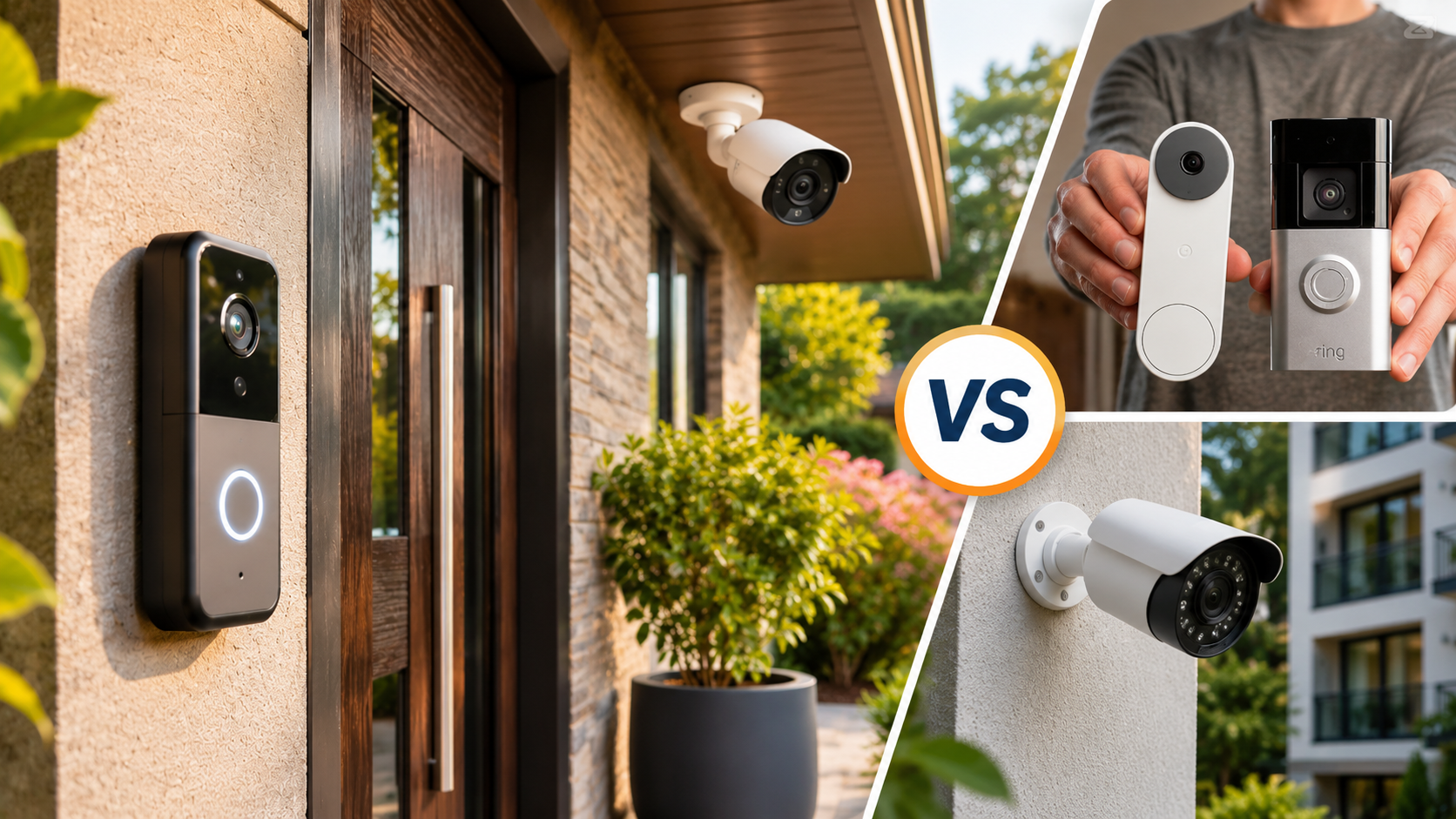
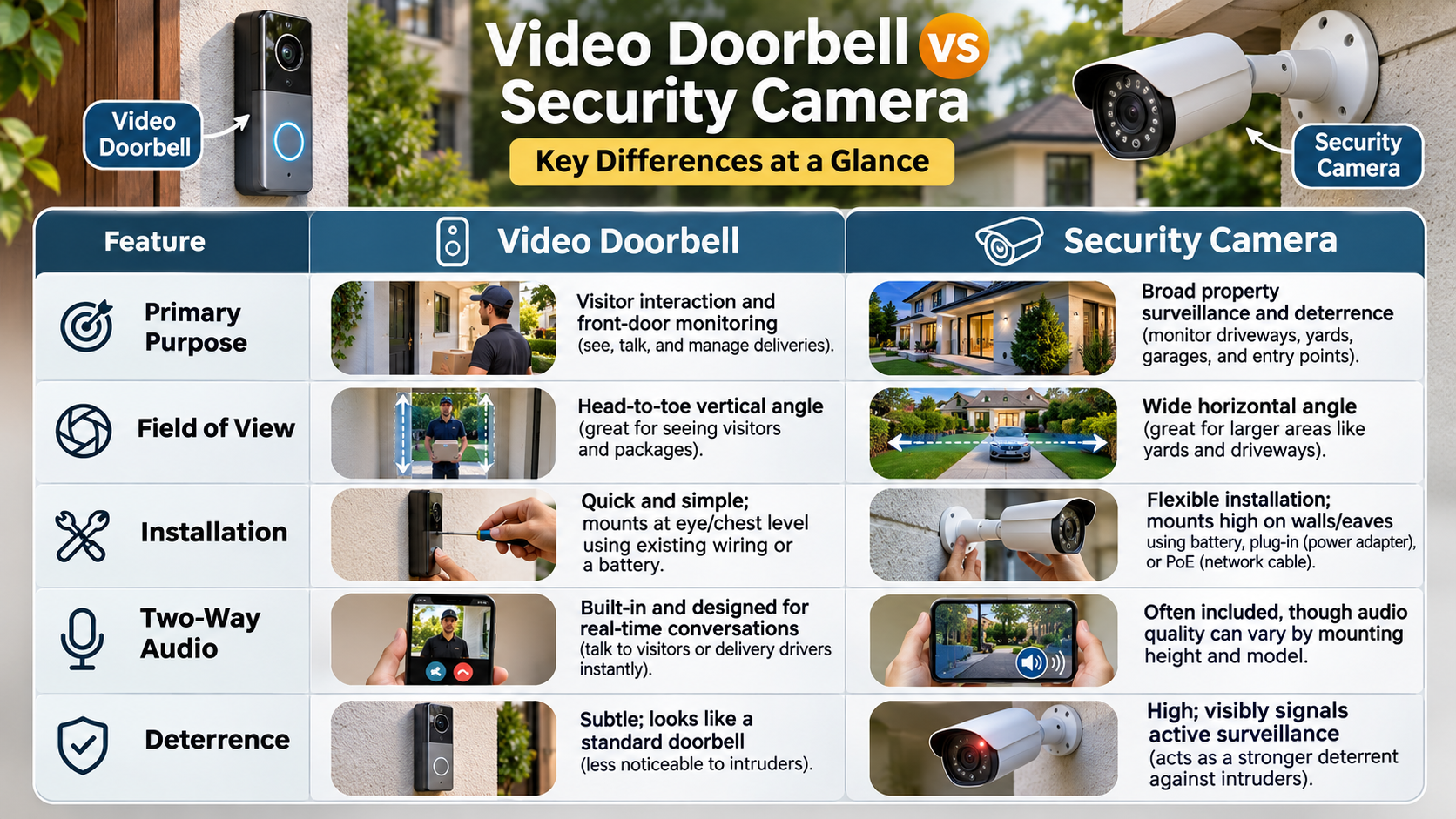
Choosing between a video doorbell and a security camera depends on the areas you want to monitor. A video doorbell works best for front-door security, visitor screening, and package monitoring. It allows you to see visitors, receive motion alerts, and communicate with delivery drivers through two-way audio.
However, a dedicated security camera offers broader coverage. You can install cameras around driveways, backyards, garages, and side entrances. Their elevated mounting positions also make them harder to reach or damage.
Consider these differences before making your decision:
- Video doorbell: Best for monitoring visitors, deliveries, and front entrances.
- Security camera: Better for monitoring large outdoor spaces and multiple entry points.
- Combined setup: Provides front-door interaction and wider property surveillance.
For complete home protection, combining both devices often provides better coverage than relying on either option alone.
Matching the Device to Your Property Layout
Your property layout plays an important role when selecting home security equipment. Apartments and small townhomes usually have fewer entry points. A video doorbell can provide sufficient front-door monitoring without requiring several cameras or complicated installation.
It also helps homeowners manage visitors and check deliveries remotely. Many models offer motion detection, night vision, and smartphone notifications. These features make everyday monitoring more convenient.
However, detached houses require a different approach. Multiple doors, garages, windows, and outdoor spaces can create security blind spots. A single doorbell camera cannot monitor every vulnerable area.
For larger properties, consider installing:
- A video doorbell near the main entrance.
- Outdoor security cameras overlooking driveways and garages.
- Additional cameras covering backyards and side entrances.
This combination creates layered protection. You can monitor visitors while keeping an eye on other areas of your property.
Can CCTV work without internet?
Yes, CCTV cameras can work without an internet connection when they use local recording equipment. Traditional wired systems connect cameras to a Digital Video Recorder (DVR) or Network Video Recorder (NVR). The recorder stores footage on an internal hard drive.
This arrangement allows cameras to capture video even when your internet connection stops working. However, the exact setup depends on the equipment. Some systems require a local network, while others operate through direct wired connections.
Without internet access, you generally lose remote monitoring features. These include:
- Viewing live footage through a smartphone.
- Receiving remote motion detection notifications.
- Accessing recordings through cloud storage.
- Managing cameras from outside your home.
You can still review locally stored footage using a connected monitor. Therefore, CCTV remains a practical option for homeowners who prefer local recording and fewer internet-dependent features. These include smartphone live feeds, remote motion alerts, and cloud recording access. If your other connected devices also experience connectivity problems, these tips to prevent smart home devices from going offline may help you maintain a more reliable setup.
Local Storage Options for Offline Systems
Local storage allows homeowners to record security footage without relying entirely on cloud services. Most traditional CCTV systems use internal hard drives connected to DVR or NVR recorders. Their storage capacity determines how much footage they can retain.
When the available storage becomes full, many systems automatically overwrite older recordings. However, you can adjust retention settings or install larger hard drives.
Several security cameras also support alternative local storage options:
- MicroSD cards: Suitable for standalone cameras that support onboard recording.
- DVR storage: Stores footage from compatible analog CCTV cameras.
- NVR storage: Records video from network-connected IP cameras.
- Network-attached storage (NAS): Provides centralized storage for compatible security systems.
Remember that offline recording depends on the camera’s power supply and recording configuration. A power outage can interrupt surveillance unless backup power is available. Always check storage capacity, recording schedules, and backup options before purchasing a system.
What are the disadvantages of a doorbell camera?
Despite their convenience, video doorbells have several limitations. Their biggest disadvantage is restricted camera coverage. Most models focus on the immediate entrance rather than the entire property. This means they cannot independently monitor distant driveways, backyards, or side windows.
Physical accessibility is another concern. Doorbell cameras usually sit within easy reach. Someone could potentially cover the lens, damage the device, or remove it.
Subscription costs can also increase long-term ownership expenses. Some manufacturers require paid plans for extended video history, cloud storage, and advanced detection features. However, available features vary by brand and model.
Other limitations include:
- Dependence on reliable Wi-Fi for connected features.
- Battery charging requirements for wireless models.
- Potential recording delays during poor connectivity.
- Limited viewing angles around certain entrances.
- Privacy concerns involving recorded visitors and neighbors.
Understanding these disadvantages helps you decide whether a doorbell camera meets your security expectations.
Battery Drain and Wi-Fi Dependency
Wireless video doorbells offer convenient installation because they usually require fewer cables. However, their battery life depends on several factors. Frequent motion detection, continuous activity, and cold weather can increase battery consumption.
As a result, homeowners may need to recharge their devices more frequently than expected. Wired doorbell models avoid routine battery charging, although they still depend on a compatible power supply.
Wi-Fi connectivity is another important consideration. Most smart doorbells use wireless networks to deliver smartphone notifications and remote video access. Weak signals can cause delayed alerts, interrupted live feeds, and poor video quality.
Several factors can weaken your outdoor Wi-Fi connection:
- Thick brick or concrete walls.
- Metal doors and nearby electrical equipment.
- Long distances between the router and entrance.
- Interference from other wireless devices.
Before purchasing a wireless doorbell, check your Wi-Fi coverage near the installation location. The distance between your router and entrance can affect signal strength. Following these tips on where to place your Wi-Fi router for the best speed can help improve connectivity and reduce interruptions. A stronger connection can improve video performance and notification reliability.
Which is better, CCTV or Ring doorbell?
CCTV and Ring doorbells serve different security purposes. CCTV is generally better for continuous property surveillance, while a Ring doorbell focuses on front-door monitoring and visitor interaction.
A wired CCTV system can record continuously when configured with a suitable recorder and storage device. It also reduces dependence on wireless connectivity. However, installation may require additional equipment, cables, and professional assistance.
In comparison, a Ring Video Doorbell provides convenient front-door features. Homeowners can receive alerts, communicate with visitors, and monitor deliveries through compatible smartphones.
Here is a simple comparison:
| Feature | CCTV System | Ring Doorbell |
|---|---|---|
| Main purpose | Property surveillance | Front-door monitoring |
| Coverage | Multiple areas | Mainly entrance |
| Recording | Continuous or motion-based | Depends on model and plan |
| Installation | Often more involved | Generally easier |
| Connectivity | Wired or network-based | Primarily Wi-Fi |
| Storage | Local or network storage | Cloud or supported local options |
| Best for | Whole-property security | Visitors and deliveries |
Your final choice should depend on coverage requirements, installation costs, and recording preferences. If you are also comparing smart doorbell alternatives, this guide to Ring Doorbell vs Google Nest video quality can help you understand their differences.
Comparing Long-Term Costs and Reliability
When comparing a Video Doorbell vs Security Camera, the initial purchase price should not be your only consideration. Installation, storage, maintenance, and subscription fees also affect long-term costs. Understanding these expenses helps you choose a home security system that fits your budget.
A Ring video doorbell generally costs less to install. However, certain models require a paid subscription for extended video history and additional features. Basic functionality may remain available without a subscription, depending on the model.
Traditional CCTV systems usually require a higher initial investment. You may need cameras, cables, a DVR or NVR recorder, storage drives, and professional installation. However, local recording can reduce recurring cloud storage expenses.
Consider these important expenses before purchasing:
- Hardware: Cameras, doorbells, recorders, and accessories.
- Installation: Wiring, mounting, and professional services.
- Storage: Local hard drives or cloud subscriptions.
- Maintenance: Battery replacement, repairs, and equipment upgrades.
Wired security cameras can provide reliable recording, but they still depend on functioning equipment and electricity. Ultimately, compare the total ownership costs when deciding between a video doorbell and a traditional security camera.
Why are people getting rid of Ring doorbells?
Some homeowners are replacing Ring doorbells because of subscription costs, privacy concerns, and changing security preferences. Although Ring offers convenient features, certain advanced capabilities require paid subscription plans. This can make long-term ownership more expensive.
For homeowners comparing a Video Doorbell vs Security Camera, these additional costs can influence their purchasing decisions. People who prefer local video storage may not want to pay recurring fees for accessing recorded footage.
Privacy concerns also influence consumer choices. Smart doorbells collect video footage and other information about activity around residential properties. Questions about data access, sharing practices, and neighborhood surveillance can make some users uncomfortable.
Consequently, some homeowners explore alternatives such as Eufy, Reolink, and traditional PoE security cameras. These products offer different combinations of local storage, cloud services, and privacy controls.
Before replacing your existing doorbell, compare these important features:
- Video storage: Check local recording and cloud storage options.
- Subscription fees: Compare monthly and annual costs.
- Privacy policies: Understand how manufacturers handle recorded footage.
- Data security: Review encryption and account protection features.
- Remote access: Check smartphone compatibility and internet requirements.
The best alternative depends on your budget, privacy expectations, and recording preferences. Not every homeowner needs to abandon Ring. However, understanding these limitations helps you make an informed decision.
Shifting Toward Subscription-Free Alternatives
Many homeowners now prefer security systems that offer useful features without recurring subscription payments. Local-storage cameras provide an alternative to cloud-dependent recording. They allow users to save footage on compatible memory cards, recorders, or network storage devices.
Brands such as Eufy and Reolink offer selected models with local recording capabilities. However, features vary between individual products. Some models still offer optional cloud subscriptions or require additional hardware for advanced functionality.
When comparing a Video Doorbell vs Security Camera, consider whether local storage is important to your household. A subscription-free camera may reduce long-term expenses. It can also provide greater control over recorded footage.
Before purchasing a security camera, evaluate these features:
- Local recording: Check support for microSD cards, NVR, or NAS storage.
- Motion detection: Look for reliable alerts and customizable detection zones.
- Video quality: Compare resolution, night vision, and viewing angles.
- Privacy controls: Review encryption, account security, and data policies.
- Remote access: Confirm whether smartphone monitoring requires an internet connection.
Local-storage systems can reduce recurring expenses and provide greater control over recordings. However, they still require proper configuration, maintenance, and secure access.
Ultimately, the right choice depends on your property and security requirements. A video doorbell works well for monitoring visitors and deliveries. A dedicated security camera provides broader property coverage. Choose a system that balances privacy, reliability, coverage, and affordability.
Conclusion: Which Home Security System Should You Choose?
Choosing between a Video Doorbell vs Security Camera ultimately depends on your property’s layout, security needs, and budget. A video doorbell is an excellent choice for monitoring visitors, receiving delivery alerts, and communicating with people at your front door. However, it cannot provide complete protection for larger properties.
A dedicated security camera offers wider coverage and better monitoring of driveways, backyards, garages, and other entry points. Traditional CCTV systems also provide reliable local recording without depending entirely on cloud subscriptions or internet connectivity.
If you want comprehensive home protection, consider combining both devices. Install a video doorbell at your main entrance and security cameras around vulnerable areas of your property.
Before purchasing, compare installation costs, recording options, subscription fees, and privacy features. The best home security system is not necessarily the most expensive one. It is the system that protects the areas that matter most while fitting your budget and everyday needs.