Can You Fix a Scratched CD? Proven Ways to Rescue Your Discs
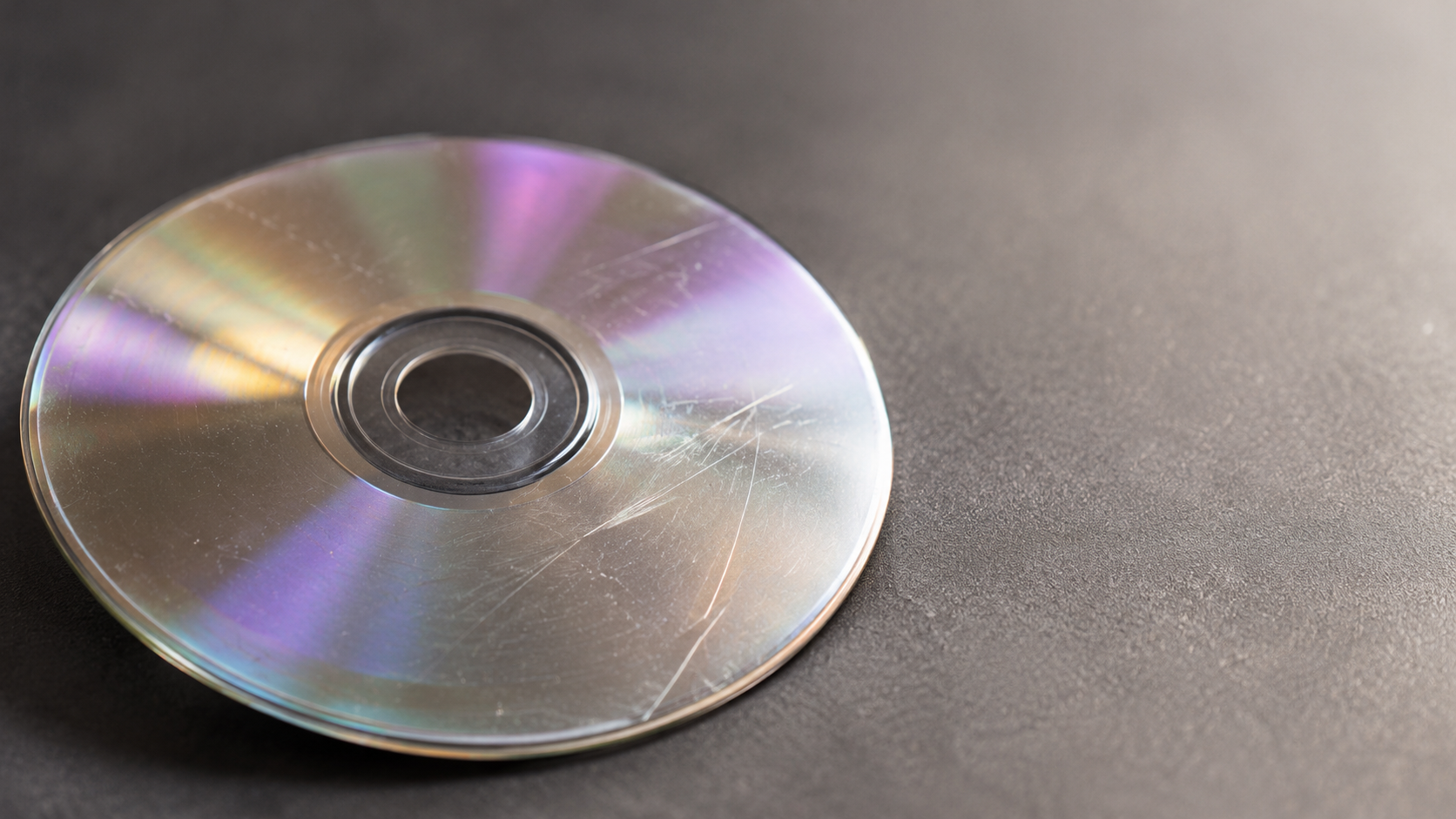
Finding your favorite music album or classic video game covered in scratches can be frustrating. Fortunately, you can sometimes fix a scratched CD using simple cleaning methods and professional resurfacing. However, the right solution depends on the type and severity of the damage.
According to the Library of Congress, optical discs contain several protective layers, including a polycarbonate plastic base and a reflective data layer. Scratches on the reading surface can interfere with the laser and cause playback errors. Damage to the label side can be even more serious because the data layer sits close to that surface.
Knowing how to handle CD damage can help you protect valuable music collections, games, and old backups. Minor scratches do not always mean your disc is permanently damaged. Sometimes, careful cleaning is enough to restore normal playback.
In this guide, we explain how to get scratches out of a CD safely. You’ll learn whether a scratched CD can still work, which cleaning methods are worth trying, and when professional resurfacing makes sense. We’ll also explain which types of scratches can permanently damage your disc.
How to Get Scratches Out of a CD?
You can sometimes restore a scratched CD by cleaning its surface or using professional polishing equipment. However, cleaning and repairing scratches are two different processes. Cleaning removes dirt, fingerprints, and residue, while resurfacing removes a very thin layer of damaged plastic.
Start by inspecting the disc under good lighting. Hold it by the edges and check the shiny reading surface for visible marks. If you notice fingerprints or dust, clean the disc before considering more advanced repair methods.
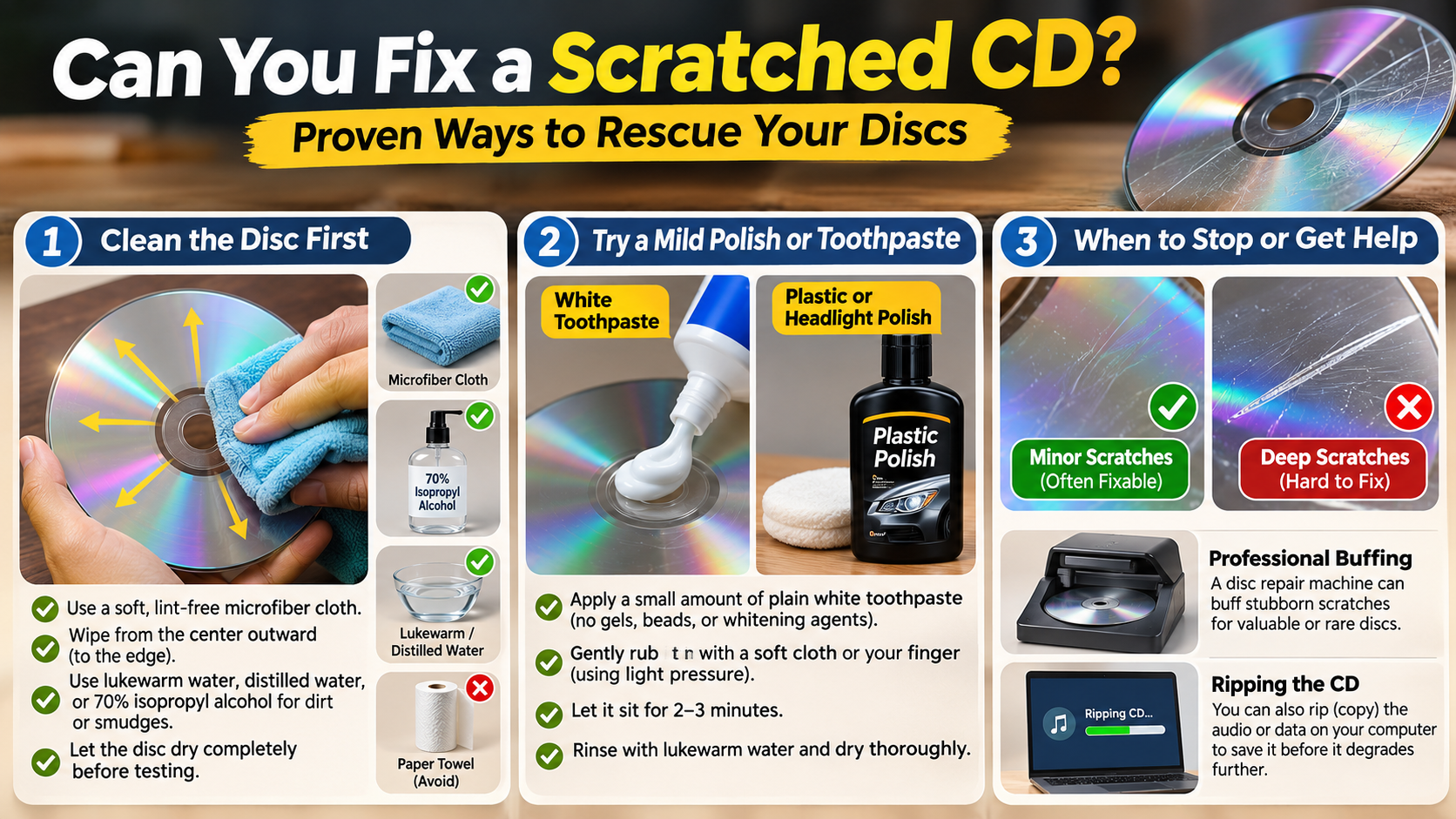
Follow these steps to clean your CD safely:
- Remove loose dust: Use a gentle air blower to remove dust particles without rubbing the surface.
- Prepare a soft cloth: Choose a clean, lint-free microfiber or cotton cloth.
- Clean the surface: Lightly dampen the cloth with distilled water if necessary.
- Wipe carefully: Move from the center hole toward the outer edge using straight strokes.
- Dry the disc: Allow it to dry completely before placing it inside your CD player.
Never wipe in circular motions because circular scratches can interfere with consecutive data sections. Avoid toothpaste, baking soda, and household abrasive cleaners. They can create additional marks or reduce the disc’s optical clarity.
If scratches remain after cleaning, consider a specialist CD resurfacing service. Professional equipment may improve playback by evenly polishing the damaged plastic surface.
Best Household Cleaning Methods for Scratched CDs
Not every scratched CD needs professional treatment. Sometimes, fingerprints, dust, and dried residue create playback problems that look like permanent damage. Removing these contaminants can help your player read the disc again without removing any plastic.
However, household cleaning methods should focus on removing dirt rather than polishing away scratches. Before choosing a cleaning product, understand whether disc cleaners actually work and which options are suitable for removing surface contamination. The wrong cleaning product can make the damage worse.
Consider these safer cleaning options:
- Distilled water: Helps remove loose dirt and ordinary surface residue without leaving many mineral deposits.
- Mild dish soap: A small amount can help remove greasy fingerprints when water alone is insufficient. Rinse away any remaining soap carefully.
- Microfiber cloth: Removes fingerprints and smudges when used gently with straight, outward strokes.
- CD-specific cleaning products: Products designed for optical discs may help remove stubborn surface contamination. Follow the manufacturer’s instructions.
Avoid toothpaste, baking soda paste, rough sponges, paper towels, and household polishing compounds. These materials can scratch or cloud the plastic surface.
Remember that cleaning cannot repair deep scratches or restore missing reflective material. If the disc still skips after careful cleaning, professional resurfacing may be a better option.
Can a CD Still Work If Scratched?
Yes, a CD can still work even when its shiny reading surface has visible scratches. Minor scratches do not automatically destroy the information stored on the disc. Many CD players and computer drives include error detection and correction systems that help recover data affected by small reading problems.
A CD stores information using tiny physical marks along a spiral track. During playback, an optical laser reads these marks and converts them into digital information. Scratches on the transparent plastic surface can scatter the laser light and interfere with accurate reading.
Fortunately, the damage does not always reach the actual data layer. When scratches remain shallow, the player may continue reading the disc without noticeable interruptions.
You might still experience problems if the scratches become deeper or form continuous patterns. Common symptoms include:
- Music skipping or repeating during playback.
- Songs stopping unexpectedly.
- Computer drives struggling to recognize the disc.
- Games freezing or displaying reading errors.
- Files becoming inaccessible during data transfers.
Try playing the disc in another compatible device before assuming it is permanently damaged. Different drives can have different reading capabilities. If the disc works, back up its contents as soon as possible.
How Error Correction Saves CD Playback
One reason scratched CDs sometimes continue working is their built-in error correction technology. CDs use a system called Cross-Interleaved Reed-Solomon Coding (CIRC) to detect and correct certain reading errors.
This technology helps recover information when dust, minor scratches, or other surface problems interfere with the laser. Instead of immediately stopping playback, the drive uses additional encoded information to reconstruct damaged data.
The system works particularly well when reading errors remain within its correction limits. This explains why a disc with several visible scratches might still play without noticeable problems.
However, error correction has limitations. It cannot recover information when the damage becomes too extensive or destroys the reflective data layer.
Depending on the severity of the errors, you might experience:
- Brief audio interruptions.
- Skipping or repeating sections.
- Clicking or unusual playback sounds.
- Missing files or unreadable data.
- Complete playback failure.
Error correction improves the chances of successful playback, but it does not physically repair a damaged CD. If your disc contains valuable information, create a backup before its condition gets worse.
Does It Matter If a CD Is Scratched?
Yes, scratches can affect a CD, but their impact depends on their depth, direction, and location. A few shallow marks on the transparent reading surface might have little effect on playback. However, deeper scratches can scatter laser light and cause reading errors.
The location of the damage is especially important. The bottom side of a standard CD contains a relatively thick transparent plastic layer. This layer protects the reflective data material and allows the laser to read information underneath it.
The printed label side is more vulnerable. Its protective lacquer layer is thin, and the reflective data layer sits directly beneath it. A deep scratch on this side can permanently destroy recorded information.
Scratch direction also matters. Radial scratches generally cause fewer problems than circular scratches because error correction can handle many short interruptions more effectively.
To understand the damage, inspect both sides under a bright light. Look for deep grooves, pinholes, cracks, and areas where the reflective coating appears missing. These signs can help you decide whether cleaning or professional repair is worth attempting.
Label Side vs. Bottom Side CD Damage
Understanding the difference between the label side and the reading side can help you identify serious CD damage. Both surfaces need protection, but their internal structures make them vulnerable in different ways.
1. Bottom-side scratches
The shiny bottom surface contains a transparent polycarbonate layer. The laser passes through this plastic to read information from the reflective layer underneath.
Minor scratches on this side may scatter the laser light without destroying the actual data. Some surface damage can potentially be improved through professional resurfacing.
2. Label-side scratches
The printed side has a much thinner protective coating. The reflective data layer sits immediately beneath it, making this surface particularly vulnerable to deep scratches.
Damage that reaches the reflective layer can permanently destroy information. No polishing method can replace missing data.
How to inspect your CD:
- Hold the disc by its outer edges.
- Examine both surfaces under bright lighting.
- Look for deep grooves and pinholes.
- Check whether the reflective coating appears damaged.
- Avoid touching or rubbing areas with visible damage.
If you find damage on the label side, stop attempting home repairs. Consider recovering the readable information using a compatible drive.
Can a Damaged CD Be Repaired?
Yes, some damaged CDs can be repaired, but success depends on the type of damage. Surface scratches on the transparent plastic layer may respond to professional resurfacing. However, cracks, severe warping, and damage to the reflective data layer generally cannot be reversed.
The first step is to determine whether the problem comes from dirt or physical damage. Clean the disc carefully using a soft, lint-free cloth and distilled water when necessary. Test it again using a compatible CD player or computer drive.
If playback problems continue, professional resurfacing might help. Specialized machines remove a very thin layer of plastic and polish the reading surface evenly. This process can reduce scratches that scatter the laser light.
However, resurfacing is not guaranteed to work. It cannot restore missing reflective material or reconstruct information that has been physically destroyed.
Before paying for a repair, consider the disc’s value and importance. For rare albums, old games, and important backups, professional assessment may be worthwhile. If the disc still works, copy its contents immediately rather than repeatedly testing it.
When to Seek Professional CD Resurfacing
Professional resurfacing is worth considering when ordinary cleaning does not solve your CD playback problems. Specialized machines can remove shallow scratches from the transparent plastic surface more evenly than manual polishing.
This process involves carefully removing a microscopic amount of plastic. The machine then polishes the surface to improve its optical clarity. Depending on the scratch depth and disc condition, playback may improve significantly.
You can look for resurfacing services at used video game stores, disc repair shops, and specialist media restoration businesses. Some public libraries or archival facilities may also provide access to suitable equipment.
Consider professional assistance when:
- Your CD contains several visible scratches.
- Music skips despite careful cleaning.
- A computer struggles to recognize the disc.
- Manual cleaning has not improved playback.
- The disc contains valuable or difficult-to-replace content.
Avoid repeatedly polishing the same disc by hand. Uneven polishing can create additional surface damage.
Before handing over an important disc, ask whether the service can assess its condition first. Also, confirm whether the equipment is suitable for your particular disc format.
Professional resurfacing can improve some damaged discs, but it cannot guarantee complete recovery.
Does Scratching a CD Make It Unreadable?
No, scratching a CD does not automatically make it unreadable. Many discs continue working despite visible surface marks because their data remains protected beneath the transparent plastic layer. The built-in error correction system also helps compensate for certain reading errors.
However, severe scratches can eventually prevent successful playback. Deep grooves may scatter laser light beyond the drive’s ability to interpret the recorded information. Damage to the reflective layer can also make certain sections permanently unreadable.
The direction of a scratch can influence its impact. Circular scratches that follow the disc’s data track can cause prolonged reading problems. Radial scratches crossing the tracks are generally easier for error correction systems to handle.
Damage near the center of a disc can also affect important information. The lead-in area contains information used to identify and organize tracks. Serious damage in this region may prevent a player from recognizing the disc correctly.
If your CD becomes unreadable, try another compatible drive before declaring it damaged beyond recovery. Some drives can read difficult discs more successfully than others. If you recover the data, create a backup immediately.
Protecting the Inner Table of Contents
The inner area of a CD contains important information that helps compatible players identify and navigate the disc. For audio CDs, this includes the Table of Contents (TOC), which stores information about the tracks and their locations.
This information is essential for normal playback. If the drive cannot read the required lead-in information, it may struggle to recognize the disc or display its tracks correctly.
Although the center area deserves careful handling, it is important to understand that not every mark near the center destroys the TOC. The severity and exact location of the damage determine its impact.
Follow these precautions to protect your discs:
- Hold CDs correctly: Use the outer edges and center hole instead of touching the reading surface.
- Use protective cases: Store each disc in a clean jewel case when not in use.
- Avoid stacking discs: Stacking can create scratches when surfaces rub together.
- Keep storage areas clean: Dust and small particles can damage the plastic surface.
- Avoid excessive pressure: Never bend or twist a CD while handling it.
For important music collections and data backups, create additional copies whenever possible. Proper storage and careful handling can significantly reduce the risk of permanent disc damage.
Conclusion
A scratched CD doesn’t always mean the end of your favorite music, games, or important files. In many cases, minor scratches and surface marks won’t affect playback because CD players can correct certain reading errors. Start with gentle cleaning using distilled water and a microfiber cloth before considering more advanced repair options.
If deeper scratches continue causing problems, professional CD resurfacing may help restore the reading surface. However, remember that damage to the reflective data layer, cracks, and severe warping cannot be repaired through ordinary polishing.
The best way to protect your discs is to handle them carefully, store them in protective cases, and avoid abrasive cleaning products. If your scratched CD still works, back up its contents as soon as possible.
With proper care and the right repair approach, you may be able to extend the life of your CDs and keep your favorite memories accessible for years to come.