What Does the H+ Symbol Mean on Your Samsung Phone?
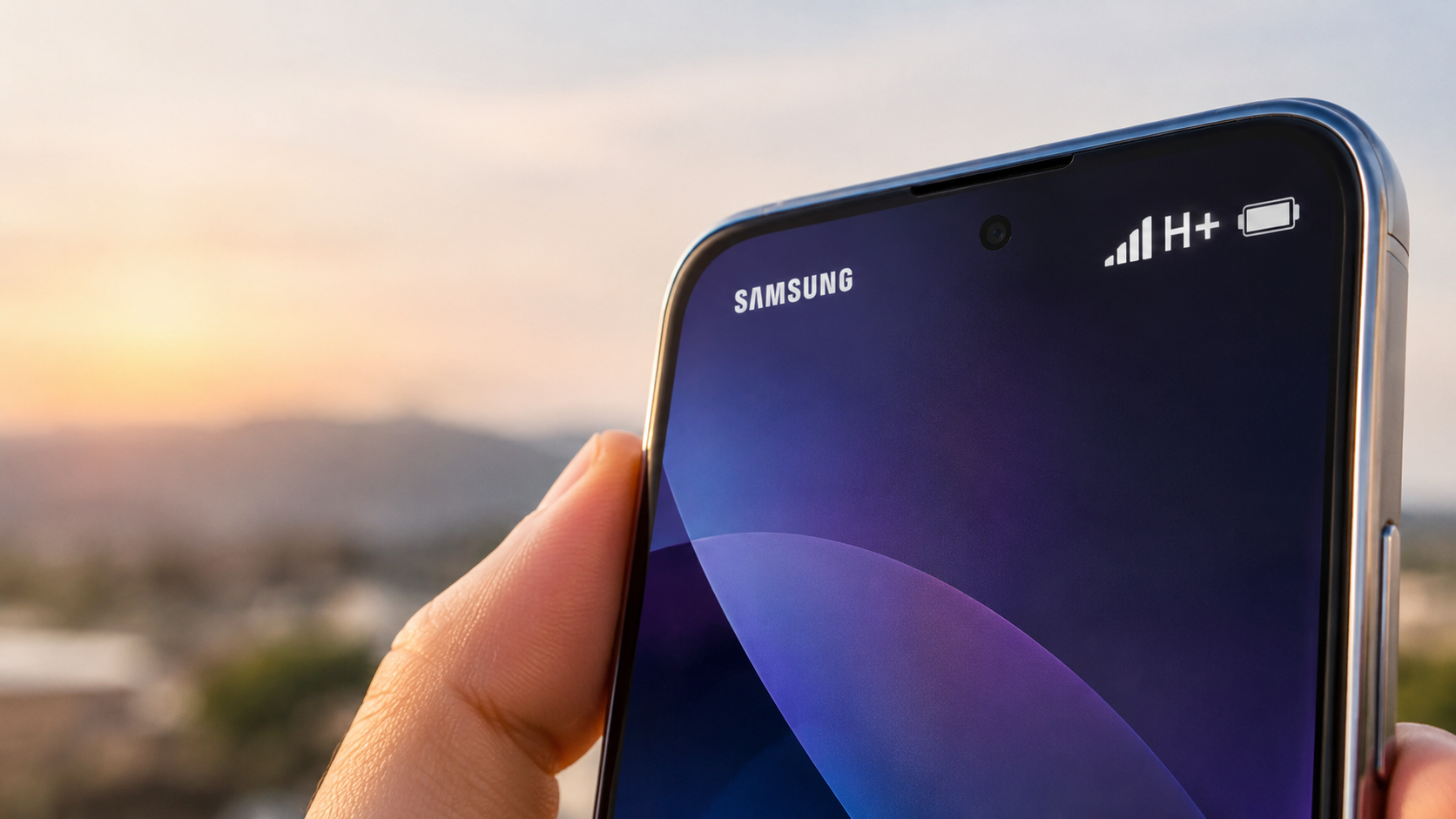
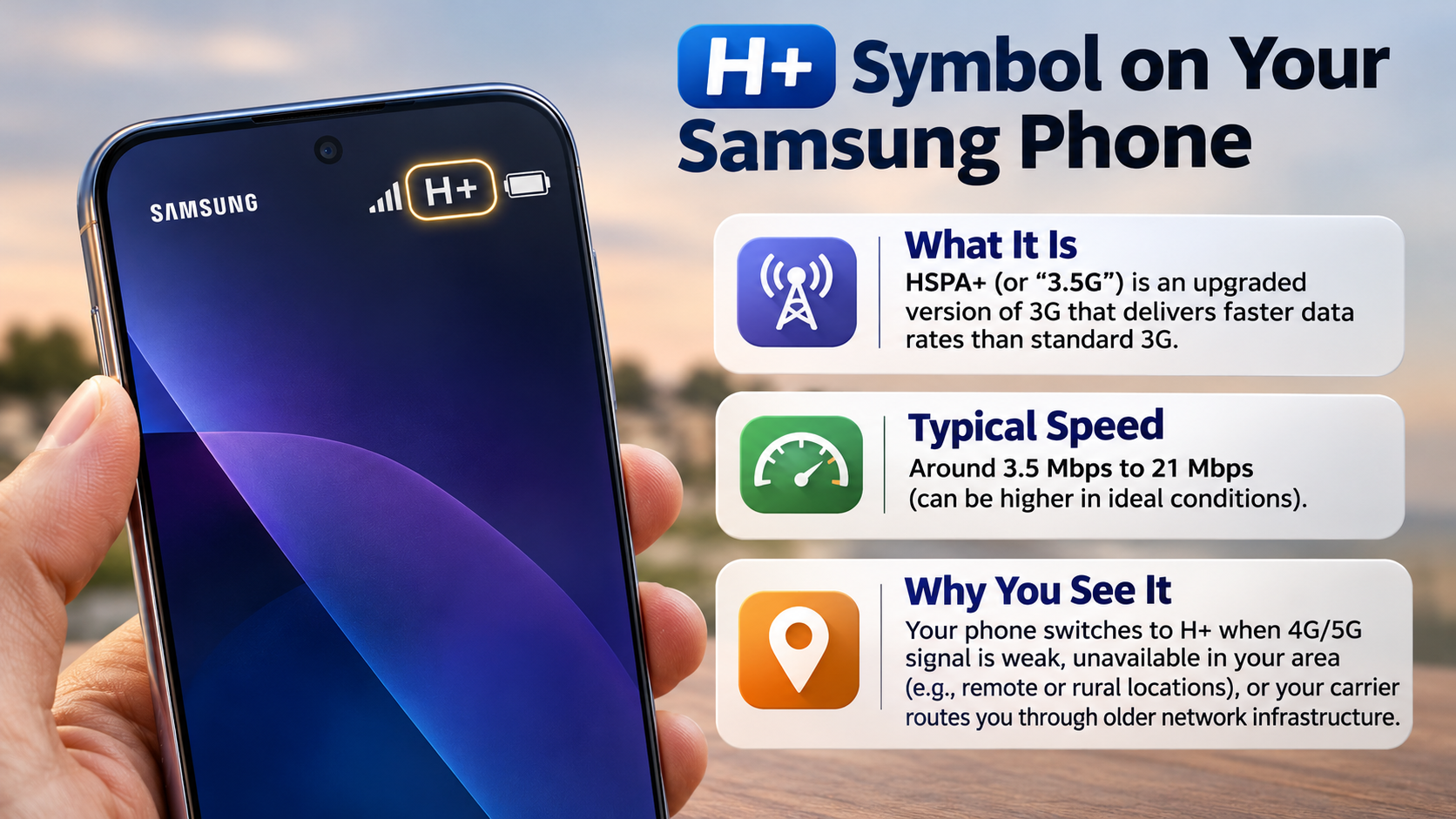
If you wonder what the H+ symbol means on your Samsung phone, it indicates an HSPA+ mobile network connection. HSPA+ stands for Evolved High-Speed Packet Access. It is an enhanced version of 3G technology that offers faster data speeds than traditional 3G networks.
However, HSPA+ cannot match the performance of modern 4G LTE or 5G connections. Seeing this symbol often means your Samsung Galaxy cannot access a stronger LTE signal.
You might notice slower website loading, video buffering, and delayed downloads. These problems become particularly noticeable when using demanding applications.
This guide explains everything you need to know about the H+ network symbol. You will discover why your Samsung phone switches to H+, how it compares with 4G LTE, and what 4G+ actually means. We will also cover practical troubleshooting steps to help restore faster mobile internet.
What Does the H+ Symbol Mean on My Samsung Phone?
The H+ icon indicates that your Samsung phone is connected to an HSPA+ mobile network. This technology represents an improved version of traditional 3G connectivity. Samsung phones can also display other network indicators, such as VoLTE. Understanding the VoLTE symbol on your phone can help you distinguish mobile voice technology from mobile data connectivity.
HSPA+ uses enhanced network techniques to deliver faster mobile data speeds. Depending on the network configuration, its theoretical download speeds can reach 42 Mbps.
However, actual performance depends on several factors. These include network coverage, carrier infrastructure, signal strength, and network congestion.
An H+ connection generally supports everyday activities without major difficulties. You can browse websites, exchange messages, and stream standard-quality music.
However, demanding activities may become slower. Large downloads, high-resolution videos, and online gaming can expose its limitations.
If your Samsung Galaxy displays H+, your phone is not necessarily experiencing a hardware problem. It simply indicates the mobile network currently handling your data connection.
Real-World Mobile Data Speeds You Can Expect
HSPA+ offers better performance than older 3G connections. However, its actual speeds are usually much lower than advertised theoretical limits.
Depending on your carrier and signal conditions, you might experience download speeds of approximately 4–8 Mbps. These speeds are estimates rather than guaranteed performance figures.
This connection can handle several everyday activities comfortably:
- Sending messages through WhatsApp and similar applications.
- Browsing websites and reading online articles.
- Streaming music through popular platforms.
- Checking emails and downloading smaller attachments.
However, larger downloads and high-resolution video streaming may take longer. Network congestion can also reduce performance during busy hours.
Your actual experience depends on the available network infrastructure. Therefore, the H+ symbol does not guarantee a particular internet speed.
Why Is My Phone Showing H+ Instead of 4G?
Your Samsung smartphone displays H+ when it connects to an HSPA+ network instead of 4G LTE. This usually happens because LTE coverage is unavailable or insufficient.
Although modern smartphones support multiple network technologies, they cannot always maintain the fastest connection. Your device automatically selects an available network based on signal conditions and carrier settings.
Several factors can cause this network change. You might be inside a building with thick walls or located in an area with limited LTE coverage.
Temporary tower maintenance and network congestion can also affect connectivity. Sometimes, incorrect network settings or SIM-related problems contribute to the issue.
Your phone may switch between H+, 4G, and other available network indicators throughout the day. This behaviour is generally normal when network coverage changes.
However, persistent H+ connectivity in an area with strong 4G coverage deserves further investigation.
Quick Fixes to Restore a 4G Connection
If your Samsung phone keeps displaying H+, try these troubleshooting steps. They can help your device reconnect to an available LTE network.
- Enable Airplane Mode: Turn it on for approximately 10 seconds. Then disable it to refresh your mobile connection.
- Check Network Mode: Open Settings and navigate to Connections, followed by Mobile Networks. Select Network Mode and choose an automatic LTE-supported option, if available.
- Restart Your Phone: Restarting your Samsung Galaxy can resolve temporary network connection problems.
- Check Your SIM Card: Ensure your SIM card is properly inserted and supports your carrier’s available network services.
- Check Network Coverage: Confirm that your carrier provides 4G coverage in your current location.
Menu names and available network options can vary between Samsung models and software versions.
If these steps do not work, contact your mobile network provider. Your carrier can check for account restrictions, SIM issues, and local network problems.
Is H+ Better Than 4G?
No, H+ is generally slower than 4G LTE. Both technologies provide mobile internet, but they belong to different generations of cellular networking.
HSPA+ is an enhanced 3G technology. Meanwhile, LTE represents a more advanced mobile broadband technology designed for higher data throughput and improved network performance.
A typical 4G LTE connection can deliver considerably faster download speeds. Depending on network conditions, users may experience speeds ranging from tens to over 100 Mbps.
HSPA+ generally delivers lower speeds. Its performance also depends heavily on carrier infrastructure and signal quality.
The difference becomes noticeable during everyday activities. Websites generally load faster on a strong LTE connection. Video streaming also becomes more reliable.
Online gaming and video conferencing can benefit from LTE’s lower latency. However, actual performance varies between networks.
Therefore, H+ is best understood as a fallback connection when suitable LTE coverage is unavailable.
Understanding Latency Differences During Everyday Usage
Download speed is not the only factor affecting your mobile internet experience. Latency also determines how quickly your device communicates with remote servers.
Latency measures the time required for data to travel between your phone and another network destination. It is usually measured in milliseconds (ms).
HSPA+ generally has higher latency than modern LTE connections. Depending on network conditions, HSPA+ latency can exceed 100 milliseconds.
LTE connections often provide considerably lower response times. However, actual latency depends on network configuration, congestion, and server distance.
This difference matters when performing activities that require quick responses:
- Online gaming: Lower latency helps reduce noticeable input delays.
- Video conferencing: Faster responses can improve conversation quality.
- Financial transactions: Responsive connections help applications communicate with servers.
- Website browsing: Lower latency can improve the feeling of responsiveness.
A strong LTE connection generally offers a better experience than HSPA+. However, signal quality remains important for overall performance.
Is 4G+ the Same as 5G?
No, 4G+ and 5G are different mobile network technologies. Although both can provide faster internet than standard 4G, they use different networking capabilities.
The 4G+ symbol generally represents LTE-Advanced technology. It improves existing LTE performance through a technique called carrier aggregation.
Carrier aggregation combines multiple frequency bands. This allows compatible devices to use more available network capacity simultaneously.
As a result, 4G+ can deliver significantly higher speeds than standard LTE. Actual performance depends on the supported bands, carrier infrastructure, and signal conditions.
Meanwhile, 5G introduces a newer radio access technology and additional network capabilities. It can support higher speeds, lower latency, and greater network capacity.
However, not every 5G connection automatically outperforms every 4G+ connection. Coverage, spectrum availability, and network deployment all influence performance.
If your Samsung phone displays 4G+, it is connected to an enhanced LTE network rather than a 5G network.
Why Carrier Aggregation Makes LTE-Advanced Faster
Carrier aggregation is one of the main technologies behind 4G+. It allows compatible smartphones to combine multiple LTE frequency bands.
Think of it like adding extra lanes to a busy highway. More available lanes allow additional traffic to move simultaneously.
Without carrier aggregation, a device may rely on a single LTE carrier. With aggregation, it can use multiple carriers to increase available bandwidth.
This approach improves network capacity and can deliver faster download speeds. However, the actual improvement depends on the frequencies supported by your smartphone and mobile operator.
Several factors influence carrier aggregation performance:
- Frequency bands: Your carrier must provide compatible LTE frequency bands.
- Device compatibility: Your Samsung phone must support the required band combinations.
- Network coverage: Stronger signals generally provide more reliable performance.
- Network congestion: Heavy usage can reduce available bandwidth.
Although 4G+ improves LTE performance, it remains part of the fourth-generation network family. It should not be confused with 5G technology.
Conclusion
The H+ symbol on your Samsung phone indicates an HSPA+ connection, which is an enhanced version of 3G technology. Although it supports everyday browsing and messaging, it cannot match the speed and performance of modern 4G LTE or 5G networks.
If your phone frequently switches from 4G to H+, check your network settings, SIM card, and local coverage. Simple steps like toggling Airplane Mode or restarting your device may restore a faster connection.
For additional troubleshooting guidance, visit Samsung’s official support website. You can find helpful information about mobile connectivity, network settings, and Galaxy device issues.
Understanding these network symbols helps you identify connectivity problems and get the best performance from your Samsung Galaxy. If H+ continues to appear despite strong 4G coverage, contact your mobile network provider for further assistance.