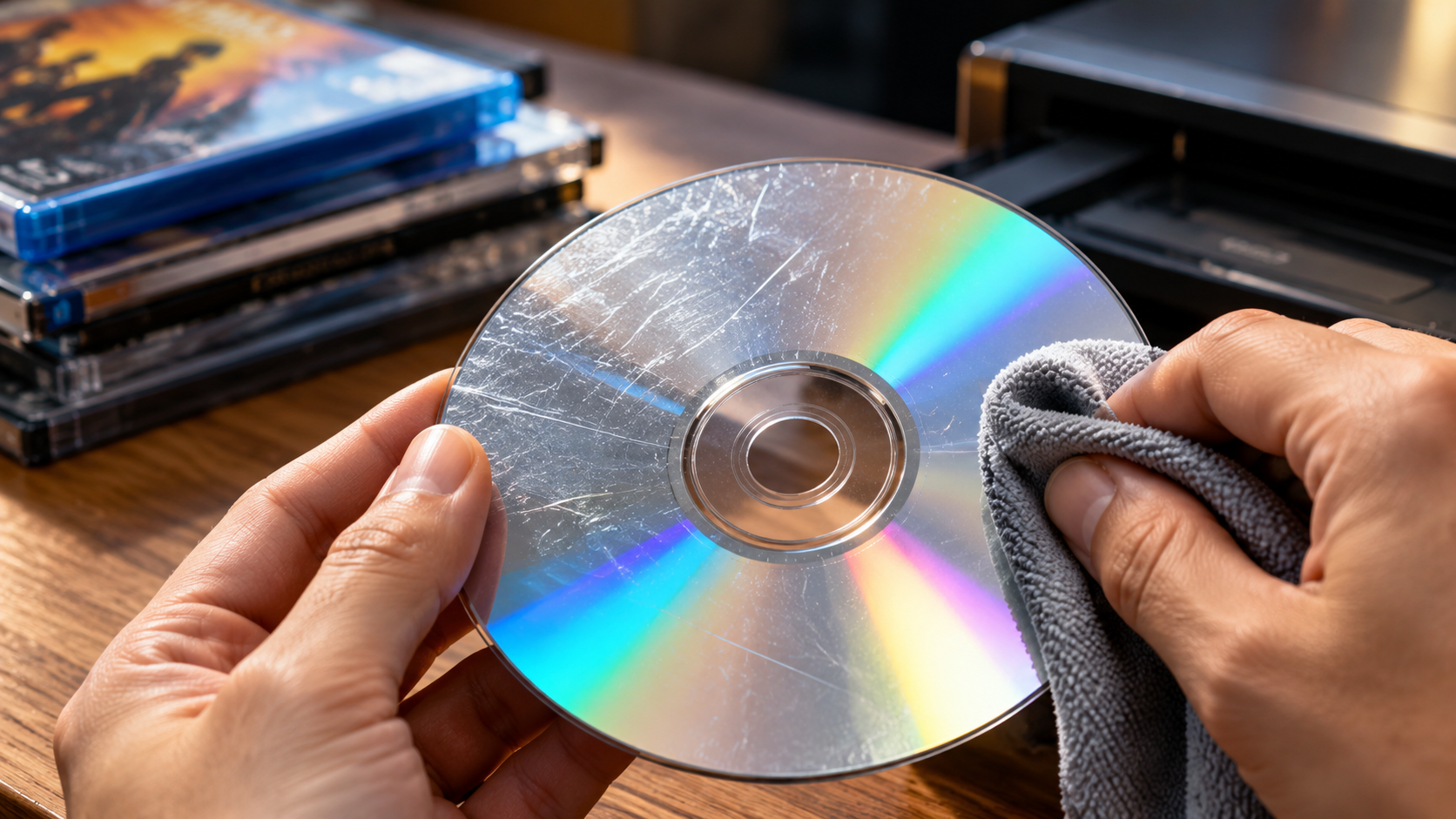
Do Disc Cleaners Actually Work? A Complete Guide
Finding an old favorite video game or movie covered in scratches can frustrate any media enthusiast. Disc cleaners promise to restore scratched discs, but do they actually work, or are they simply a marketing gimmick?
CDs, DVDs, and Blu-ray discs store digital information that a laser reads during playback. Dirt, fingerprints, and scratches can interfere with this process. Depending on the damage, your player might skip tracks, freeze during a movie, or fail to recognize the disc.
Fortunately, some problems have simple solutions. A suitable cleaning method can remove dirt and fingerprints, while specialized resurfacing equipment may improve certain scratched discs. However, no cleaner can restore every damaged disc.
This guide explains how disc cleaners work, which repair methods offer the best results, and when professional resurfacing makes sense. You will also learn why popular remedies like toothpaste and WD-40 can create additional problems.
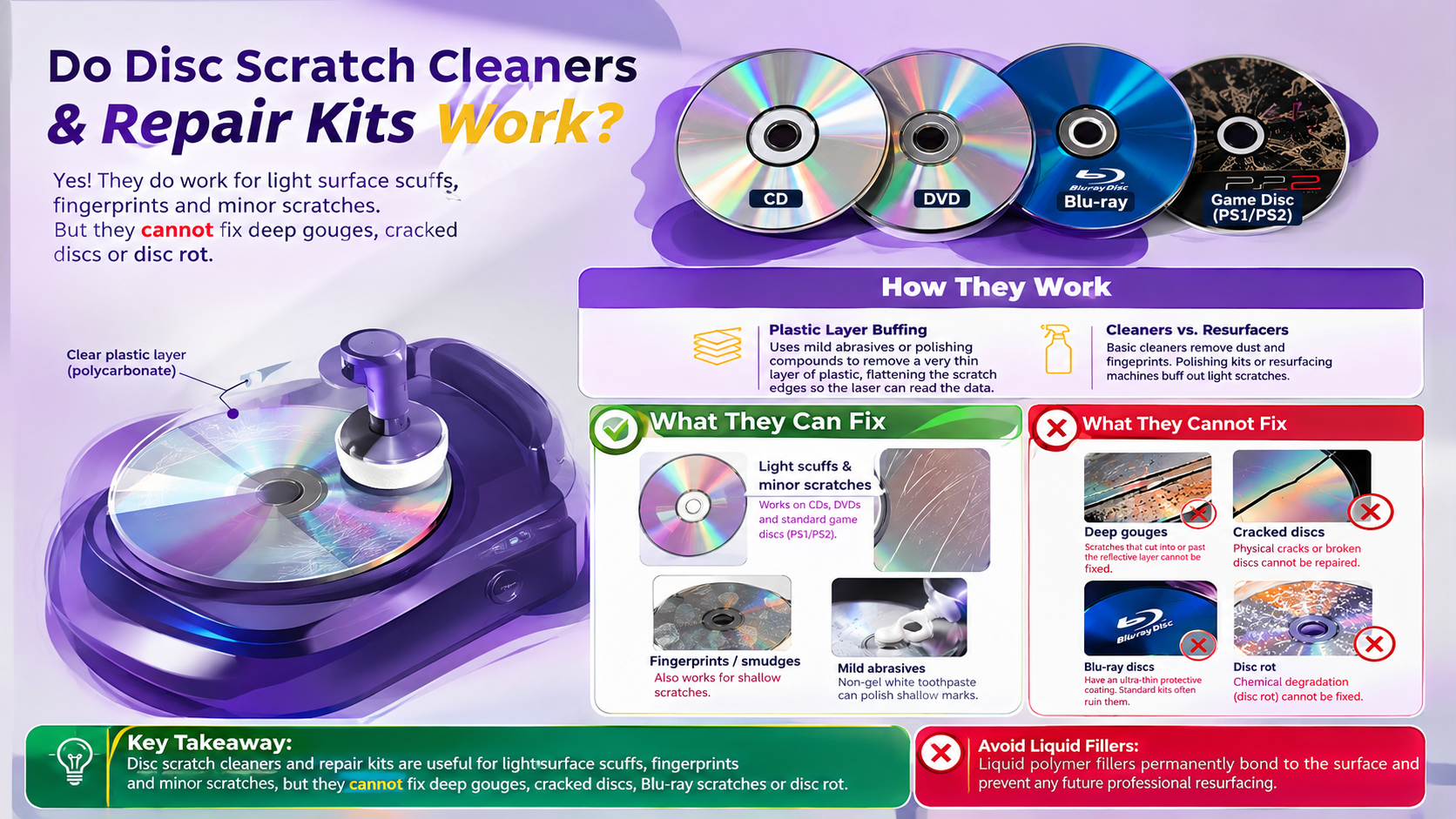
Do disc cleaners actually work?
Yes, disc cleaners can work, but their effectiveness depends on the type of damage. Basic cleaning products remove fingerprints, dust, and oily residue. Repair kits and resurfacing machines tackle certain surface scratches through controlled polishing or abrasion.
These products serve different purposes. A cleaning solution cannot repair a deep scratch, while an abrasive repair machine cannot restore missing data or repair a broken disc.
Light surface scratches may respond to professional resurfacing when the disc format supports that process. However, inexpensive manual kits often produce inconsistent results. Even professional equipment cannot guarantee success when scratches penetrate the recording layer.
The direction of a scratch also matters. Radial scratches, which run from the center toward the outer edge, generally cause fewer tracking problems than circular scratches along the data tracks. Nevertheless, scratch direction alone cannot determine whether a disc will work.
Before purchasing disc cleaners, inspect the damage and identify the disc format. If dirt causes the problem, gentle cleaning may restore playback without any abrasive treatment.
Understanding Polycarbonate Layers
Most optical discs contain a transparent polycarbonate layer that protects their recorded information. However, CDs, DVDs, and Blu-ray discs have different internal structures. These differences affect which cleaning and repair methods work safely.
On a CD, the reflective recording layer sits close to the label side. The transparent underside offers some protection against minor scratches, but label-side damage can compromise the recorded information.
DVDs use a different layered construction, while Blu-ray discs have a thinner protective cover above their recording layer. This makes Blu-ray media particularly sensitive to unsuitable resurfacing methods.
A resurfacing machine works by removing tiny amounts of damaged plastic to smooth the optical surface. This process can reduce certain scratches, but it cannot recreate missing data or repair a damaged recording layer.
Always check whether a repair kit supports your disc format. The wrong equipment can cause permanent damage, even when the original scratch appears minor.
Can you actually fix a scratched disc?
Yes, you can sometimes fix a scratched disc, but the result depends on the damage. Dirt and fingerprints often disappear with proper cleaning. Shallow scratches may respond to professional resurfacing if the disc’s construction allows it.
Deep gouges, cracks, and damaged recording layers present different problems. Cleaning products cannot reverse structural damage, and polishing cannot replace missing information.
CDs require particular care because their reflective data layer sits close to the label side. A scratch on the label can damage the recorded information. DVDs and Blu-ray discs have different constructions, so their repair requirements also vary.
Before trying a repair method, inspect the disc under good lighting. Look for cracks, deep scratches, and damage around the label. If the disc contains important or irreplaceable data, avoid experimenting with abrasive household remedies.
Start with gentle cleaning and test the disc in a compatible player. If playback still fails, consider professional assessment before attempting resurfacing. Repeated polishing removes material and can eventually make an otherwise usable disc unreadable.
Inspecting Damage Severity
Inspect your disc under bright light and hold it by the edges or center hole. Look for fingerprints, dust, scratches, cracks, and damage around the label.
Use these signs to assess the problem:
- Light surface marks: These may be cosmetic or affect playback. Try gentle cleaning first.
- Deep scratches: These may require professional assessment, depending on their location and the disc format.
- Cracks or broken edges: These indicate structural damage. Never spin a cracked disc in a player.
- Label-side damage: This can affect the recording layer, especially on CDs.
Light passing through a CD may indicate damage to its reflective layer. However, this inspection cannot confirm whether the disc remains recoverable.
Do not assume every visible scratch means the data has disappeared. Similarly, a disc that looks intact may still have internal damage or reading problems.
Clean the surface carefully and test playback before deciding whether to pursue professional resurfacing. If the disc contains valuable data, prioritize data recovery or replacement over experimental repairs.
Does WD-40 really remove scratches?
WD-40 does not permanently repair scratched discs. Some people recommend applying it because an oily film may temporarily change how light passes through certain surface imperfections. However, this effect does not restore damaged plastic or recover missing data.
WD-40 is not designed as an optical-disc repair product. Its formulation can leave an oily residue that attracts dust and makes the surface harder to clean. Its compatibility with disc materials and coatings also varies, so using it introduces unnecessary risk.
A disc that works after applying a lubricant has not necessarily undergone a real repair. Playback may remain unreliable, and the residue can complicate future cleaning.
Instead, begin with a clean, soft microfiber cloth and a cleaning method suitable for the disc format. Wipe gently in straight lines from the center toward the outer edge.
If the disc remains unreadable, inspect it for scratches or structural damage. Consider professional resurfacing when the disc format and damage make it appropriate. Avoid experimenting with household chemicals on rare games, movies, or valuable data discs.
Risks of Chemical Residue
Oily products can leave films that collect dust, produce smears, and complicate later cleaning. Residue can also transfer to other surfaces during handling and storage.
Avoid applying WD-40, household solvents, or untested cleaning mixtures to optical media. Their effects vary according to the disc’s materials, coatings, and construction. A product that appears harmless on one disc may damage another.
If you have already applied an unsuitable product, do not scrub aggressively or mix multiple chemicals. Follow the manufacturer’s cleaning guidance and use a compatible cleaning method. Seek advice from a professional disc-repair service if residue remains.
Never spray cleaning products directly into a game console, DVD player, or Blu-ray player. Internal components require separate cleaning procedures, and liquids can damage electronic equipment.
For routine maintenance, prevention offers a safer approach. Handle discs by their edges, return them to protective cases after use, and keep them away from dust, heat, and direct sunlight.
Does toothpaste actually fix a scratched disc?
Toothpaste is a popular home remedy for scratched discs, but it is not a reliable repair method. Some toothpastes contain mild abrasives, such as silica or calcium carbonate, that wear down surfaces through friction. In theory, this process may reduce the appearance of certain shallow scratches.
However, toothpaste manufacturers formulate these products for cleaning teeth, not resurfacing optical media. Abrasive particles, additional ingredients, and improper application can create further scratches or leave residue. Gel formulas also vary, so you should not assume that any toothpaste will produce the same results.
The risks differ between CDs, DVDs, and Blu-ray discs. Blu-ray media have a particularly thin protective cover, making improvised abrasive treatments especially unsuitable.
For these reasons, avoid using toothpaste as your first repair option. Start by removing dirt and fingerprints with a compatible cleaning method. If the disc remains unreadable, determine whether professional resurfacing suits its format and condition.
A disc may continue working after a toothpaste treatment, but that does not prove the method caused the improvement. The original problem may have been dirt rather than scratches.
Proper Application Techniques
The safest approach is to avoid toothpaste and other improvised abrasives. Instead, follow a cleaning procedure suitable for your disc format.
- Inspect the disc: Check for cracks, deep gouges, and damage near the label.
- Remove loose dust: Hold the disc by its edges and use a clean, soft microfiber cloth.
- Clean gently: Wipe from the center outward in straight lines. Avoid circular scrubbing.
- Dry carefully: If your cleaning method involves water, follow the manufacturer’s guidance and avoid excessive rubbing.
- Test playback: Try the disc in a compatible player after cleaning.
If scratches remain and playback still fails, consider a repair service that supports your specific disc type. Avoid repeatedly polishing the surface to remove every visible mark.
For Blu-ray discs, follow the manufacturer’s instructions rather than experimenting with toothpaste or abrasive kits. Their thin protective layer requires particular care.
These steps help you distinguish ordinary surface contamination from damage that needs specialist attention. They also reduce the risk of making a minor problem worse through unnecessary polishing.
How to clean a really scratched disc?
A heavily scratched disc may need professional assessment rather than repeated home cleaning attempts. First, determine whether dirt, fingerprints, or actual surface damage causes the playback problem. Gentle cleaning removes contamination, but it cannot fill deep gouges or restore damaged recording layers.
If the disc has shallow scratches, a suitable resurfacing machine may improve readability. These machines use controlled polishing processes to remove small amounts of material from compatible disc surfaces. However, results depend on the format, the severity of the damage, and the equipment.
Not every motorized repair machine supports every disc type. Some devices handle only specific formats, and inappropriate resurfacing can permanently damage the protective layer. Blu-ray discs require particular caution because their protective cover is thinner than that of many other optical discs.
For rare games, valuable movies, or discs containing important data, consult a professional before attempting abrasive repairs. If the disc is cracked or its recording layer has suffered damage, replacement may be the only practical option.
Professional Resurfacing Services
Professional resurfacing can help when a compatible disc has surface scratches that interfere with playback. Repair shops use specialized equipment to polish suitable disc surfaces more consistently than improvised household methods.
Before paying for a service, ask whether the technician supports your specific format, especially if you have a Blu-ray disc. Explain the playback symptoms and let the technician inspect the damage before starting the repair.
Professional service may cost less than buying specialized machinery for a single disc. However, prices vary by shop, equipment, and disc condition. No reputable service can guarantee recovery when the recording layer has suffered damage.
Consider these factors before choosing a service:
- Disc compatibility: Confirm that the equipment supports your CD, DVD, or Blu-ray format.
- Damage assessment: Ask whether the disc is suitable for resurfacing.
- Repair cost: Compare the service fee with the price of a replacement.
- Data importance: Avoid experimental repairs on irreplaceable discs.
If the disc is cracked or structurally compromised, do not attempt to spin or resurface it. Replacement or recovery from another copy offers a safer alternative.
Conclusion: Are Disc Cleaners Worth It?
Disc cleaners can help restore scratched CDs, DVDs, and other optical media, but they cannot fix every type of damage. Basic cleaning products remove dirt and fingerprints, while specialized resurfacing machines may improve compatible discs with minor surface scratches. However, deep gouges, cracks, and damage to the recording layer often require replacement rather than repair.
For the best results, start with gentle cleaning before considering professional resurfacing. Avoid household remedies such as toothpaste and WD-40, as they can leave residue or cause further damage. Always check whether a repair method supports your disc format, especially when handling Blu-ray discs.
To protect your collection, follow the Library of Congress guidelines for caring for recorded materials. These recommendations can help you handle, clean, and store your discs more safely.
Ultimately, the best disc cleaner depends on the type of damage and your disc format. Before investing in a repair kit, assess the damage and compare the repair cost with the price of a replacement. For additional advice on handling and storing your collection, explore our guide to preserving your DVDs and Blu-ray discs. With proper care and the right repair method, you can extend the life of your favorite movies, music, and video games.