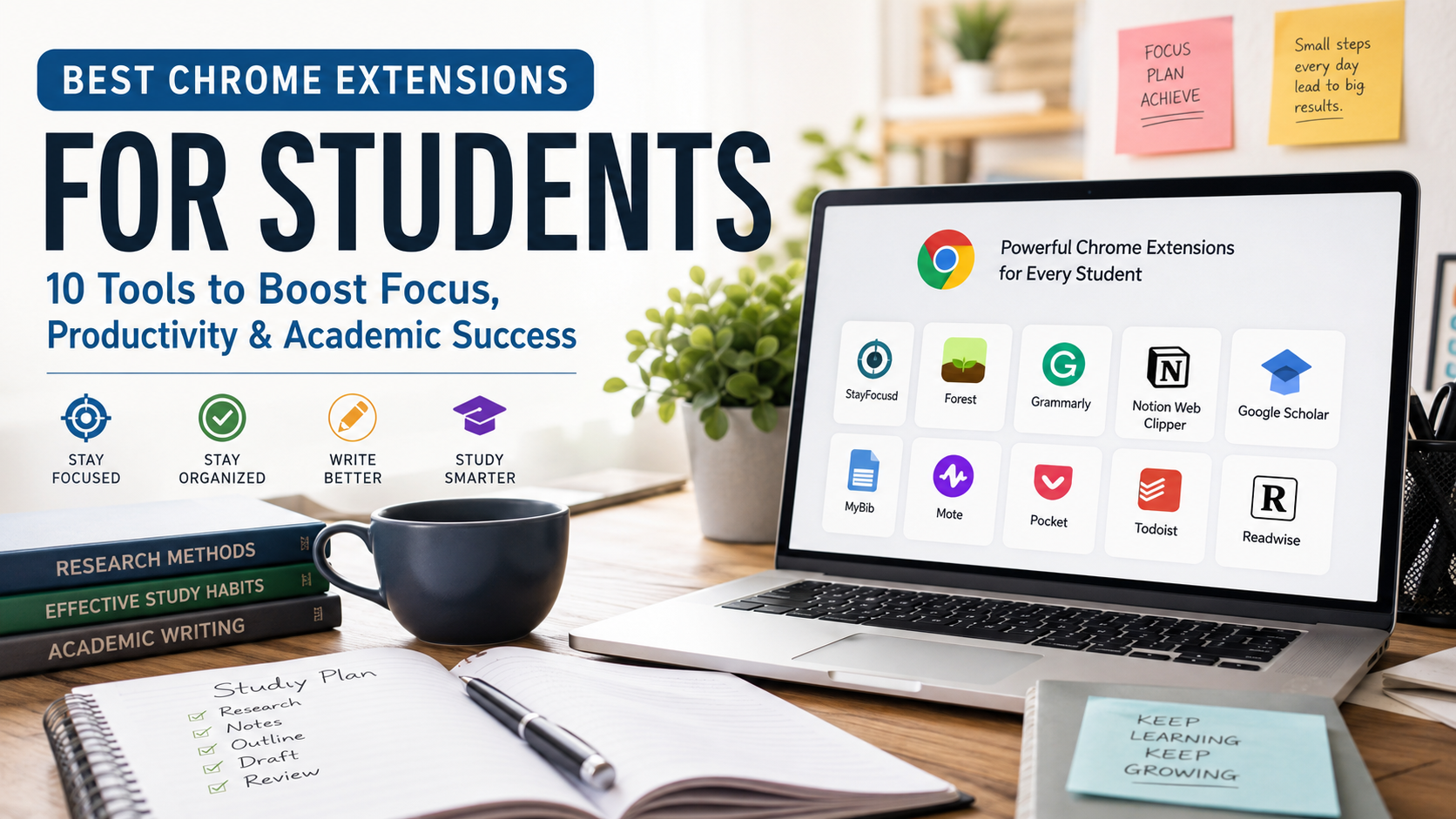
Best Chrome Extensions for Students: 10 Tools to Boost Focus
Managing a modern academic workload requires efficient tools. Today, your web browser serves as your primary lecture hall, research library, and collaborative study group. However, the internet presents endless distractions that derail your productivity. Fortunately, installing the best Chrome extensions for students from the official Chrome Web Store changes everything. Consequently, it transforms your browser into a highly efficient, distraction-free digital workspace designed for academic success.
These lightweight programs integrate directly into your browser window to add powerful features without requiring heavy desktop applications. For example, you might need help organizing massive research projects. Alternatively, you might want to maintain intense focus during late-night study sessions. The right extensions save valuable time every day. In this comprehensive guide, we break down the top tools. Every student needs them to build a highly effective digital ecosystem this semester. Furthermore, by selecting tools that align with your curriculum, you reduce the friction of online learning. As a result, you unlock new levels of academic efficiency.
Why Top Academic Browser Add-ons Matter for Academic Success
Succeeding in school comes down to managing your time. Students constantly balance intensive reading assignments, complex essay deadlines, and exam preparation. Without systemized tools, cognitive fatigue sets in quickly. This reduces your ability to retain information. This is exactly where the best Chrome extensions for students provide a massive advantage because they streamline your daily workflow.
Using specialized browser add-ons allows you to automate repetitive tasks. These tasks otherwise drain your limited daily energy reserves. For instance, you can generate bibliographies accurately in one click instead of formatting them manually for hours. Similarly, automated website blockers can manage your focus sessions seamlessly. You do not have to rely purely on willpower. By reducing the logistical friction of administrative work, you free up critical mental capacity. Therefore, you can focus deeply on actually learning the material and earning better grades.
The Best Chrome Extensions for Students to Stay Organized
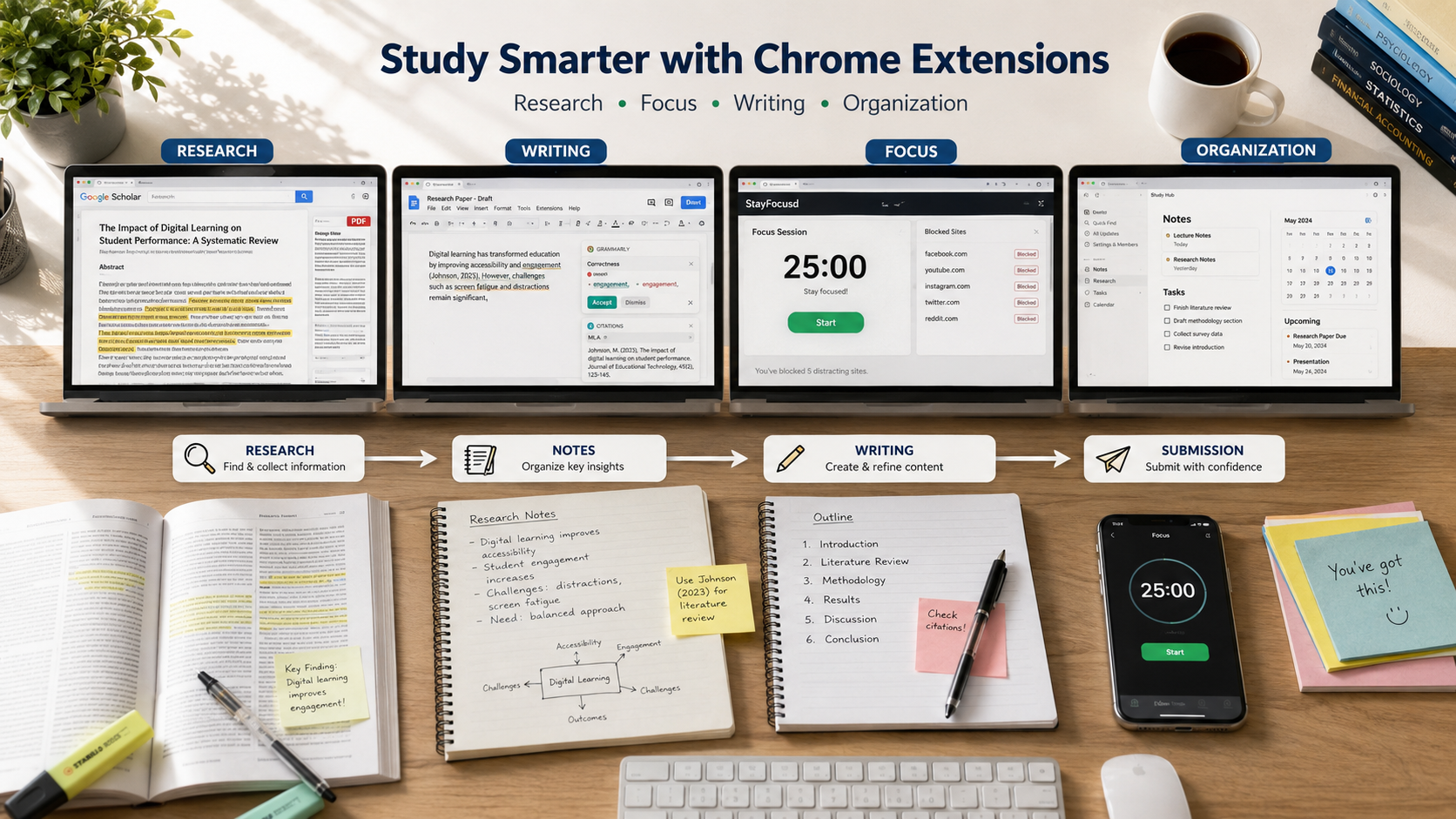
Organization serves as the ultimate foundation for high-level academic performance. When your digital notes and daily calendars are chaotic, your stress levels rise. Consequently, your grades inevitably suffer as a result. Utilizing the best Chrome extensions for students ensures that your research pipeline remains perfectly structured from the initial brainstorming phase to the final submission.
1. SwiftRead (Formerly Spreeder)
Reading hundreds of pages of dense academic journals takes an immense amount of time. However, SwiftRead utilizes Rapid Serial Visual Presentation (RSVP) technology to help you read digital text faster. It flashes words on the screen sequentially at a controllable pace, which eliminates the natural habit of subvocalization. Subvocalization is the internal process of reading words aloud in your head. Therefore, this tool is incredibly useful for skimming massive research papers quickly. It extracts key thesis points and cuts down your overall reading time. This allows you to focus heavily on writing your assignments.
2. Mote: Voice Notes & Feedback
Typing out long thoughts, project ideas, or peer review comments takes up too much time. Fortunately, Mote allows you to record quick, clear voice notes. It embeds them directly into Google Docs, Slides, or Sheets without complex setup. Thus, it makes collaborating on group projects incredibly seamless. Your team members listen to your exact feedback and tonal nuance directly. They do not have to read through long, confusing text comment threads. This tool bridges the gap between remote collaboration and natural conversation. It is a must-have for any student participating in frequent group assignments.
The Best Chrome Extensions for Students to Improve Focus
Remaining focused while studying online is incredibly difficult because entertainment websites are always just a single click away. Students need active, automated digital barriers. These barriers protect deep work blocks from constant notification interruptions and compulsive browsing habits. Finding the best Chrome extensions for students that specialize in time management will solve this problem completely.
3. StayFocusd
StayFocusd is a highly customizable productivity extension. Specifically, it helps you strictly restrict the amount of time you spend on time-wasting websites. You allocate a specific number of minutes per day for distracting platforms, such as social media or video streaming sites. Once your allotted time is completely used up, the extension strictly blocks access. It keeps you locked out for the remainder of the day. This forceful boundary prevents mindless scrolling. Moreover, it trains your brain to value your designated study windows much more effectively throughout the busy school week.
4. Forest
Forest brings the engaging concept of gamification directly to your daily study habits to help you beat chronic procrastination. When you need to focus on an assignment, you open the extension and plant a virtual seed in your browser. As you work through your study block, the seed slowly grows into a healthy, beautiful digital tree over thirty minutes. However, if you give in to temptation and leave your active study tab, your tree dies. Over time, you build an entire digital forest that visually represents your hard work and dedication.
The Best Chrome Extensions for Students to Aid Essay Writing
Writing high-quality research papers requires precise grammar mechanics. It also requires clear structural arguments and flawless citation formatting. The best Chrome extensions for students focused on writing act as your personal digital editing team. Indeed, they work right inside your active browser window to elevate the academic quality of your essays.
5. Grammarly
Grammarly goes far beyond the capabilities of basic, built-in browser spellcheckers by evaluating your writing comprehensively. The extension actively analyzes your sentences for structural tone, overall clarity, and word conciseness as you type. Whether you are drafting a formal history thesis or writing an English essay, it helps significantly. Therefore, it ensures your communication remains polished and highly professional. It helps you catch embarrassing errors before you hit the submit button. This ultimately leads to better grades on written assignments.
6. MyBib: Free Citation Generator
Manually formatting academic citations is famously tedious and highly prone to minor mistakes. Fortunately, MyBib completely automates this exhausting process by generating highly accurate citations whenever you visit a web article or digital journal page. You simply click the extension icon while viewing your source. You then choose your required academic style, such as APA or MLA. Then, you copy the correctly formatted citation directly into your bibliography. This tool saves hours of meticulous formatting work. Consequently, it ensures you never lose easy points due to misplaced punctuation.
The Best Chrome Extensions for Students to Take Research Notes
Capturing source information cleanly during the initial research phase is vital because it prevents you from losing critical quotes and statistics when you begin writing. These smart utilities allow you to clip, organize, and store web data efficiently to keep your workspace clean. They represent some of the best Chrome extensions for students who handle heavy research loads.
7. Weava Highlighter
Weava allows you to highlight websites and uploaded PDF documents in multiple distinct colors with just a single click of your mouse. The extension automatically organizes your highlighted text snippets into custom folders and saves them directly to a secure cloud account. When it comes time to draft your final research paper, you export your organized quotes directly into your document editor. This eliminates the chaotic process of shifting through dozens of open browser tabs. Thus, you no longer struggle to remember where you found a specific piece of evidence.
8. Google Keep
The official Google Keep extension lets you quickly save web images, text snippets, and specific source URLs directly into your unified Google account ecosystem. You can add descriptive notes, custom labels, and bright color codes to your saved items. This makes it incredibly easy to retrieve them later via search. Because it integrates deeply with the entire Google workspace, your notes sync instantly across all your synchronized mobile devices and tablets. Therefore, this makes it a perfect tool for reviewing materials while commuting.
Specialized Student Browser Software for Math and Science
Students pursuing degrees in highly specialized fields need unique tools to succeed. Similarly, those requiring specific visual reading assistance can leverage targeted technical extensions to level the playing field. These unique options solve specific workflow bottlenecks that general productivity extensions typically overlook. Consequently, they rank among the best Chrome extensions for students facing unique academic challenges.
9. Equatio
Writing complex mathematical equations, scientific formulas, and chemical symbols in digital formats is famously difficult and time-consuming for students. However, Equatio solves this exact problem easily by turning your spoken words, handwritten digital notes, or typed text into clean, professional formulas. It is an indispensable resource for STEM students working on digital problem sets, lab reports, or physics presentations. Furthermore, the extension supports advanced mathematical syntax. This allows you to create beautiful equations without learning complex coding languages.
10. Dark Reader
Staring at bright white browser screens during intense, late-night study sessions causes severe eye strain and disrupts your natural sleep patterns. Fortunately, Dark Reader instantly generates a beautiful, high-contrast dark theme for every single website you visit, including databases and search engines online. The extension allows you to adjust brightness, contrast, and sepia filters to match your immediate room lighting environment perfectly. As a result, it drastically reduces visual fatigue during long reading marathons. This enables you to study comfortably for extended periods without experiencing painful headaches.
Frequently Asked Questions
Do Chrome extensions slow down my computer performance?
Yes, installing too many extensions simultaneously can noticeably slow down your computer’s overall operating performance. Every active extension you add runs as a separate background process. This means it continuously consumes your system’s temporary memory (RAM) and central processing power. If you are working on an older laptop or a budget Chromebook, having dozens of tools active at the same time causes lag. Furthermore, it leads to slow tab loading speeds and faster battery depletion. To keep your browser running at peak speeds, you should only keep the extensions you use on a daily basis enabled. You can easily manage, disable, or turn off your extensions through the main extensions manager menu in Chrome when you do not actively need them for a specific study session. Therefore, keeping your active list under ten essential tools generally ensures optimal computer performance.
Are these browser tools safe for my private data?
Most mainstream browser tools are perfectly safe to use, but you must remain cautious about what you install onto your personal device. When you download a new tool, it often requests specific permissions to read or modify data on the websites you visit regularly. Fortunately, safe extensions from established developers clearly explain why they need access to your browsing history or data in their documentation. You should always stick to highly rated tools in the store that have thousands of verified active user reviews and transparent privacy policies. Avoid installing obscure extensions that ask for unnecessary permissions, such as access to your financial accounts, private webcam, or password information. Consequently, regularly auditing your extension permissions in the Chrome settings panel is a smart security habit that keeps your private data fully protected from potential vulnerabilities.
Can my professor tell if I am using research assistants?
Professors cannot tell if you are utilizing productivity assistants like citation managers, web highlighters, digital sticky notes, or dark mode themes while working on your assignments. These tools operate strictly within your local browser environment to help you organize information more efficiently, and they do not leave digital footprints on submitted files. However, you must be incredibly careful when using advanced AI writing assistants or editing tools to polish your essays. If you allow an automated tool to rewrite large sections of your text, school plagiarism software like Turnitin may flag your writing style as robotic or AI-generated. Therefore, you should use writing extensions strictly for proofreading grammar, fixing punctuation errors, and improving overall sentence clarity rather than relying on them to generate original ideas or arguments for your papers.
What are the best free alternatives to premium tools?
Many popular premium extensions offer incredibly robust free tiers that work perfectly fine for handling typical student workloads without costing a dime. For example, the free version of Grammarly catches standard grammar, spelling, and basic punctuation mistakes easily without requiring a paid upgrade. Similarly, free citation utilities like MyBib offer complete, unrestricted functionality and do not charge subscription fees for generating bibliographies. You rarely need to pay out-of-pocket for expensive premium subscriptions while in school because the free versions of these popular extensions usually provide plenty of value for handling standard high school or college assignments. Thus, you should always maximize the free features of these tools before deciding to invest your hard-earned money into premium academic software plans.
How do I sync my extensions across multiple devices?
You can easily sync your entire collection of installed extensions by logging into the exact same Google profile account across all your different devices. To set this up, you simply need to turn on the built-in sync feature located within your browser’s main settings panel on your primary computer. Once this preference is enabled, any extension you download on your home desktop will automatically install itself onto your portable school laptop or Chromebook. This ensures your custom study environment, saved research highlights, website blacklists, and citation history remain completely consistent whether you are working in your dorm room or studying at the campus library. Consequently, it creates a seamless transition between devices, saving you the hassle of manually downloading tools every time you switch computers.
Conclusion: Build Your Ideal Digital Study Space
Embracing technology intentionally is the absolute easiest way to stay completely ahead of your coursework and drastically minimize academic stress this semester. The best Chrome extensions for students offer a highly customized, flexible approach to learning. They allow you to bypass tedious administrative tasks so you can dedicate your valuable time to deep subject understanding. By carefully selecting a few key tools for organization, daily focus, and academic research, you can build a highly optimized digital study space that fits your specific learning preferences perfectly. As you discover which tools complement your habits, you will notice a significant drop in exam anxiety and an increase in overall grades.
However, the real power of these digital additions lies in how you integrate them into a consistent routine. It is not enough to simply download them to your toolbar because you must actively use them to establish structured boundaries for your study sessions. Furthermore, your choice of primary hardware plays a major role in how you access this ecosystem, which is why choosing between an iPhone or Android for students remains a vital modern decision. Take the time to intentionally test these specific browser tools today. Filter out the options that do not seamlessly fit your daily academic workflow, and remove any clutter that creates unnecessary distraction. Committing to a streamlined browser layout allows you to set yourself up for an incredibly organized, highly productive, and completely successful academic year ahead. Ultimately, the best Chrome extensions for students will guide you toward sustainable learning habits that last a lifetime.